
Field notes from building a modern LMS
Product updates, deep dives, and thoughts on what it takes to build software for Islamic schools, weekend programs, and Hifz academies.

Latest posts
40 posts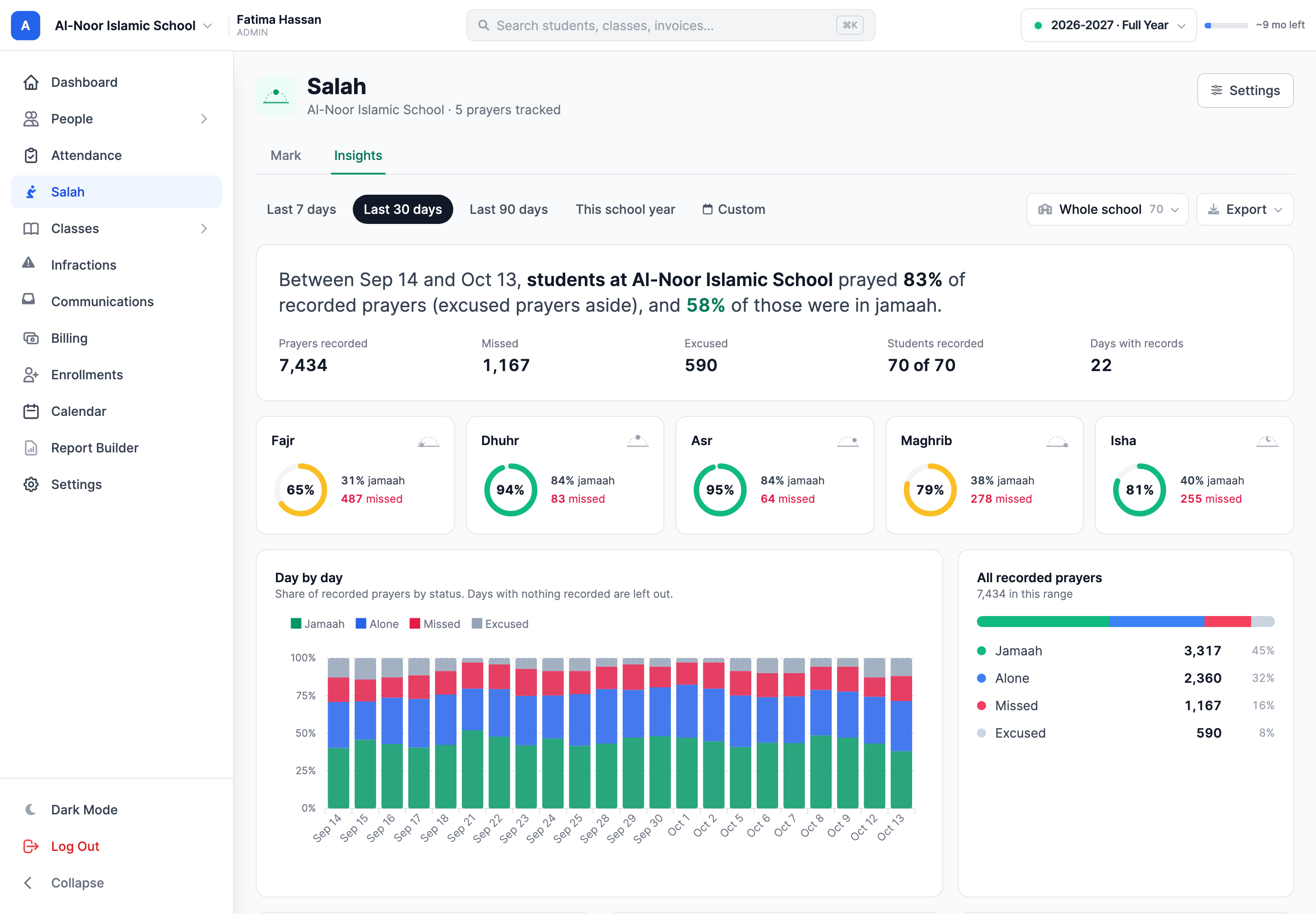
Introducing Salah Tracker for MarkTrack
Record each student's five daily prayers in a tap, see which prayers need attention, and share each child's month with their family. Here is how it works, screen by screen.
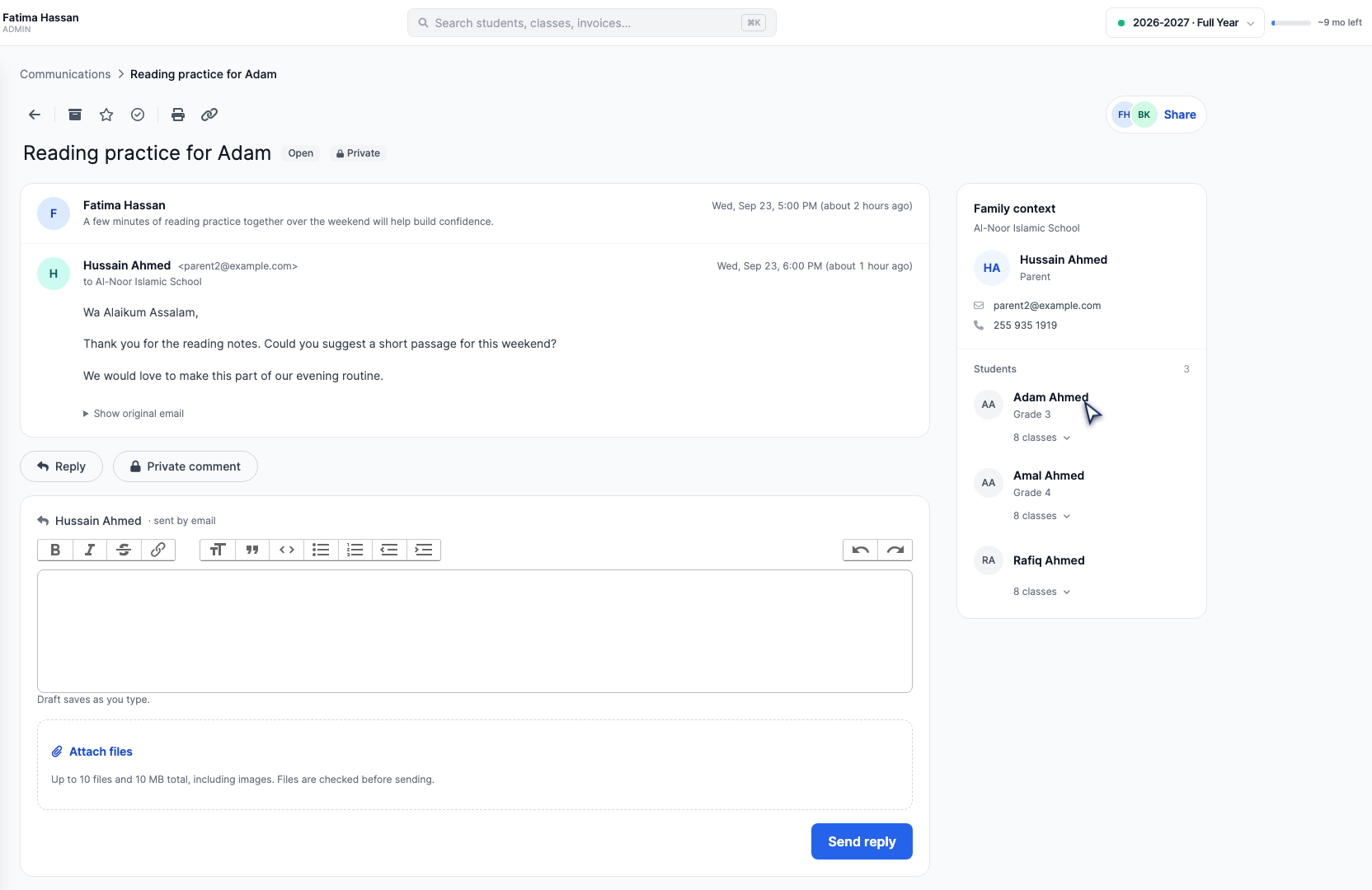
Introducing Communications by MarkTrack
Family email, private staff comments, @mentions and student context in one place. See how your team can work through a conversation together, with screenshots and a complete video walkthrough.
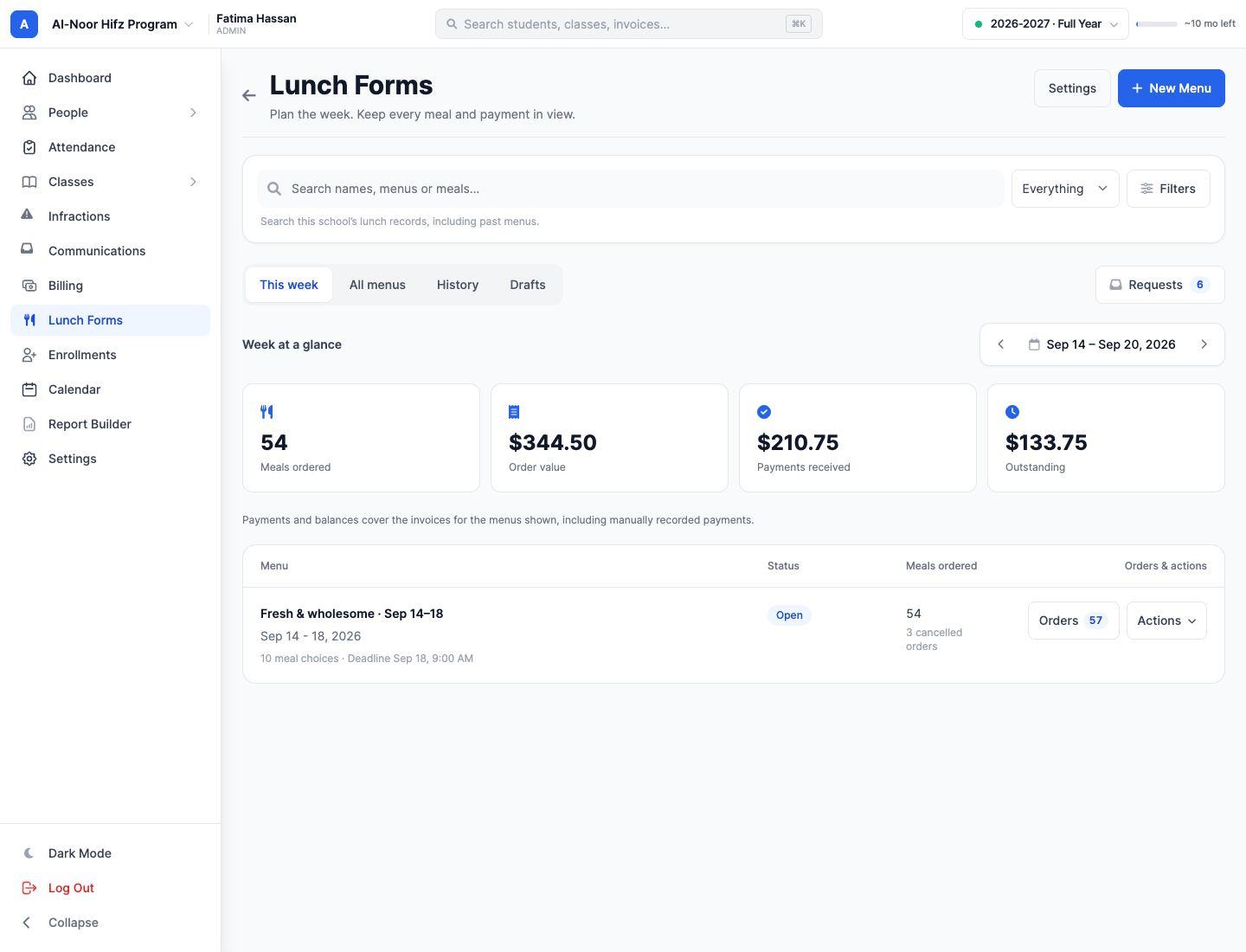
Introducing Lunch Forms for MarkTrack
Create a school lunch menu, share a form families can open without logging in, review requests, track payments and print the kitchen list. Follow the complete journey for admins, parents and students.
The best school management software for Islamic schools in 2026
An Islamic school runs two schools at once — academics and Qur'an — and most software only knows the first. Here is what software built for both looks like: enrollment forms that collect payment on the spot, a Qaidah tracker that fits any maktab, Hifz records parents acknowledge from their phone, attendance with instant parent alerts, and report cards you design yourself.
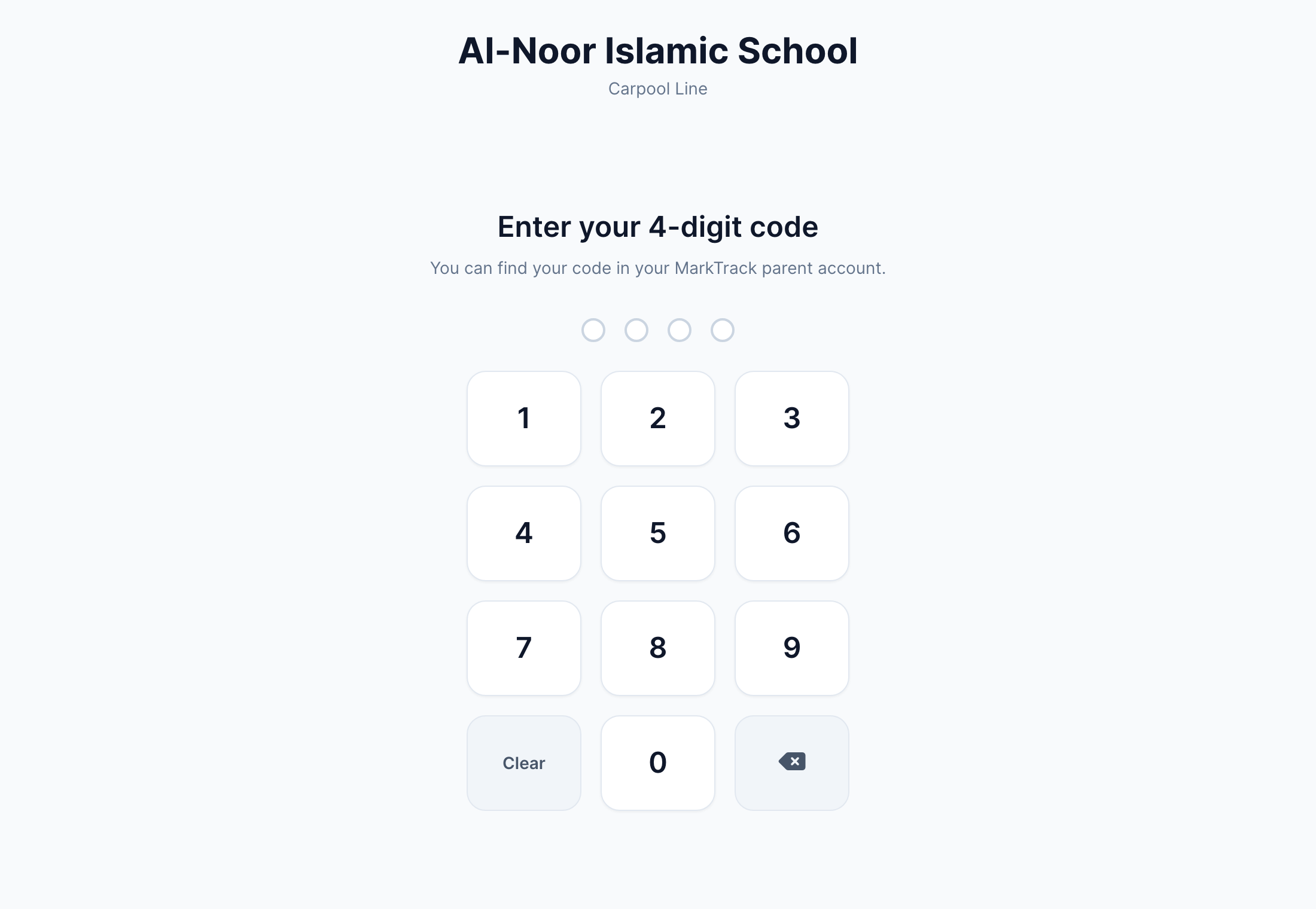
Sign In / Sign Out, screen by screen: the complete guide
The full walkthrough of MarkTrack's Sign In / Sign Out: enabling it per school, creating a kiosk for each door, issuing every family a 4-digit code, and what a parent actually taps at the keypad — plus the live board, the day register, the log and the analytics the office is left with.
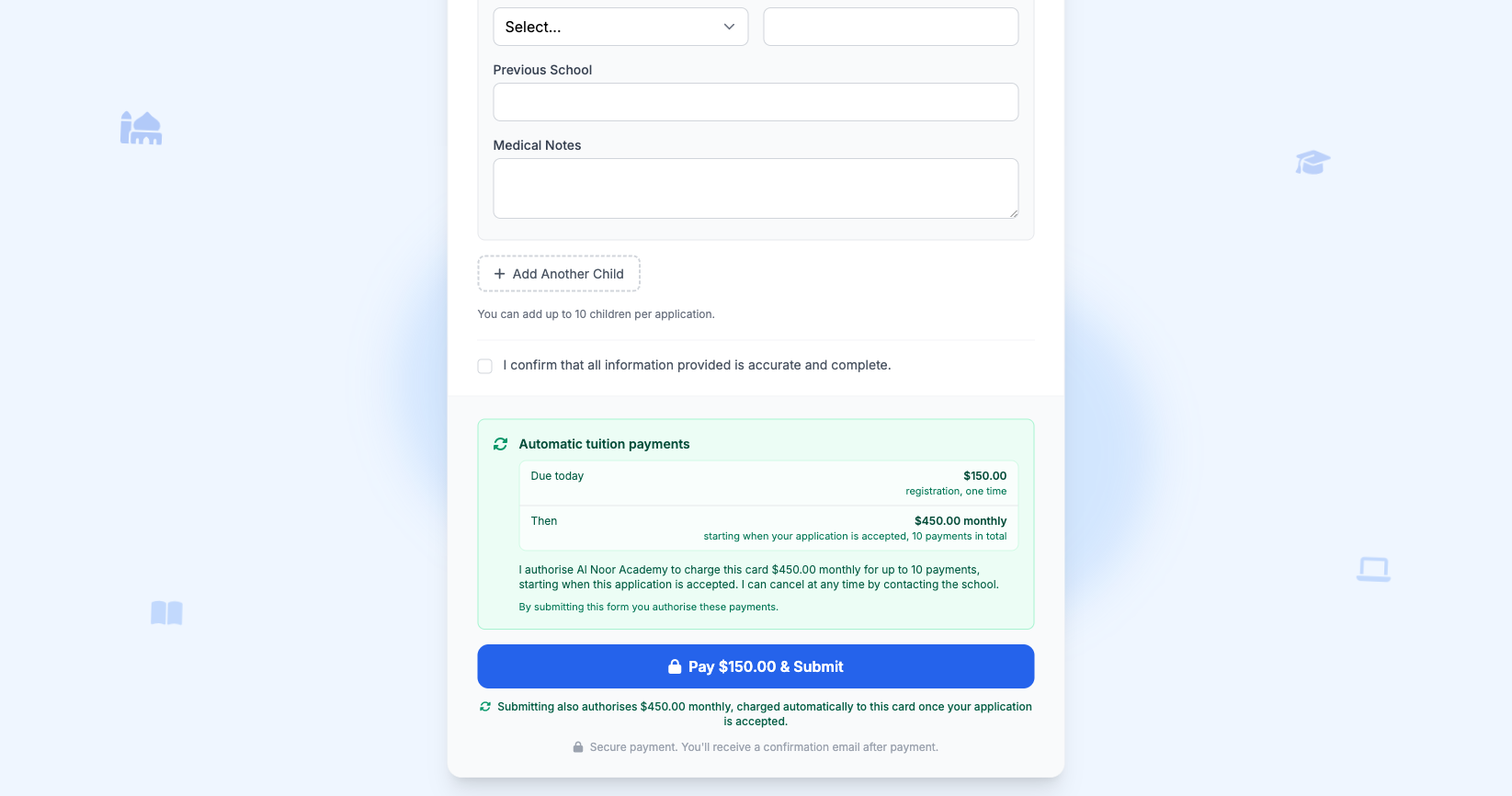
How MarkTrack helps schools collect tuition from parents
Collecting tuition takes considerable administrative time, and follow-up is usually a matter of timing rather than unwillingness. MarkTrack's enrollment form can establish the payment arrangement at the point of enrollment: the registration fee is collected, the card is retained, and tuition is charged on a schedule once the application is accepted.
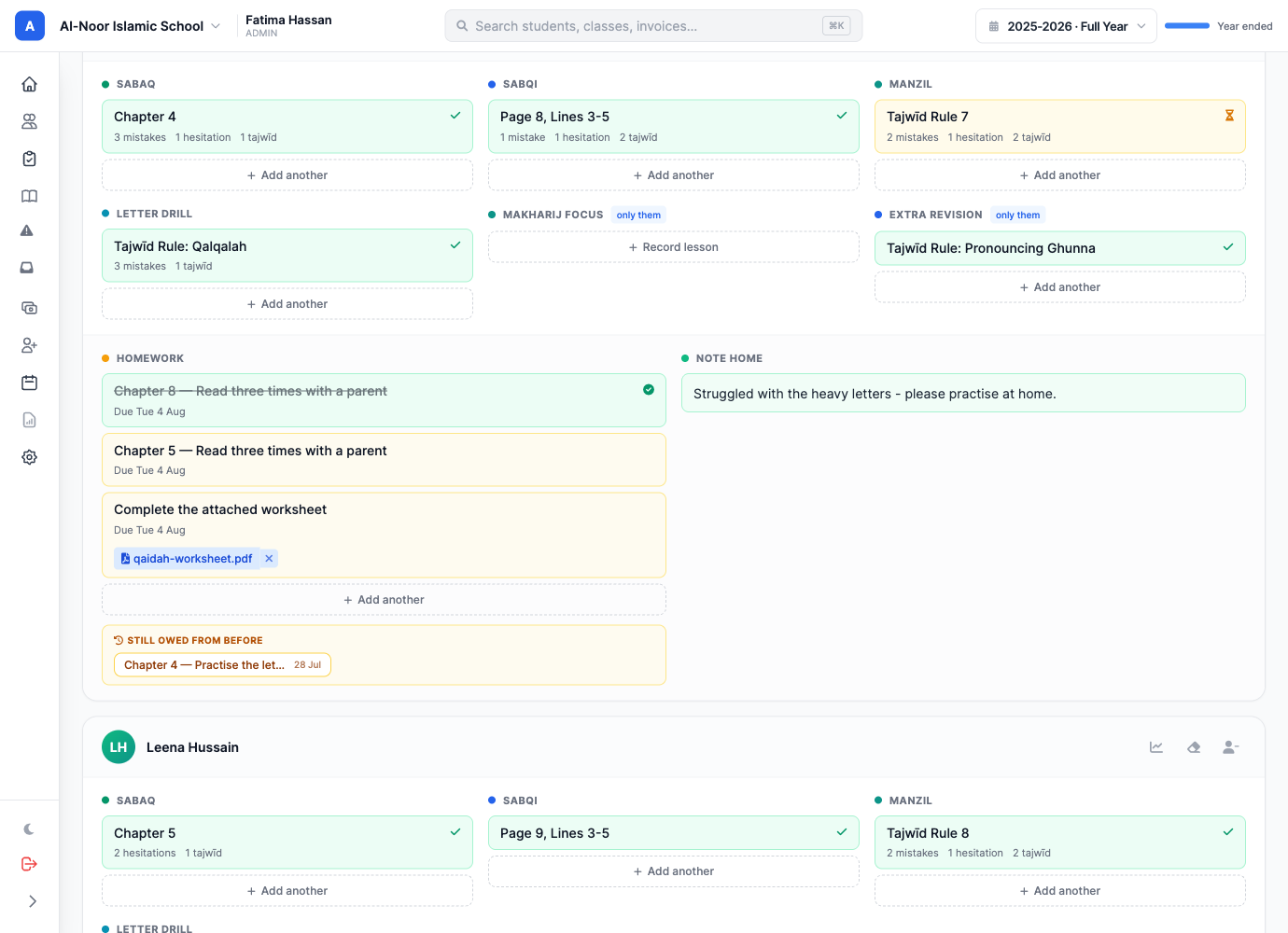
Introducing Qāʿidah Tracker for MarkTrack LMS
Hifz trackers assume the unit of work is a passage of Qur'an. A Qāʿidah lesson isn't — it is a chapter, or a page and a line, or a tajwīd rule, and every maktab writes it differently. MarkTrack's Qaidah Tracker records the day in whichever notation you already use, sets homework per child with a worksheet attached, and shows the parent exactly where their child has reached.

The House of Children: the life and method of Maria Montessori
In the last years of the 1800s a young woman doctor in Rome started spending her days in the asylums, and in a ward of children who had been given nothing at all to hold she asked a question that reorganized the century. The story of Maria Montessori, the House of Children at 53 Via dei Marsi, and the method that came out of watching.
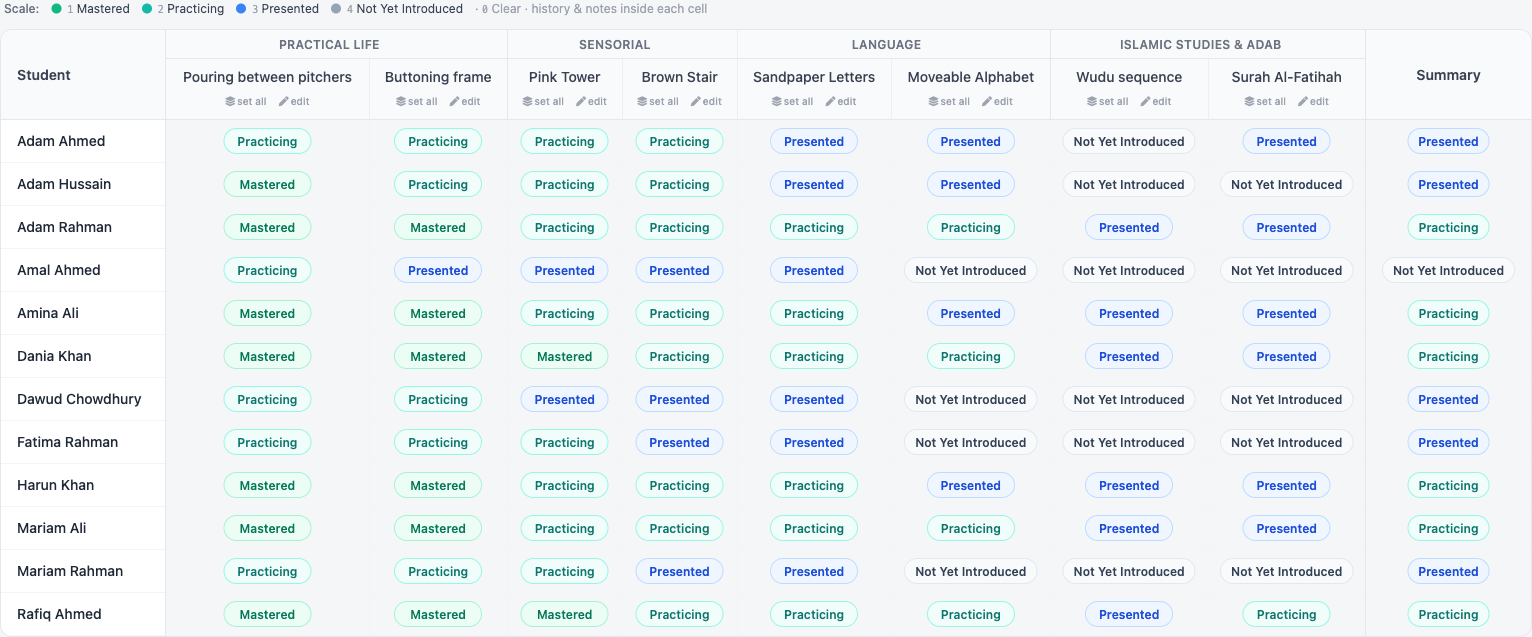
The best LMS for Montessori schools in 2026
Montessori guides do not grade in percentages, and most school software cannot cope with that. MarkTrack grades by album and work with your own proficiency scale, keeps a dated observation record for every child, prints narrative report cards with no numbers on them, and tracks Hifz alongside it — for a twelve-child Children's House or a four-hundred-child school.
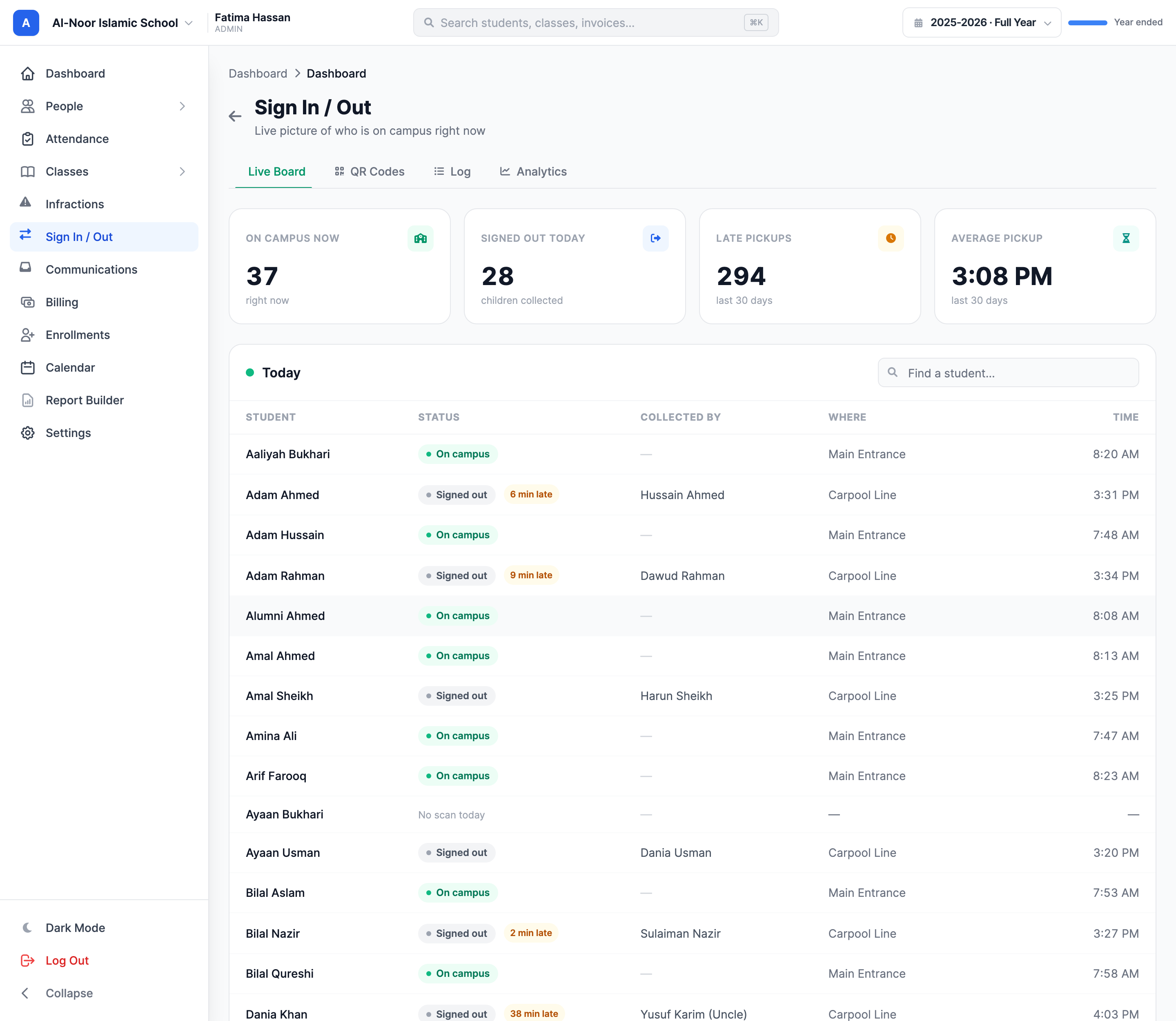
Who picked up this child? A QR code on the door, and an answer you can defend
Replace the sign-out clipboard with a printed QR code. Parents scan at the door with no app and no password, and every departure is stored as a timestamped attestation naming exactly who collected the child — plus a live board, a searchable log, and chronic-lateness analytics.
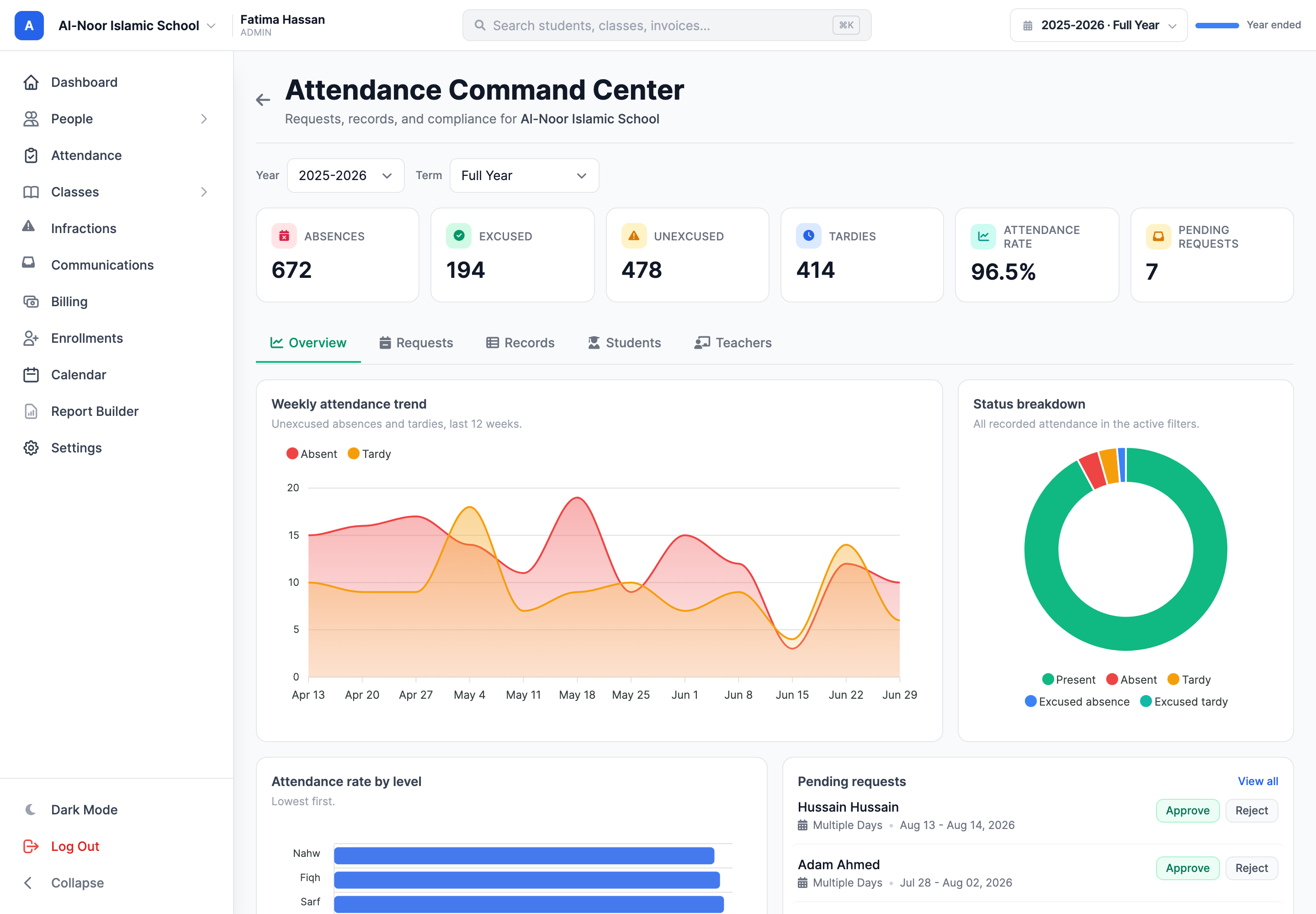
Introducing Command Center: attendance requests and records in one place
Families request an excused absence from their phone, the right admins get an email with a link straight into the review drawer, and one tabbed dashboard runs the whole thing — live KPIs, a searchable record, per-student and per-teacher views, and excused rows that land on the teacher's grid automatically. Here is the end-to-end walkthrough.
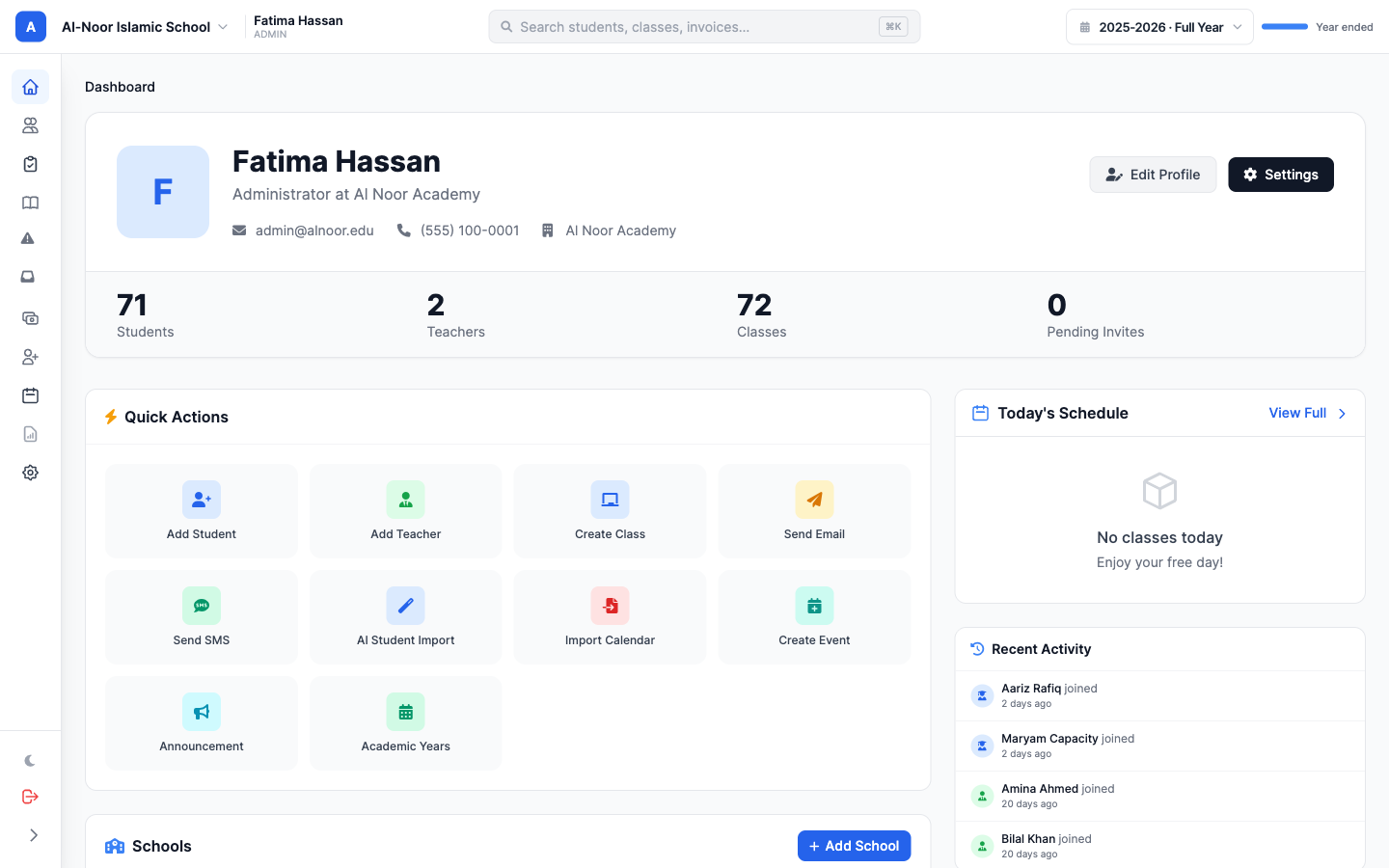
Why you should choose MarkTrack for your school software in 2026
Feature-rich, easy to use, great-looking, and built to bend to how your school actually runs. Here is the short version of why schools are switching to MarkTrack in 2026.
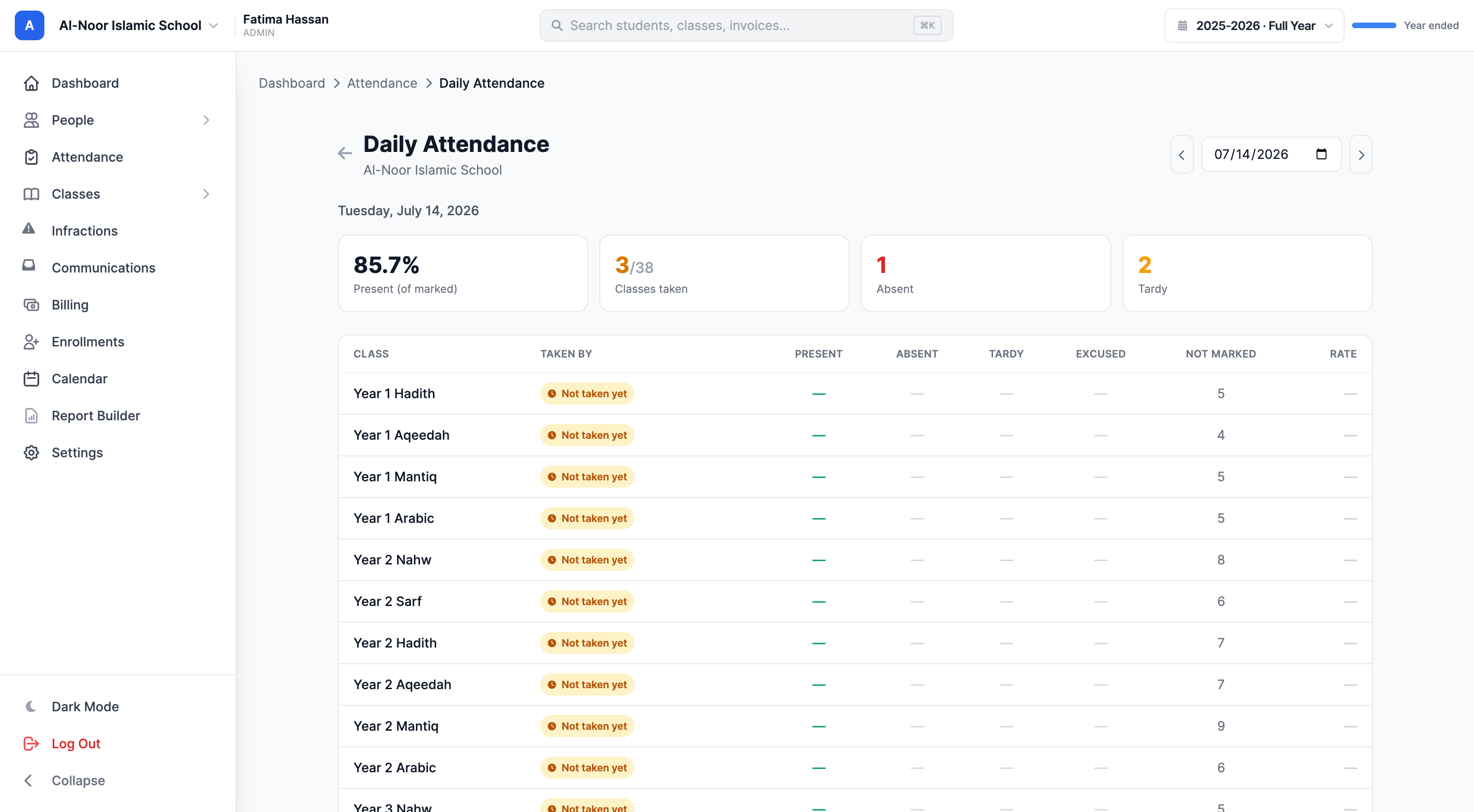
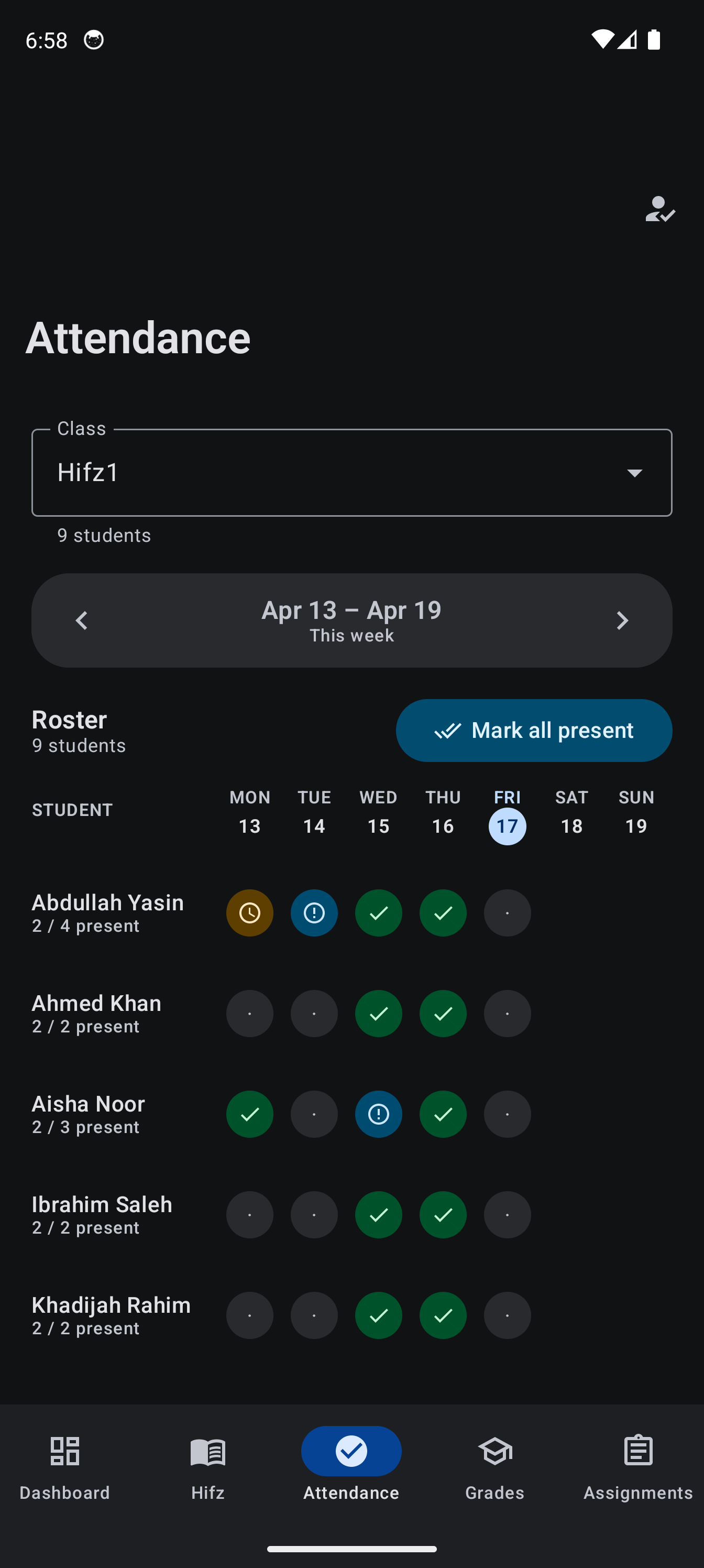
Attendance tracking that bends to how your school actually runs
Present or absent isn't enough for a real school. MarkTrack lets you define your own attendance statuses, let students mark themselves or a class helper take attendance, see exactly who marked each student, and read the whole school's day on one page — with parent alerts that only fire for staff marks.
How to choose a school management system for a madrasa
There are a lot of good options for running a madrasa. Here is a short buyer's guide: what to actually look for, and five honest reasons MarkTrack is worth considering, from native iOS apps to Hifz and salah tracking.
How to track Hifz progress: Sabaq, Sabqi, and Manzil
Every Hifz lesson has a new part, a recent review, and an older review: Sabaq, Sabqi, and Manzil. Here is a simple way to track all three each day, add your own categories, handle haydh days for female students discreetly, and keep parents acknowledging from their phone.
Bring your own report card, and AI rebuilds it as a reusable template
Upload a photo, PDF, or Excel of the report card your school already uses, and MarkTrack's AI reads its structure and rebuilds it as a reusable template. Here's the technical walkthrough — and an honest accuracy breakdown across 46 real report cards from five countries.
Why MarkTrack is the best LMS for elementary schools (2026)
Elementary teachers don't grade in percentages — they grade in skills. MarkTrack lets K-5 schools grade by skill with proficiency labels like Excelling and Meeting, print one-click standards-based report cards, and run attendance, billing, and enrollment in the same place.
The best LMS for colleges in 2026
Shopping for a college LMS in 2026? A side-by-side of MarkTrack, Canvas, Blackboard, Moodle, and Orbund across pricing, native iOS + Android apps, enrollment, course delivery, reporting, and built-in AI — with the honest trade-offs.
The JotForm alternative built for school enrollment
JotForm collects the application but not the money the way a school needs it. MarkTrack runs enrollment end to end — registration fees per school and per child, one family invoice, students enrolled automatically. Here is the whole setup.
Build your lessons with Modules
Group videos, PDFs, links, and quizzes into clean, ordered modules. Build a full online course or a week-by-week lesson plan in minutes.
Move your roster from any LMS to MarkTrack with AI
Export your roster from RenWeb, QuickSchools, Muntazim, or a spreadsheet. Drop one CSV into MarkTrack and AI maps every column — students, parents, and families ready in minutes.
The best LMS for Madrasah, Hifz, Maktab & K-12 Islamic schools
A fair comparison of MarkTrack, RenWeb, Gradelink, QuickSchools, and spreadsheets for Islamic schools in 2026: Hifz tracking, AI, native mobile apps, ease of use, and pricing.
Set up your whole Fall 2026 enrollment in an afternoon
New applications, registration fees, a Fall 2026 term, class rollover, and your roster brought over from a spreadsheet. One afternoon, one platform.
Stop chasing unpaid registration fees
Flip one setting and a parent cannot log in until their registration invoice is paid. MarkTrack sends the reminders for you.
Hifz tracking that keeps parents in the loop
Log sabaq, sabqi, and manzil in seconds. Parents acknowledge each day from their phone, and a full progress report is one click away.
Sibling discounts that apply themselves
Set the rule once. Second child 10 percent off, third child 15. Every family invoice does the math on its own, every month.
Stop running field trips on Google Forms
Google Form for the waiver, Excel sheet to track who paid, Venmo screenshots in a group chat. Replace the whole mess with one form that collects the signature and the money in the same submit.
Forms for anything, in five minutes
Build a field trip permission slip, a Quran club interest form, or an iftar RSVP and share a public link. Responses land next to your students.
MarkTrack for madrasas and Alim programs
A six year Alim course is not built like a public school. The cohorts, the subjects, the Hifz revision cycle, none of it fits. MarkTrack does.
MarkTrack for homeschool co-ops
Pool teaching duties across families, charge per-class tuition, share schedules, track attendance for the days you actually meet. Built for Islamic and secular co-ops.
MarkTrack for small schools and maktabs
Twenty students, one teacher, one parent group chat. MarkTrack stays out of your way and gives you the few things you actually need: attendance, grades, and a great mobile app.
MarkTrack for large Islamic schools
Multi-school organizations, K-12, dozens of teachers, granular permissions, customizable gradebooks. Built for full-time academies that have outgrown spreadsheets.
MarkTrack is the simplest school software
One screen for the admin. One for the parent. One for the student. Everyone sees what they need, nothing more. That is the whole pitch.
Email the whole school in two clicks
Pick a class, a role, or the whole school. Type the message. Send. No mail merge, no copy-pasting addresses.
Grading the way teachers actually grade
Custom weights, custom letter scales, custom categories. The gradebook bends to how you teach, not the other way around.
One invoice per family
Three kids, one bill. Family invoices roll up every child's tuition into a single line item parents can pay in one click.
Behavior tracking without the paperwork
Log an infraction in seconds. Parents get an email after admin approval. Severity, status, full audit trail.
Enrollments, the fast way
Build a beautiful enrollment form, let AI write the fields, auto-enroll on accept, and auto-charge tuition. Done.
An LMS students actually open
Most students don't open their LMS. Some don't even remember their login. We built MarkTrack to fix that.
Why MarkTrack is different
Most school software was built for K-12 public schools. It does not work well for Islamic schools and weekend programs.
Try MarkTrack at your school
Free 30-day trial. Card required, with no charge today. Set up your maktab, weekend school, or full academy in minutes.