

How Kufah Institute uses MarkTrack to streamline enrollment, assignments, and billing
“I have found the MarkTrack platform to be super easy to use and extremely beneficial for our use. The MarkTrack team has been very receptive to all of our customizations and requests. Our entire team has felt that it has been easy to use and all of our feedback has been incorporated quickly to best serve our needs as an institution. We are really grateful for the MarkTrack team and can see this being a platform we use long term.”
Kufah Institute in Tampa, Florida teaches the classical Islamic sciences. They run a multi-year ʿAlim course and a Diploma in Islamic Studies for hundreds of students, brothers and sisters, on daytime and evening schedules.
That's a lot of moving parts. Every class is taught twice, once for each gender. Students sign up by track rather than picking classes one at a time. Exams have to be written, sat and graded. Registration fees have to be collected.
They run all of it in MarkTrack.
About the screenshots: the enrollment form is Kufah's own live application. The classroom screenshots use a sample program called Al Noor Institute, so we're not showing any real student's information.
Building and grading an exam
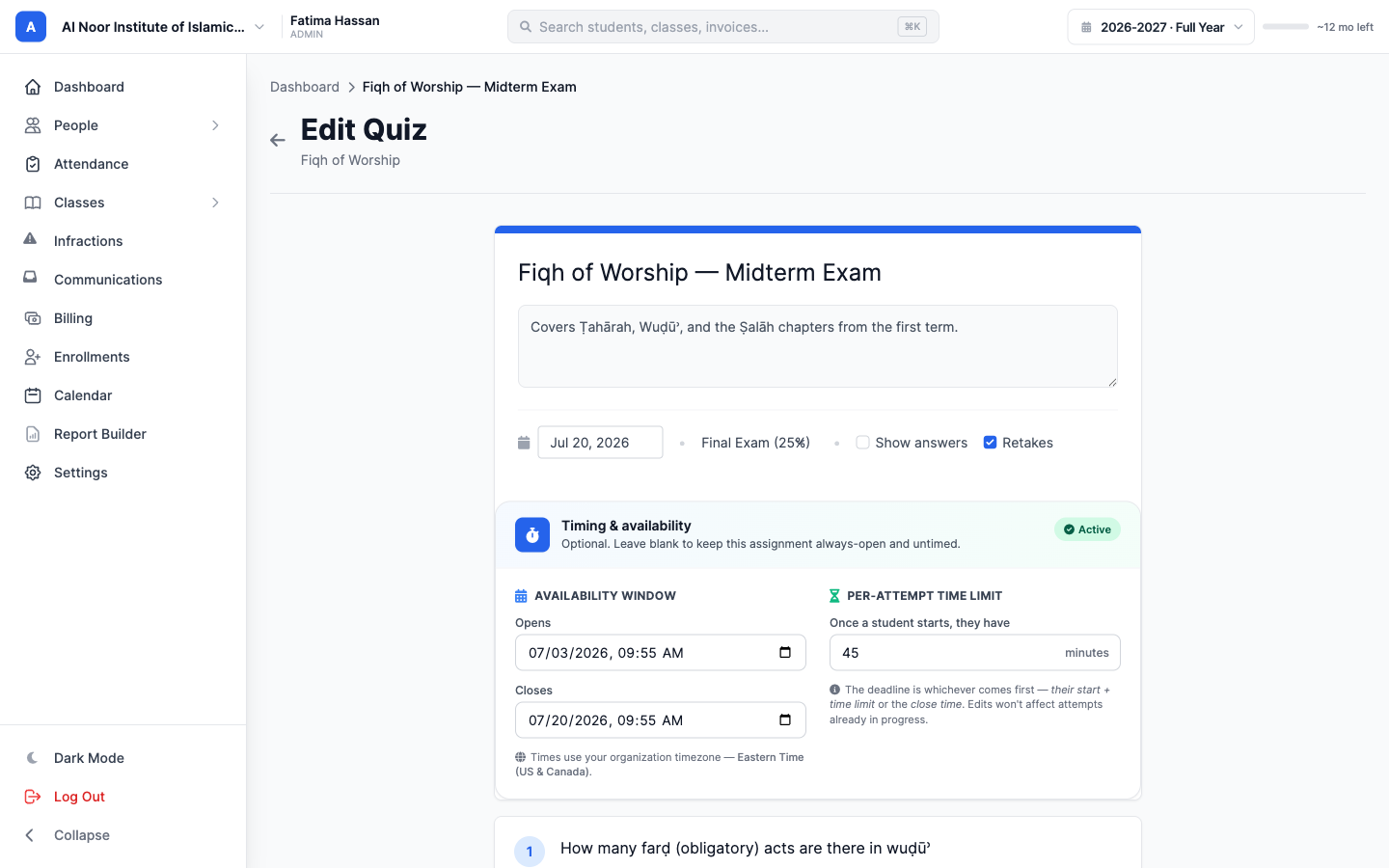
Teachers at Kufah build their assignments in MarkTrack as interactive quizzes. An exam is a quiz filed under a grade category such as Final Exam. The teacher sets when it opens and closes, how long a student gets per attempt, and whether the correct answers show up afterwards.
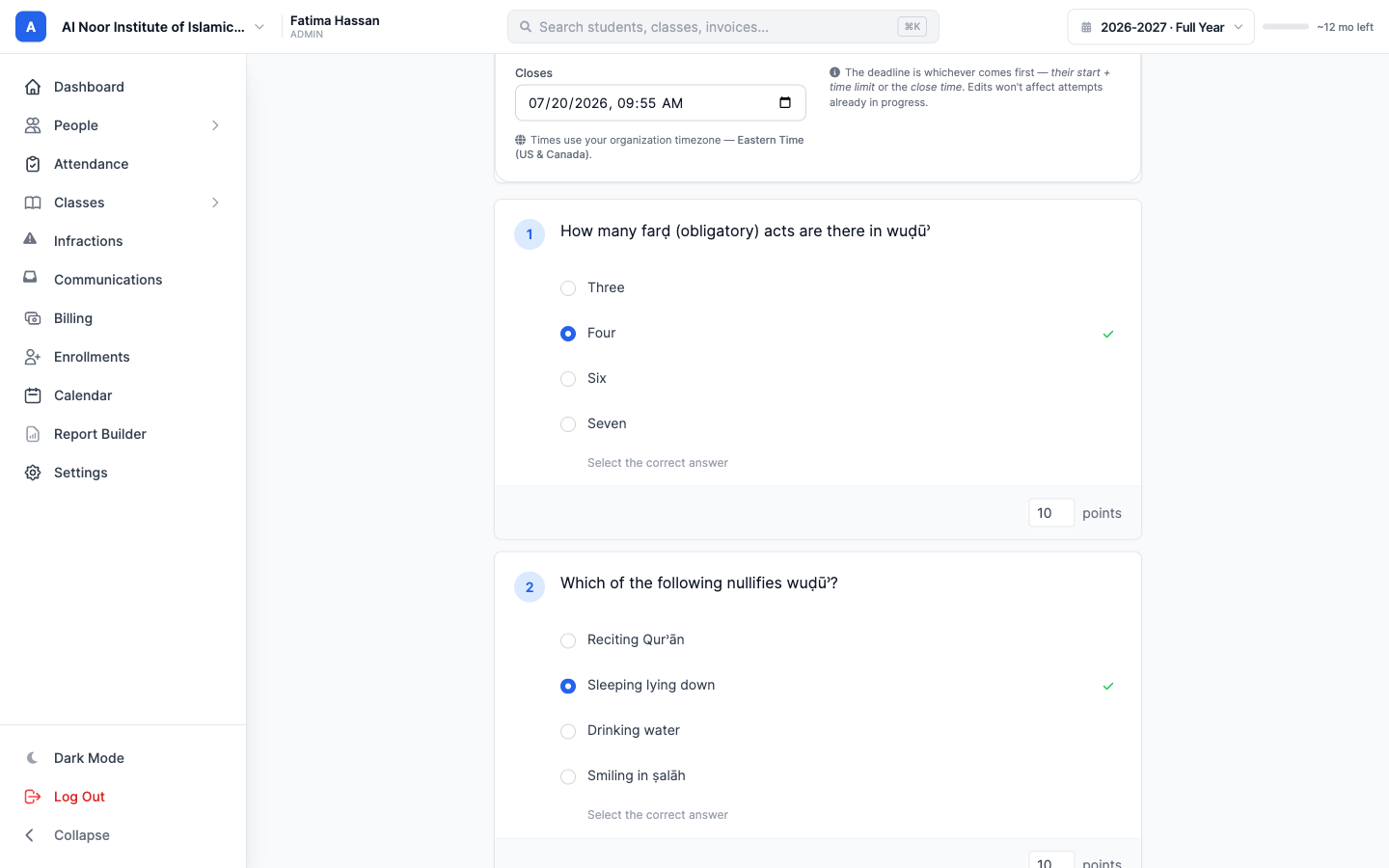
Questions can be multiple choice, true or false, or short answer. Each one has its own points and its own correct answer, and the total updates as the teacher adds them.
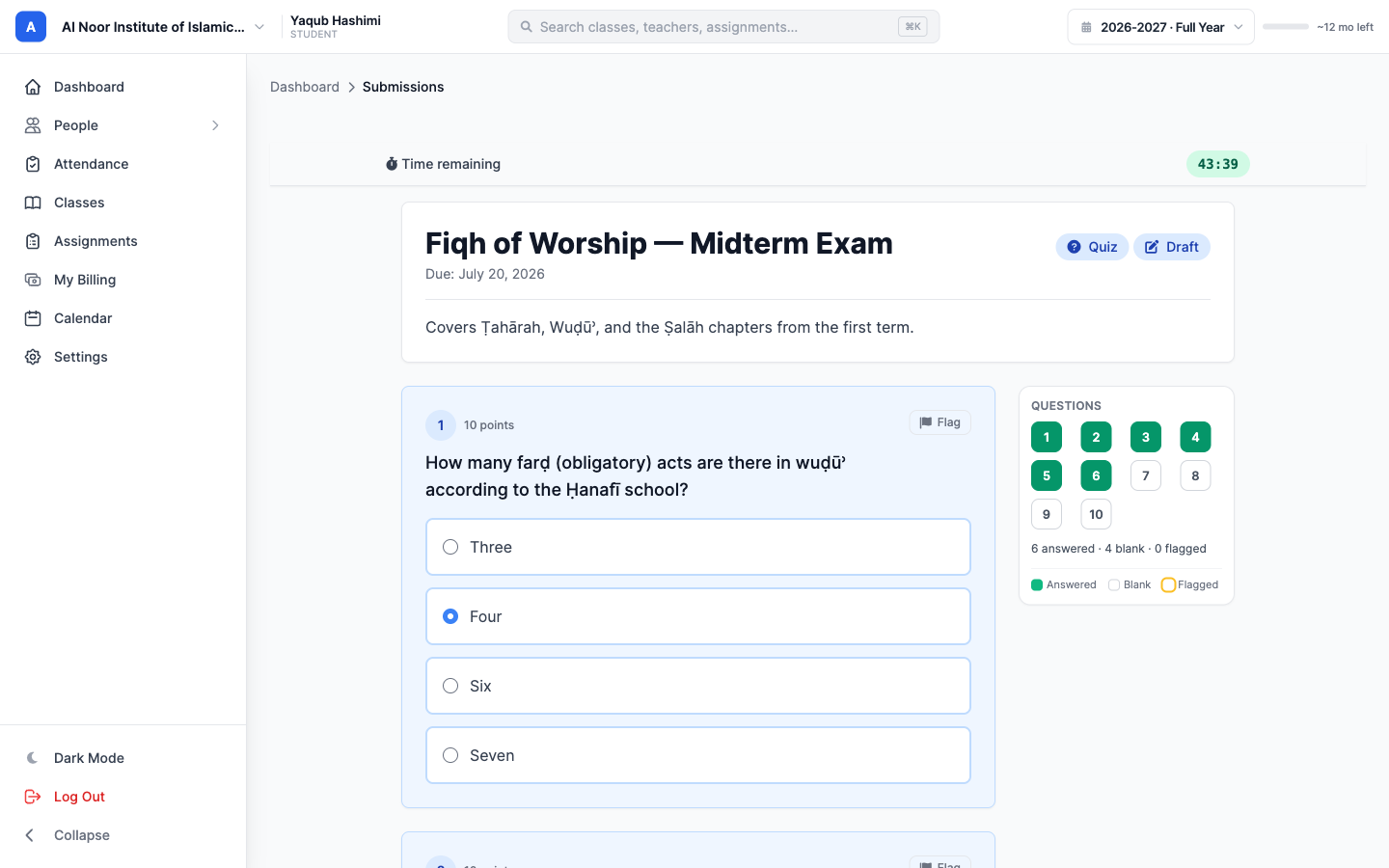
Students sit the exam on any device. They can see which questions they have answered, which are still blank, and which they flagged to come back to. Every answer saves on its own as they go, and a timed exam runs a countdown.
The teacher watches it come in on one screen: how many students have submitted, what the class is averaging, and how much is still waiting to be graded.
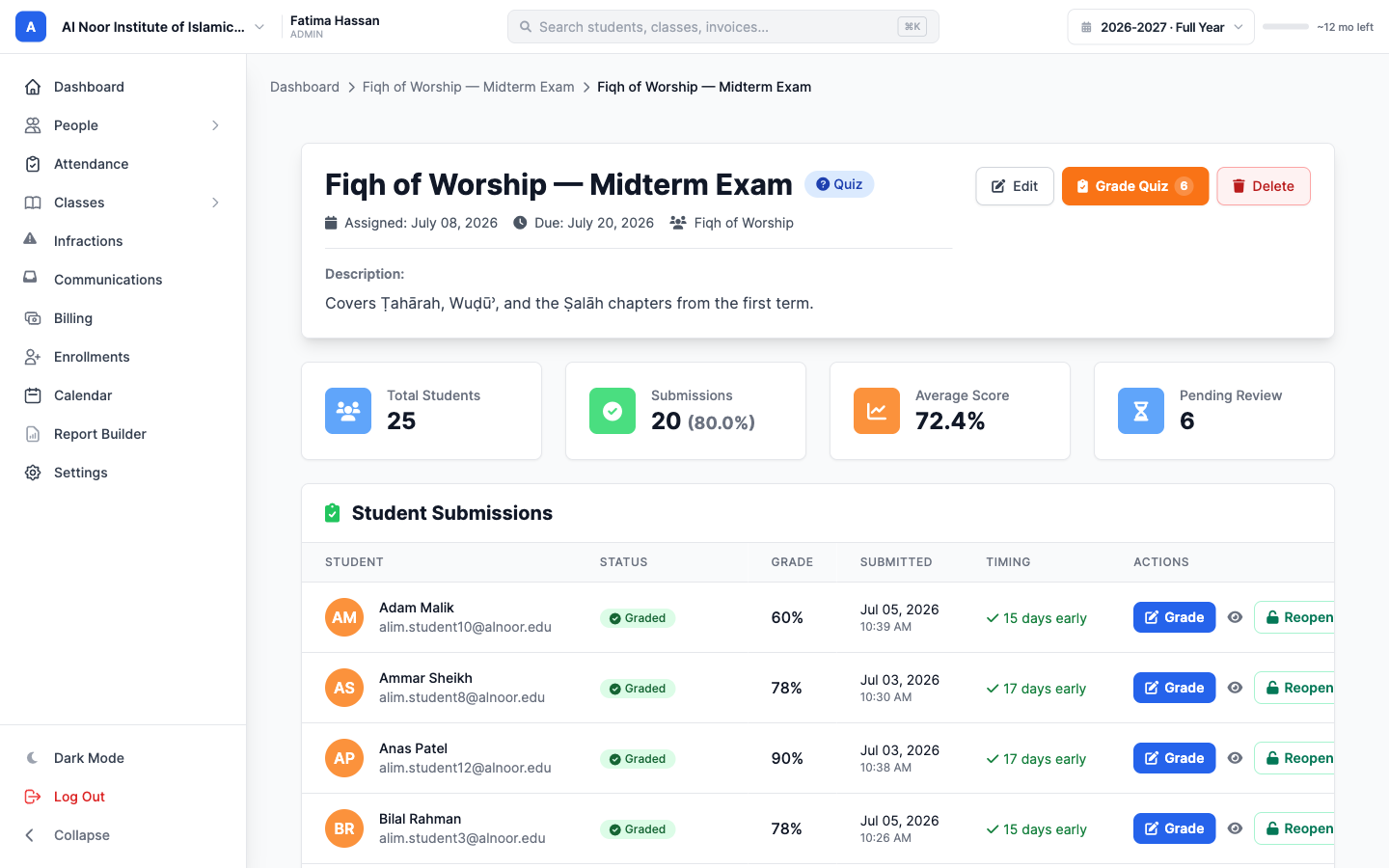
Multiple choice and true or false are graded the moment a student hits submit. That leaves the teacher the written answers, which arrive flagged as Needs Review.
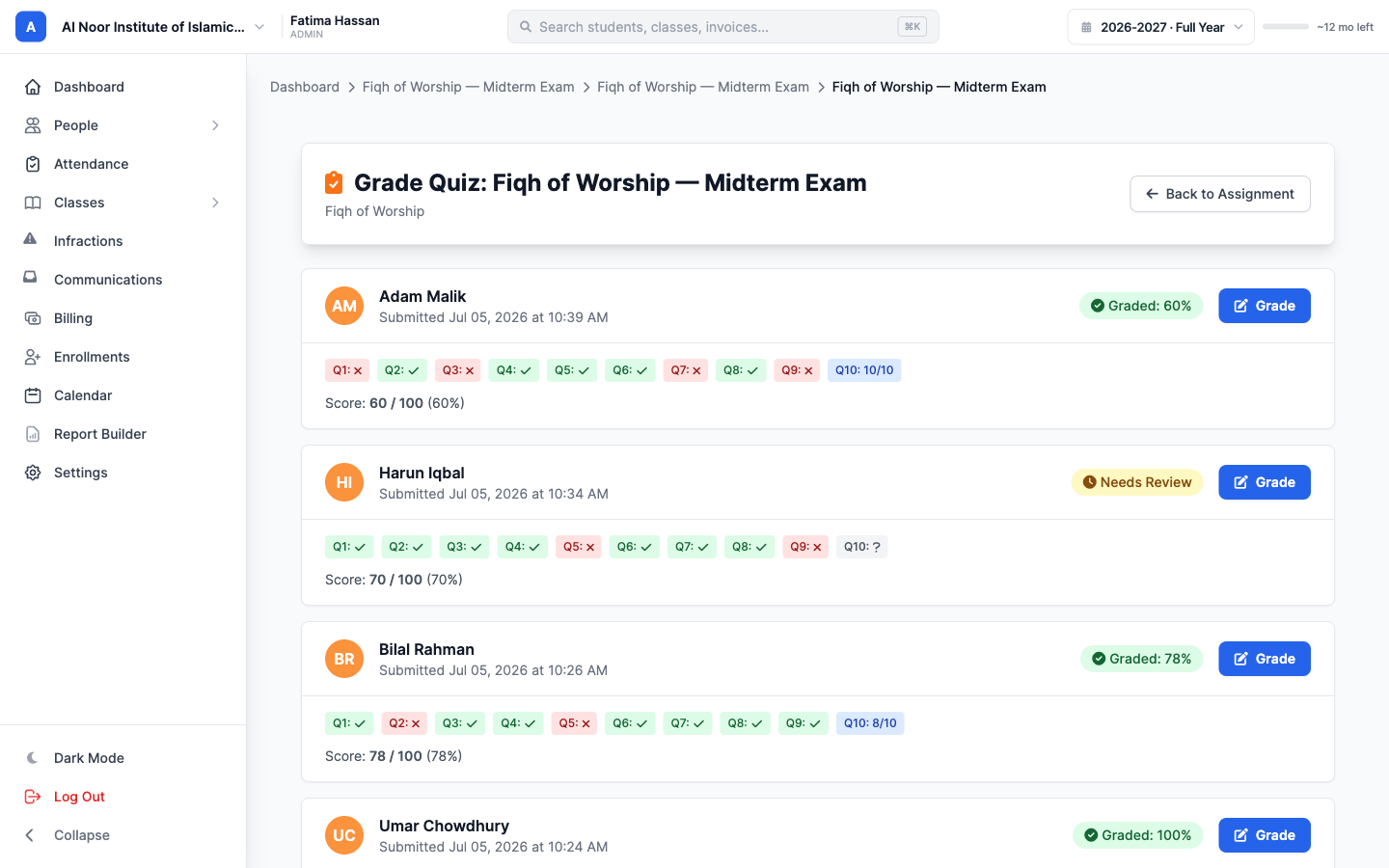
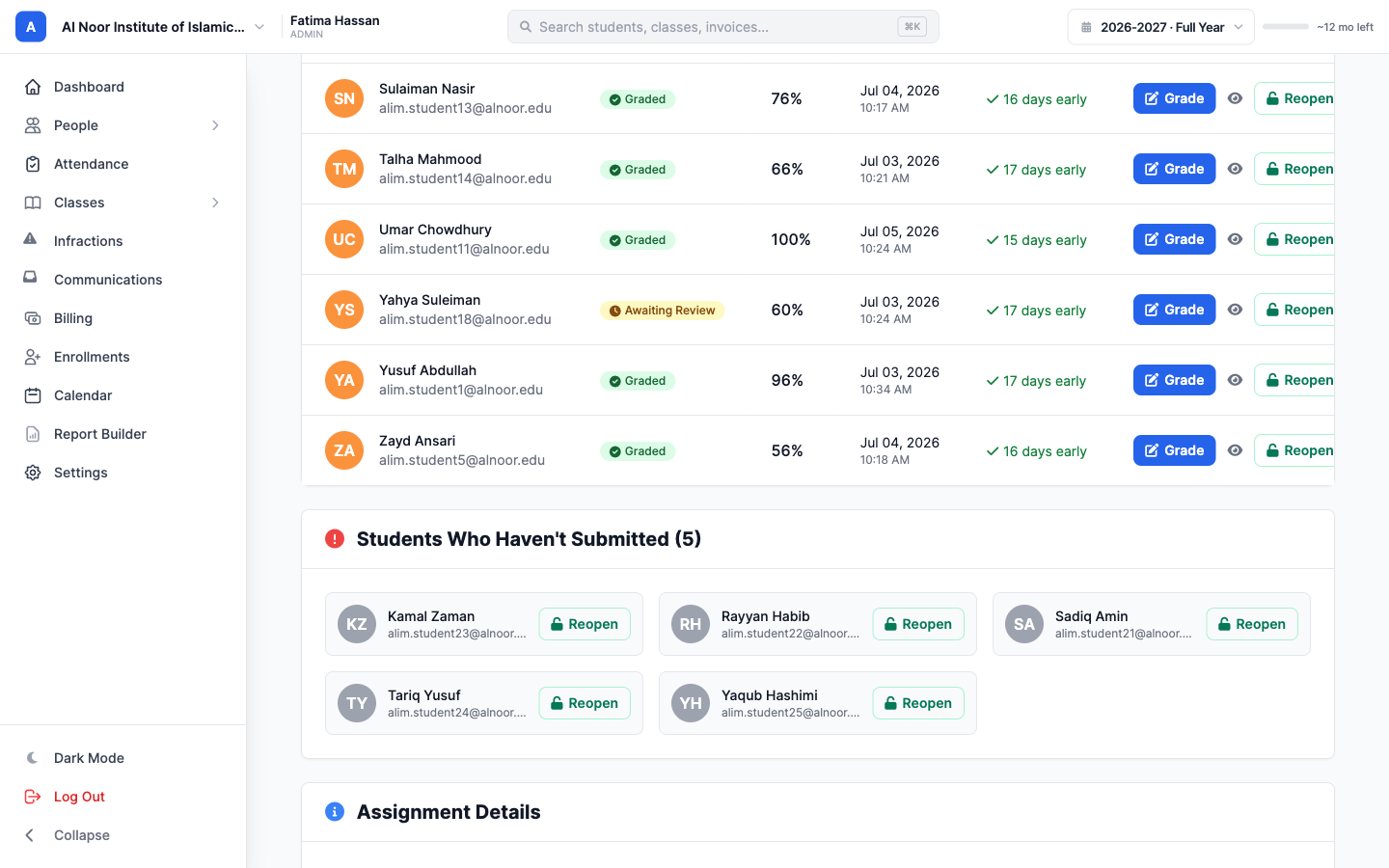
The roster shows who has been graded, who is waiting on review, and who never submitted at all. If a student needs another go, the teacher can reopen the exam for them in one click.
Enrollment and the Program Selector
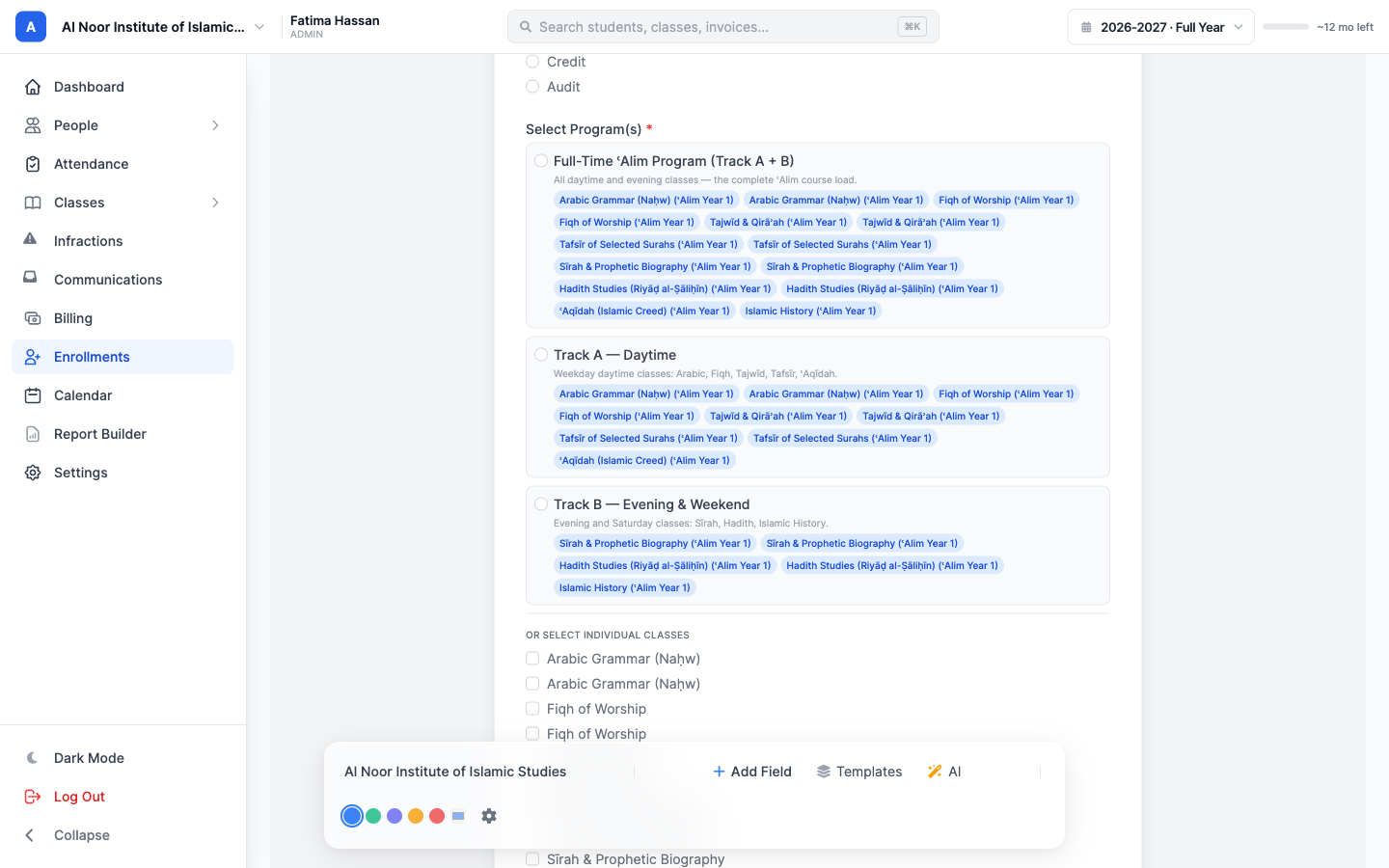
Kufah's courses run as tracks. There is a full-time load, a daytime track, and an evening and weekend track, and every class inside them is taught in separate brothers' and sisters' sections. On an ordinary enrollment form, an applicant would have to scroll a long list of classes and hope they ticked the right ones.
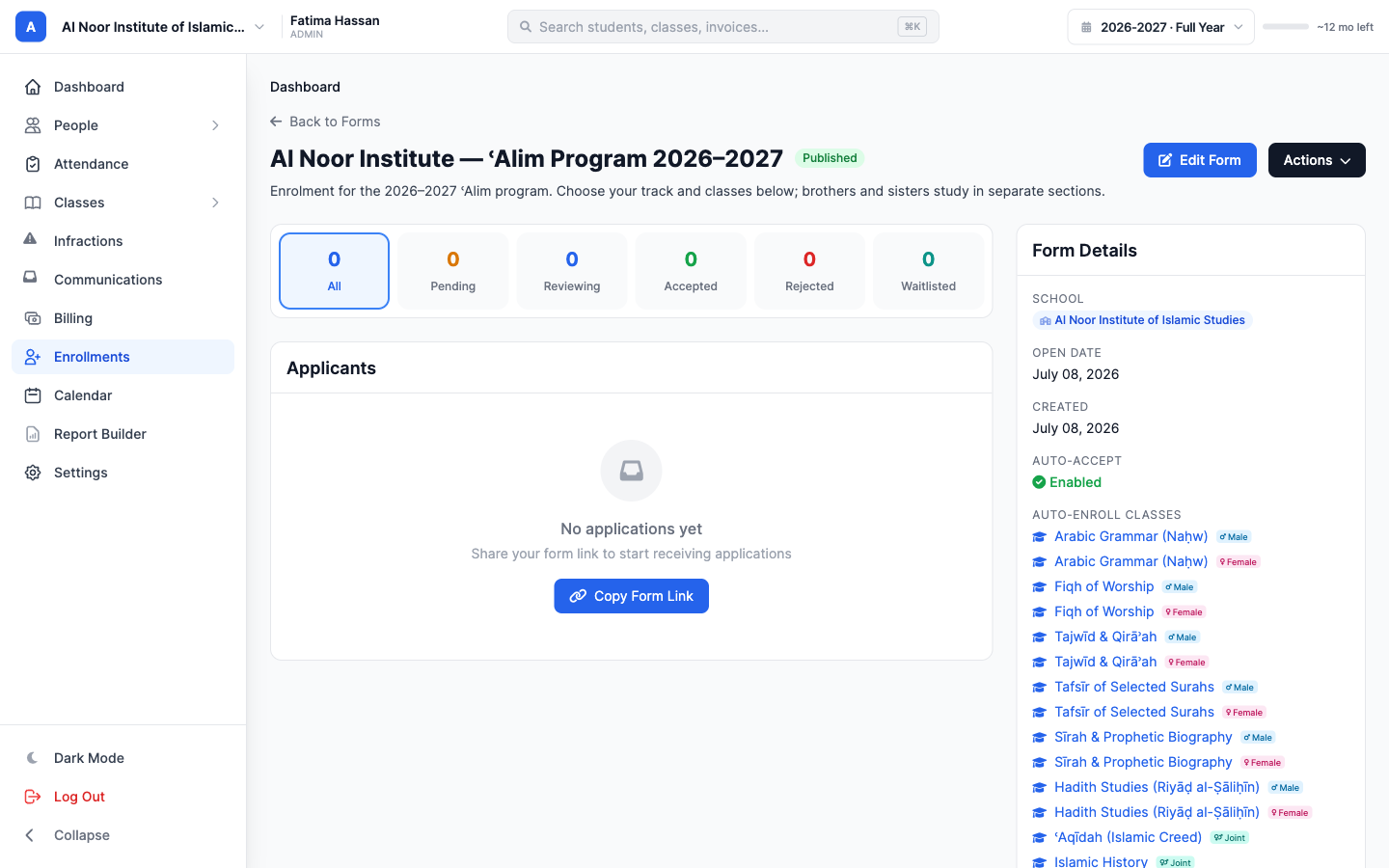
MarkTrack's Program Selector does that sorting for them. An admin opens the form builder, turns on auto-enroll, picks the school's classes and groups them into the three tracks: Full-Time, Track A (Daytime) and Track B (Evening & Weekend).
Each class exists as its own section per gender, so MarkTrack tags every one with a Male, Female or Joint badge. With auto-accept turned on, an accepted applicant is enrolled in the right sections straight away.
None of that shows up on the applicant's side. They pick their gender and their track, and the class list filters down to their own sections. The other gender's classes grey out, and picking a track selects its whole bundle in one tap.
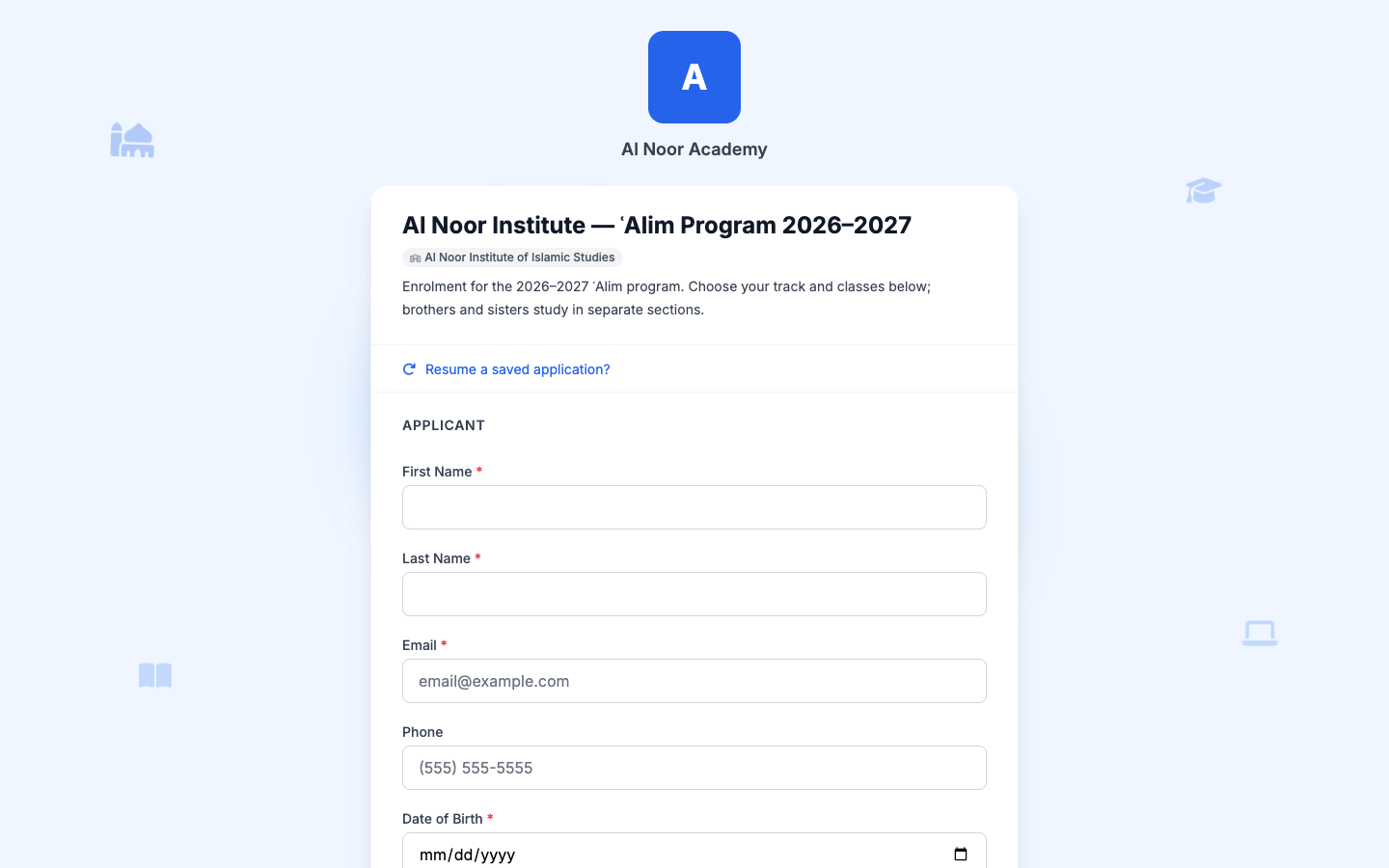
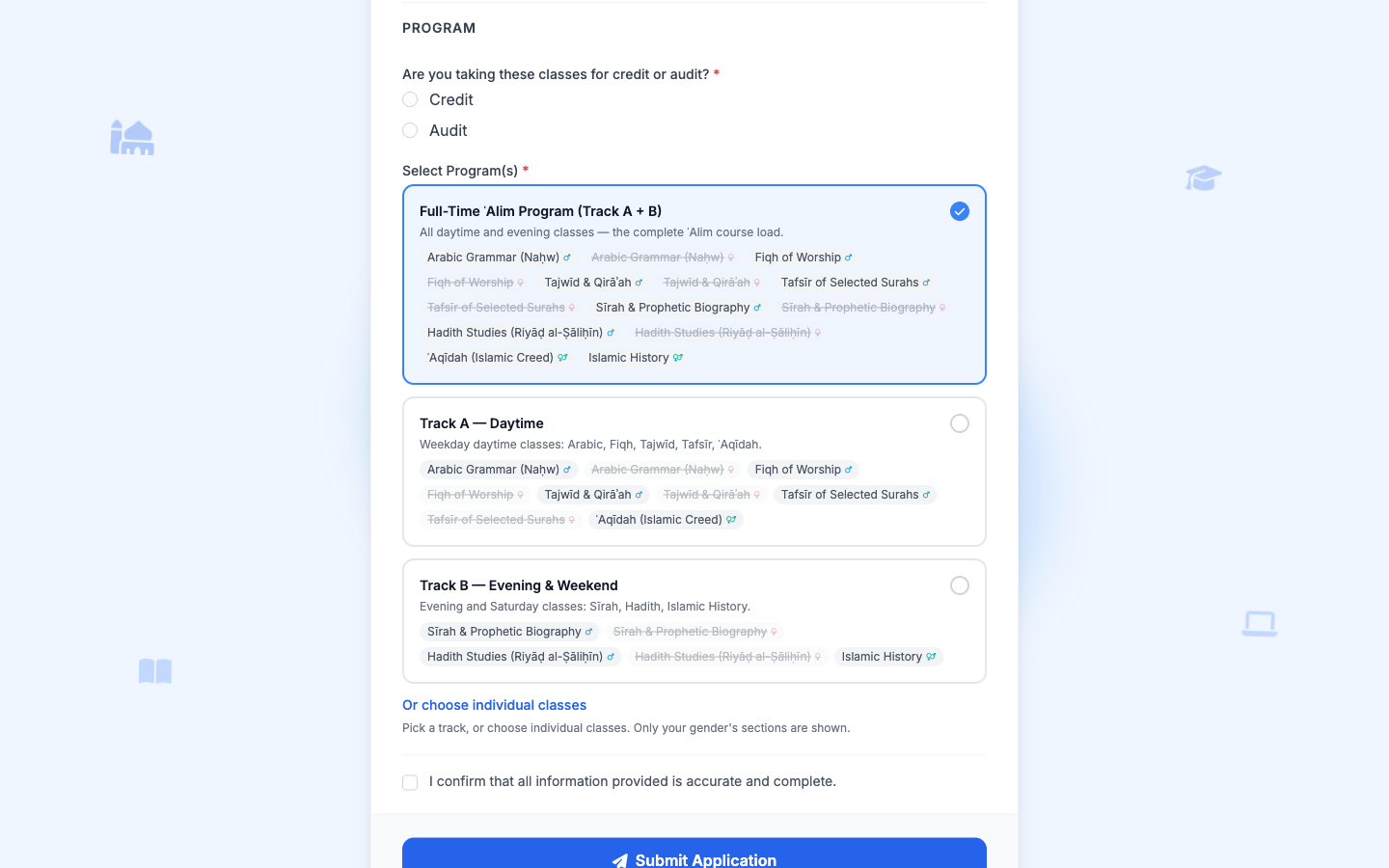
Kufah's live form works the same way, with their own tracks and their own sections:
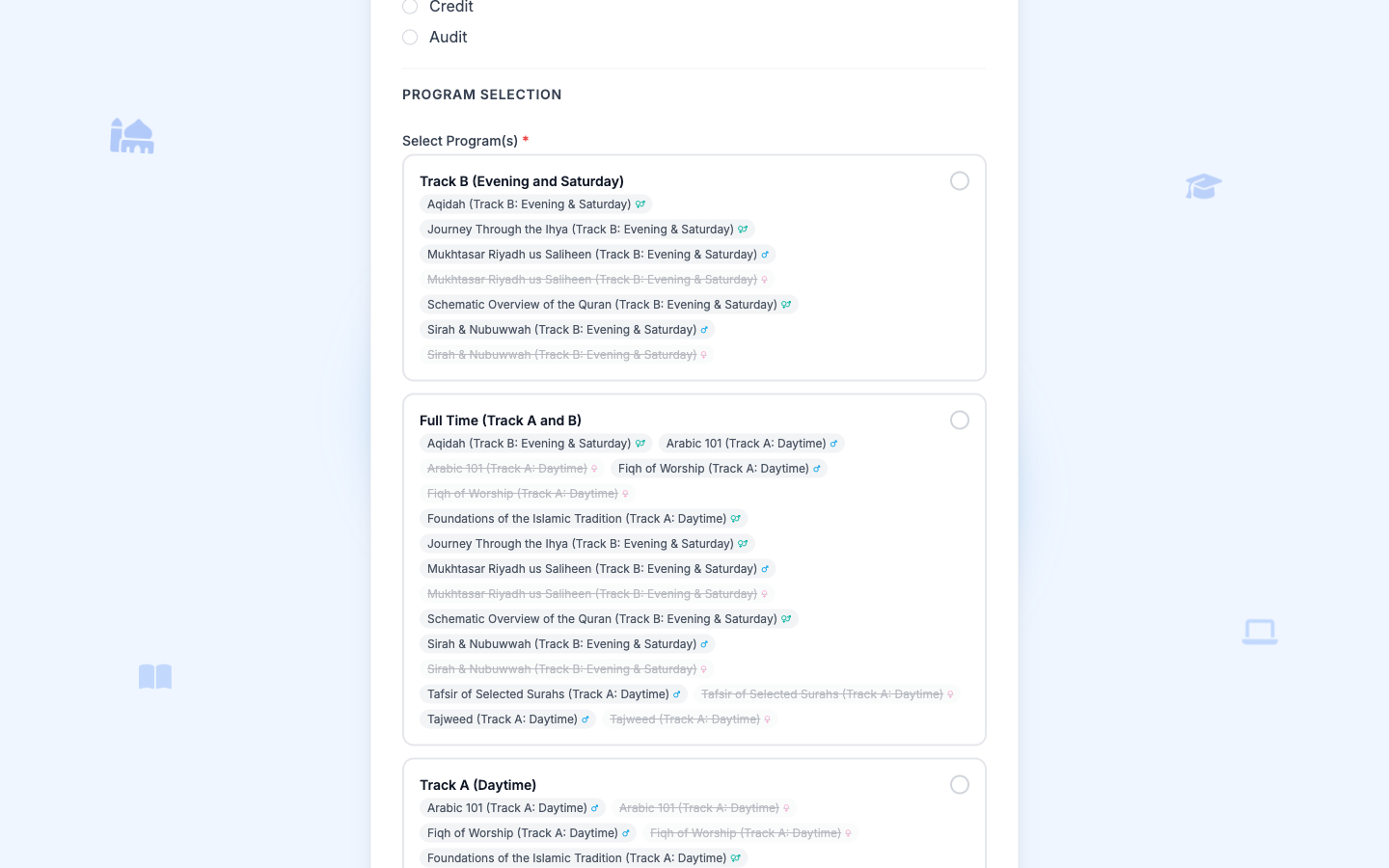
When an application is accepted, MarkTrack creates the student's account and enrolls them in the sections they picked. That is the part that would otherwise be typed in by hand.
The form sits on Kufah's own website
Applicants stay on Kufah's site instead of being sent off to a separate portal. The Actions menu on the form hands you one line of iframe code to paste in, or a direct link to share.
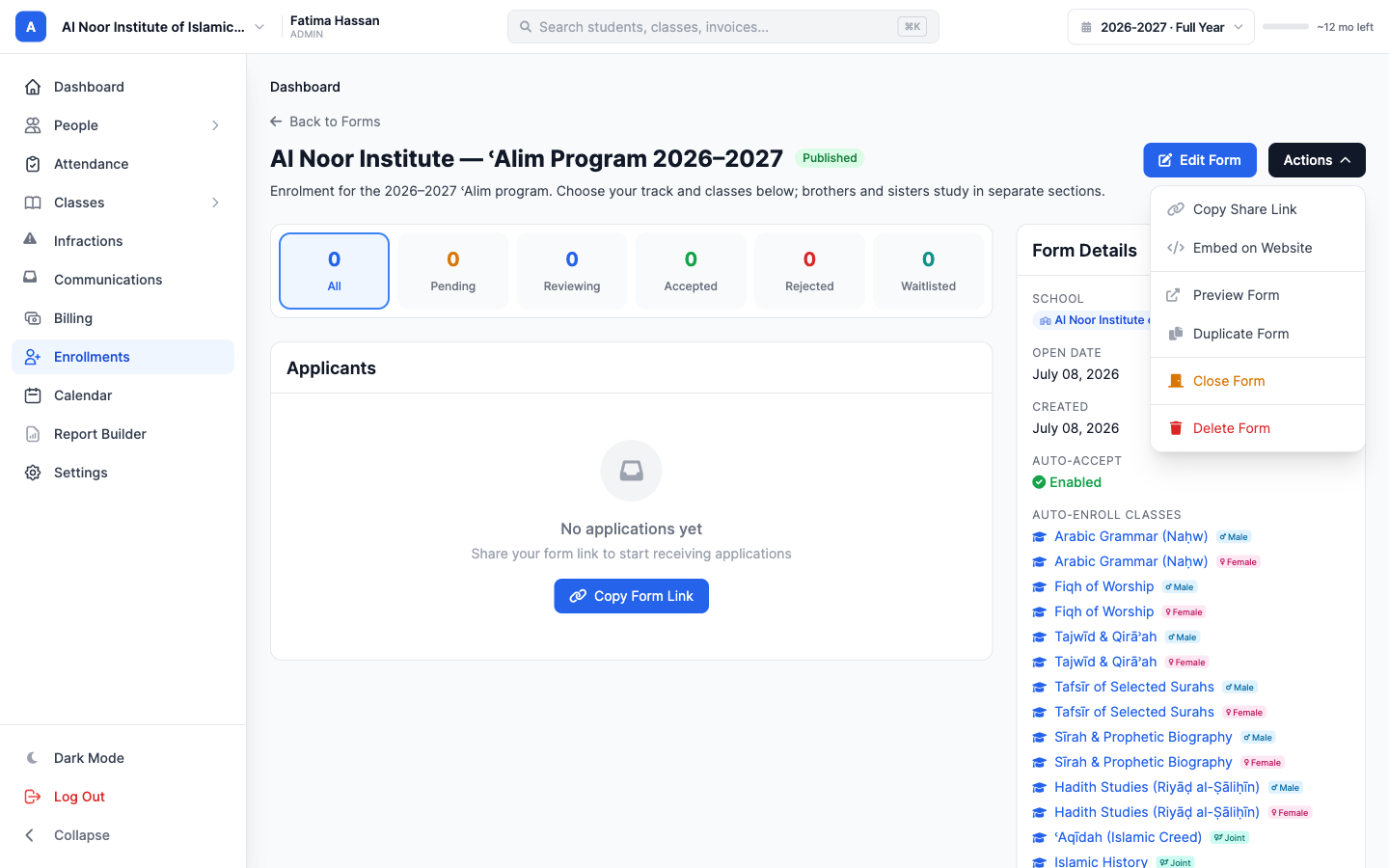
The form is tied to a registration fee, so accepting an application issues the invoice at the same time. Enrolling a student and billing them are one step.
All of it in one place
Applications, class sections, exams and the registration invoice all live in the same system at Kufah, so nothing has to be copied from one tool into another.
If you run an ʿAlim course, a diploma program, a weekend school or a maktab, you can set yours up the same way.
Related reading
Interested in trying out MarkTrack for free?
Get in touch