
How MarkTrack helps schools collect tuition from parents
Collecting tuition is one of the more time-consuming administrative tasks a school takes on. Invoices are issued, most families intend to pay them, and a portion are still outstanding several weeks later. The follow-up that results is rarely a reflection of unwillingness — it is usually a matter of timing and attention.
This article explains how MarkTrack's enrollment form can be configured to collect tuition automatically, and how an administrator sets it up.
Why the enrollment form is a useful place to start
Enrollment is one of the few points in the year when a family is giving the school their full attention. They are completing a form, they have decided to join, and they are already entering payment details for a registration fee.
MarkTrack can use that same moment to establish the tuition arrangement for the year. The card used for the registration fee is retained, and once the application is accepted, tuition is charged to it on a schedule the school defines.
This matters in practice because parent portals see limited use after enrollment. Many families sign in once and do not return. An arrangement that depends on parents logging in each month tends to underperform, not because families are unwilling, but because the step is easy to miss.
Three levels of flexibility
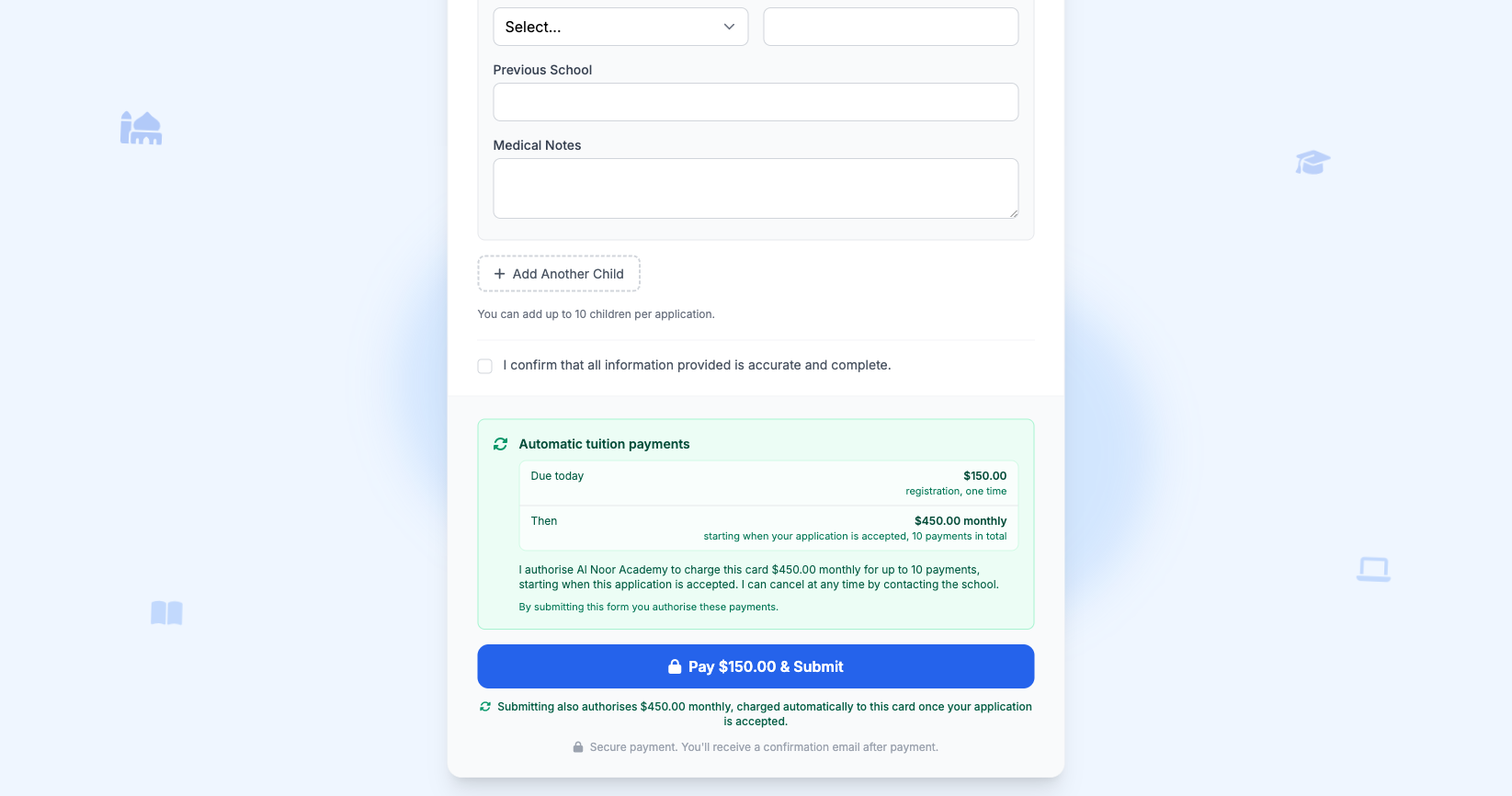
Schools differ considerably in what they can reasonably ask of families. An established school with a waiting list is in a different position from a weekend program that depends on goodwill. For that reason, automatic payment is a per-form setting with three options:
- Off — families receive each invoice by email, as they would otherwise.
- Offer — the option is presented at checkout, selected by default, and a parent may decline it.
- Require — submitting the form authorises the recurring charge, so every accepted family is set up to pay before the term begins.
The right choice depends on the school. Some prefer to require it and communicate that clearly in their admissions material; others prefer to offer it and accept that a proportion of families will opt out. Both are supported, and the setting can be changed per form at any time.
Setting it up
The configuration takes a few minutes and involves four steps.
Step 1 — Create the fee templates
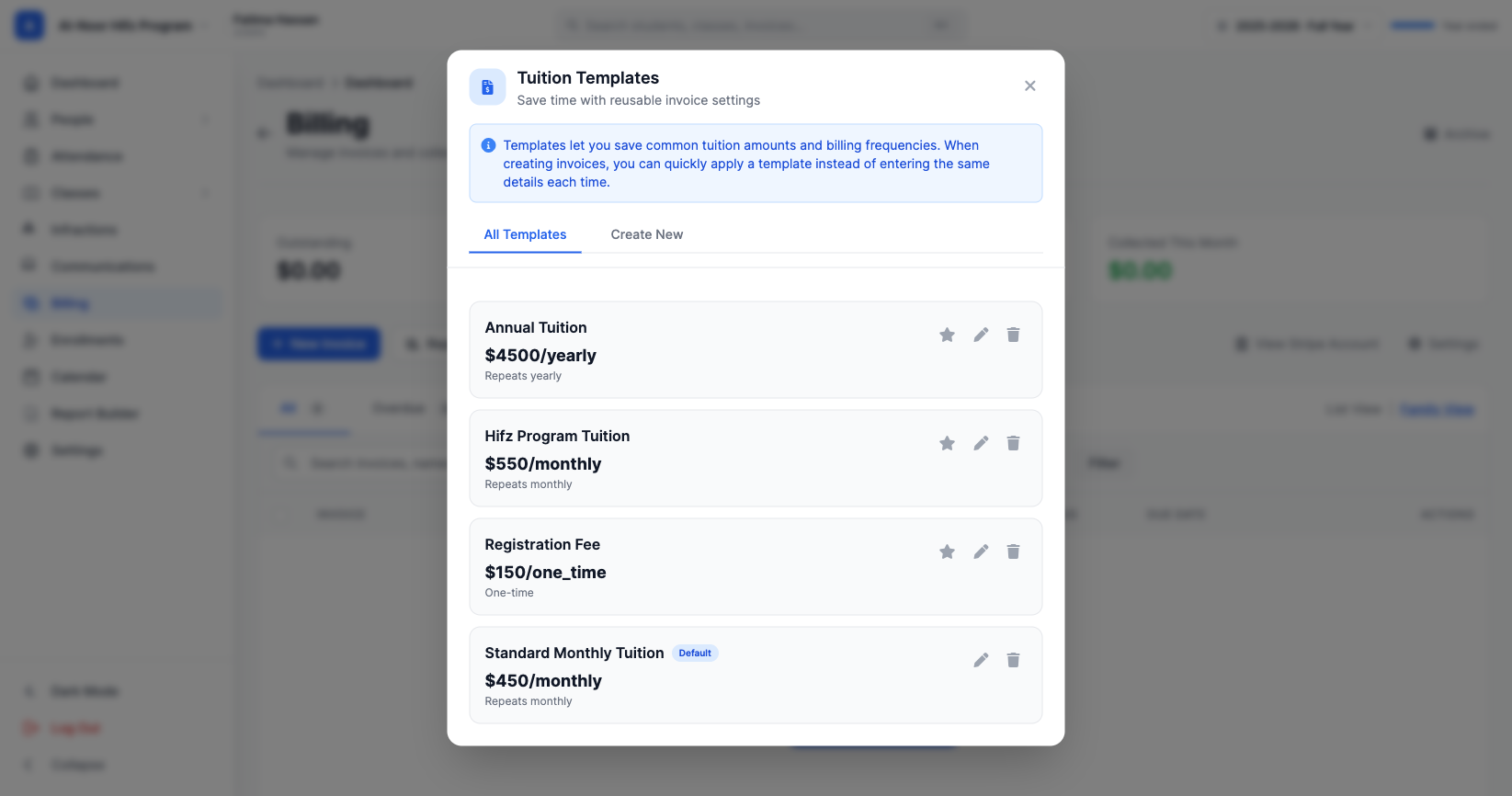
Under Billing → Templates, create two templates: a one-time registration fee, and the recurring tuition. Setting a payment cap on the recurring template allows the schedule to end automatically at the close of the academic year.
Step 2 — Configure the enrollment form
From Enrollments → Manage Forms, open the form, select Edit Form, then the settings icon, then the Billing tab. The two charges are configured separately:
- One-time — registration. Select the registration fee template and enable Require registration payment on the form.
- Recurring — tuition after acceptance. Select the recurring template, then choose the Autopay setting.
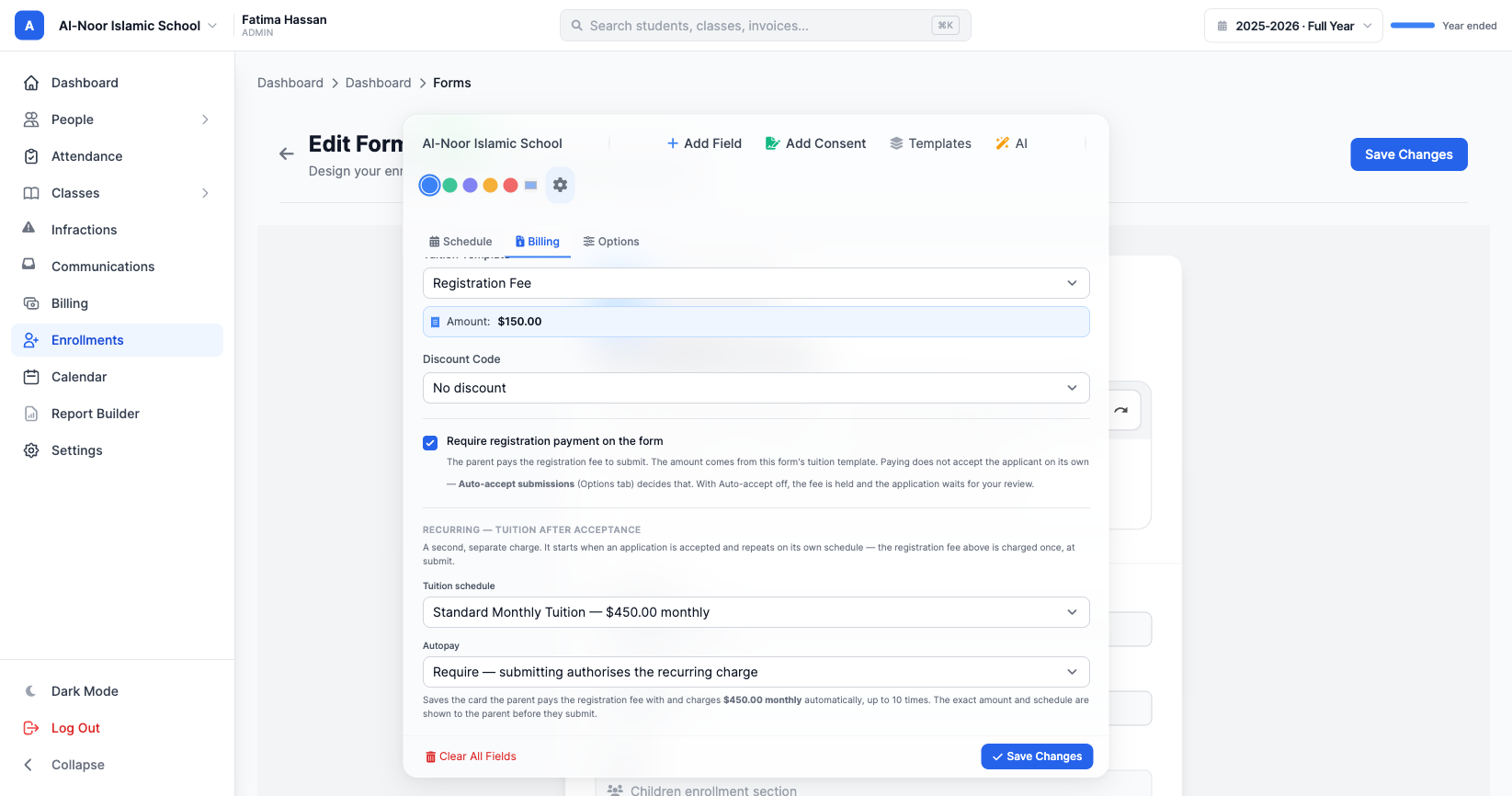
The form states what each setting will do, and identifies any missing prerequisite rather than failing silently. If a recurring template has no payment cap, a notice explains that the schedule will continue until it is stopped.
Step 3 — Review the summary before publishing
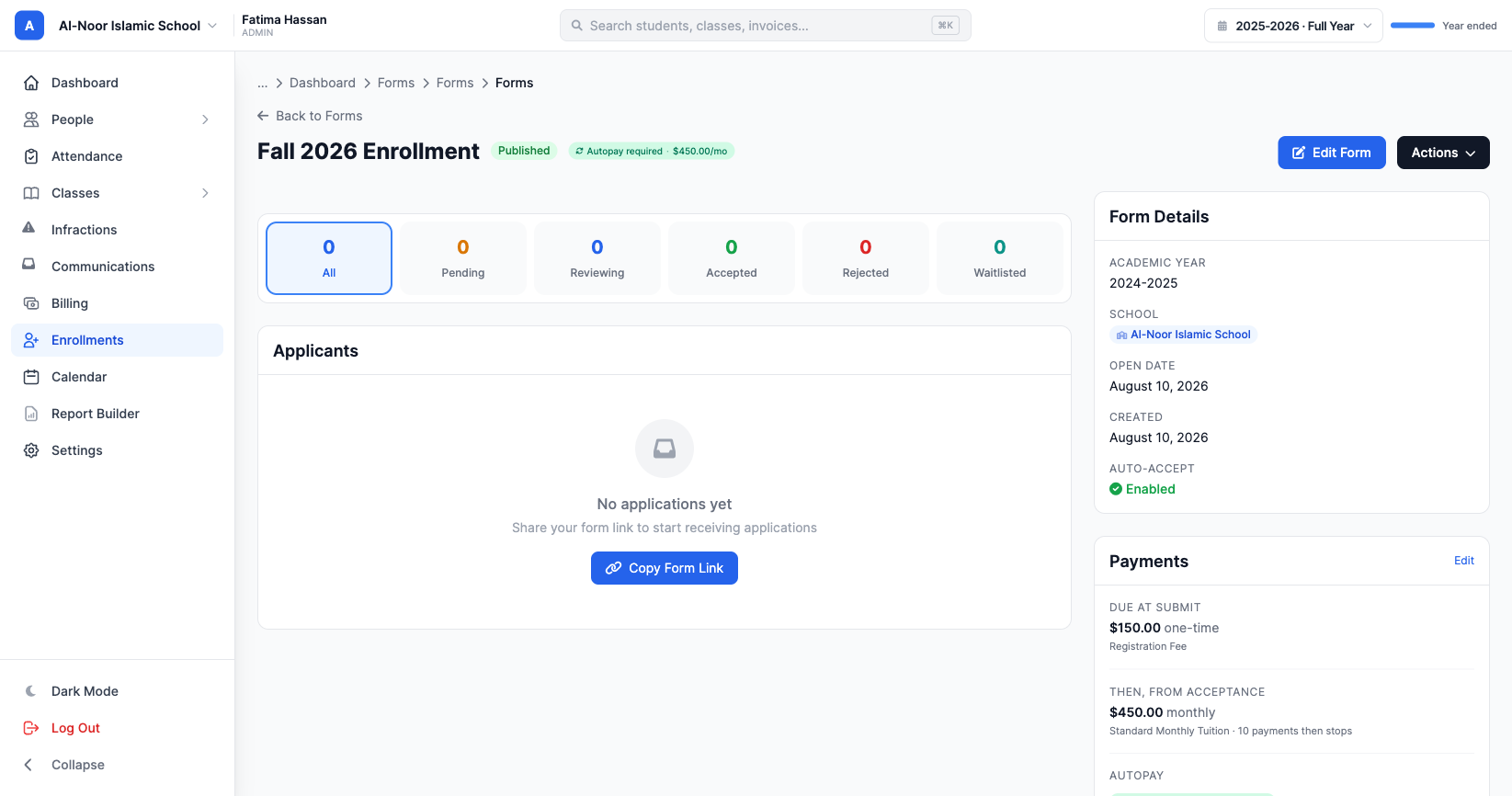
The form's page summarises what it will charge, so the arrangement can be confirmed before any family sees it.
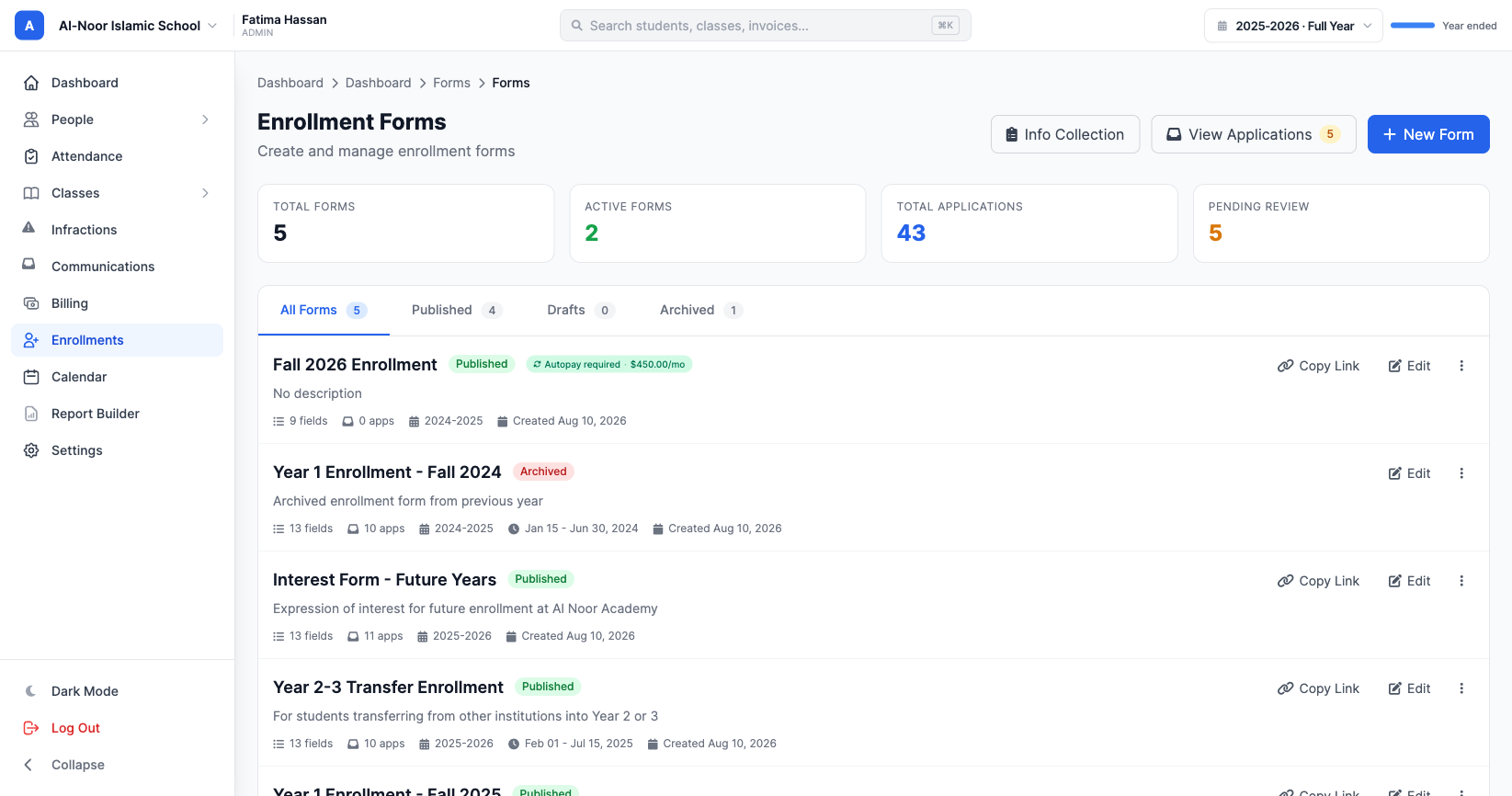
Step 4 — Identify these forms at a glance
Forms that carry a recurring arrangement are labelled in the forms list, so the configuration is visible without opening each one.
What the parent sees
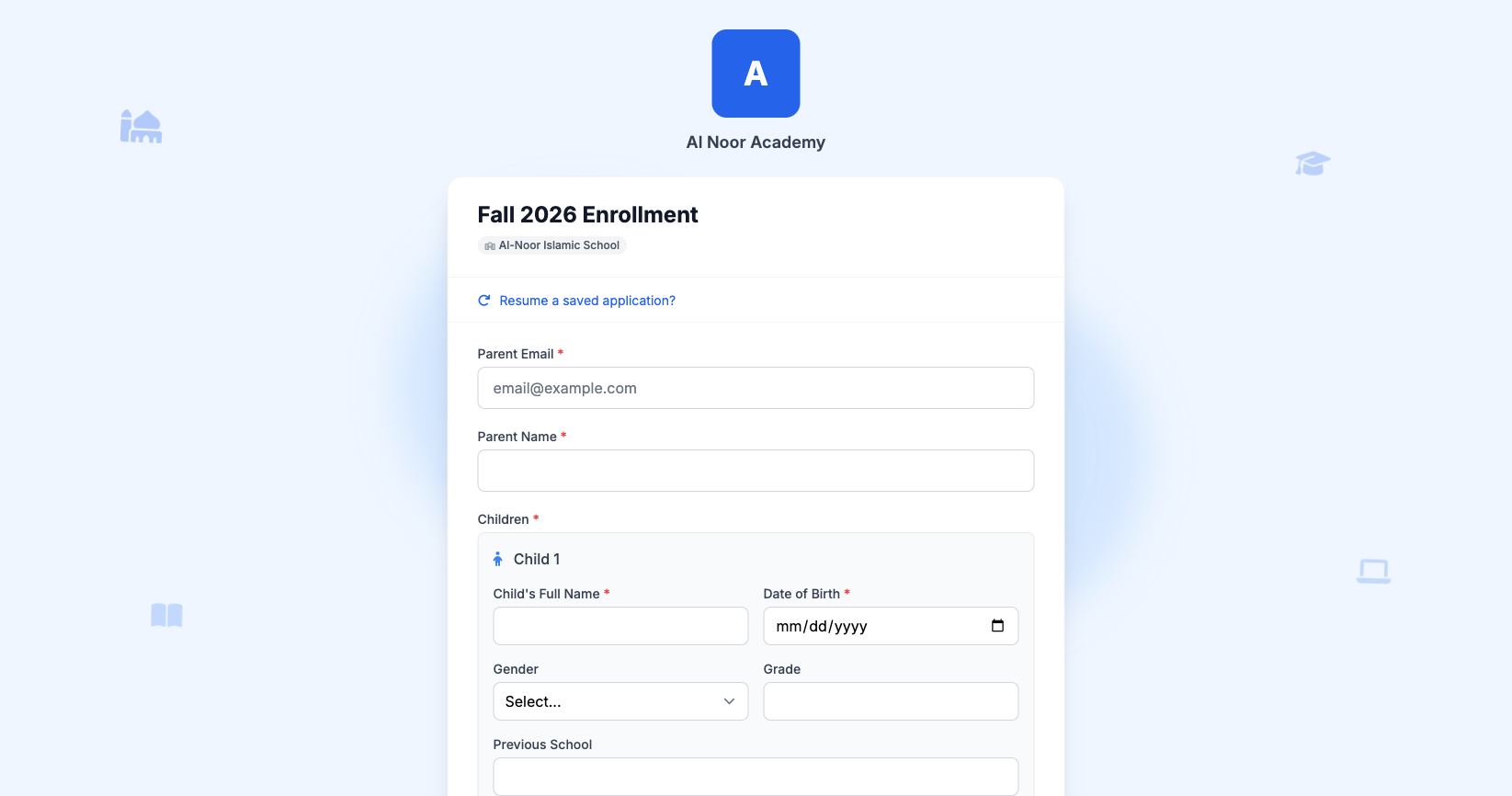
Families complete the enrollment form as usual.
Before payment, both amounts are presented together, along with the terms in full: the amount, the frequency, the number of payments, and how to cancel. Where the school has selected Offer, this appears as a checkbox the parent can clear.
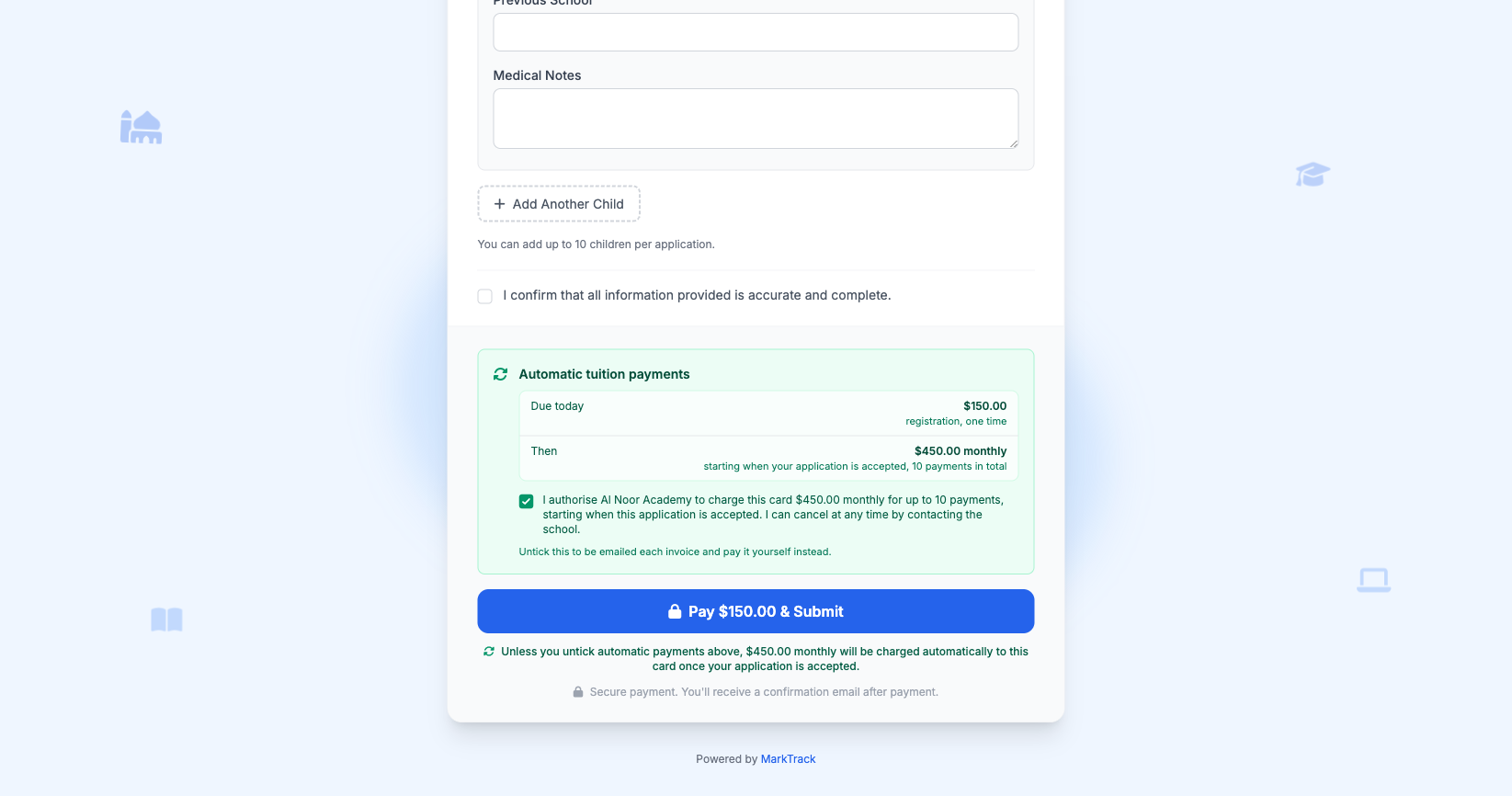
The authorisation the parent agreed to is stored with the application in the words they were shown, which gives the school a clear record should a family later query the arrangement.
After acceptance
When an application is accepted, the tuition schedule is set up. The school decides when the money moves: on the first payment date it declared, or at acceptance where it wants the first payment to hold the seat. Subsequent payments are charged to the same card on the same day each month, and the schedule ends on the last payment date the school set — or, where no dates were given, once the configured number of payments is reached.
Payments do occasionally fail. Cards expire, and banks decline transactions for reasons neither the school nor the family controls. Where this happens, MarkTrack retries the payment and notifies the family, so the situation is visible rather than discovered at the end of term.
Details worth noting
Families with several children. Tuition is billed per child rather than as a single family amount. Each child appears as a separate line, which keeps the invoice clear for the parent and straightforward to reconcile.
Schools with more than one campus. Where campuses charge different rates, each child is billed at the rate of the campus they attend. Registration fees follow the same rule.
Withdrawn or revoked places. If an admission is revoked, the tuition schedule stops with it, so a family who is no longer enrolled is not charged again.
Scholarships and fee waivers. A full discount applied to the registration fee does not affect tuition. The fee is waived and the tuition schedule proceeds as configured.
In summary
This approach will not suit every school, and it is not intended to replace the judgement of an administrator who knows their families. What it offers is the option to settle the payment arrangement at the point of enrollment, while the family is present and engaged, rather than revisiting it each month.
For schools that adopt it, the practical effect is that tuition arrives on a predictable schedule and administrative time is spent elsewhere.
Interested in trying out MarkTrack for free?
Get in touch