
2026 Buyer's Guide
The best LMS for colleges in 2026
If you're shopping for a college LMS in 2026, the shortlist probably looks the same as it did in 2015: Canvas, Blackboard, Moodle, and a student information system like Orbund bolted on the side. Those platforms run a huge share of higher education, and they're genuinely capable. But most of them were architected for a different decade — "call us for a quote" pricing, mobile apps that are an afterthought, reporting that needs a consultant, and "AI" that's either a separate paid tier or pure marketing copy.
MarkTrack is the new arrival in this category, and it's built around a simple idea: a college platform should be as fast and pleasant to use as the apps your students already live in. Below is a fair, side-by-side look at MarkTrack against Canvas, Blackboard (Anthology), Moodle, and Orbund SIS — on the things that actually decide whether a rollout succeeds: pricing, mobile, enrollment, course delivery, reporting, and AI.
| Feature | MarkTrack The modern pick | CanvasInstructure | BlackboardAnthology | MoodleOpen source | OrbundSIS |
|---|---|---|---|---|---|
| Transparent, published pricing | Flat, listed | Custom quote | Custom quote | Free, self-host | Custom quote |
| Native iOS & Android apps | Both, daily-use | Both, strong | Mixed quality | Basic app | Web-first |
| Modern, 2026-era interface | Built for 2026 | Modern | Ultra/Classic mix | Dated | Functional |
| Enrollment + registration fees in-platform | Forms + Stripe | Needs a SIS | Add-on / SIS | Plugin | SIS-native |
| Drag-and-drop report builder | Built in | Analytics add-on | Heavy / IT | Plugins | Clunky |
| AI included — not a paid tier | Included | Free, then paid | Core license | None | Claimed only |
| Auto-graded quizzes & assignments | Auto-grade | Yes | Yes | Yes | Limited |
| PDF annotation (web + mobile) | Both | Web-centric | Web-centric | Plugin | No |
| Self-serve setup, live in days | Days | Implementation | Long cycles | DIY / IT | Onboarding |
| Fits small & mid-size budgets | Yes | Enterprise | Enterprise | Free + hosting | SMB SIS |
Included · Limited · Not available · Canvas AI (IgniteAI) is free only through mid-2026, then moves to a paid tier.
The problem with the legacy shortlist
The big incumbents fail modern colleges in three predictable ways. First, pricing is opaque — Canvas, Blackboard, and Orbund all run on "request a quote," and the number that comes back tends to grow with every add-on module. Second, mobile and AI are bolt-ons: the apps feel like a web page in a wrapper, and the AI features are either a separate paid tier or, in some cases, just a line on the marketing site. Third, the basics take a services engagement — standing up enrollment, custom reports, or a new term shouldn't require a consultant and a six-month timeline, but with the old guard it often does.
MarkTrack was designed to remove all three of those frictions. It's used by dozens of institutions today, and the feedback is consistent: it's the rare platform that's powerful enough for administrators and modern enough that students actually open it.
Mobile apps students actually use
This is where the gap is widest. MarkTrack ships native iOS and Android apps — not a responsive web page, real apps with push notifications, biometric sign-in, and fast, native screens. Students check grades, assignments, attendance, schedules, and balances the same way they check Instagram or their bank. That's the difference between an LMS that gets opened daily and one that sits in an inbox.
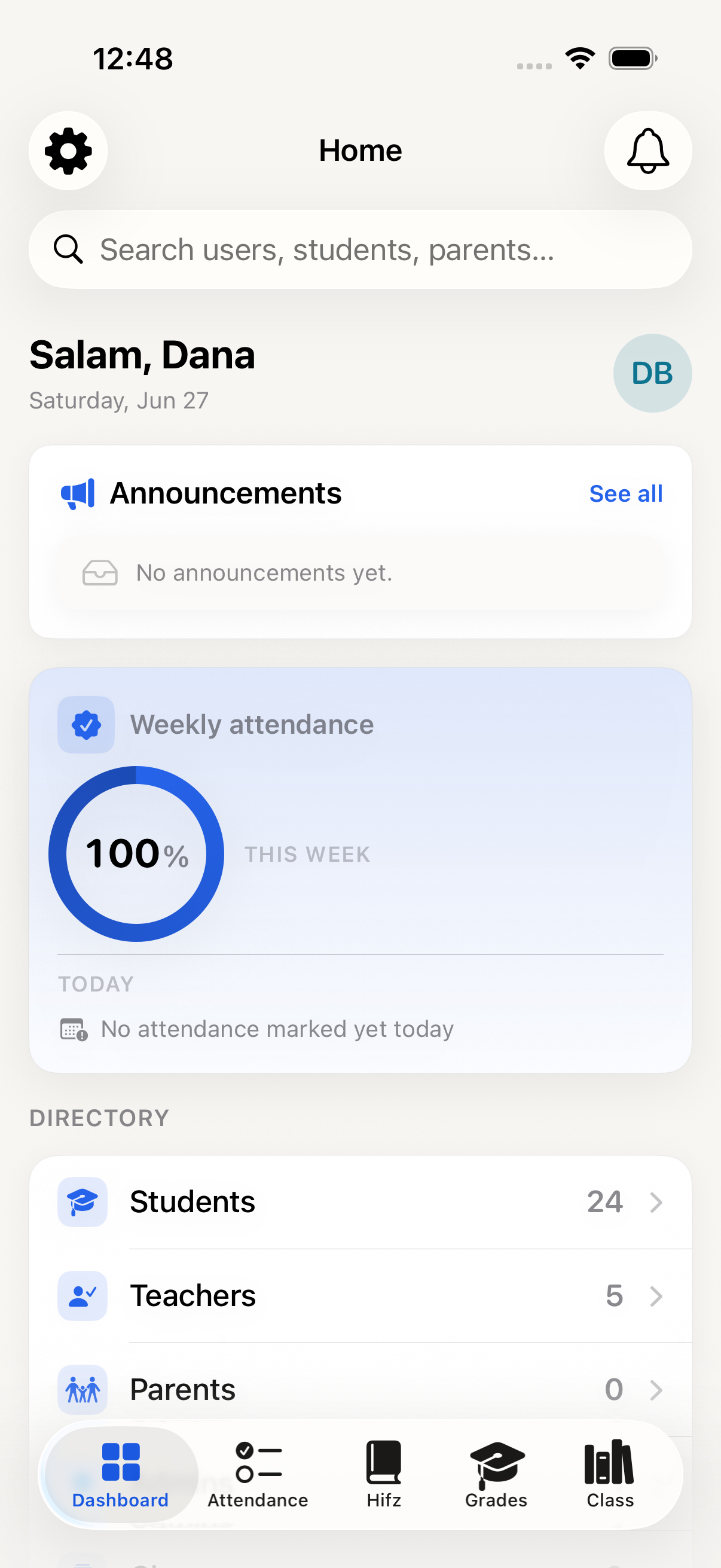
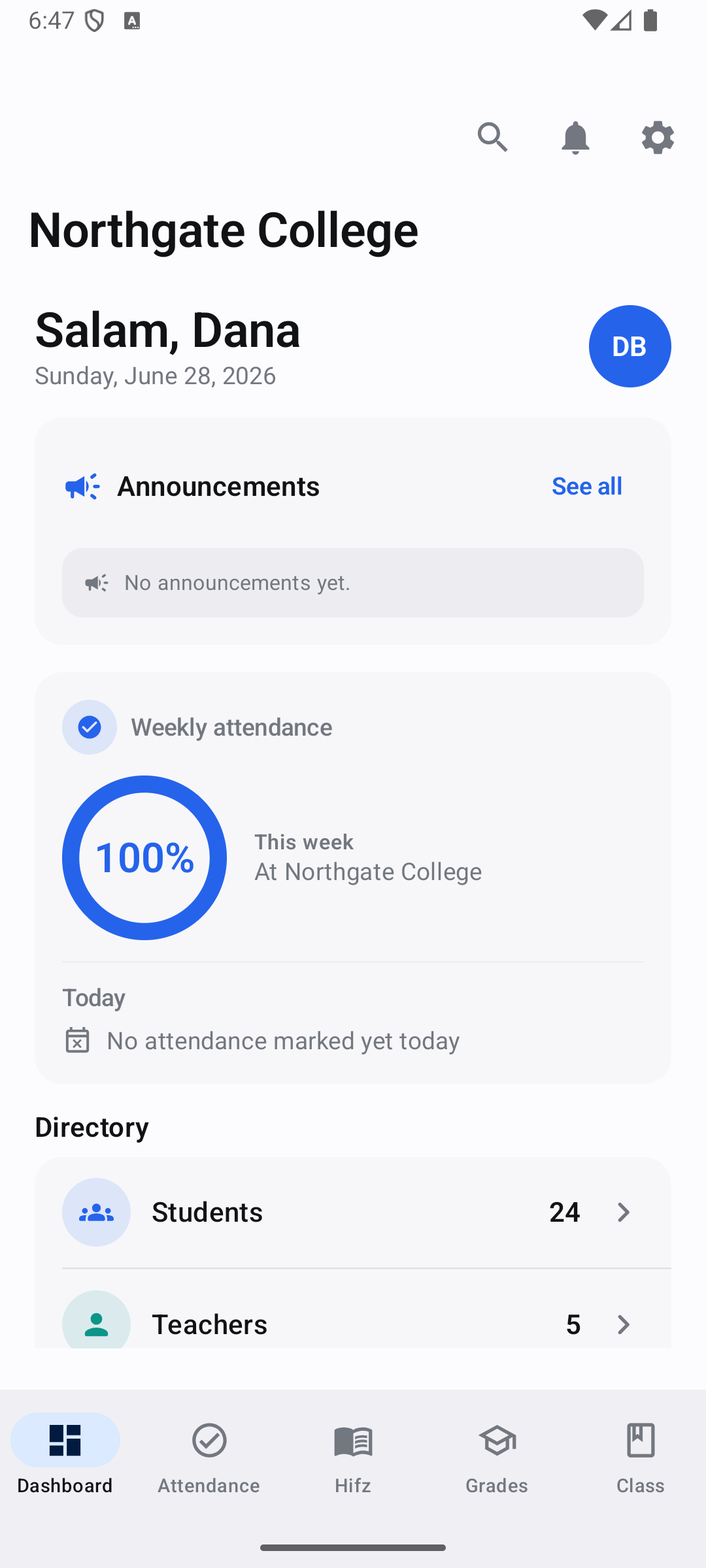
One modern platform, on iPhone and Android — native apps on both.
Canvas is the one incumbent with genuinely strong apps; the rest range from "fine" to "a website in a frame." For a college whose students live on their phones, a real native experience isn't a nice-to-have — it's the single biggest driver of whether the platform gets used at all.
Enrollment and admissions, end to end
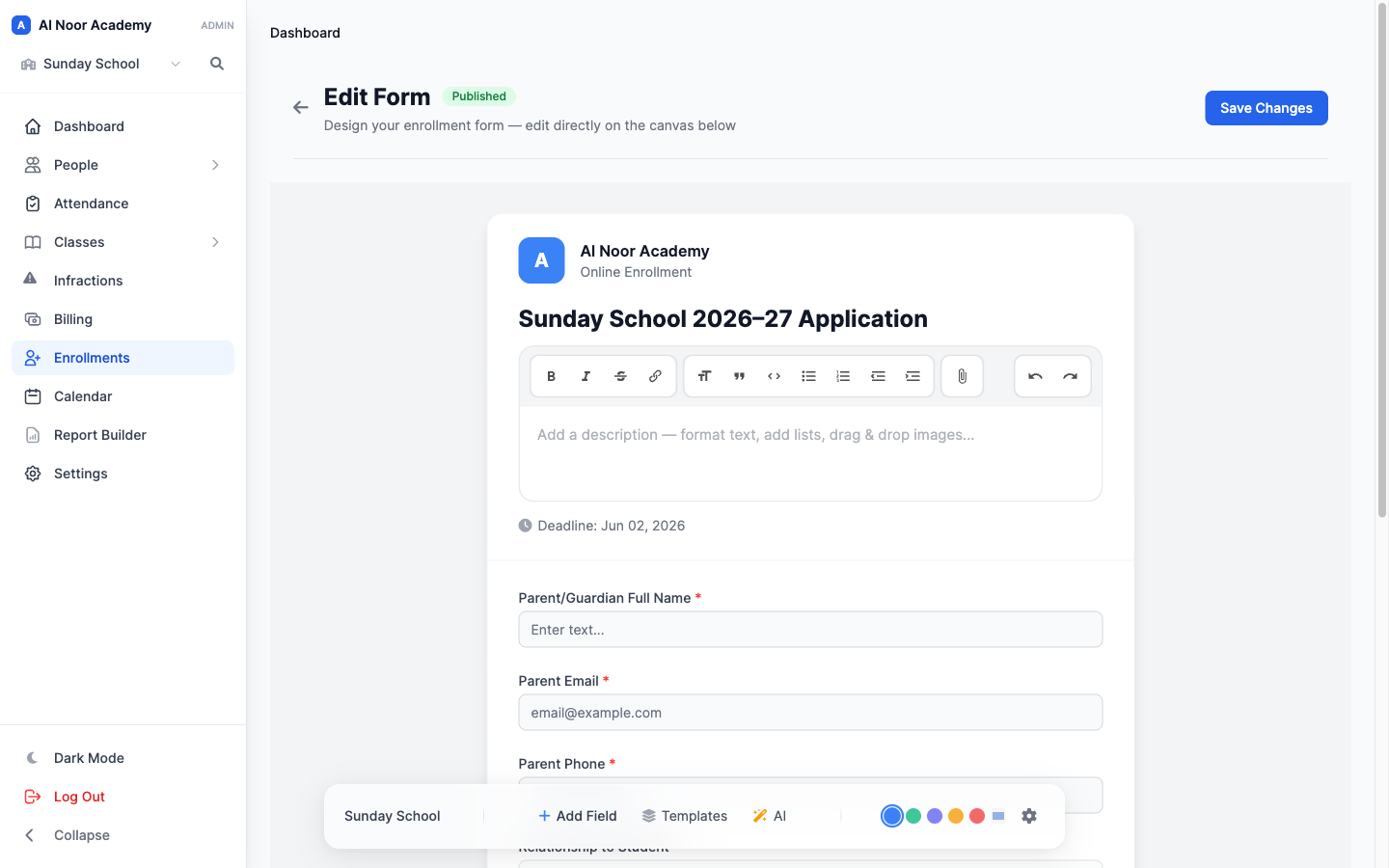
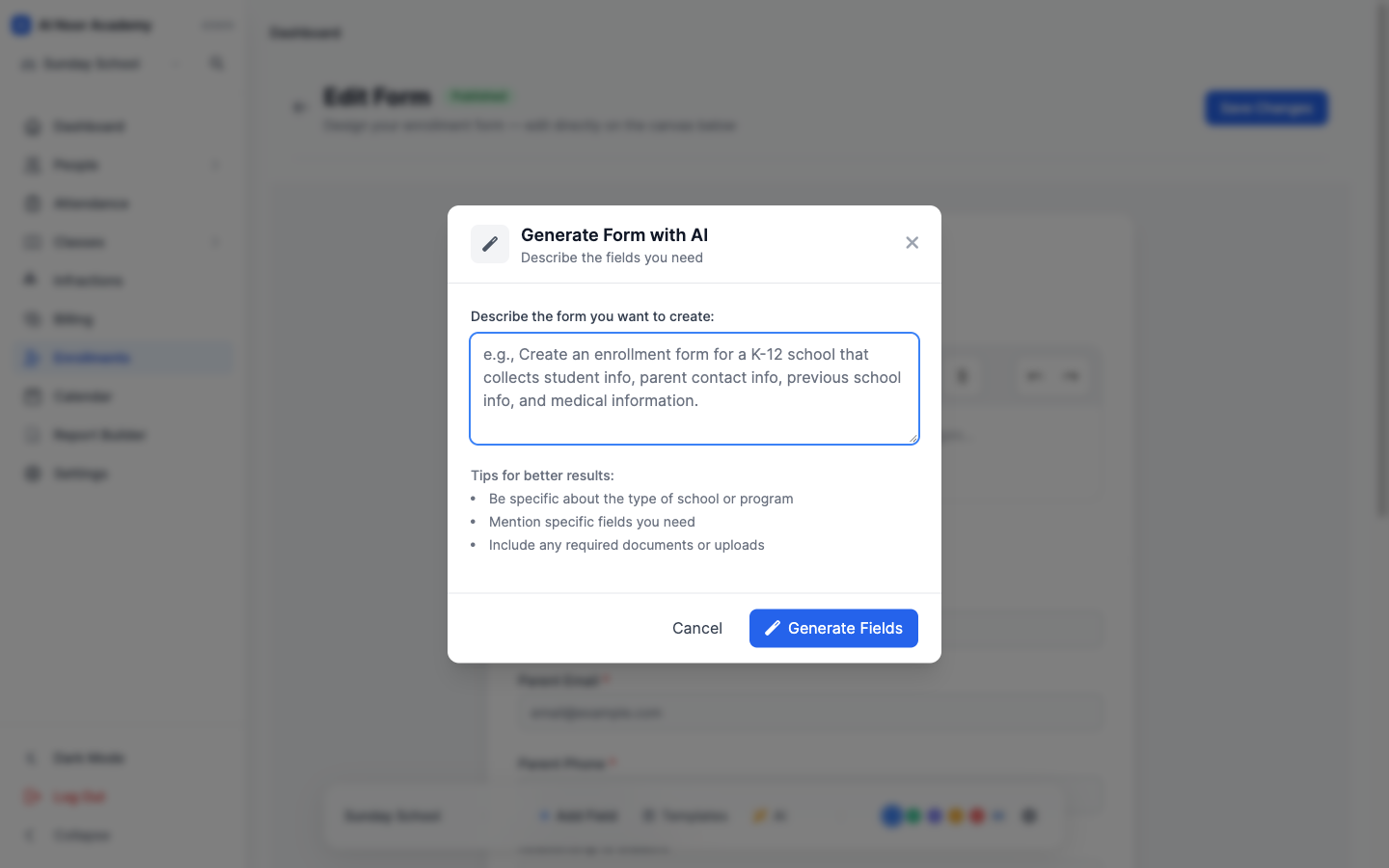
Most LMS platforms stop at the course; the moment you need to admit a student, you're integrating a separate SIS. MarkTrack treats enrollment as a first-class part of the platform. Build an application form with a drag-and-drop builder, add conditional questions that show and hide based on earlier answers, attach per-program registration fees, and collect payment inline with Stripe at the moment of submission — no redirect, no third-party form tool.
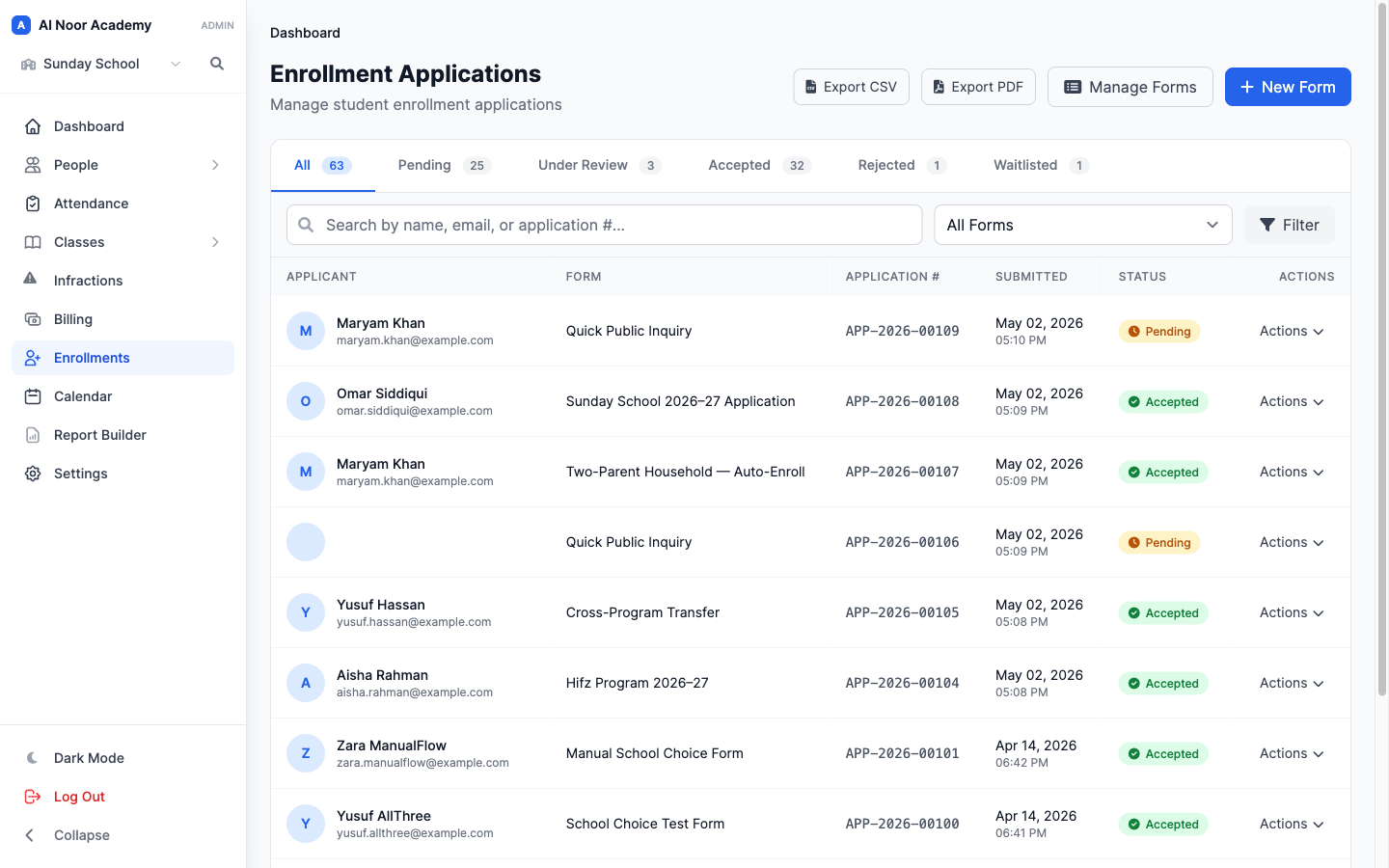
On the review side, admissions staff see every application in one queue, accept or waitlist in a click, and create student accounts in bulk for an entire intake. Every application can be exported as a clean, branded PDF for the student file. From "interested applicant" to "enrolled, billed, and provisioned with a login," it's one connected flow instead of three disconnected systems.
Course delivery and modules
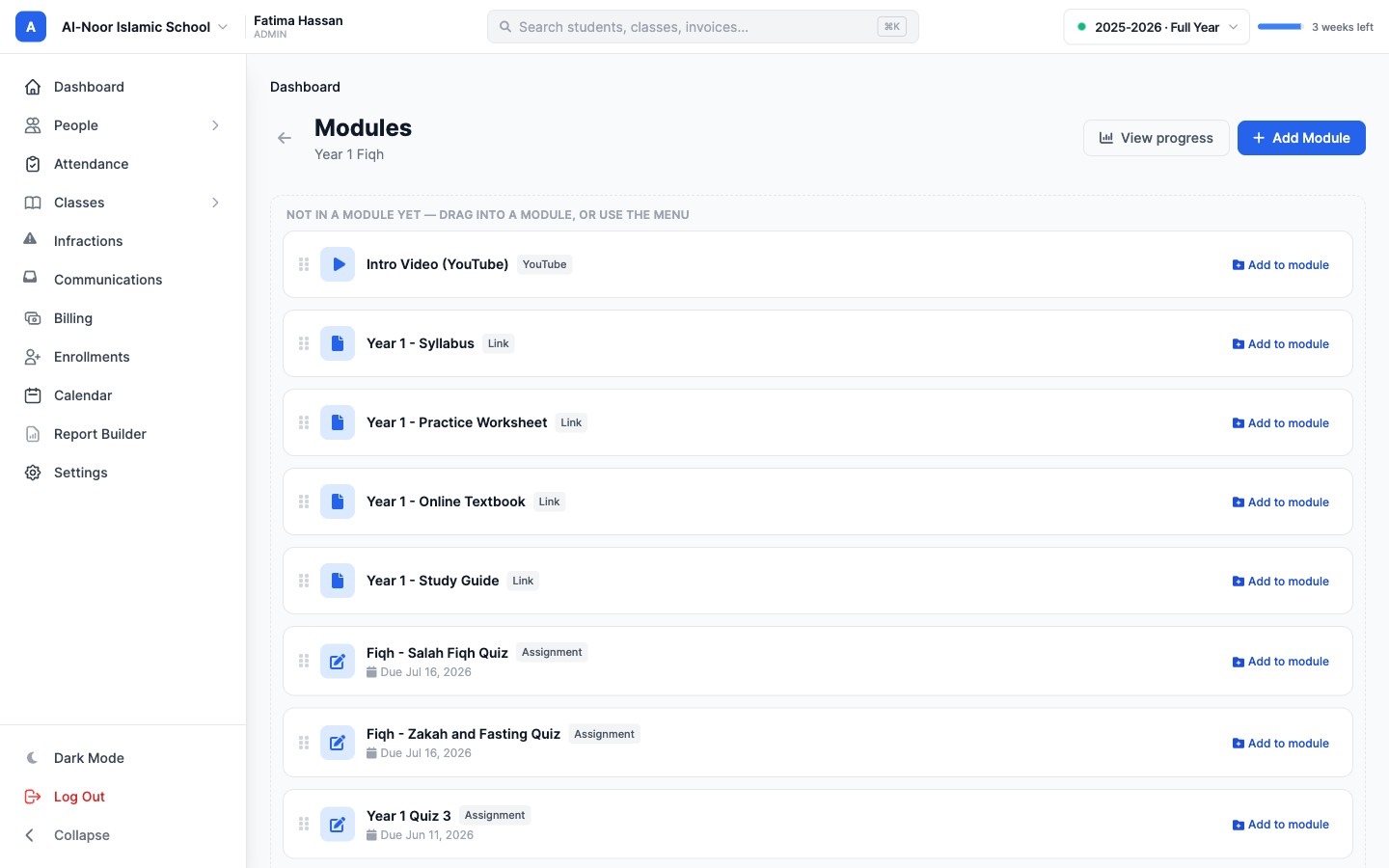
The teaching core is all there and modern. Organize a course into modules with ordered items — readings, videos, resources, and assignments — and students move through them on web or in the app. The built-in file viewer with PDF annotation works on both web and mobile, so a student can mark up a reading on their phone and an instructor can leave feedback right on the page.
Assignments include timed quizzes, auto-graded interactive questions, and draft autosave, with a fast, modern gradebook behind them. It's the day-to-day course experience colleges expect from Canvas — with the enrollment, billing, and reporting that Canvas leaves to other systems.
Advanced reporting, without a consultant
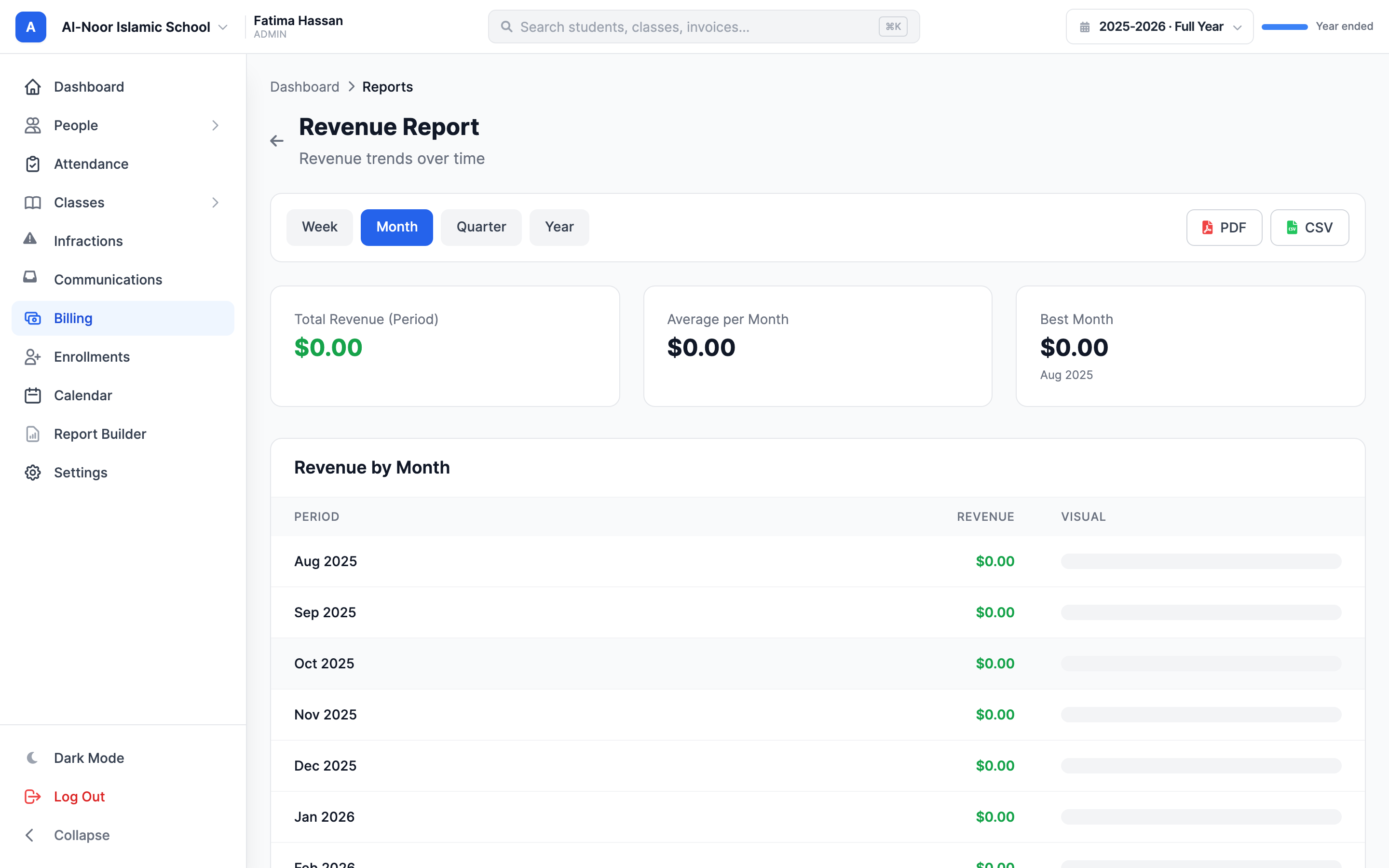
Reporting is where the legacy platforms quietly bill you for services. MarkTrack ships a drag-and-drop report builder: assemble any view across grades, attendance, enrollment, and billing, then export to PDF or CSV. Finance teams get revenue, aging, and balance reports out of the box; academic teams build their own without an IT ticket. The answers your board asks for are a few clicks away, not a quarter-long data project.
AI that's included — not a paid tier
In 2026 most incumbents treat AI as an upsell. Canvas's IgniteAI is free only through mid-2026 before moving to a paid plan; others either fold it into a higher license or simply claim it. MarkTrack includes AI in the box: generate a full quiz from an uploaded PDF, autofill and map a roster import from any other system, and let an assistant draft announcements, emails, and reports — an assistant that can actually take actions in the platform, not just chat. It removes the busywork that eats faculty and admin time, and it doesn't cost extra.
Pricing you can actually see
Here's the quiet differentiator: MarkTrack's pricing is published and flat. No "request a quote," no per-feature surprises, no separate line items for the mobile apps, the AI, the report builder, or enrollment — it's all included. Canvas, Blackboard, and Orbund all run on custom enterprise quotes; Moodle is free to download but the real cost shows up in hosting, plugins, and the IT team to maintain it. For a college that wants to budget with certainty instead of negotiating against a renewal, transparent pricing is worth more than it looks on a feature chart.
When each platform makes sense
Canvas is a safe, polished choice for large universities already standardized on it — strong apps, big ecosystem, enterprise budget. Blackboard (Anthology) fits institutions deep in the Anthology stack that need its breadth and can absorb long implementation cycles. Moodle is a great fit for a college with real IT capacity that wants open-source control and is happy to host and maintain it. Orbund is a reasonable lightweight SIS for smaller programs.
MarkTrack is for the college that wants all of it in one modern platform — enrollment, course delivery, gradebook, billing, reporting, AI, and native apps students actually use — live in days, priced transparently, with no consultant required. That's a combination the old shortlist can't put together, and it's exactly what we built MarkTrack to be in 2026.
Interested in trying out MarkTrack for free?
Get in touch