
Introducing Qāʿidah Tracker for MarkTrack LMS
We have had a Hifz tracker for a long time, and teachers kept asking us to use it for something it was never built for. The request always arrived the same way: "can we track Qāʿidah in here too?" And the honest answer was no — not because the screen was wrong, but because the Hifz tracker assumes it knows what a lesson is. It assumes a surah, an ayah, a juz. A Qāʿidah lesson is none of those things.
So we asked a dozen schools what they actually write in the register at the end of a Qāʿidah lesson. We got back three different answers, and several schools gave us more than one:
- a chapter — "chapter 4", or sometimes a named section
- a page and a line — "page 12, lines 3 to 5"
- a tajwīd rule — "rule 2", or by name, "pronouncing ghunna"
There is no shared numbering. Noorani, Nurani, Baghdadi, Ahsanul Qawaid, and the booklet a school had printed locally in 1998 all disagree about which page holds what. Any dropdown we shipped would have been wrong for most of the people using it.
Empty cells, not dropdowns
So the Qaidah Tracker has no dropdowns for the lesson itself. You pick which of the three notations you are using, and then you type into an empty cell. The screen tells you exactly what it is about to store, as you type.
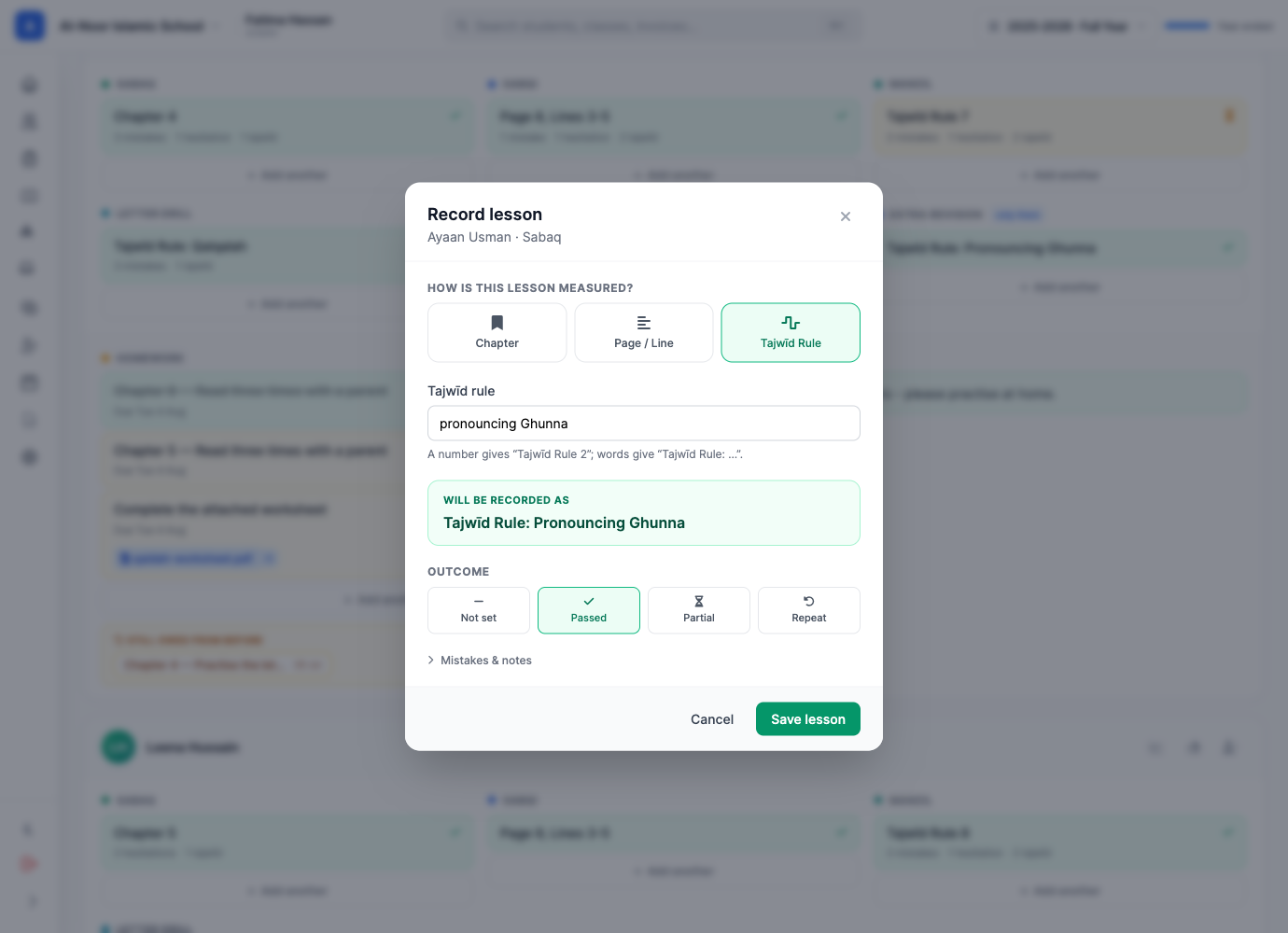
2 and it records “Tajwīd Rule 2”. Type “pronouncing Ghunna” and it records “Tajwīd Rule: Pronouncing Ghunna”. You see which before you save.That small rule does more work than it looks like. A number is an ordinal and reads naturally inline — Chapter 2, Tajwīd Rule 4. Words are a name and need punctuation — Chapter: Introduction, Tajwīd Rule: Pronouncing Ghunna. Teachers should not have to think about that distinction, and with the live preview they never do.
Whatever a teacher types is what the parent sees, what the PDF prints, and what the mobile app returns. One renderer produces all four, so they cannot drift apart.
Three slots, and you choose what they are
The day is divided into slots, the way most maktabs already run it — Sabaq, Sabqi, Manzil out of the box. But those are just the starting three. Rename them, recolour them, add a fourth ("Letter Drill", "Dhor", "Revision"), retire one you never use.
A column can also belong to one child. If a student needs a makharij drill nobody else in the class needs, add that column for them alone — every day, or just for today. It appears on their row and nowhere else.
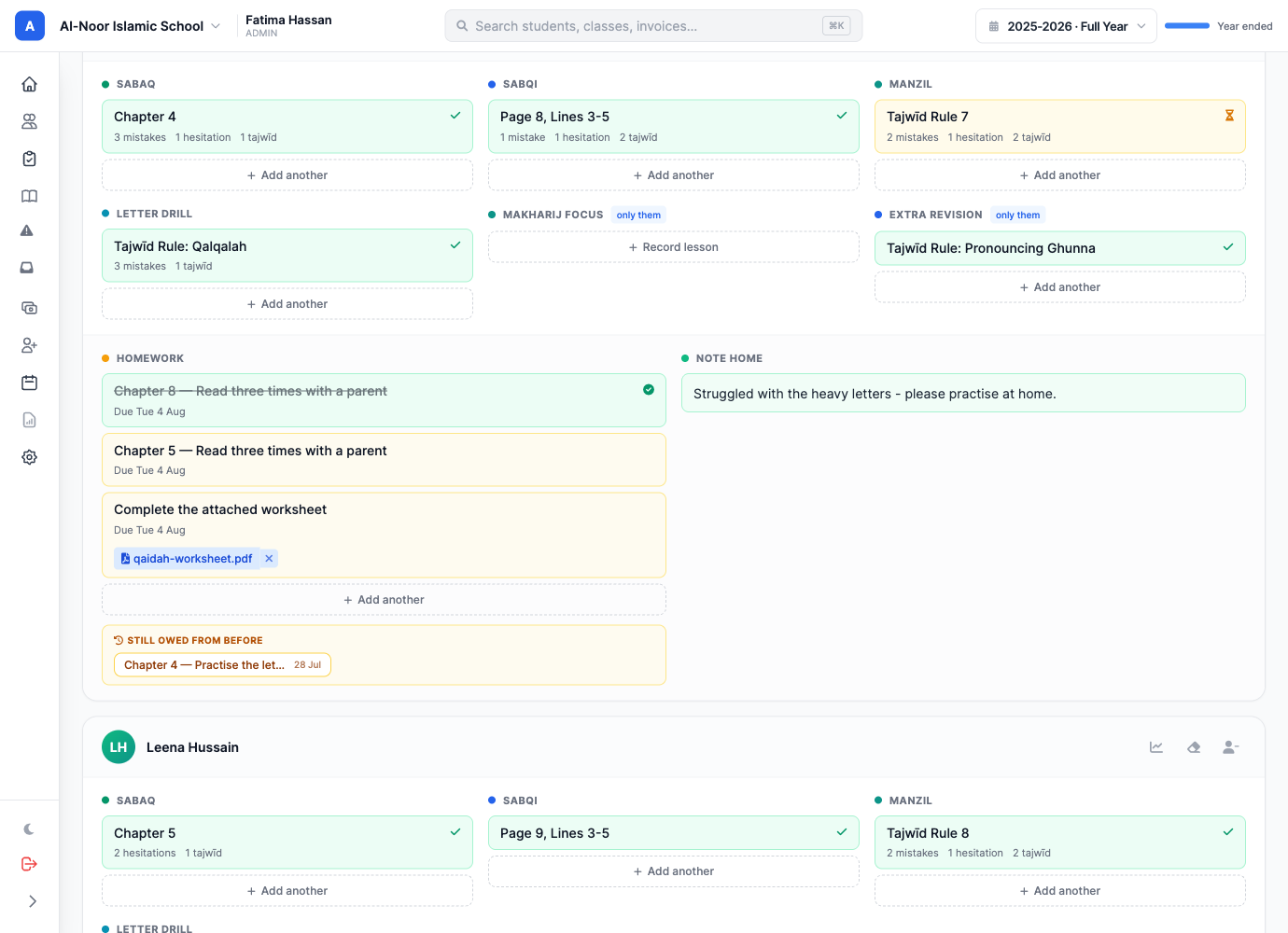
One column on that card is worth pointing at: retiring a slot never deletes its history. If a school drops "Manzil" in March, every Manzil lesson recorded before March is still on the child's record and still prints on their report. Removing a column from tomorrow is not the same as erasing a term, and the software should not confuse the two.
Homework, with the worksheet attached
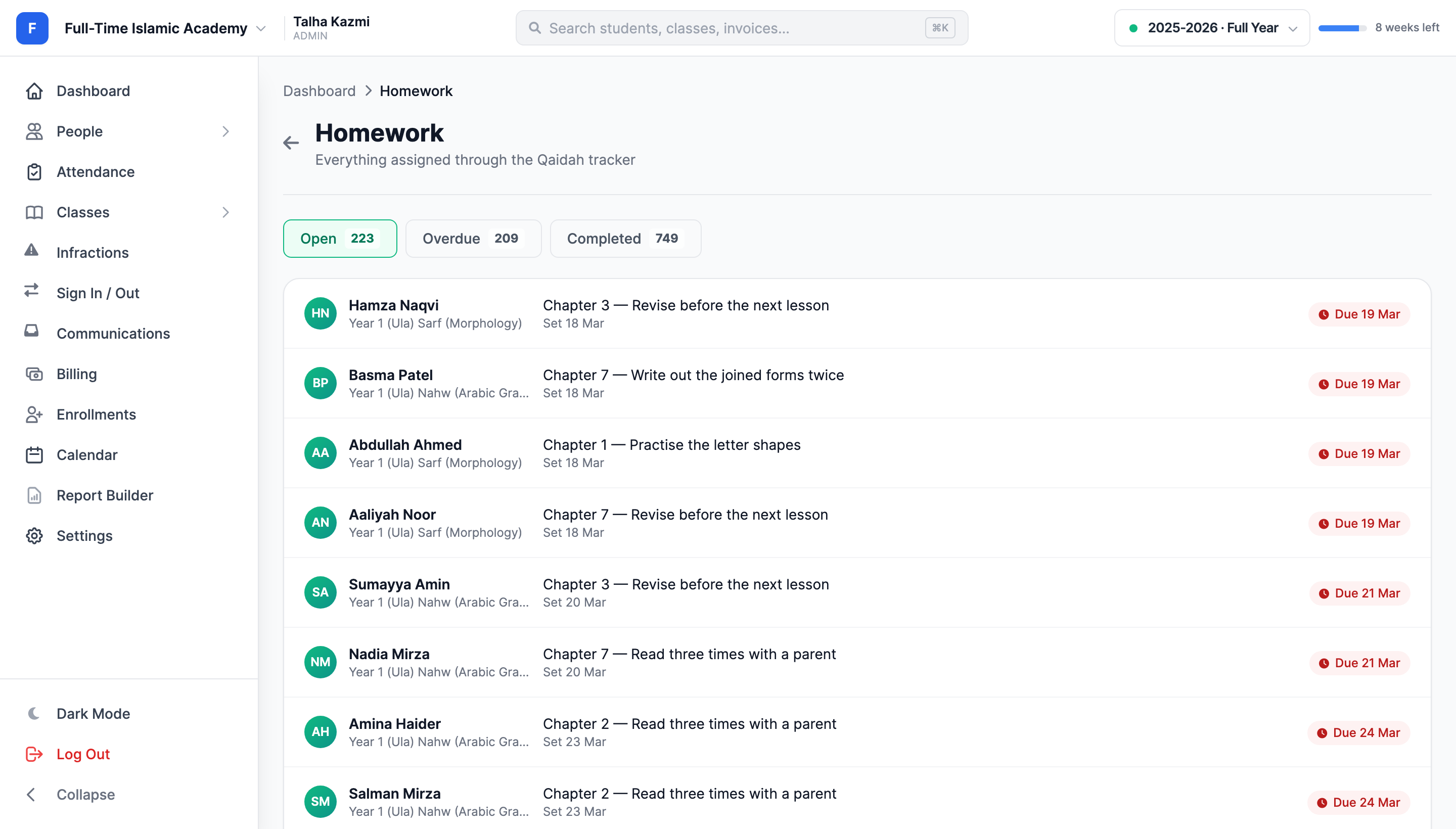
Homework is set per child, not per class, because in a Qāʿidah class it genuinely differs per child. It can be a lesson reference ("Chapter 5"), an instruction ("read three times with a parent"), or both — and it can carry files.
Attach the worksheet, a scan of the page, or a recording of the sound you want imitated. The parent opens it inside MarkTrack — the same viewer that already handles assignment files, with pinch-zoom on a phone — rather than downloading something they then have to find again.
The next morning, yesterday's homework is sitting on the same screen the teacher is already using, under Still owed from before. Marking it off is one tap, in the place they were standing anyway.
What the parent actually sees
Most parents of a Qāʿidah student want the answer to one question, and it is not a percentage. It is where has my child reached?
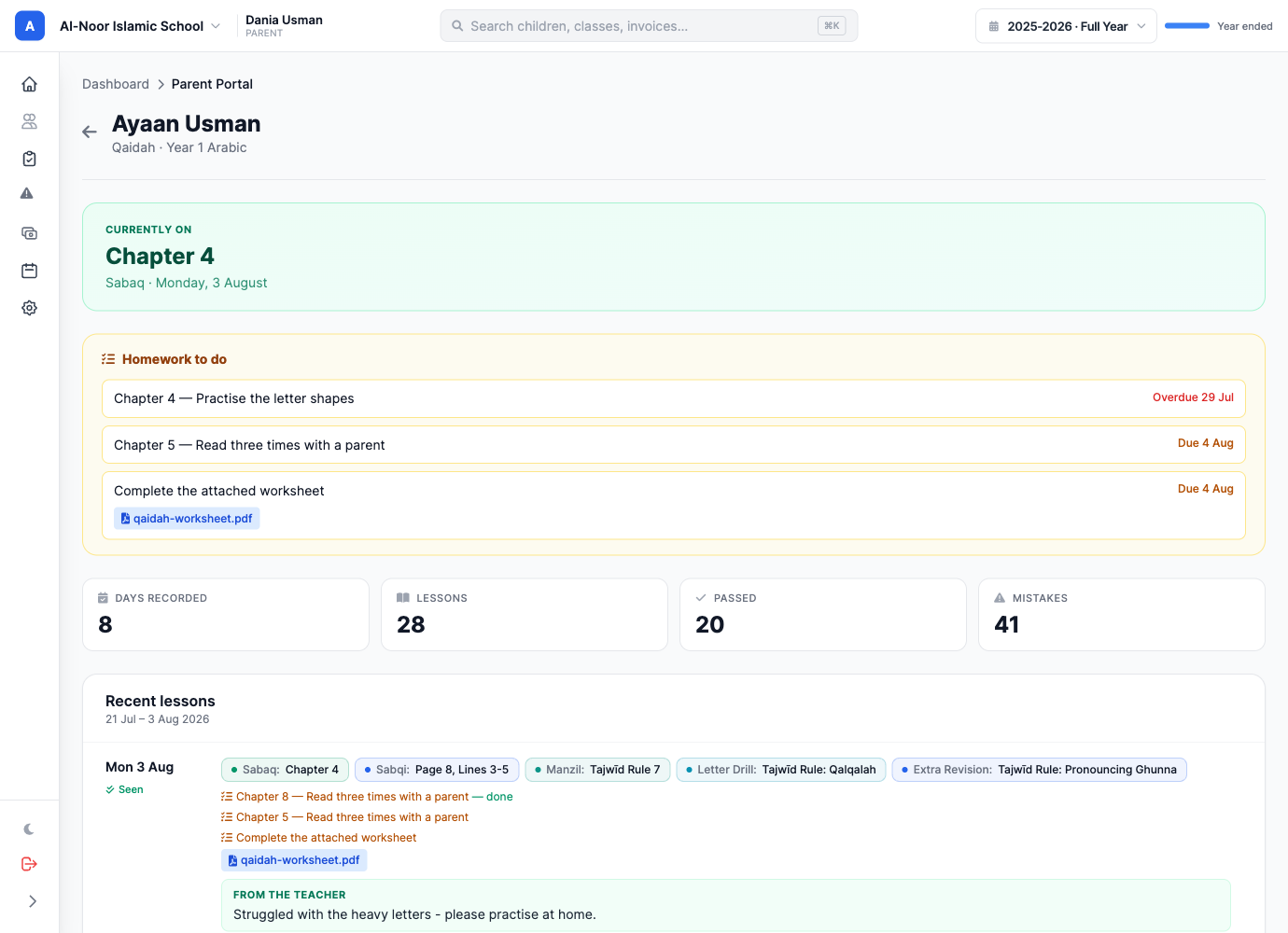
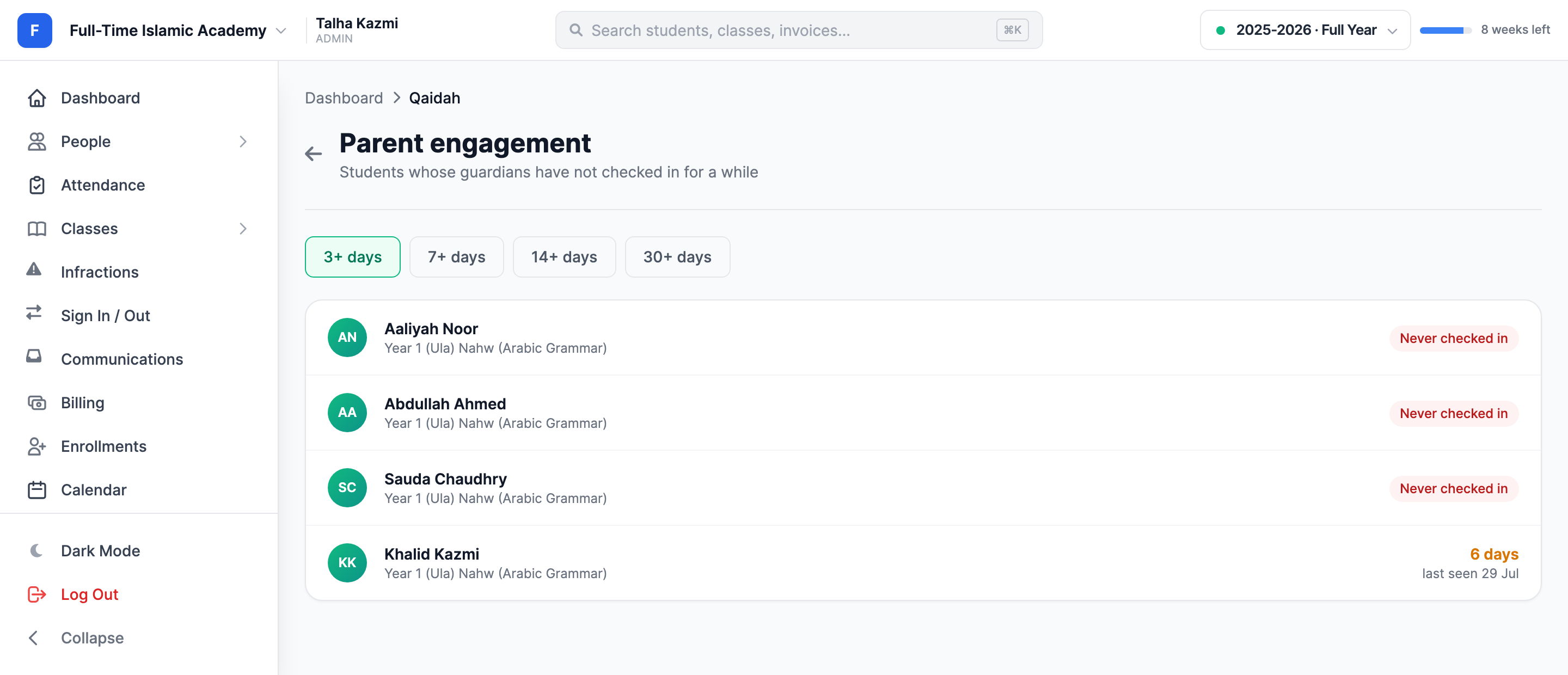
Underneath it: what is owed tonight, what the teacher wrote today, and a dated log going back a fortnight. Each day has a Mark as seen button — a read receipt, so a teacher writing "please practise the ghunna at home" can tell whether anyone at home read it. Teachers get a Parent check-ins board showing which families have gone quiet.
It is not a separate system
A tracker that lives in its own corner of the app is a tracker people forget to open. So:
- A Qāʿidah class is an ordinary class. It keeps its register, its gradebook if you want one, and it counts toward averages like any other. Turning on lesson tracking adds a log; it does not move the class into a parallel universe.
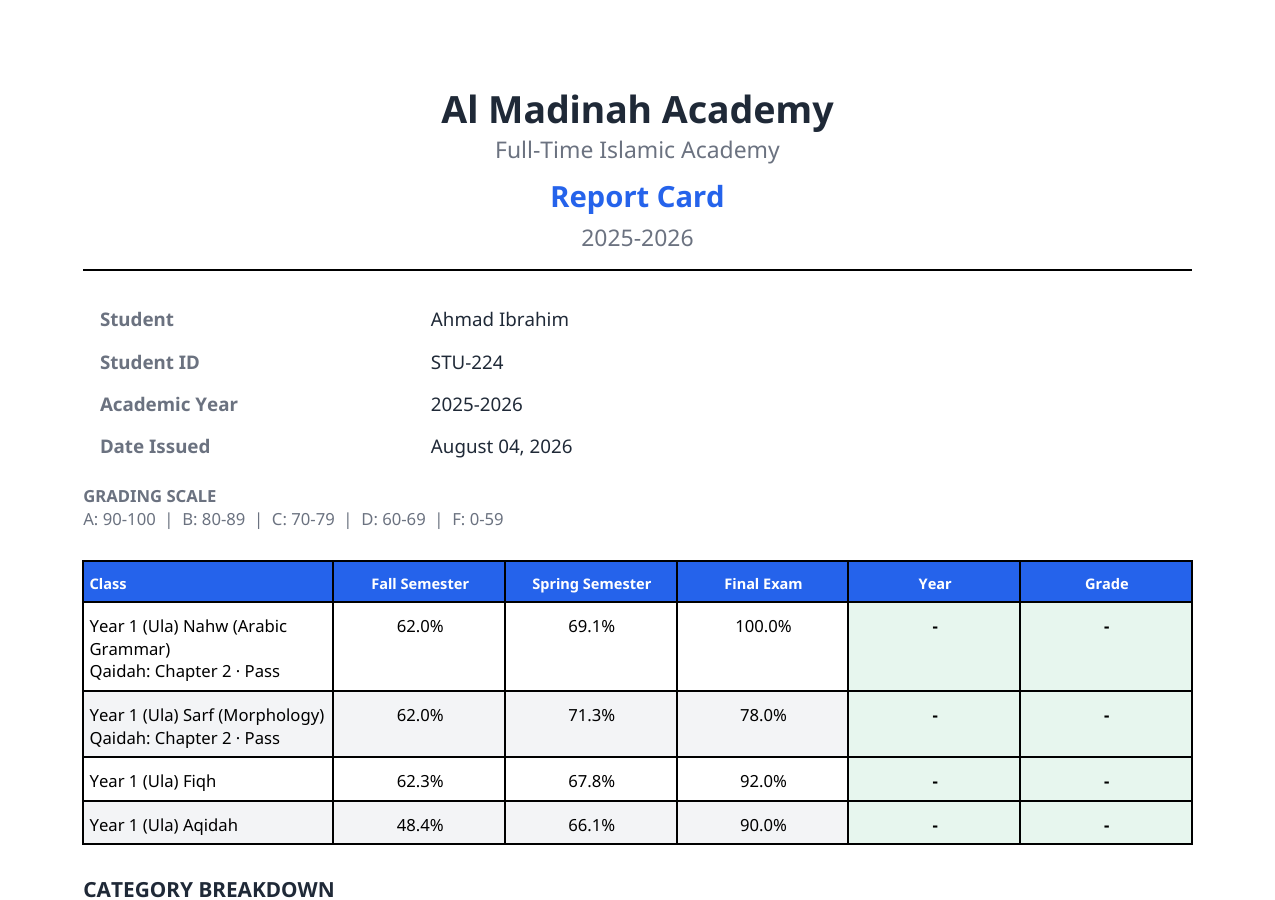
- Report cards carry where the child reached and their standing, printed alongside everything else. A maktab that never opens a gradebook gets a real line on the card instead of a row of dashes.
- Absences are respected — you cannot record a lesson for a child who was marked absent, because they were not there.
- Everything is in the mobile app from the first day, for teachers and parents both, rather than arriving two releases later.
The small thing teachers will notice first
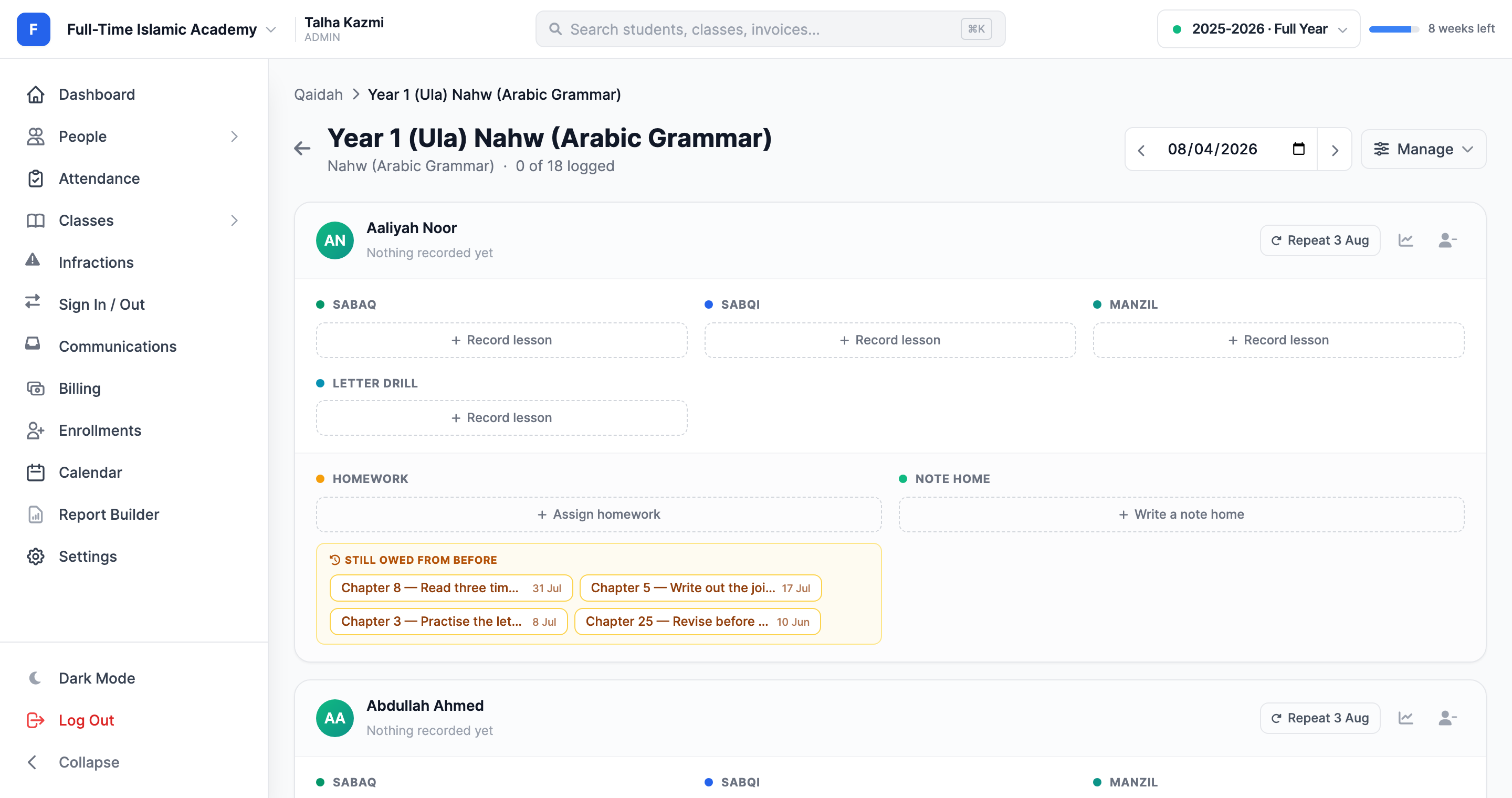
Most Qāʿidah students continue exactly where they left off. Re-typing three slots for thirty children, every day, is the actual cost of a daily tracker — so there is a Repeat button on each row that copies the student's last recorded day forward in one click.
It copies the lessons only. Not the outcome, not the mistake counts, not the note home — those are judgements about today and have to be made today. The header tells you how far you have got: 0 of 18 logged when you open the register, green with a tick when the class is done.
Available now
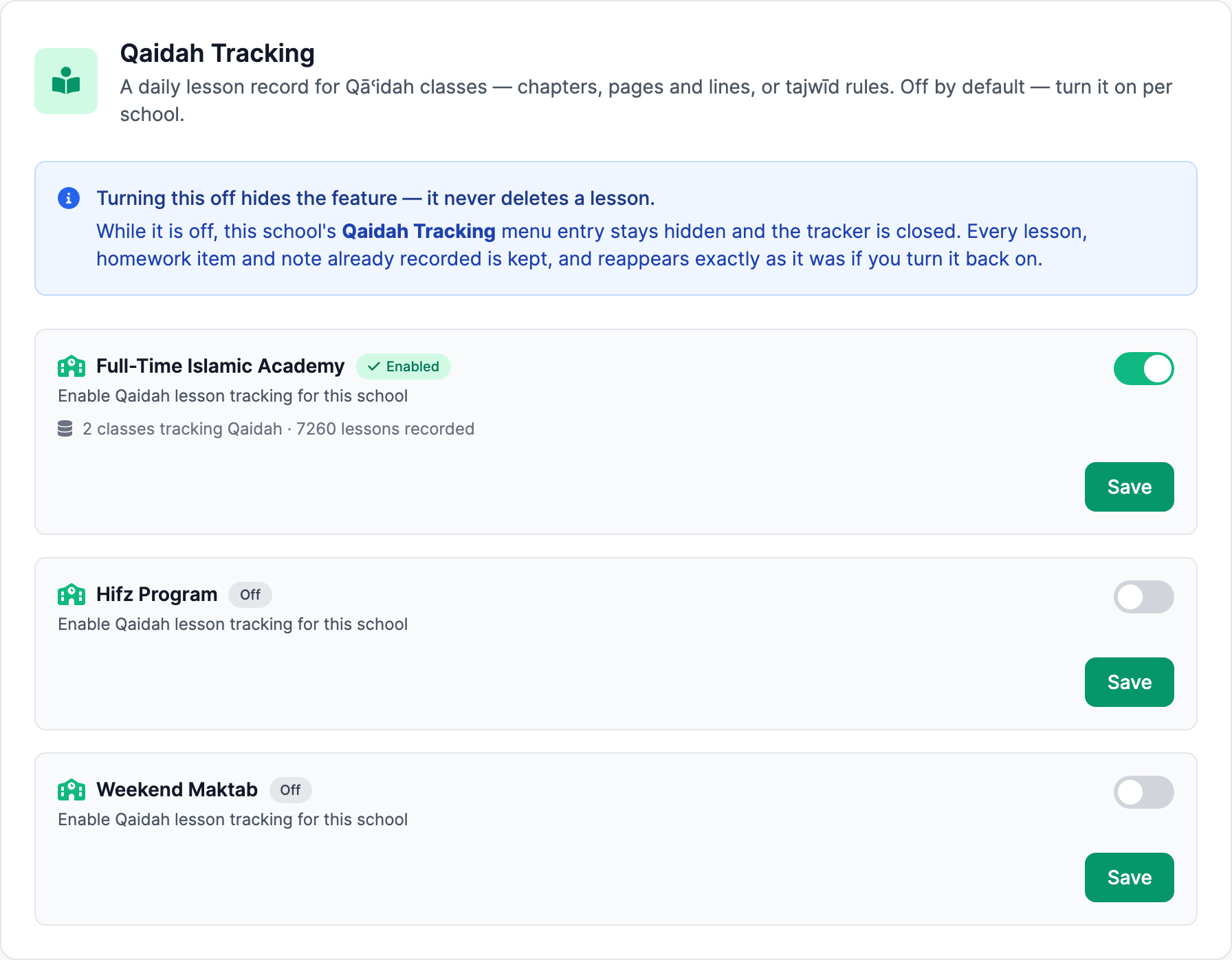
Qaidah Tracking ships with every MarkTrack school, switched off. A school that does not teach Qāʿidah should not have to look at it, so an administrator turns it on per school under Settings → Qaidah. Turning it off again hides the feature; it never deletes a lesson, and everything reappears exactly as it was if you switch it back on.
Once it is on, the entry appears under Classes → Qaidah Tracking. Create a class, add students, and the three default slots are waiting — nothing else to configure unless you want to.
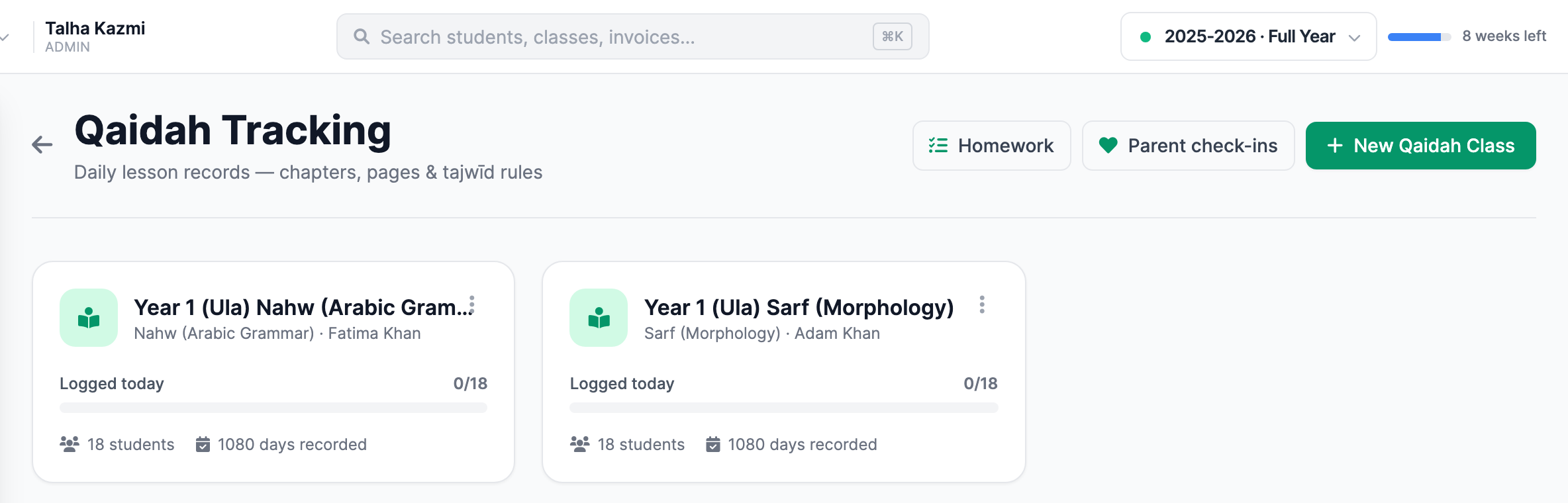
If your school runs a Qāʿidah programme and you have been keeping it in a paper register or a shared spreadsheet, this is the screen we built for you. We would genuinely like to know which Qāʿidah you teach from and what you write in the register — that is how this feature got its shape in the first place.
Interested in trying out MarkTrack for free?
Get in touch