

How Kufah Institute runs enrollment, exams and billing on MarkTrack Read it

Custom Reports

Your school's data.
Beautifully understood.

From an attendance question to the next board meeting, turn the records already in MarkTrack into clear, polished reports. Choose a report, refine the view and make it ready to share.

INSIDE MARKTRACKSchool operations
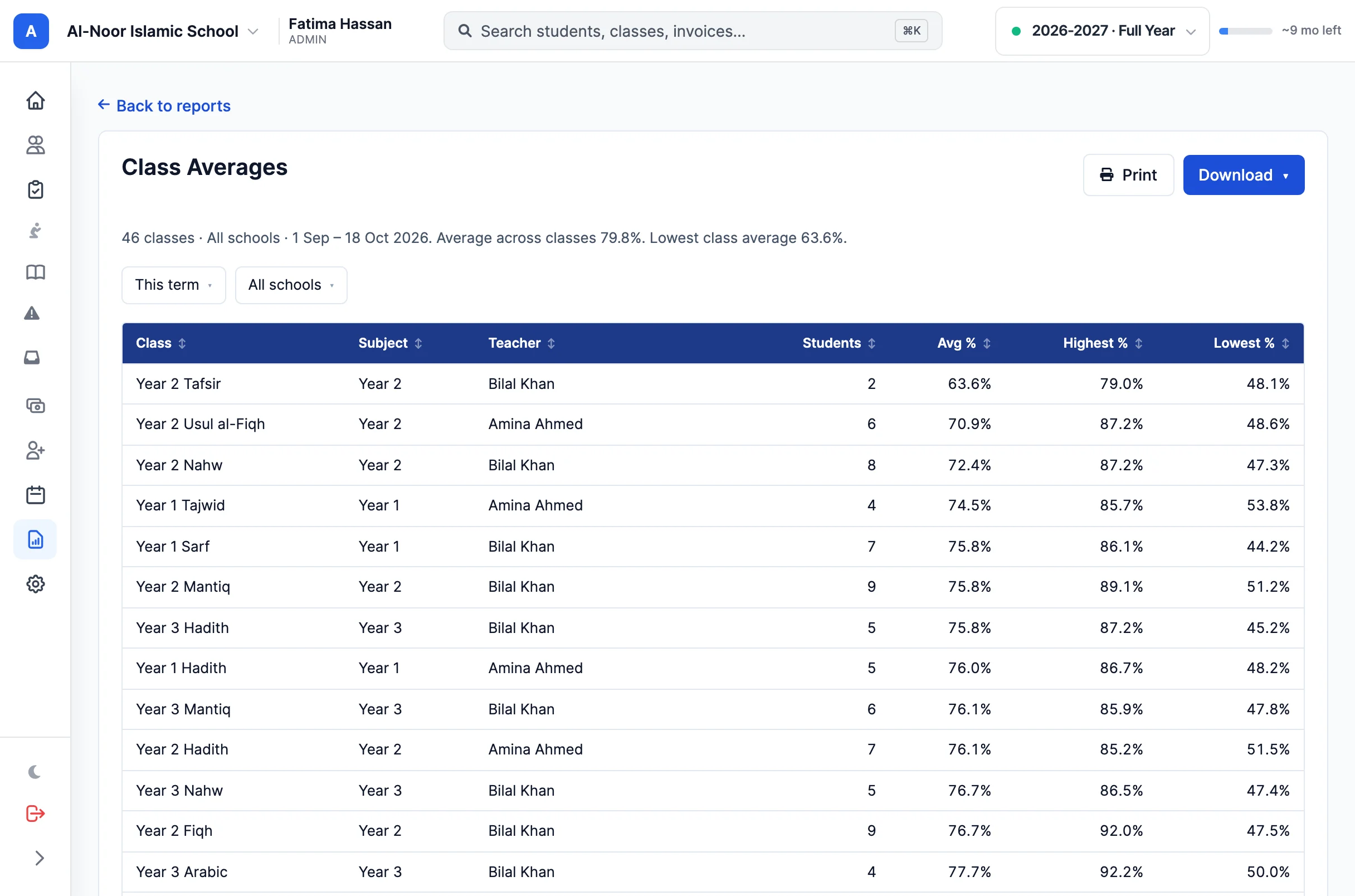
The report workspace pairs a live document with its customization controls.
  • Ready-made report catalog
  • Live customization
  • Styled PDF exports

01Start with the question

There's a report for that.

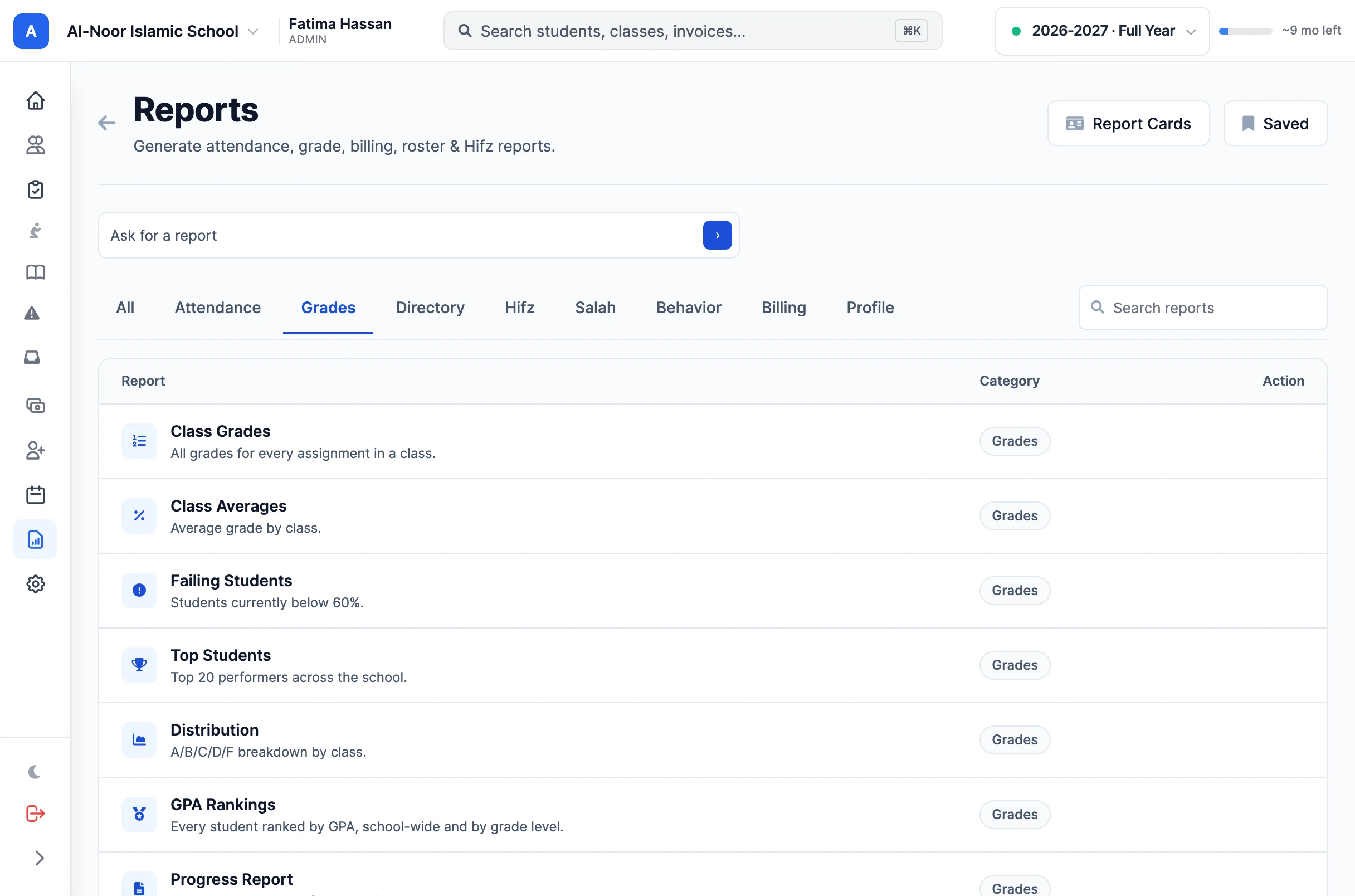
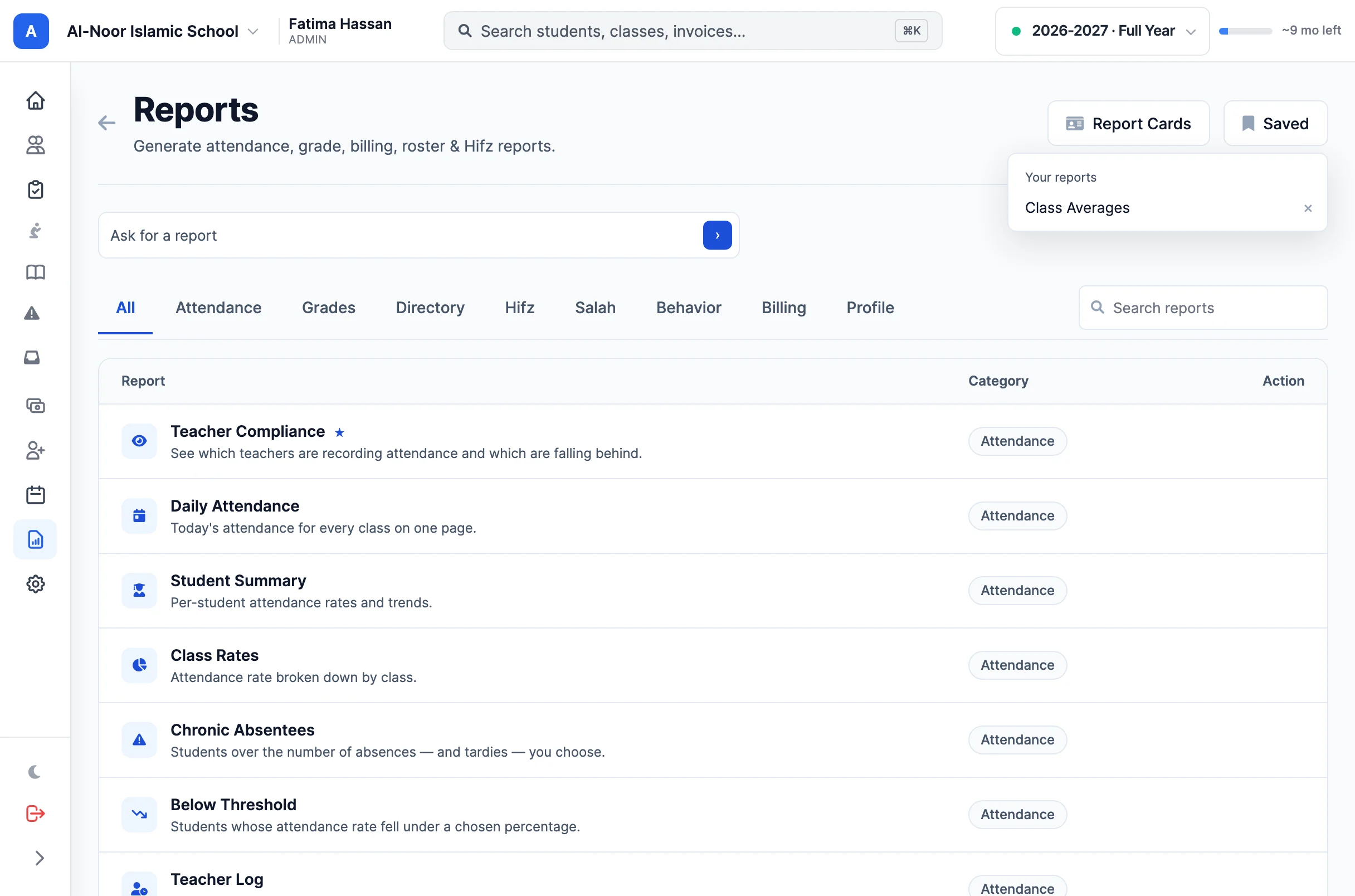
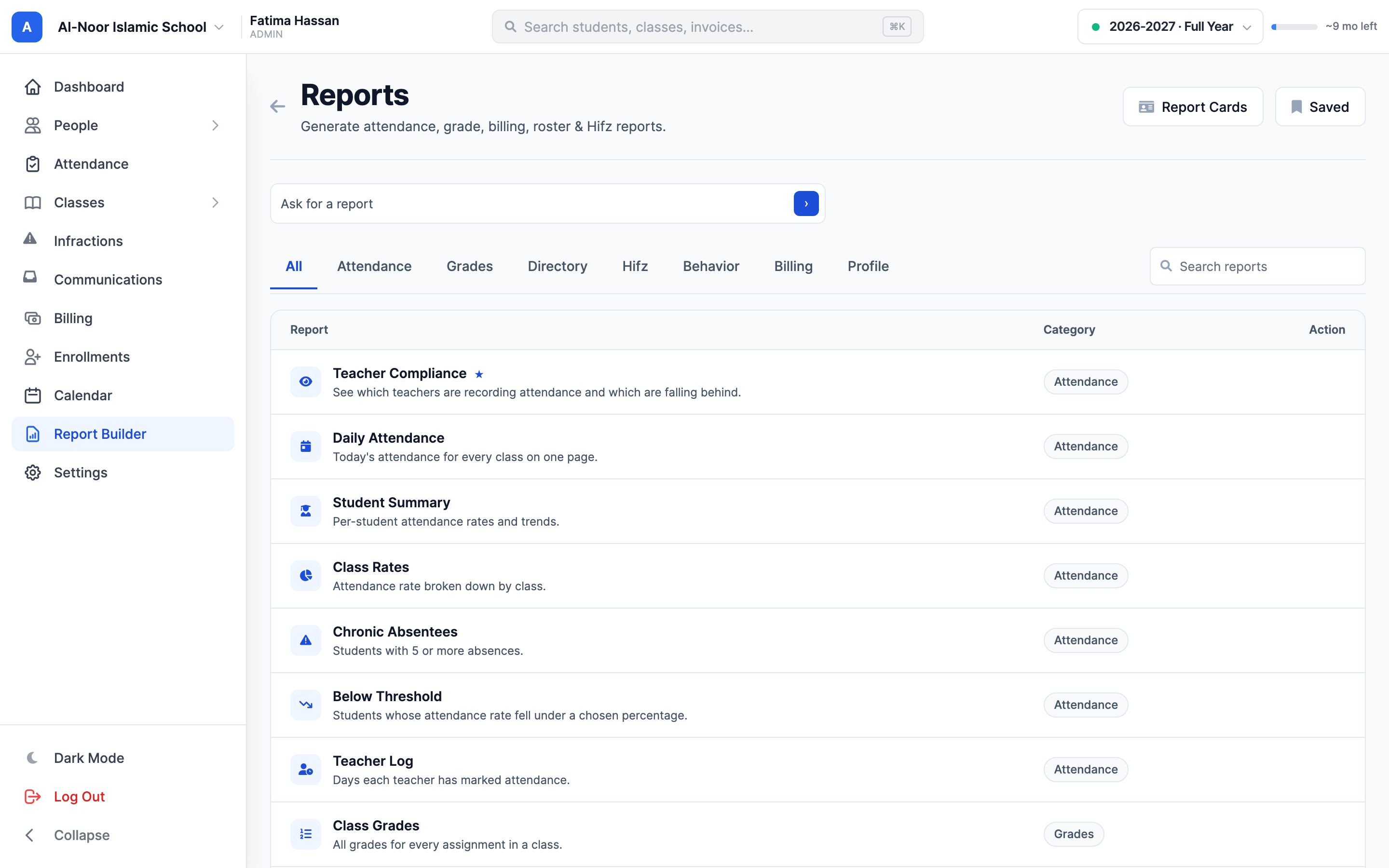
Find the answer without assembling a spreadsheet first. The report catalog brings attendance, grades, directories, Hifz, behavior, billing and school profiles into a searchable starting point.

  • Find daily attendance, student summaries and teacher compliance reports.
  • Review class grades, distribution, top students and students below a threshold.
  • Explore family balances, payment history, Hifz progress and behavior follow-up.
Browse reports by category or search for the question you want to answer.

02Get to the useful view

The right scope. The right period. Right in front of you.

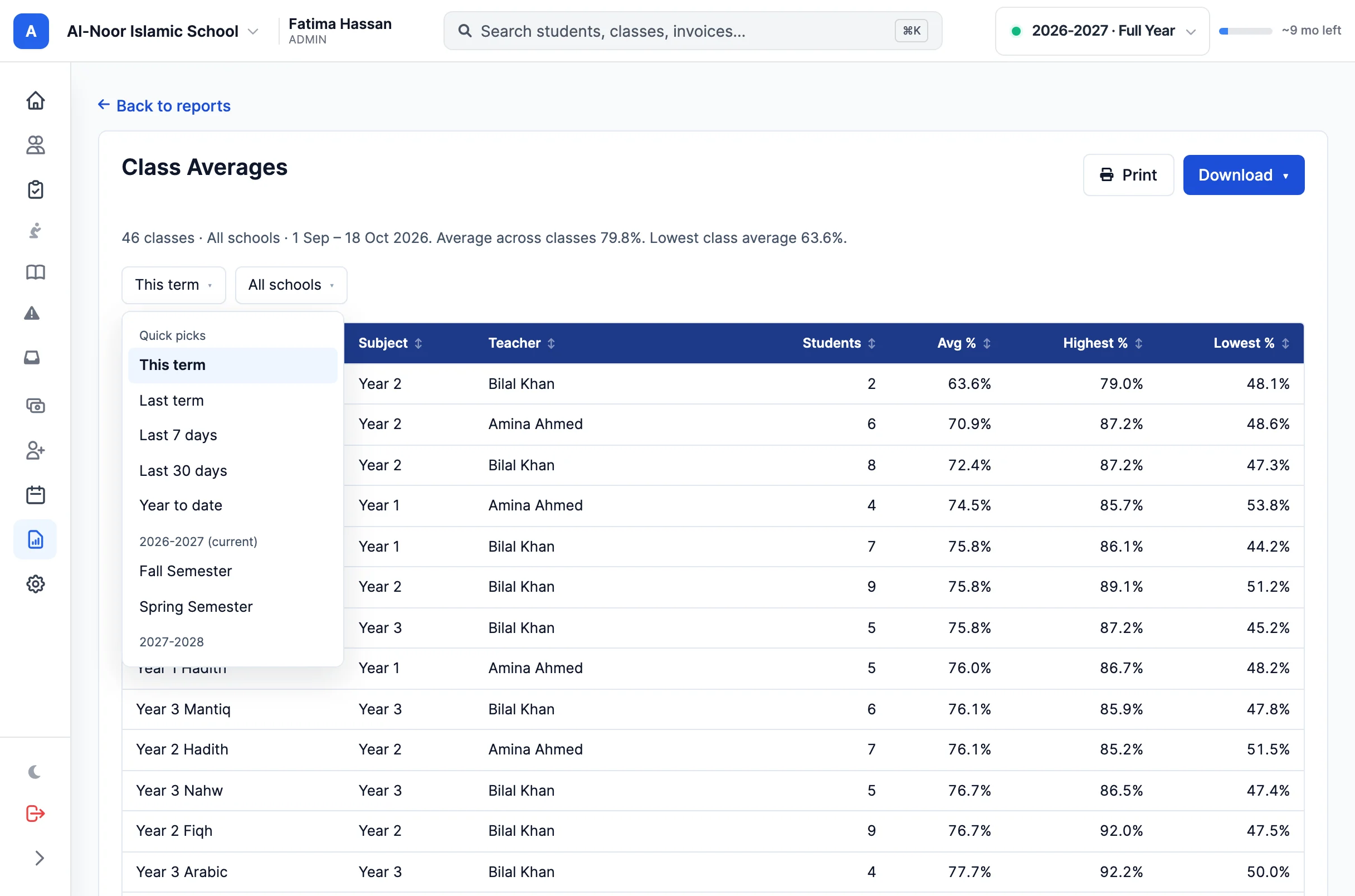
A report becomes useful when it answers your question. Change the controls in the customization rail and watch the document update, with only the options that apply to that report.

  • Use quick date ranges, real academic terms or custom dates where supported.
  • Narrow the view by the classes, students or parents relevant to the report.
  • Adjust report-specific thresholds and sort the results by a column.
Filters and report-specific options update the document live.

03Made to be shared

A finished document, before you export.

Give a report the visual treatment it deserves. Choose a color theme, set the row density and decide whether to use stripes. Your choices carry through to the PDF.

  • Choose among six report themes, including Emerald, Ocean, Teal and Slate.
  • Switch between comfortable and compact density.
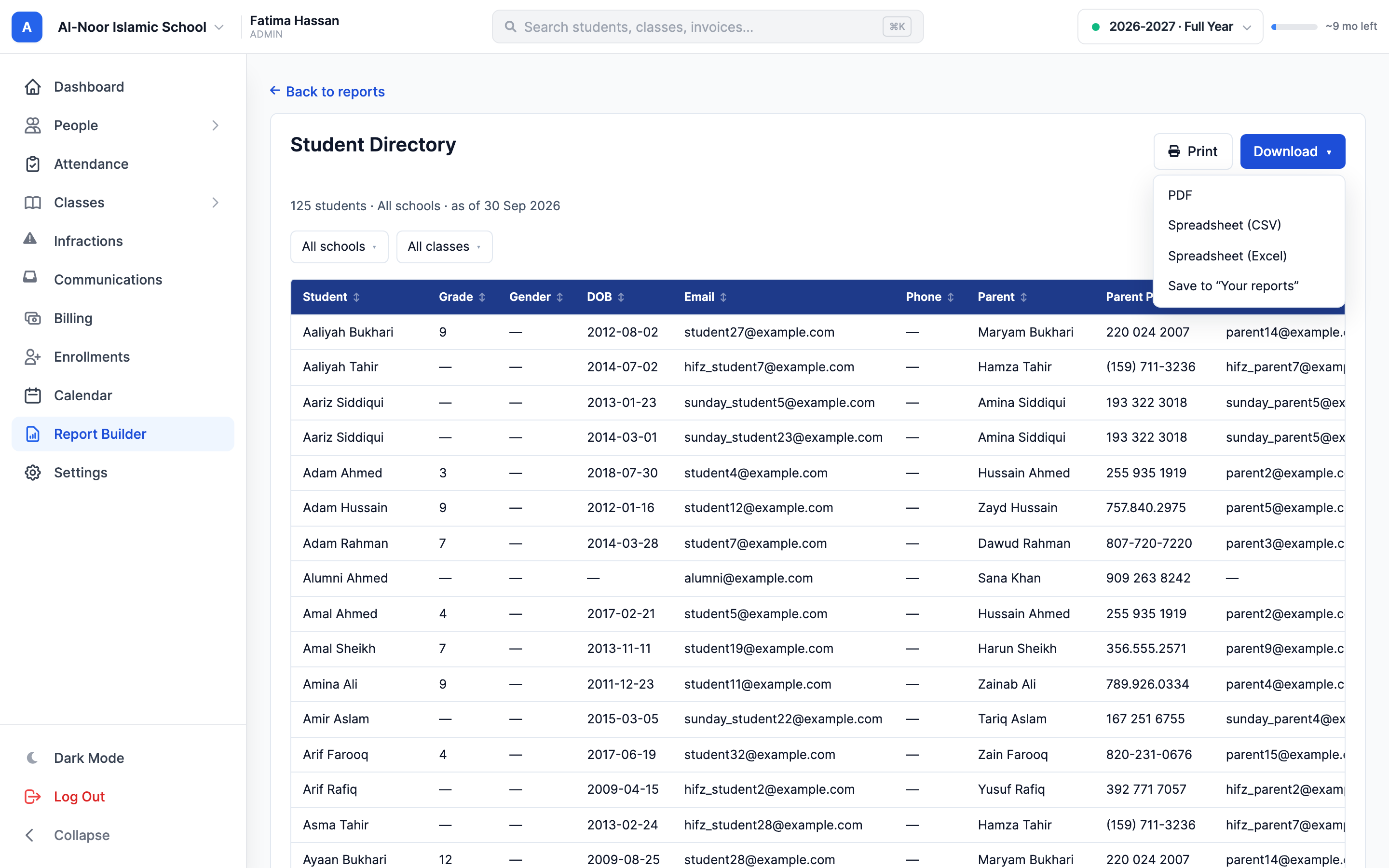
  • Print a clean document or export it as a PDF with its date window and title.
Name the report, then print or export the styled document.

04Ready for the next meeting

Set it up once. Return with fresh data.

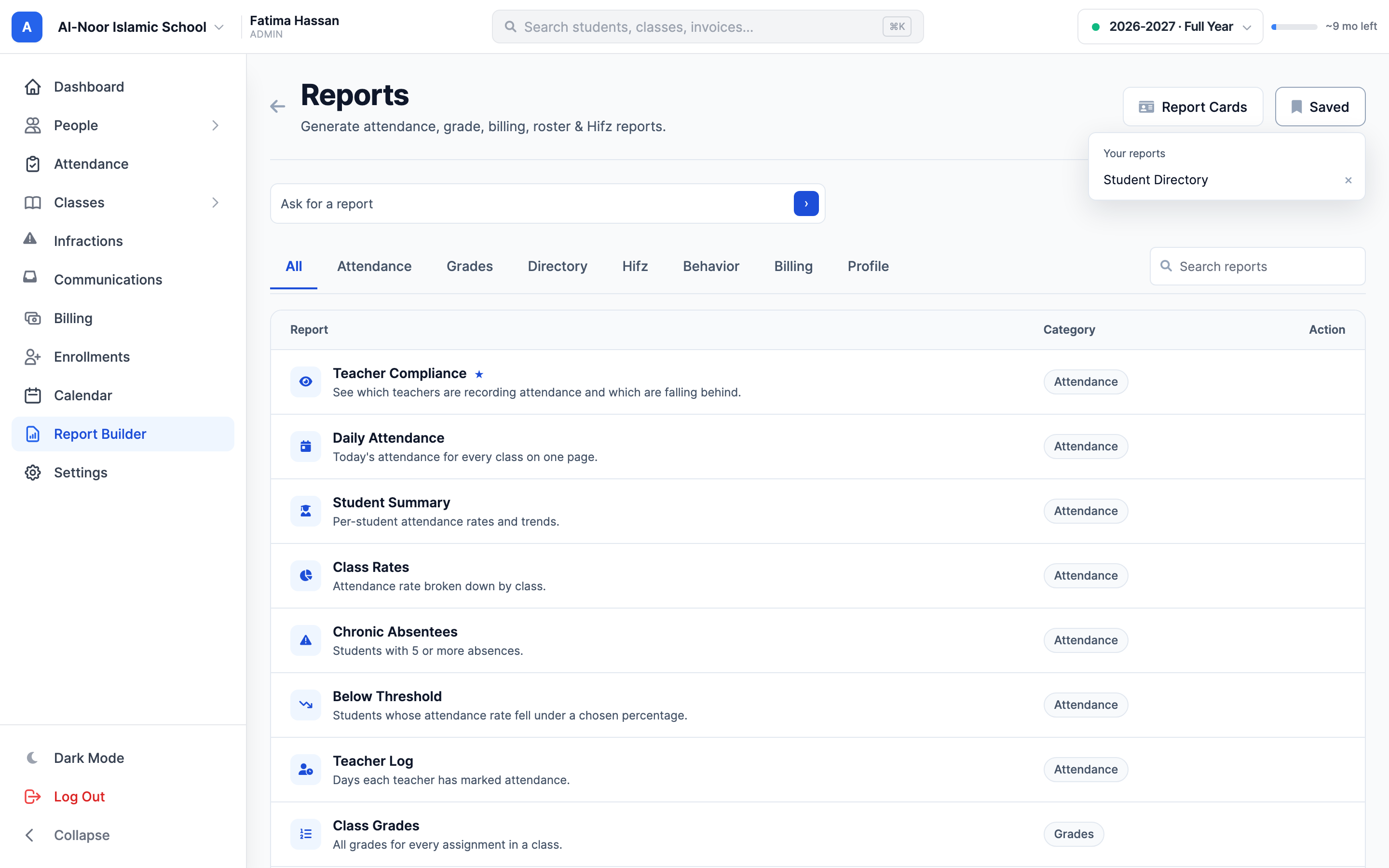
Save a report's title, filters, sorting and appearance under your account. Reopening it runs the report against current data, so the view you rely on stays useful as your school moves forward.

  • Keep a personal saved list for each school.
  • Re-run reports with their previous filters and styling restored.
  • Archive an old saved report without deleting the underlying school records.
Saved reports preserve your setup for the next time you need it.

05A student's story

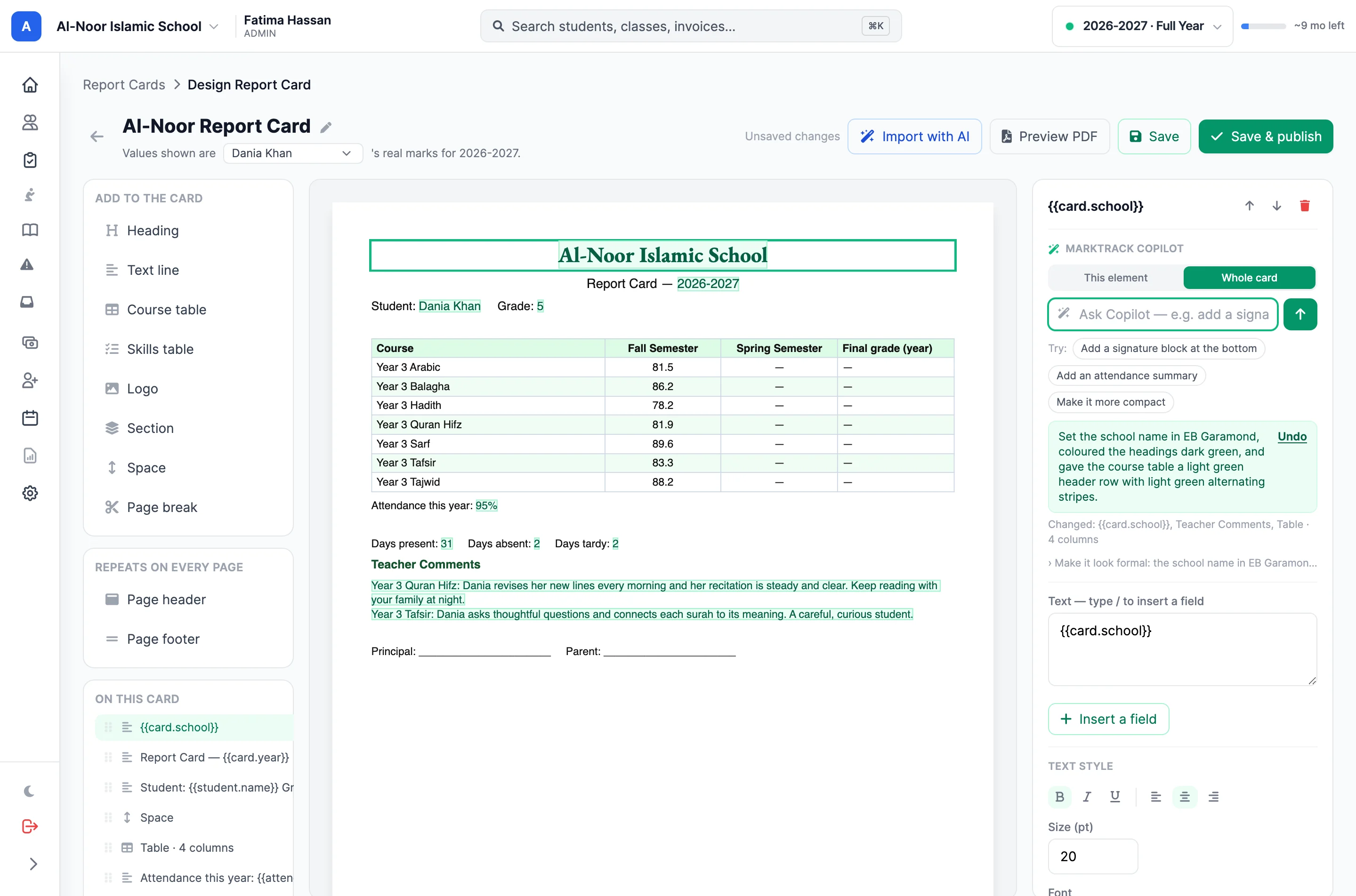
Make room for formal report cards, too.

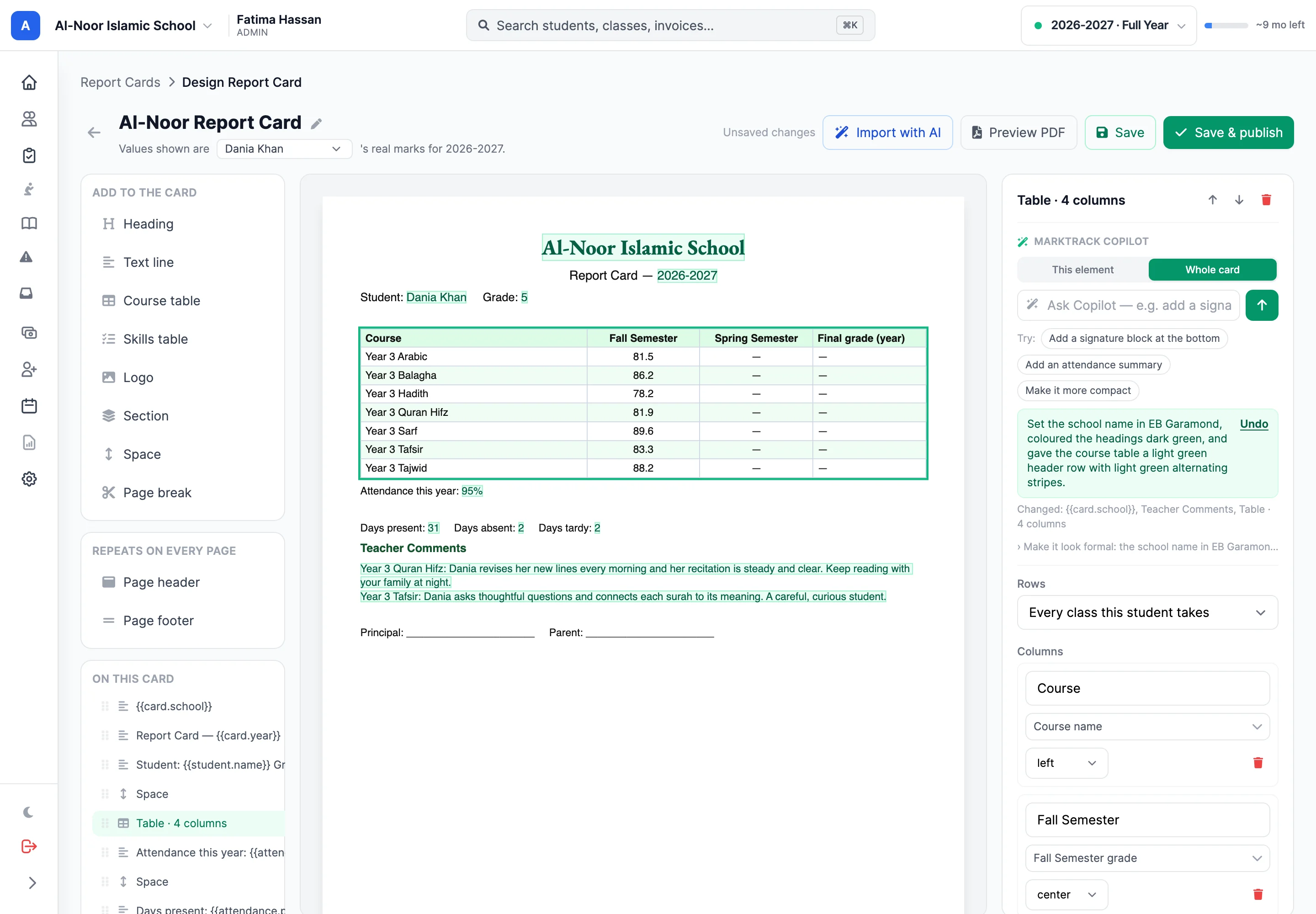
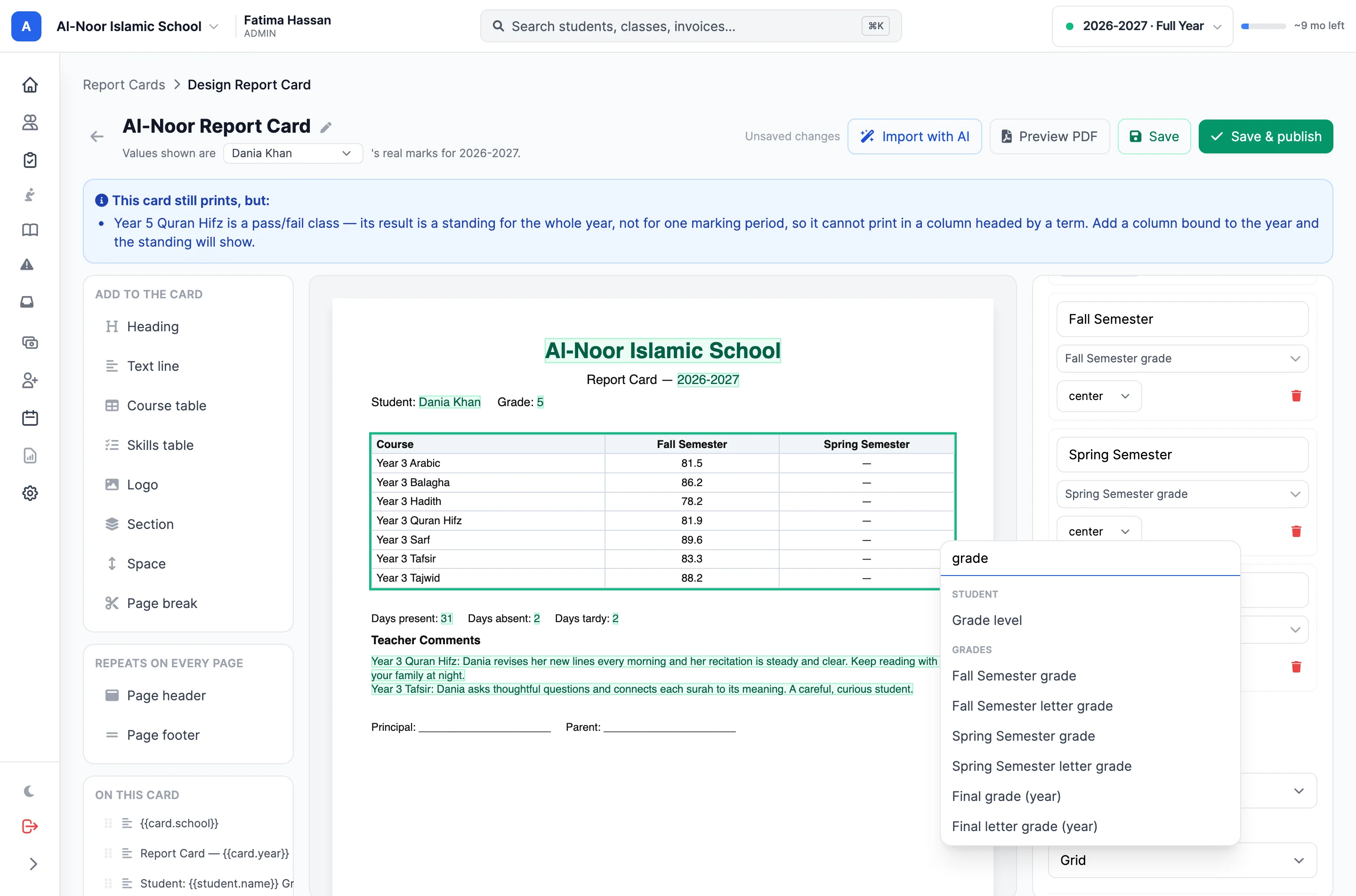
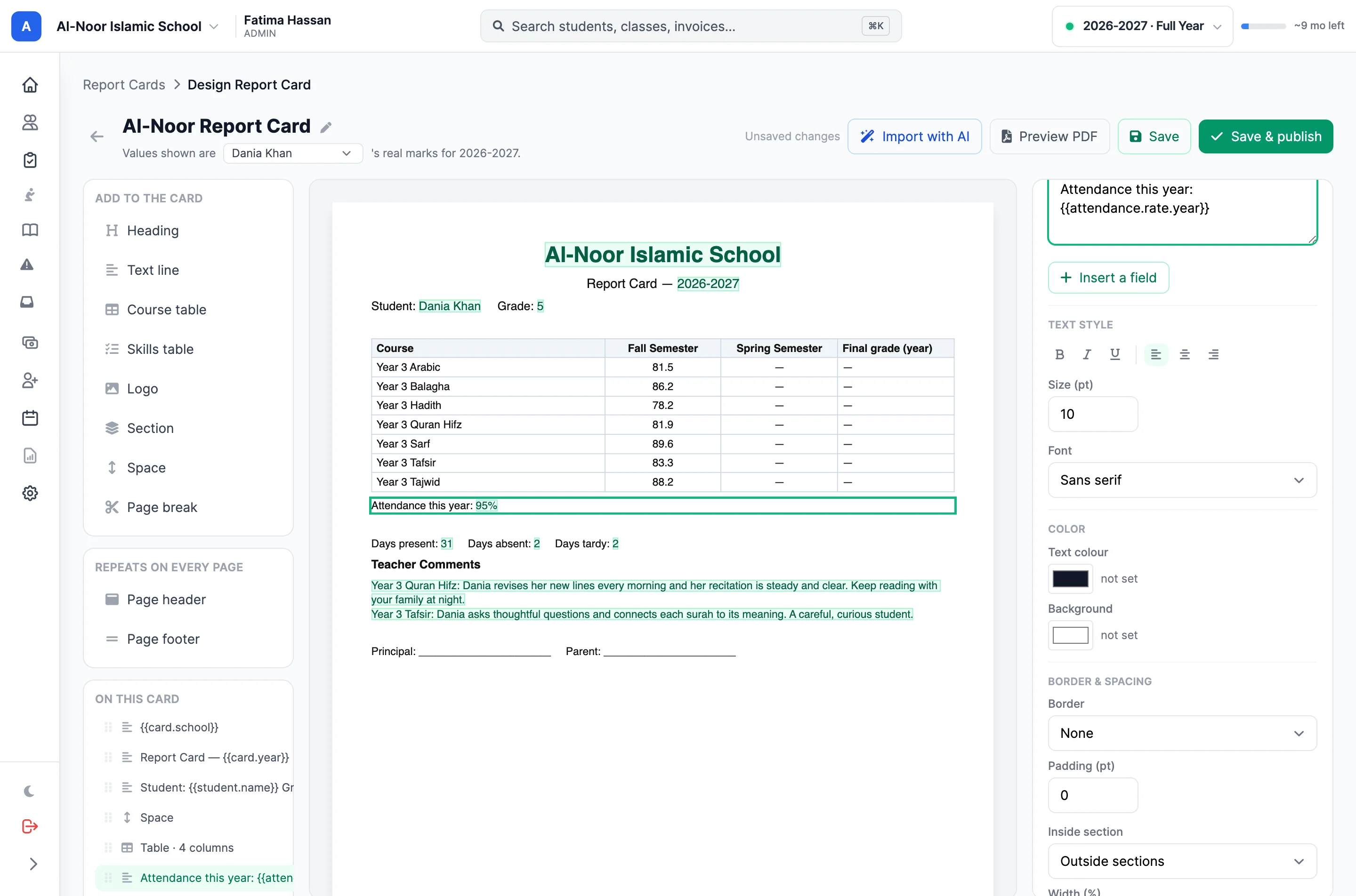
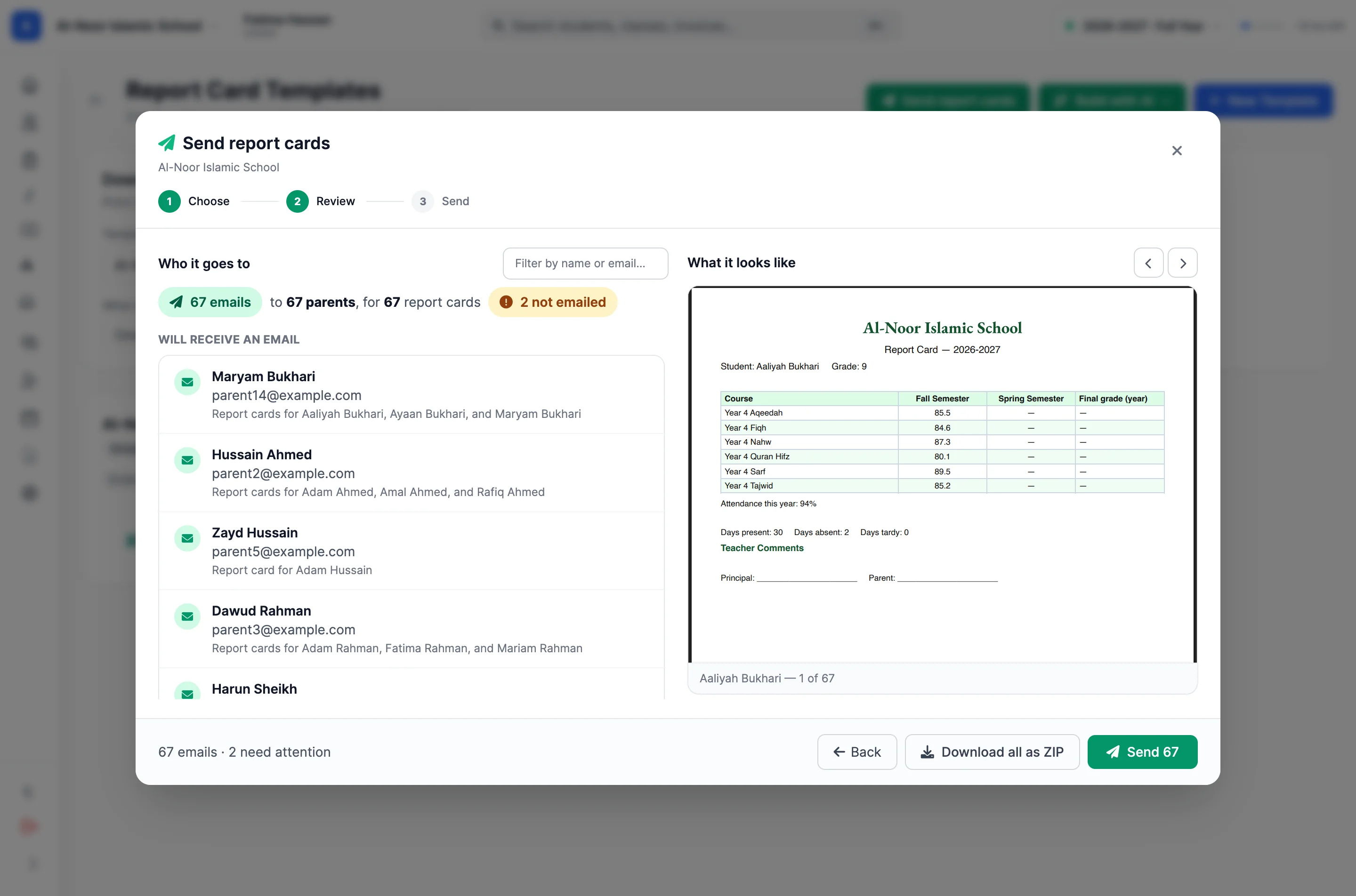
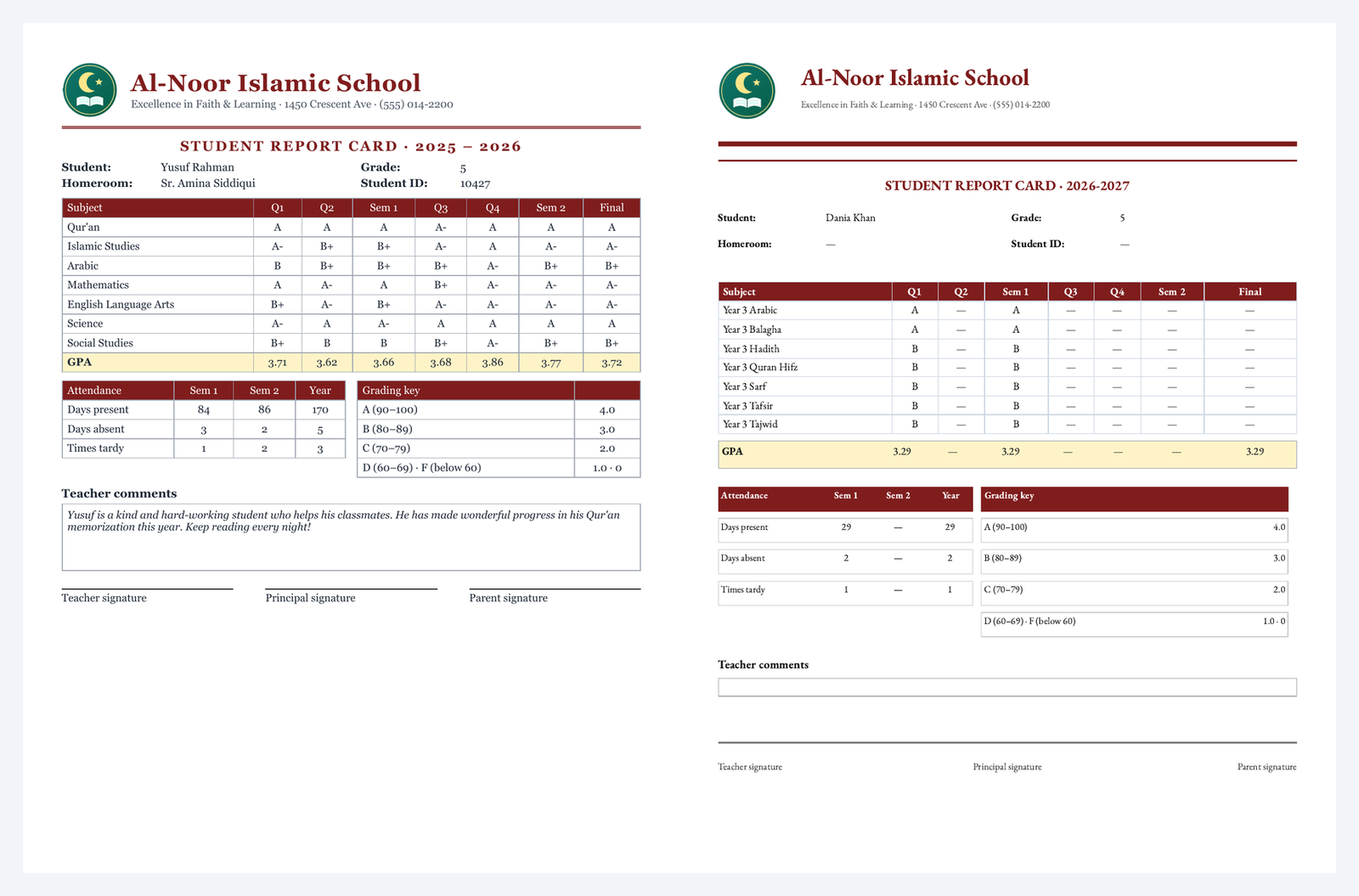
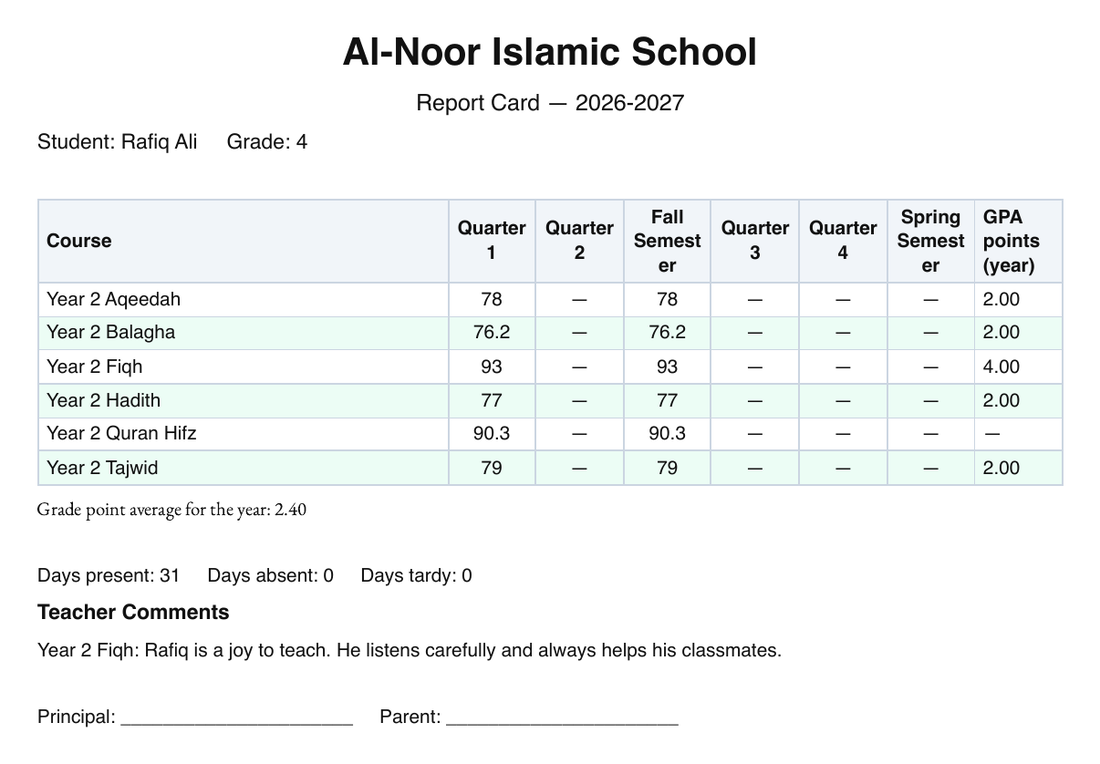
Alongside operational reports, the Report Cards workflow helps schools prepare and share individual student reports. Configure the template and reporting period, then generate the documents for your families.

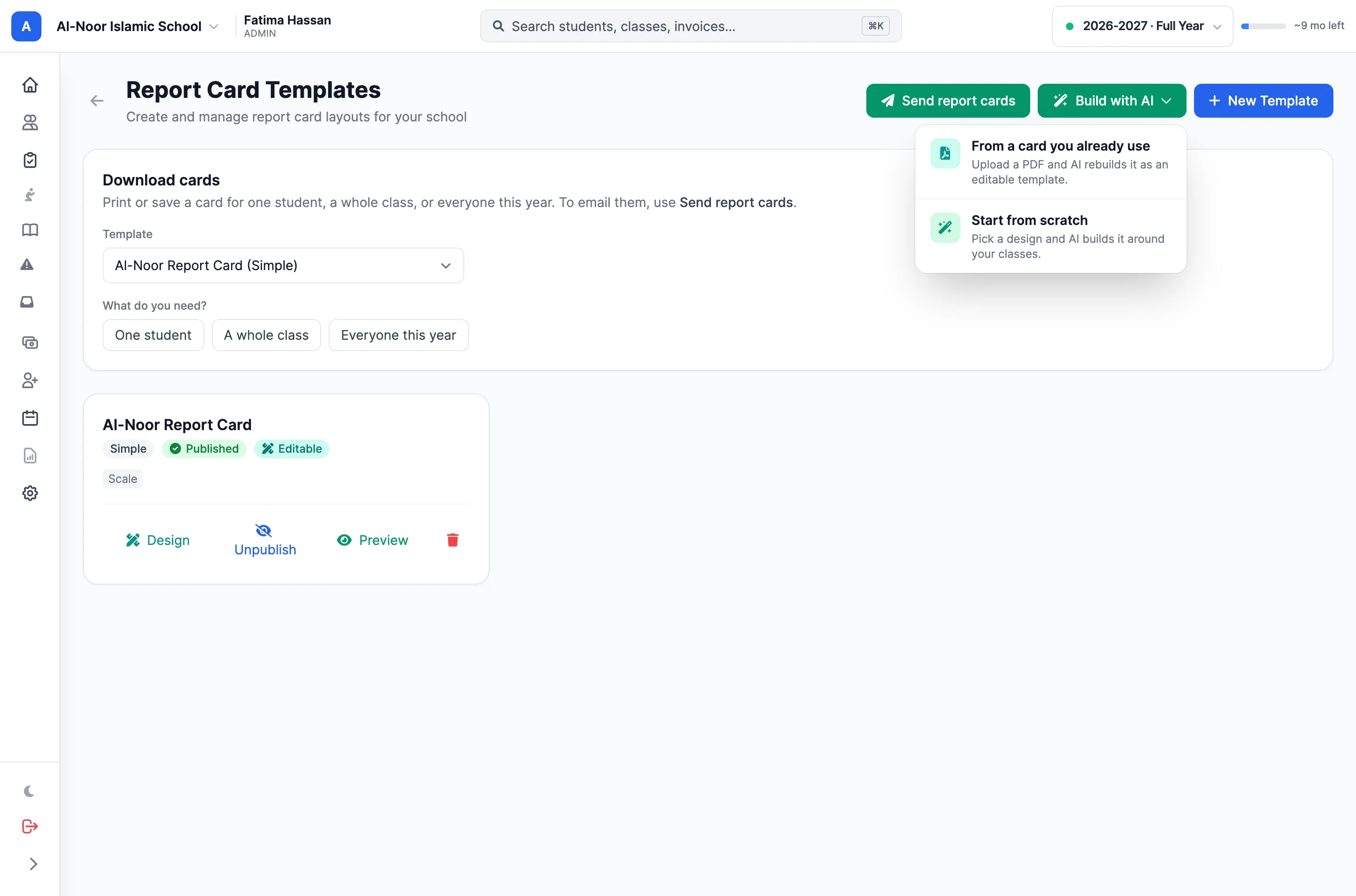
  • Manage report-card templates from the reporting workspace.
  • Select the reporting period and students for generation.
  • Generate and email report cards through the dedicated workflow.
Report-card templates support the formal reports sent home to families.

Thought through, down to the details

The little things.
The everyday difference.

Live records

Reports read the school data already in MarkTrack.

Relevant controls

Each report exposes the filters and options it actually supports.

Clean print layouts

The document prints without the editing rail or toolbar.

School-aware access

Reporting follows the school and admin access available to the account.

A few more details

Good questions.
Clear answers.

Want to see how it fits your program?

Talk to our team ↗

Read the product guide →

Do reports use live school data?

Yes. Reports query the records already in MarkTrack. A saved report stores its configuration and re-runs against current data when reopened.

Can we change the look of exported reports?

Yes. Theme, density and row striping affect the on-screen report and its exported PDF. You can also name and sort the report.

Are saved reports shared with every admin?

Saved reports belong to the admin who saved them and to the school where they were created. Other admins have their own saved lists.

Does every report offer the same filters?

No. Controls depend on the report. Some reports use time periods and thresholds; a directory or profile may not need date filters.

More time for what matters

Your school has a mission.
Give it a better everyday.

Bring your people, programs and daily work together in MarkTrack.

Built for Islamic schools, weekend programs and Hifz academies.