
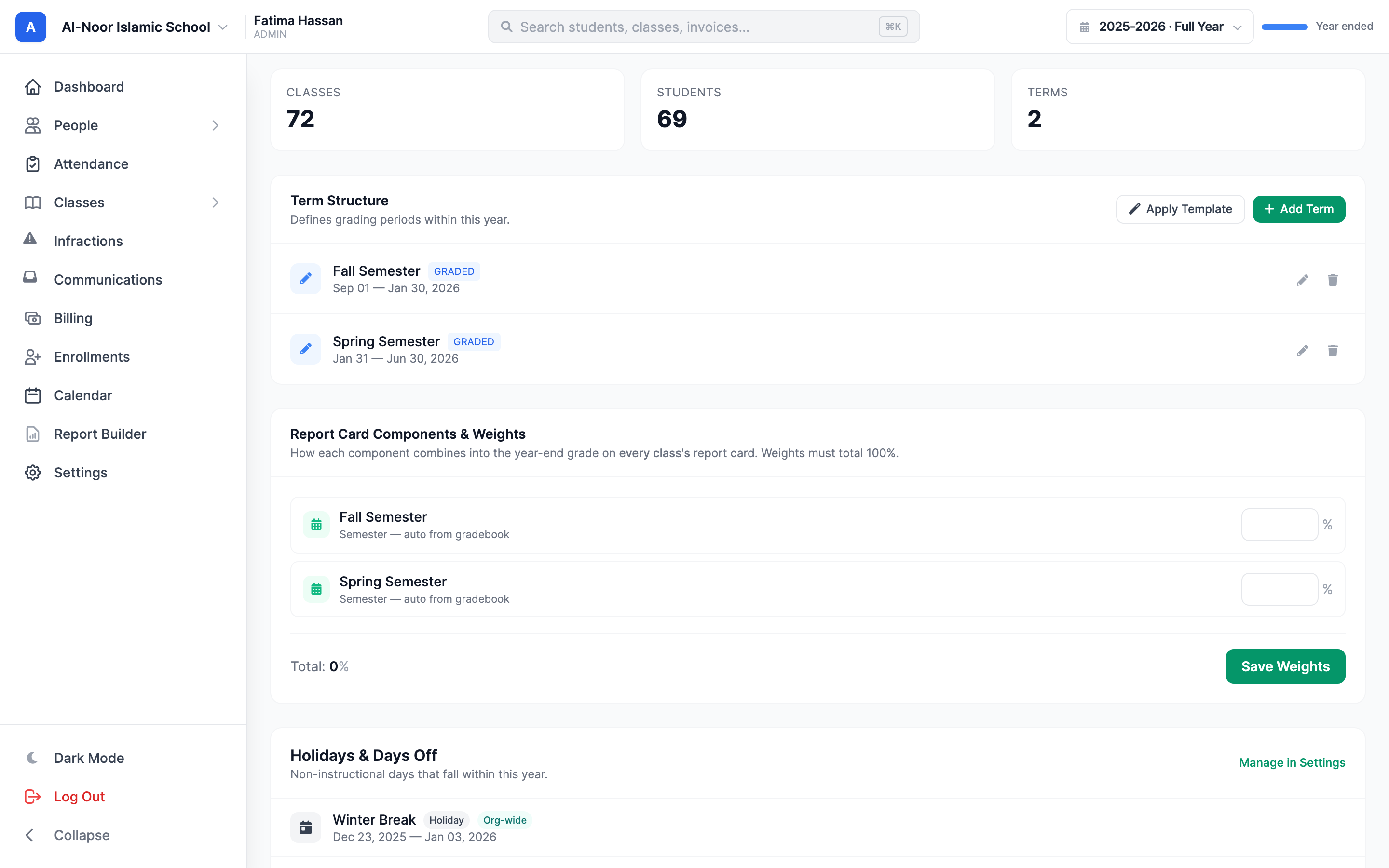
Class averages
See how the group is doing alongside individual results.
 Giving by MarkTrack
Coming soon
Giving by MarkTrack
Coming soon
Solutions
Full-time K-12 schools Weekend & Sunday schools Evening maktabs UK madrasahs Canadian Islamic schools vs Schoology vs Gradelink vs FACTS SIS vs TeacherEase vs Canvas vs QuickSchoolsResources
What's new Customer stories Soon Webinars Soon Docs MarkTrack University Video guides Help Blog ContactGradebook
A gradebook that makes room for your teaching. Record scores, shape your grading scheme and give families useful feedback—all connected to the classes you already run.
01Built for the classroom
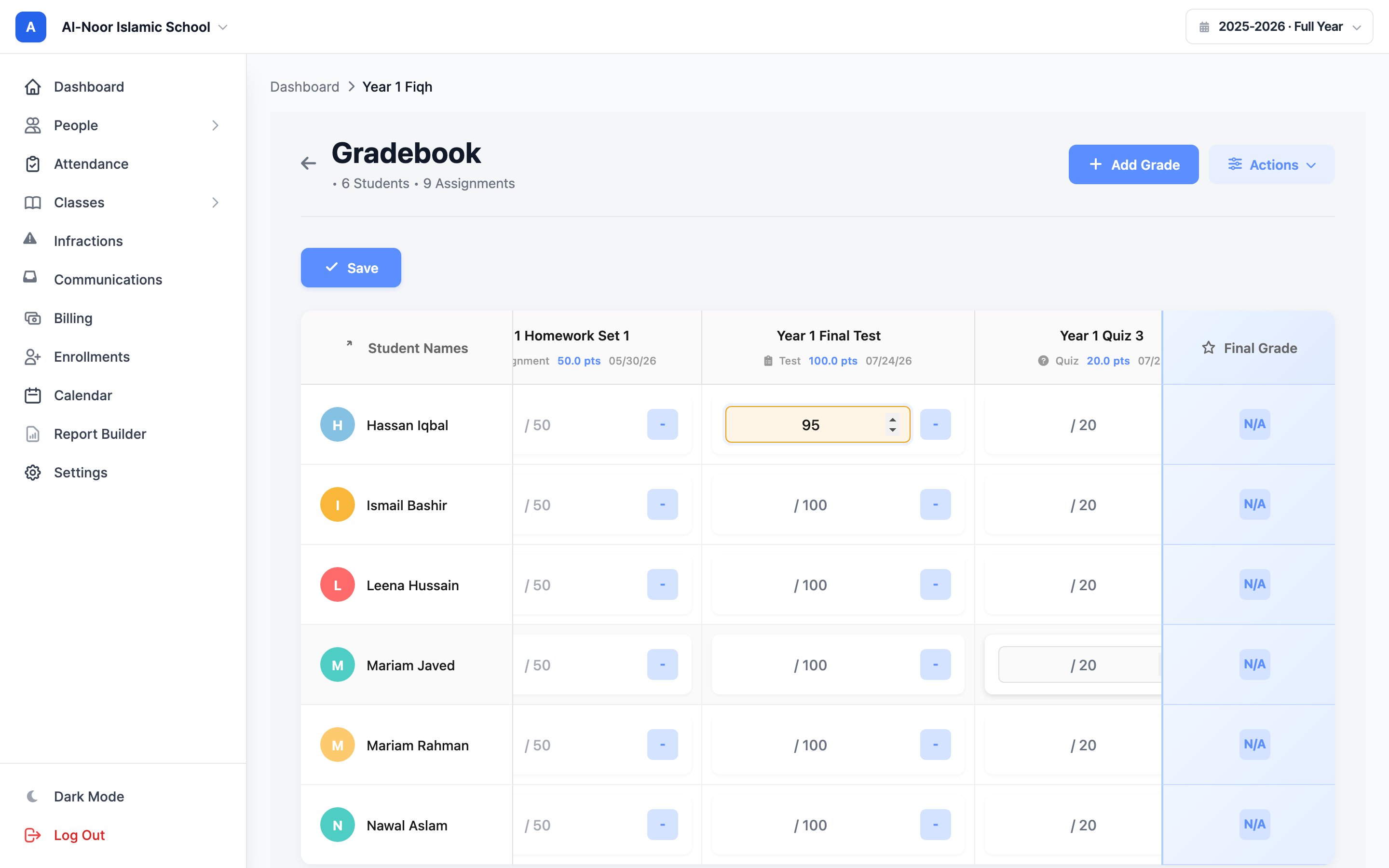
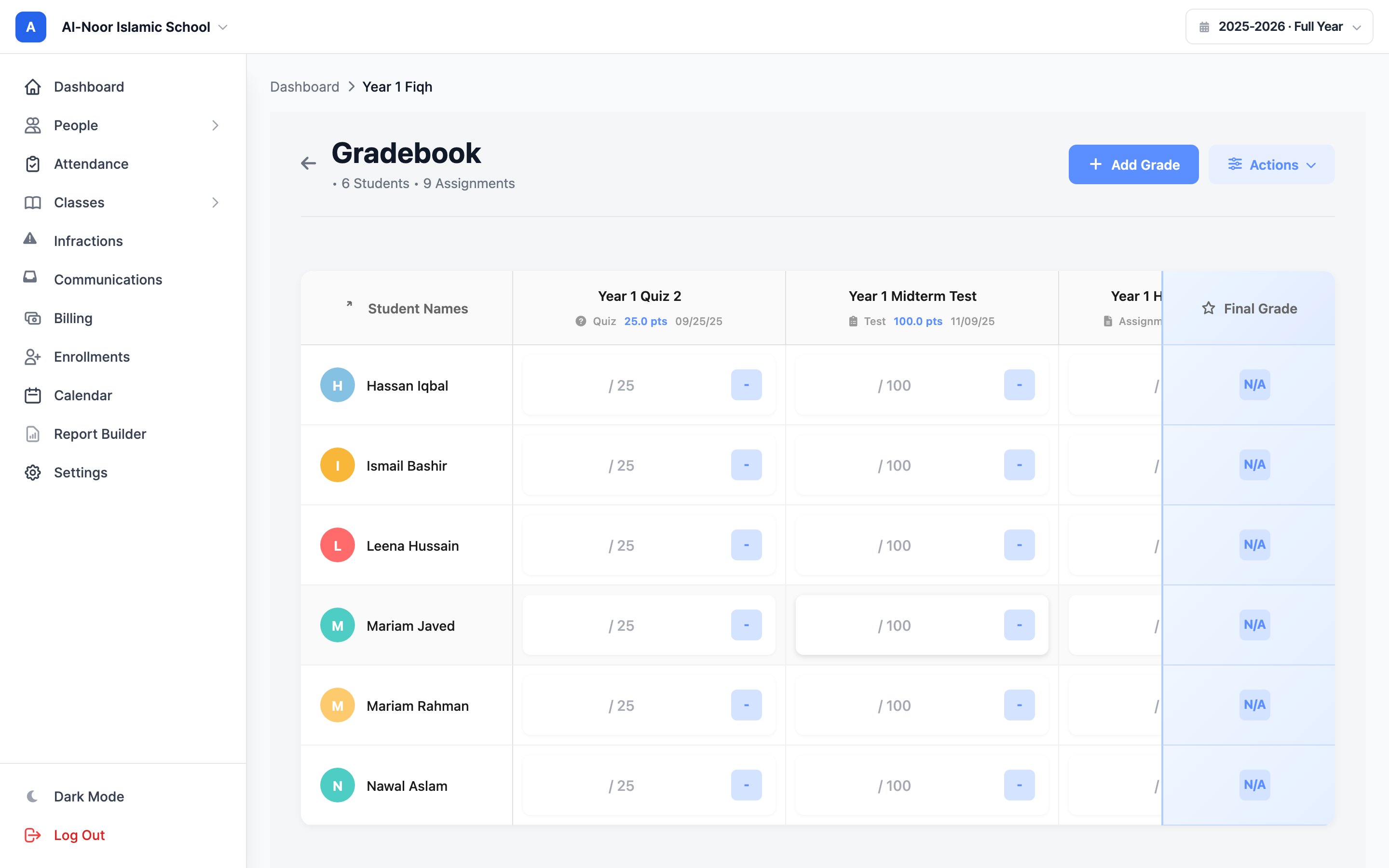
Students down the side. Assignments across the top. Enter a score and see the gradebook update, with final grades and class averages close at hand. The familiar grid keeps daily grading straightforward.
02Your approach to assessment
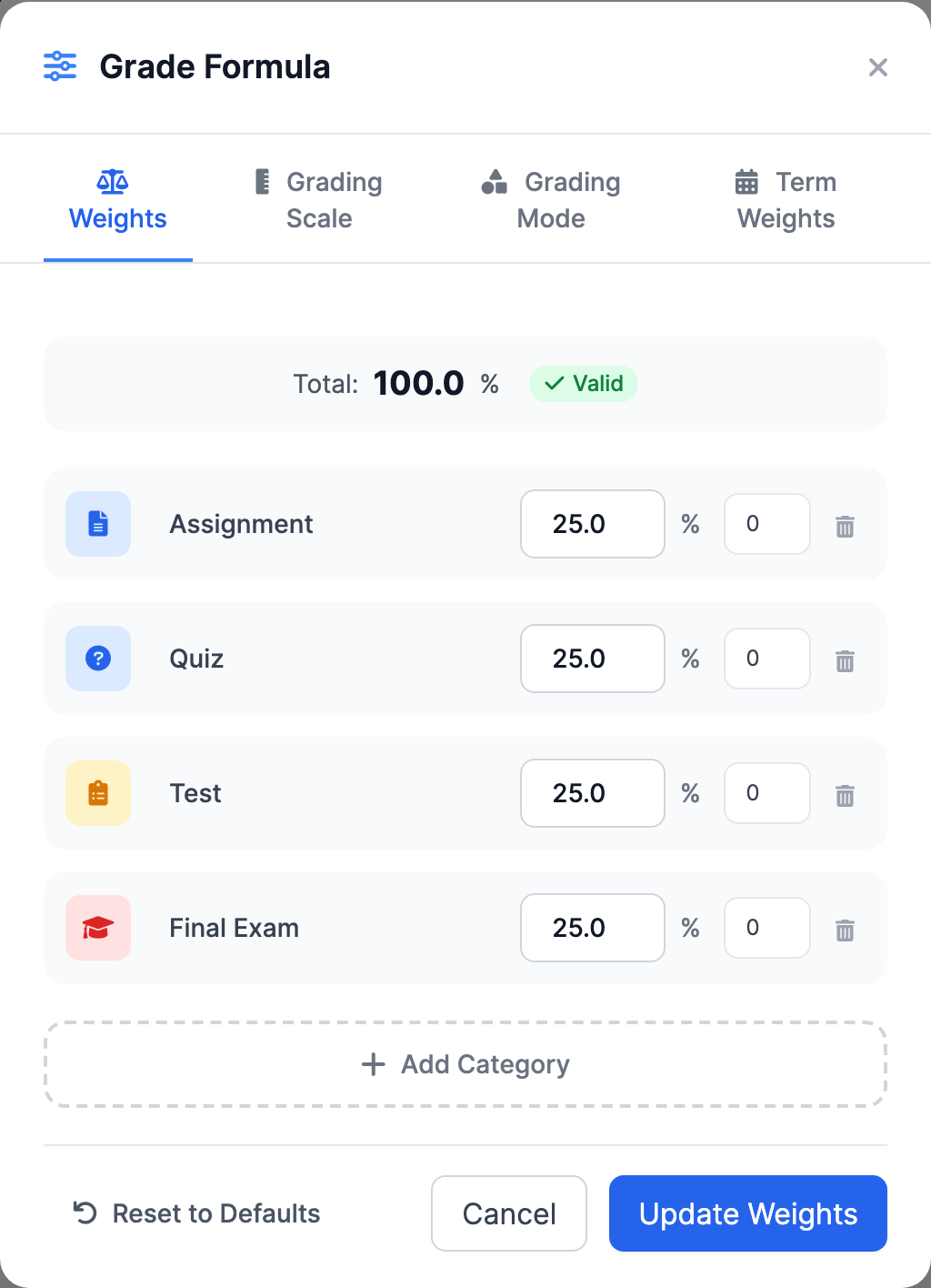
Homework, quizzes, participation and exams don't all have to count the same. Configure the grading scale and category weights for your program, then define how terms contribute to the year.
03Fair, explicit calculations
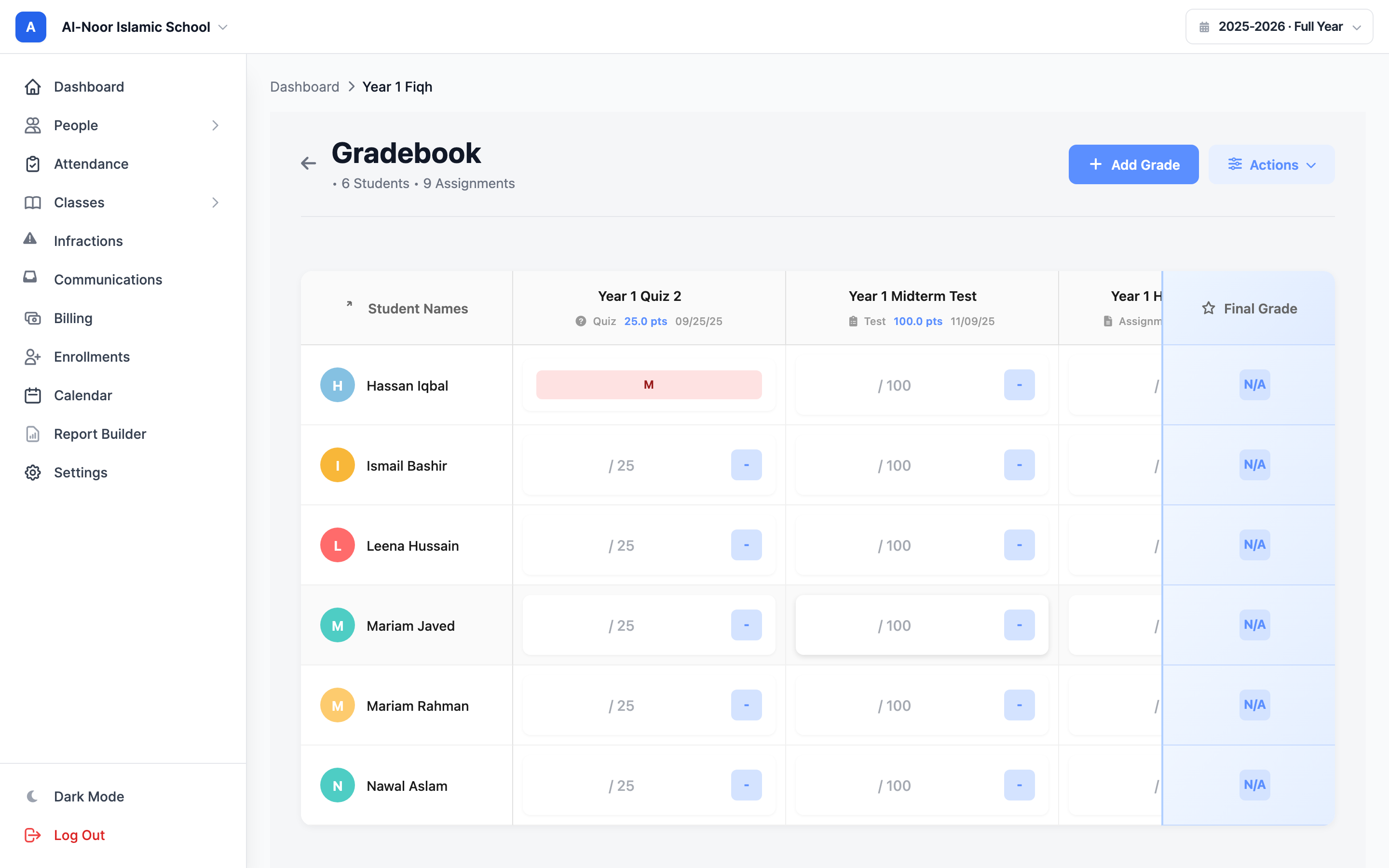
Give unfinished or exceptional work the status it deserves. Clear badges explain what is still owed, what doesn't apply and what should be left out of the calculation.
04Make feedback useful
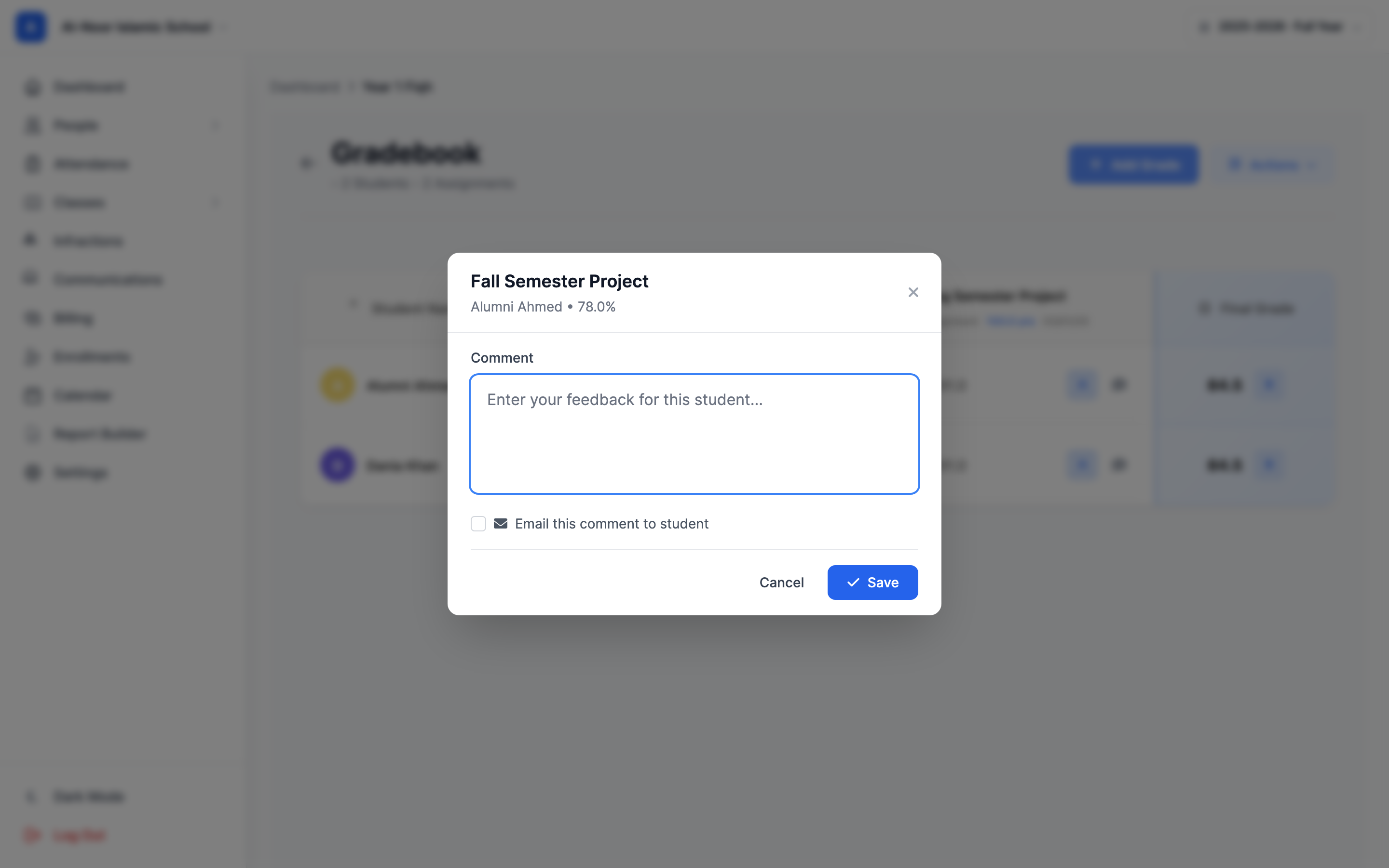
A number tells a student where they are. A thoughtful comment helps them move forward. Attach feedback to a specific grade and choose when to email it to the student and family.
05From classwork to the term report
Use academic years, terms and report-card components to turn classroom records into a coherent progress report. Generate student report cards and share them with families from MarkTrack.
MarkTrack in your pocket
Give families a convenient way to follow learning between report cards. Native mobile screens bring class grades and student progress onto the devices they use every day.
Thought through, down to the details
See how the group is doing alongside individual results.
Take a class gradebook with you for further analysis.
Keep the right grading window in view across your school.
Keep quizzes, submitted work and grades part of the same classroom workflow.
A few more details
Want to see how it fits your program?
Talk to our team ↗Yes. Set grade boundaries and category weights, and configure how terms contribute to the year. The grading formula makes those choices visible.
No. A blank cell is ungraded and does not affect the average. The Missing status counts as zero; Excused, Exempt and Incomplete are excluded.
Yes. A grade comment has an optional email action. The per-grade comment stays attached to that grade; formal report-card comments and components are managed separately.
More time for what matters
Bring your people, programs and daily work together in MarkTrack.
Built for Islamic schools, weekend programs and Hifz academies.