
Record history
See who marked an entry and follow its history when a record needs explaining.
 Giving by MarkTrack
Coming soon
Giving by MarkTrack
Coming soon
Solutions
Full-time K-12 schools Weekend & Sunday schools Evening maktabs UK madrasahs Canadian Islamic schools vs Schoology vs Gradelink vs FACTS SIS vs TeacherEase vs Canvas vs QuickSchoolsResources
What's new Customer stories Soon Webinars Soon Docs MarkTrack University Video guides Help Blog ContactAttendance
From the first roll call to the follow-up with a family, bring your entire attendance routine together. Give teachers a faster register and school leaders the context to act.
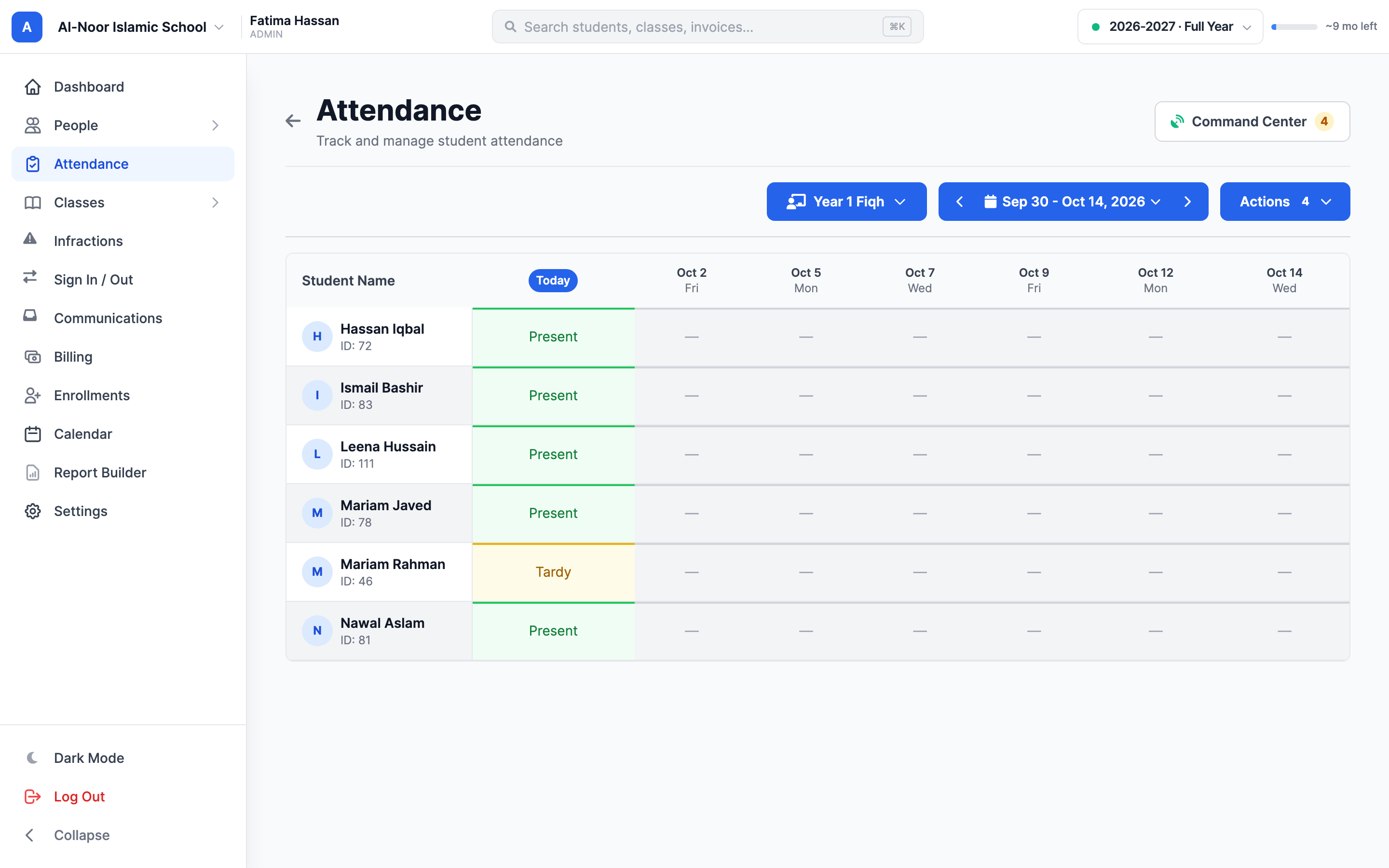
01A better roll call
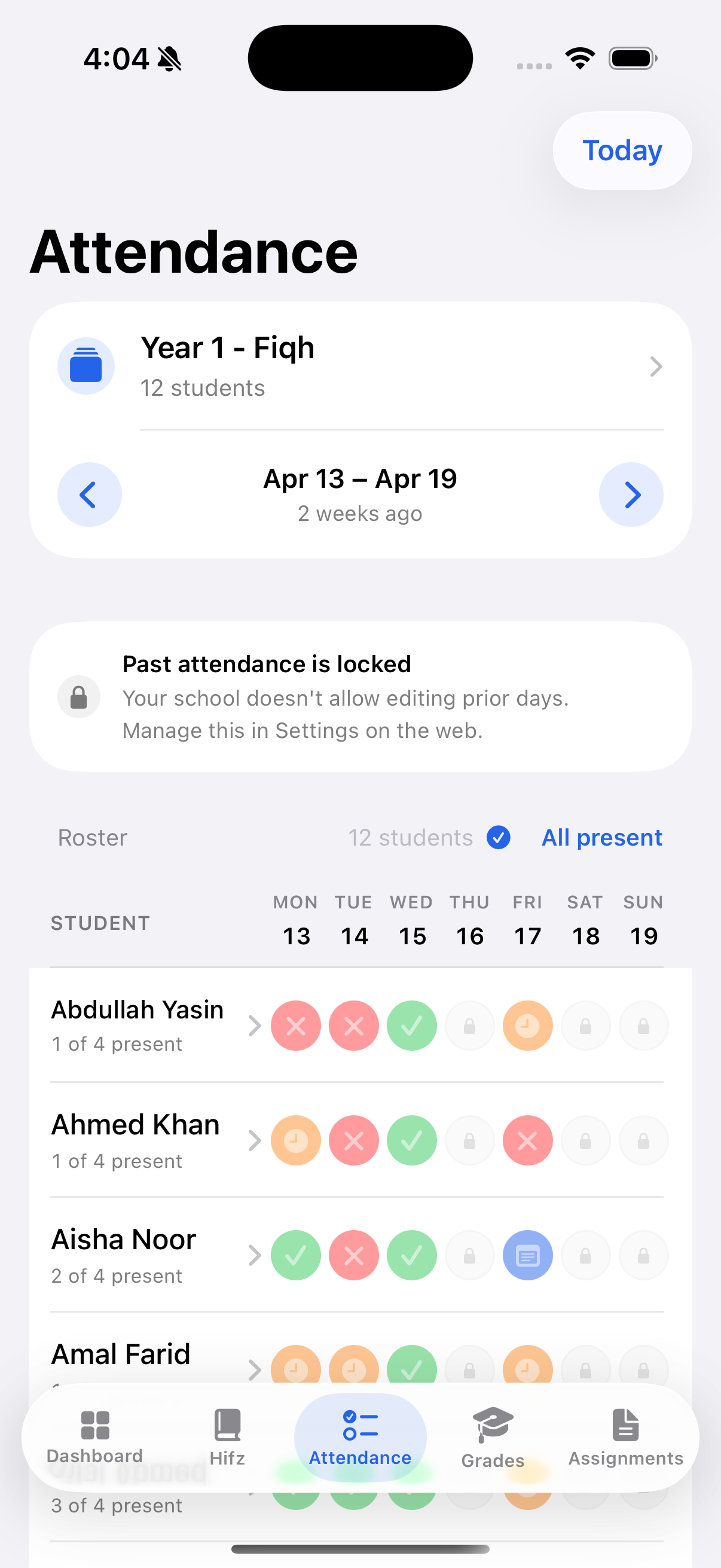
Open your class, choose the day and mark the roster in a familiar grid. Whether your program meets every weekday or just on Sundays, your register follows the days you actually teach.
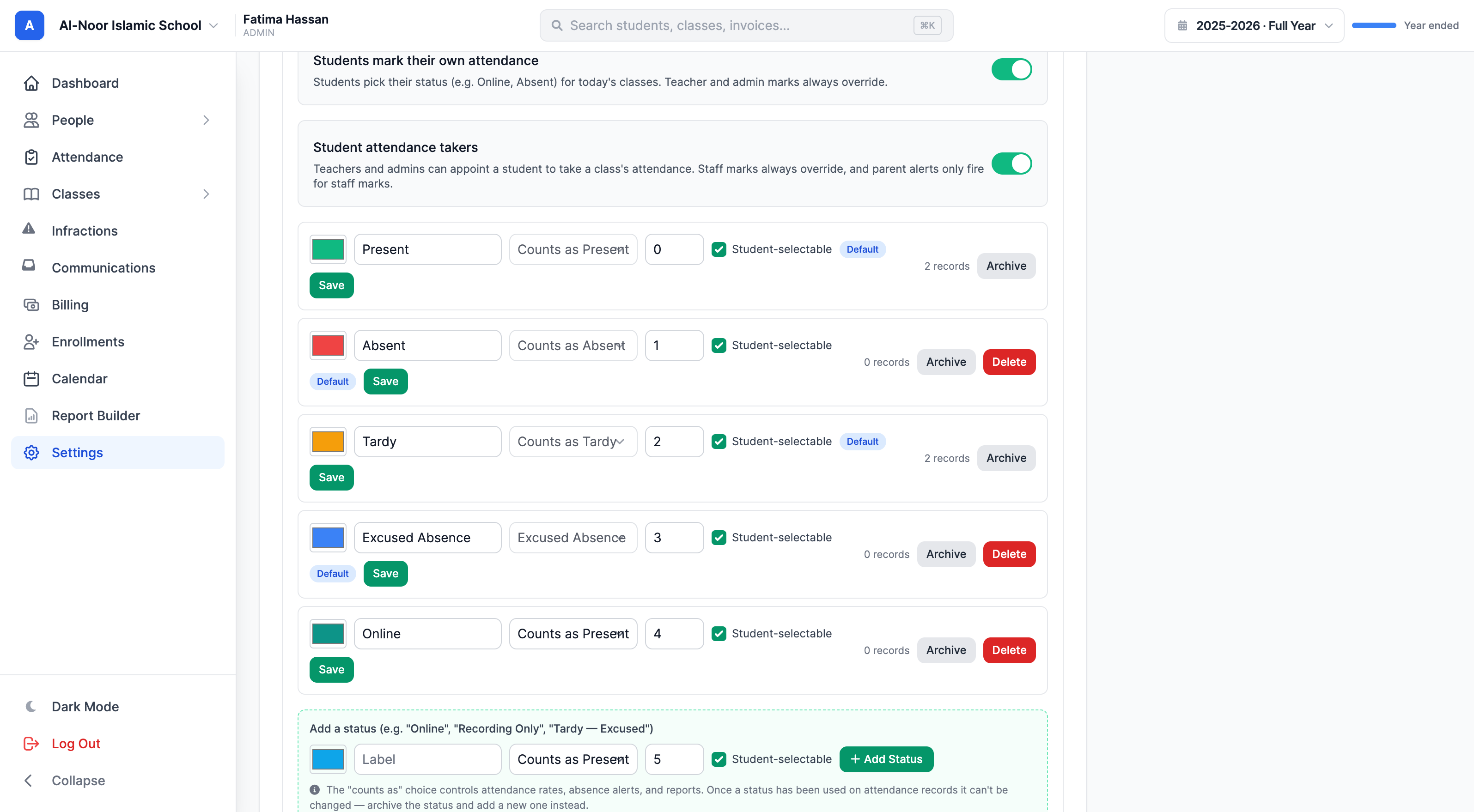
02Your school's rules
An online lesson, an excused late arrival and an ordinary school day are different things. Give each school its own statuses and rules so your records describe what actually happened.
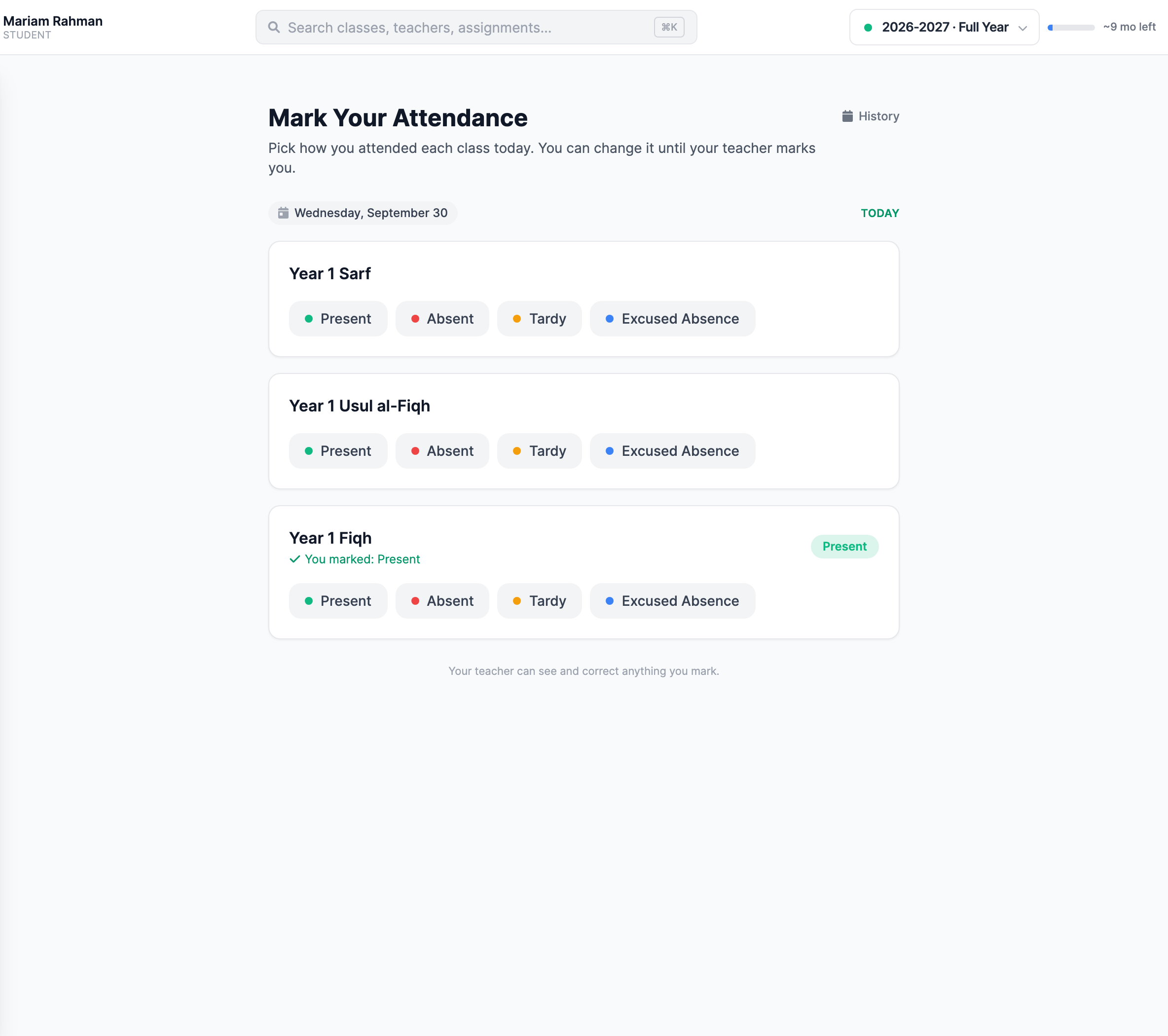
03Shared responsibility
Enable self-marking for students with their own login, or appoint a trusted student to take a class register. Every mark keeps its source visible, and staff retain the final say.
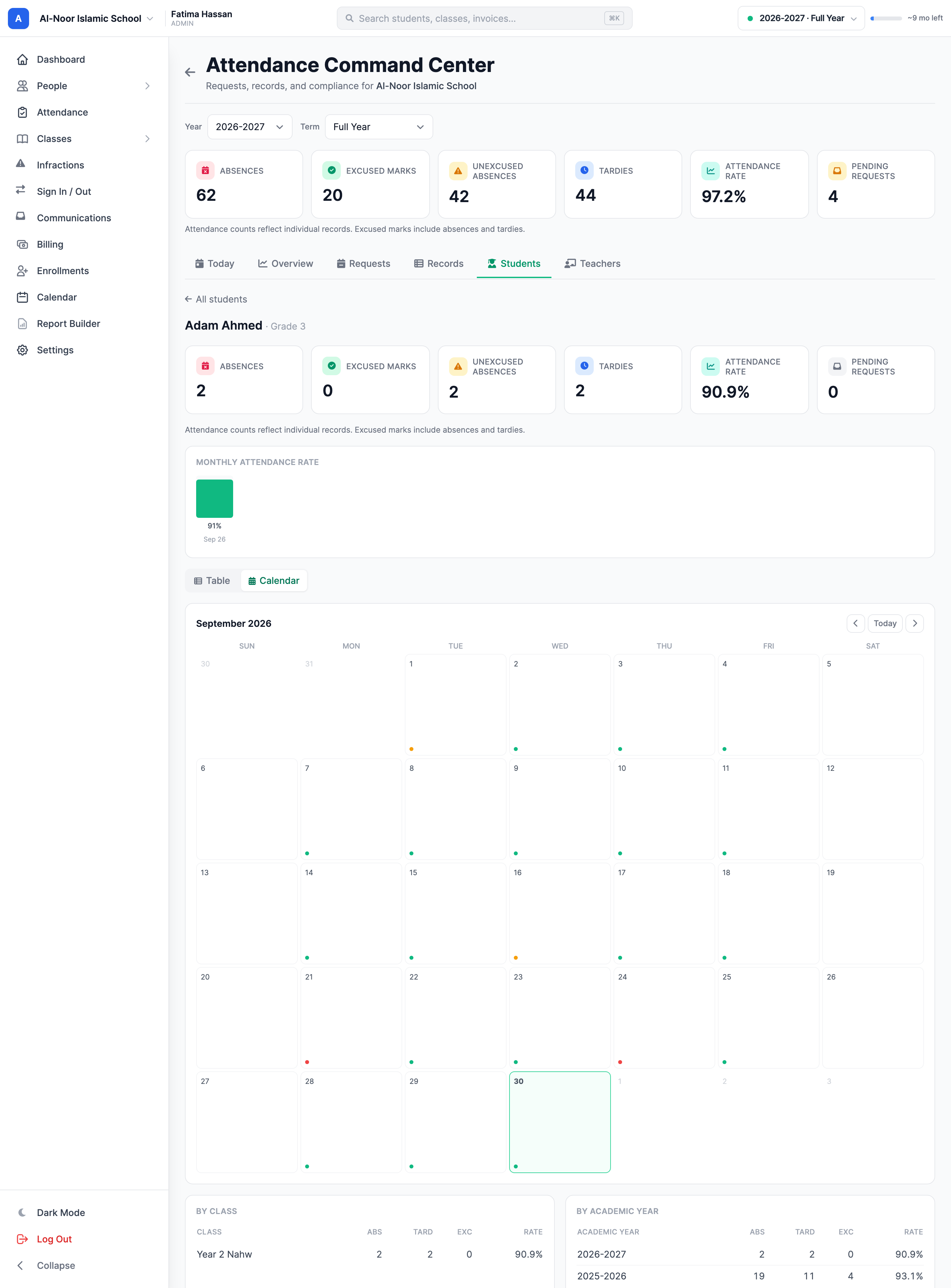
04The bigger picture
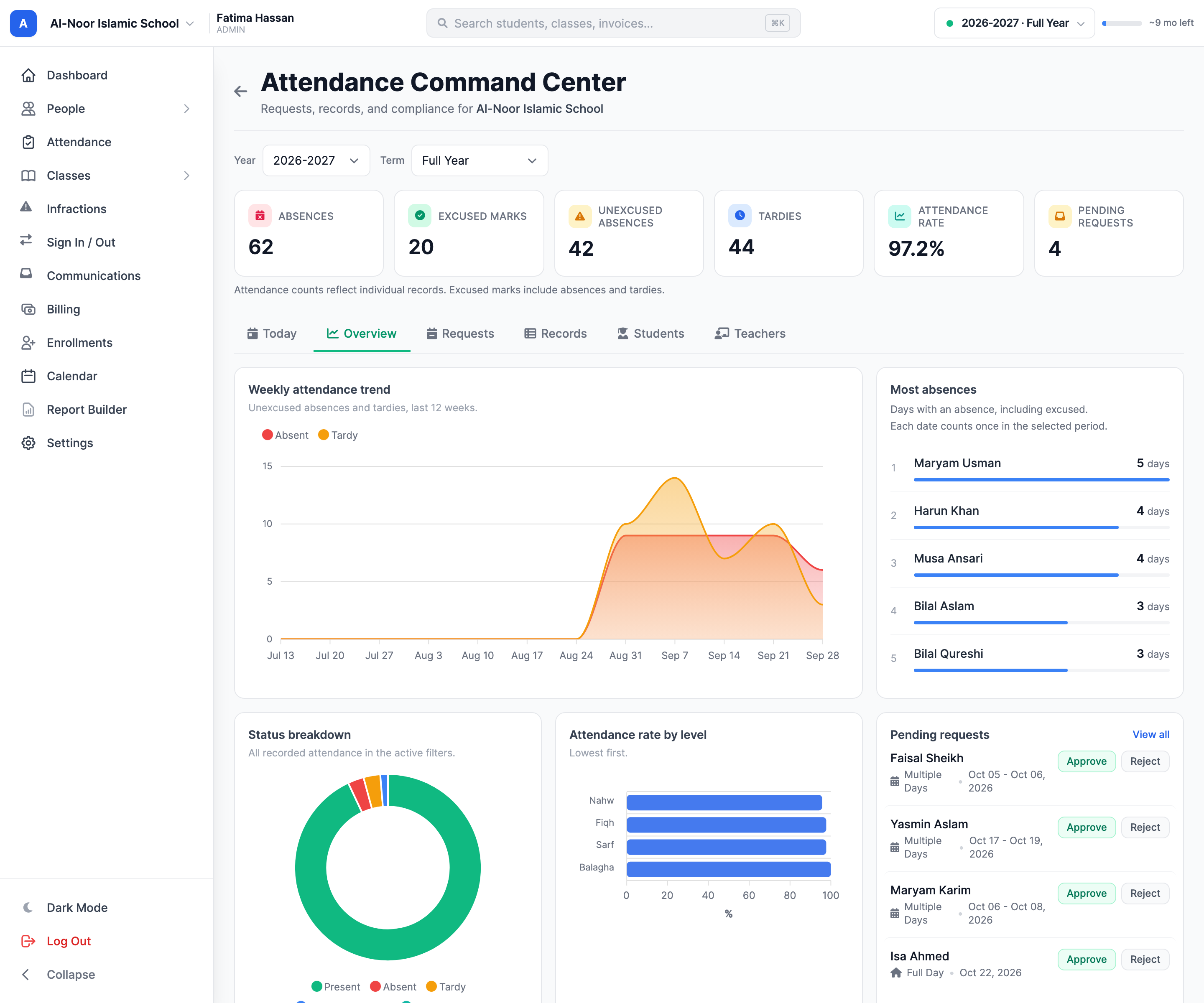
Move from a school-wide pattern to the student behind it. One workspace connects absence requests, attendance records, student trends and teacher compliance, with year and term filters for a useful view of the school.
05Keep families informed
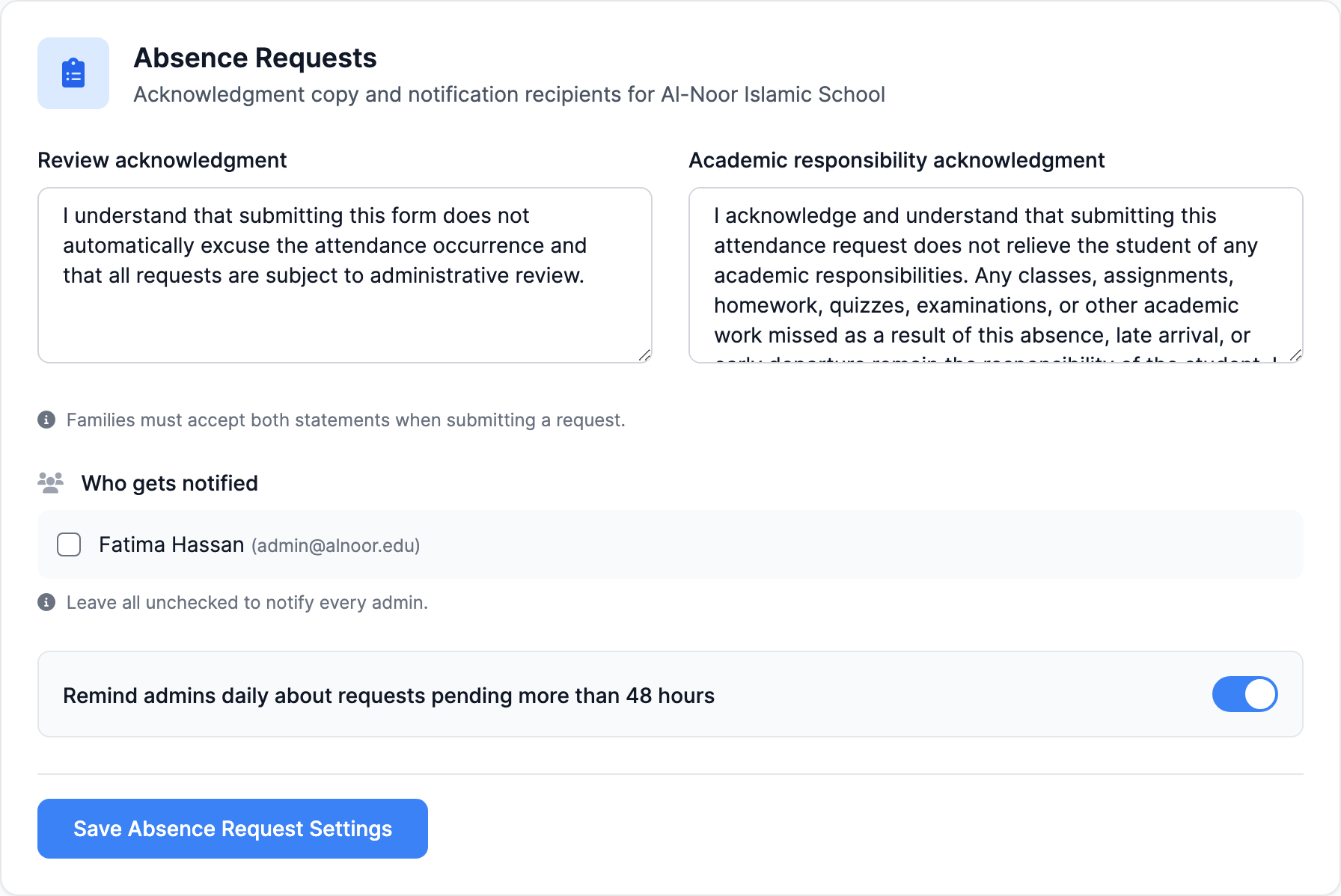
Families can request an absence, late arrival or early departure. Staff review it in the same attendance workflow, while configurable alerts help the right people stay informed.
MarkTrack in your pocket
Take attendance from the native mobile app while you're with your class. Families can keep up with their children's attendance from their own accounts.
Thought through, down to the details
See who marked an entry and follow its history when a record needs explaining.
Support full-day, multi-day, late-arrival and early-departure requests.
Keep meeting days and school-local dates aligned with the way your program runs.
Go from a daily snapshot to student summaries and teacher compliance reports.
A few more details
Want to see how it fits your program?
Talk to our team ↗Yes. Attendance modes, custom statuses, student self-marking and related controls are configured per school. A weekday academy and a weekend program can use different setups within one organization.
No. Once a teacher or admin marks an entry, the student cannot change it. Staff can review and correct student self-marks or attendance-taker entries.
Yes. Families can submit absence requests, including multiple days, late arrivals and early departures. Staff review requests and record the decision in the attendance workflow.
More time for what matters
Bring your people, programs and daily work together in MarkTrack.
Built for Islamic schools, weekend programs and Hifz academies.