
Severity levels
Make the seriousness of a record visible at a glance.
 Giving by MarkTrack
Coming soon
Giving by MarkTrack
Coming soon
Solutions
Full-time K-12 schools Weekend & Sunday schools Evening maktabs UK madrasahs Canadian Islamic schools vs Schoology vs Gradelink vs FACTS SIS vs TeacherEase vs Canvas vs QuickSchoolsResources
What's new Customer stories Soon Webinars Soon Docs MarkTrack University Video guides Help Blog ContactInfractions
Keep behavior records clear, consistent and connected. Give teachers a way to record what happened, administrators a way to follow up and families a way to acknowledge the conversation.
01Capture the important details
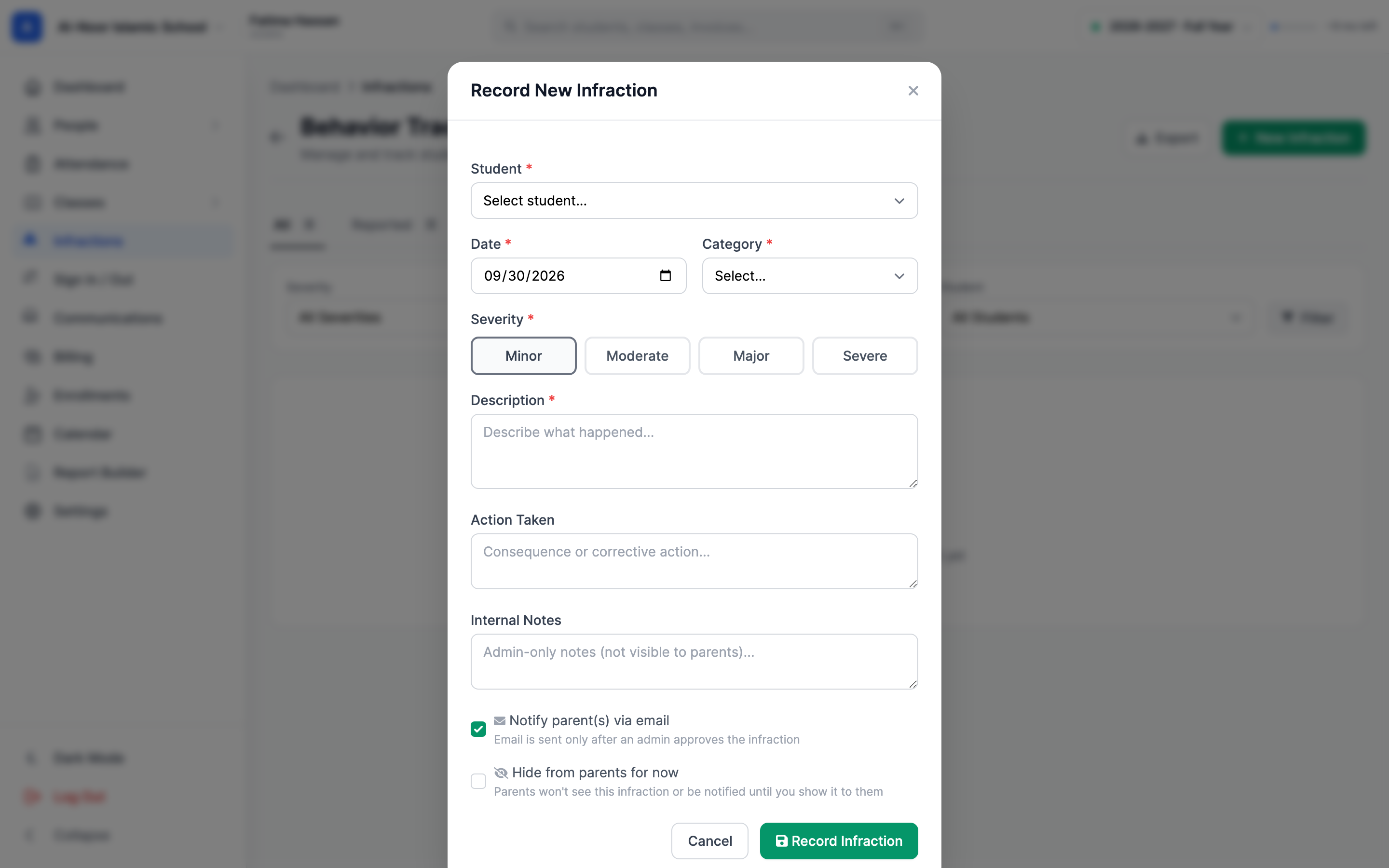
Record the student, category, date, description and action taken in one structured entry. A consistent record helps staff respond with context when the same issue comes up again.
02Keep the next step visible
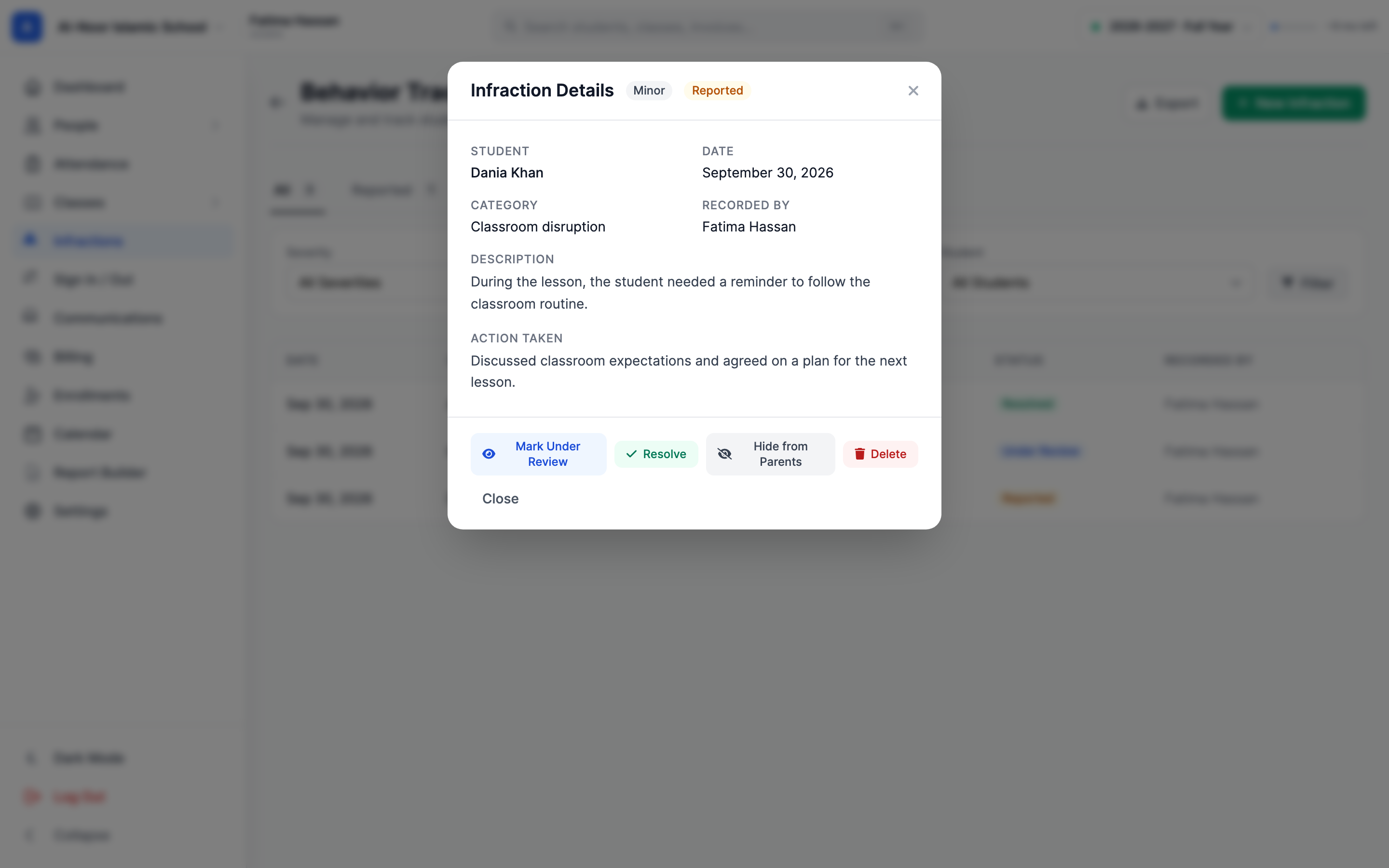
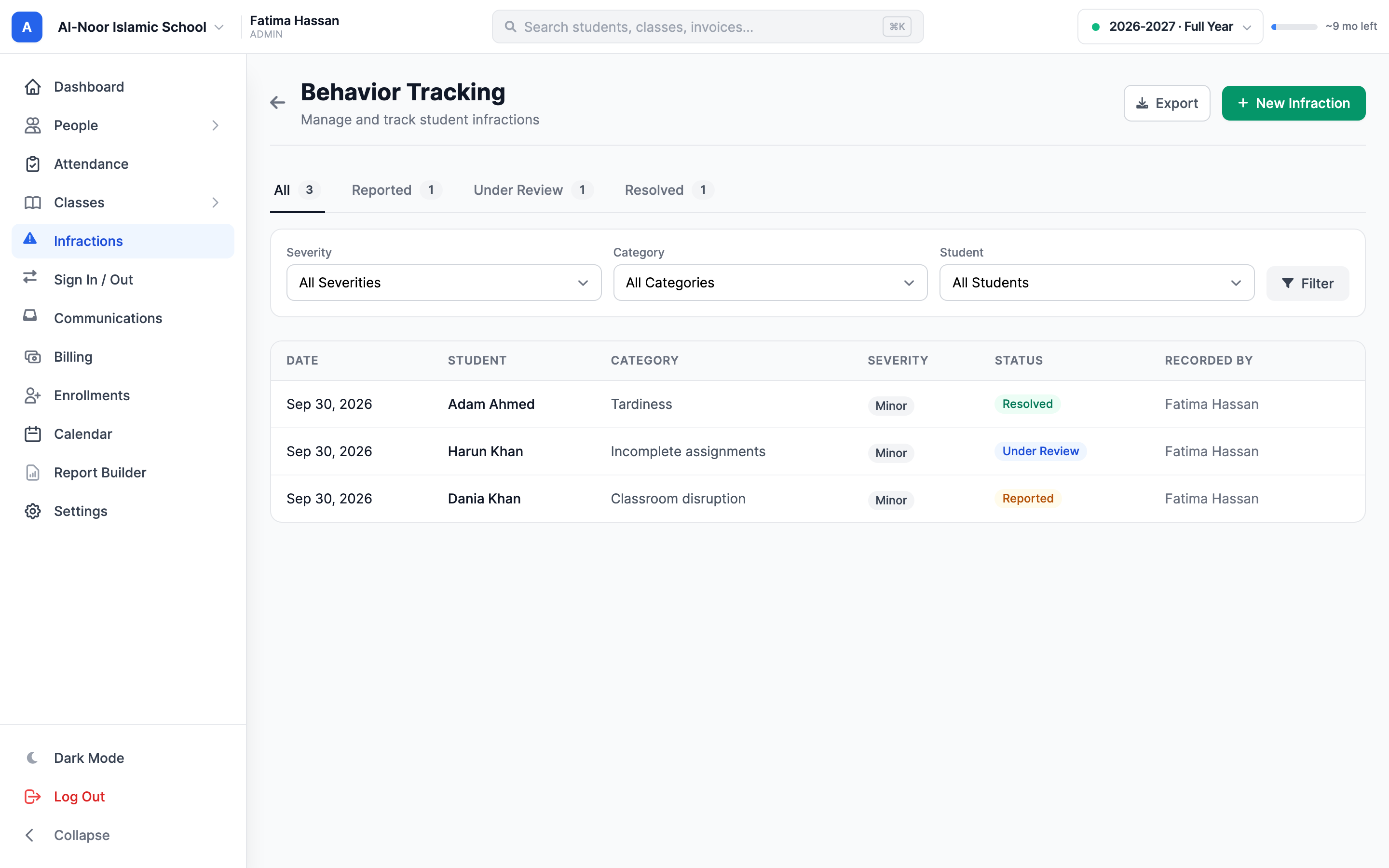
Use statuses and filters to work through behavior records. Open an incident to see the detail and review trail, so another staff member can pick up the conversation with the right context.
03Bring parents into the loop
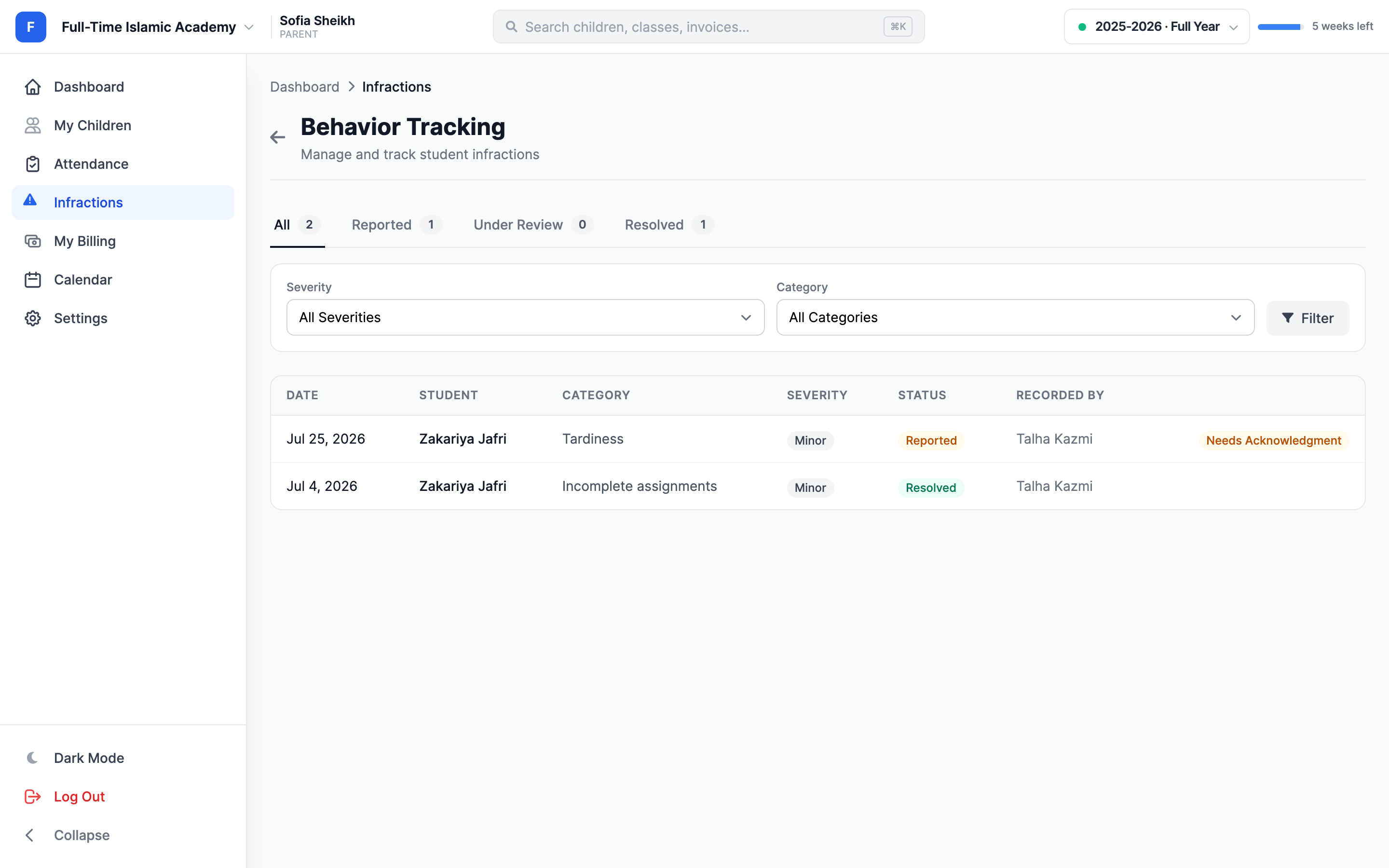
Families can view the incidents available to them and acknowledge that they've seen a record. Staff can distinguish a record that's been acknowledged from one still needing a family response.
Thought through, down to the details
Make the seriousness of a record visible at a glance.
Preserve the response alongside the behavior description.
See the people involved in recording and reviewing an incident.
Review logs, repeat incidents and pending follow-up in Reports.
A few more details
Want to see how it fits your program?
Talk to our team ↗Yes. Parents can acknowledge the records available for their linked children. Staff cannot acknowledge on a family's behalf.
Yes. Incident statuses and the review trail help staff follow a record through its next steps.
Yes. The report catalog includes behavior reporting such as the incident log and pending follow-up.
More time for what matters
Bring your people, programs and daily work together in MarkTrack.
Built for Islamic schools, weekend programs and Hifz academies.