
Off until you turn it on
Each school switches Salah on in Settings. Turning it off hides it and keeps every record.
 Giving by MarkTrack
Coming soon
Giving by MarkTrack
Coming soon
Solutions
Full-time K-12 schools Weekend & Sunday schools Evening maktabs UK madrasahs Canadian Islamic schools vs Schoology vs Gradelink vs FACTS SIS vs TeacherEase vs Canvas vs QuickSchoolsResources
What's new Customer stories Soon Webinars Soon Docs MarkTrack University Video guides Help Blog ContactSalah Tracking
Record each student's five daily prayers in a tap. See which prayers and which students need encouragement, and share each child's month with their family.
01Built for after jamaah
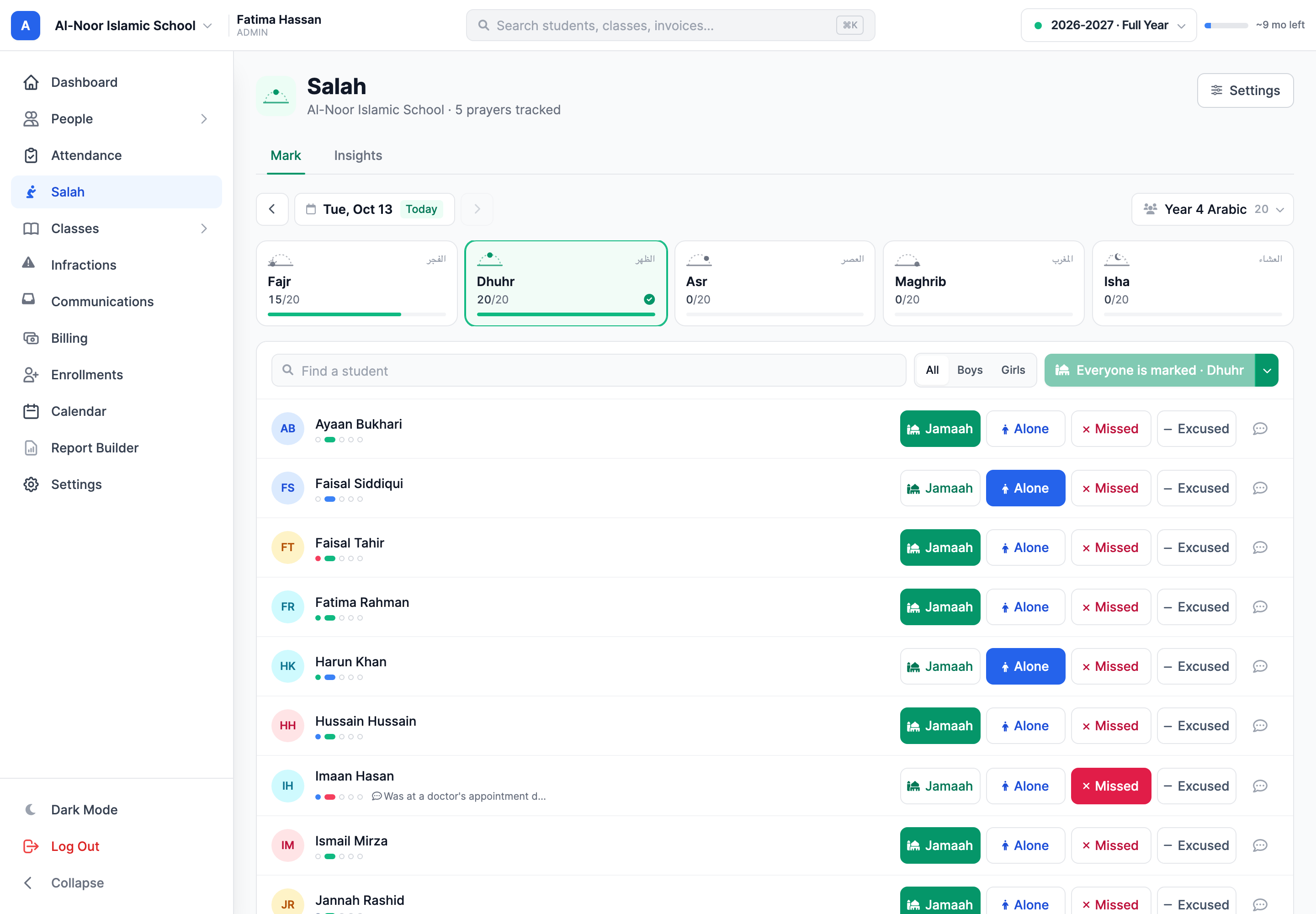
Open Salah, choose the class and the prayer. Mark everyone still unmarked as Jamaah in one tap, then change the few who prayed alone, missed it or were excused. Every tap saves on its own, so there is nothing to submit.
02Notes for home
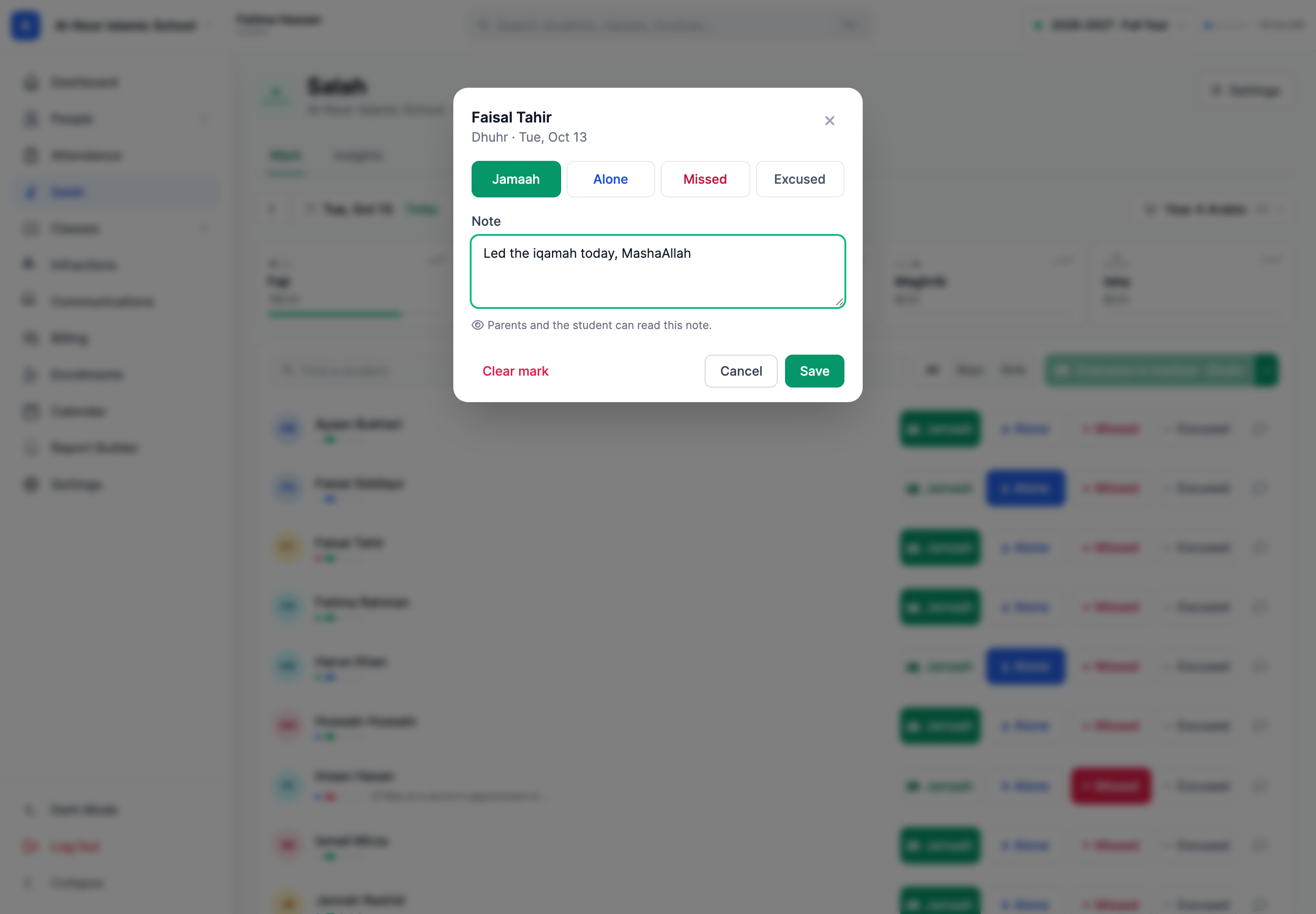
One student came in late from another class. Another led the iqamah. Add a short note to any prayer. Parents and the student can read it, so the family hears what the teacher saw.
03Insights
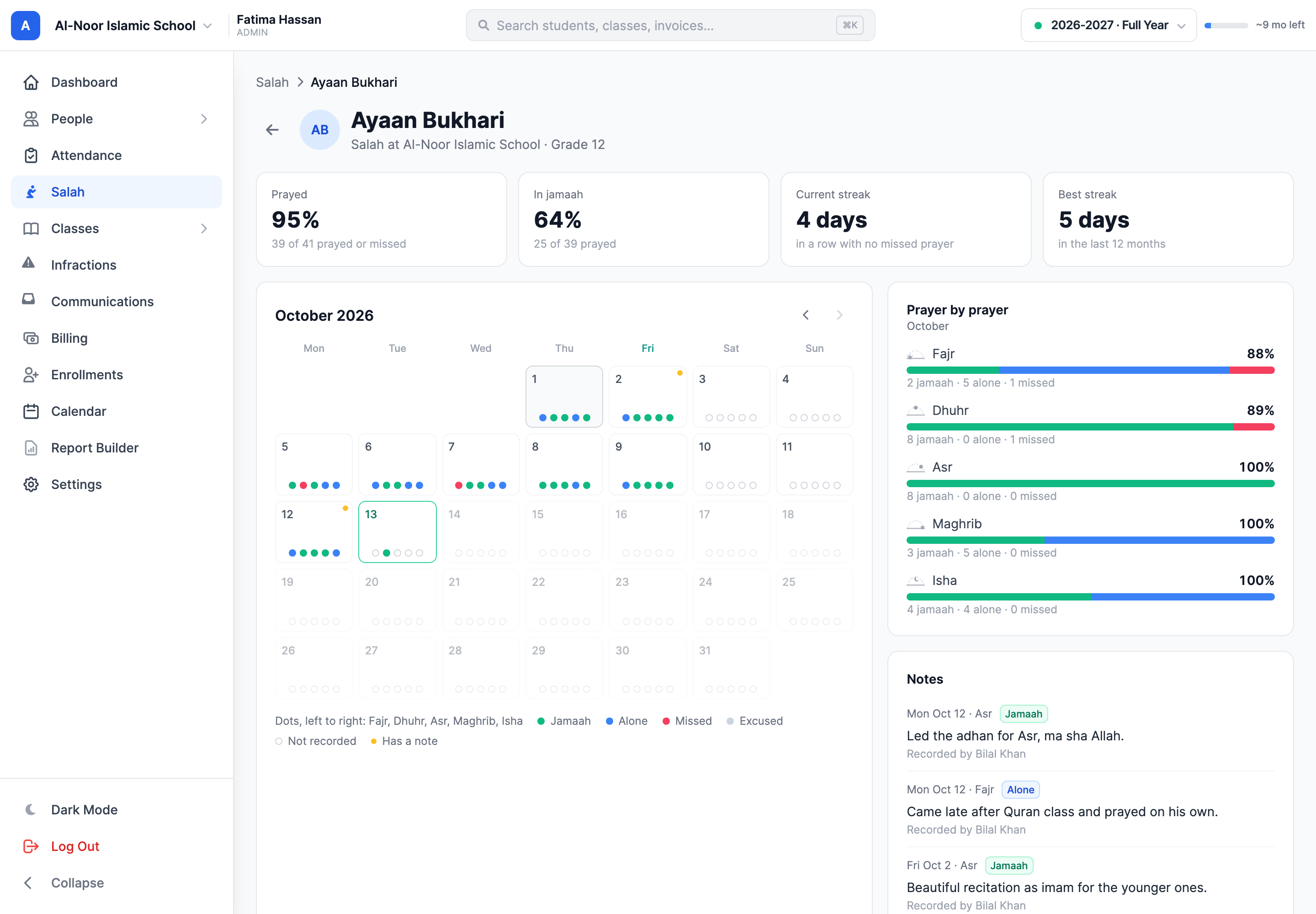
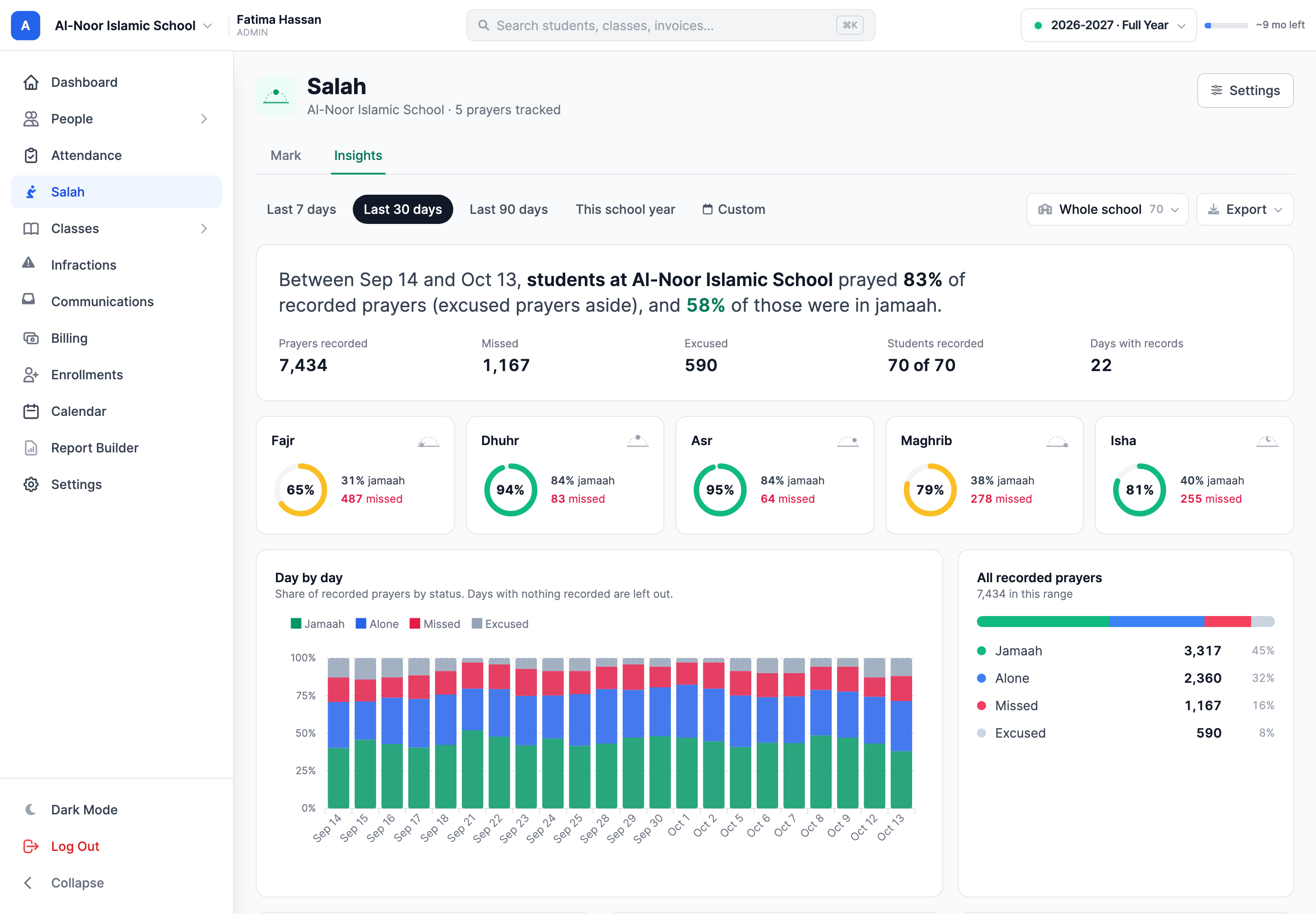
Insights shows how many recorded prayers were prayed, and how many of those were in jamaah, for a class, a level or the whole school. Fajr is usually the hardest prayer to keep. Now you can see it, prayer by prayer and day by day.
04A student's month
Every student has a calendar with five dots on each day. Open a day to see each prayer, who recorded it and any note. Staff can correct a mark from the same window.
05Parents and students
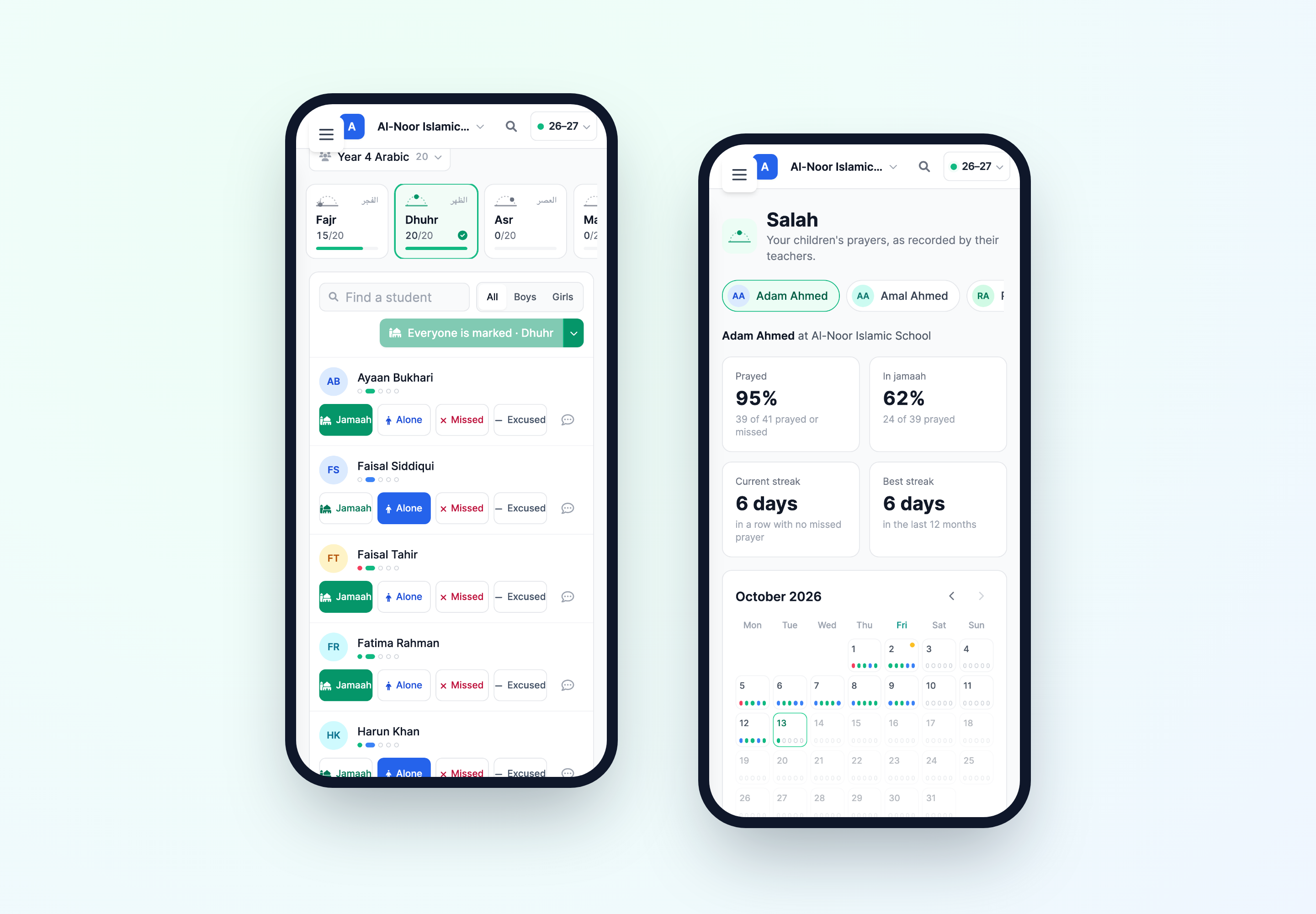
Parents see each child's month, their streak of days without a missed prayer and the teachers' notes. Students see their own. It all works in a phone's browser, for teachers marking in the masjid and for parents at home.
Thought through, down to the details
Each school switches Salah on in Settings. Turning it off hides it and keeps every record.
Track all five, or only the prayers that fall in school hours.
Excused prayers stay out of every percentage, and families only see the word Excused.
A prayer nobody recorded never counts against a student.
Teachers mark their own classes, or the whole school when you allow it.
Salah Summary and Missed Prayers sit in the Report Builder, with a parent to contact for each student.
A few more details
Want to see how it fits your program?
Talk to our team ↗Teachers and admins. A teacher marks the students in their own classes, unless the school lets teachers mark everyone. Parents and students can view their records but not change them.
Excused is for a student who isn't expected to pray, such as a sister on her cycle or a student who is unwell. It never counts as missed, and families only ever see the word Excused, never a reason.
No. Only prayers marked Missed count as missed. A prayer nobody recorded is simply left out.
Yes. Each school chooses which of the five prayers it tracks in Settings, and can change that later without losing any records.
No. Parents and students see the mark and any note. Staff can see who recorded each prayer.
No. It is off by default. An admin turns it on for each school that wants it.
More time for what matters
Bring your people, programs and daily work together in MarkTrack.
Built for Islamic schools, weekend programs and Hifz academies.