
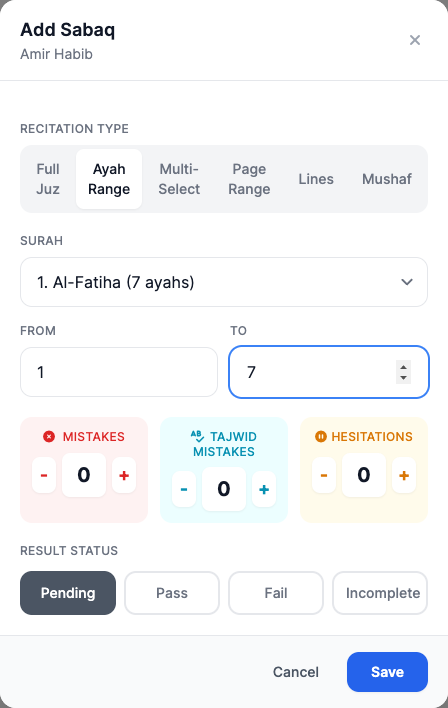
Flexible ranges
Track anything from a few lines to a complete juz.
 Giving by MarkTrack
Coming soon
Giving by MarkTrack
Coming soon
Solutions
Full-time K-12 schools Weekend & Sunday schools Evening maktabs UK madrasahs Canadian Islamic schools vs Schoology vs Gradelink vs FACTS SIS vs TeacherEase vs Canvas vs QuickSchoolsResources
What's new Customer stories Soon Webinars Soon Docs MarkTrack University Video guides Help Blog ContactHifz Tracking
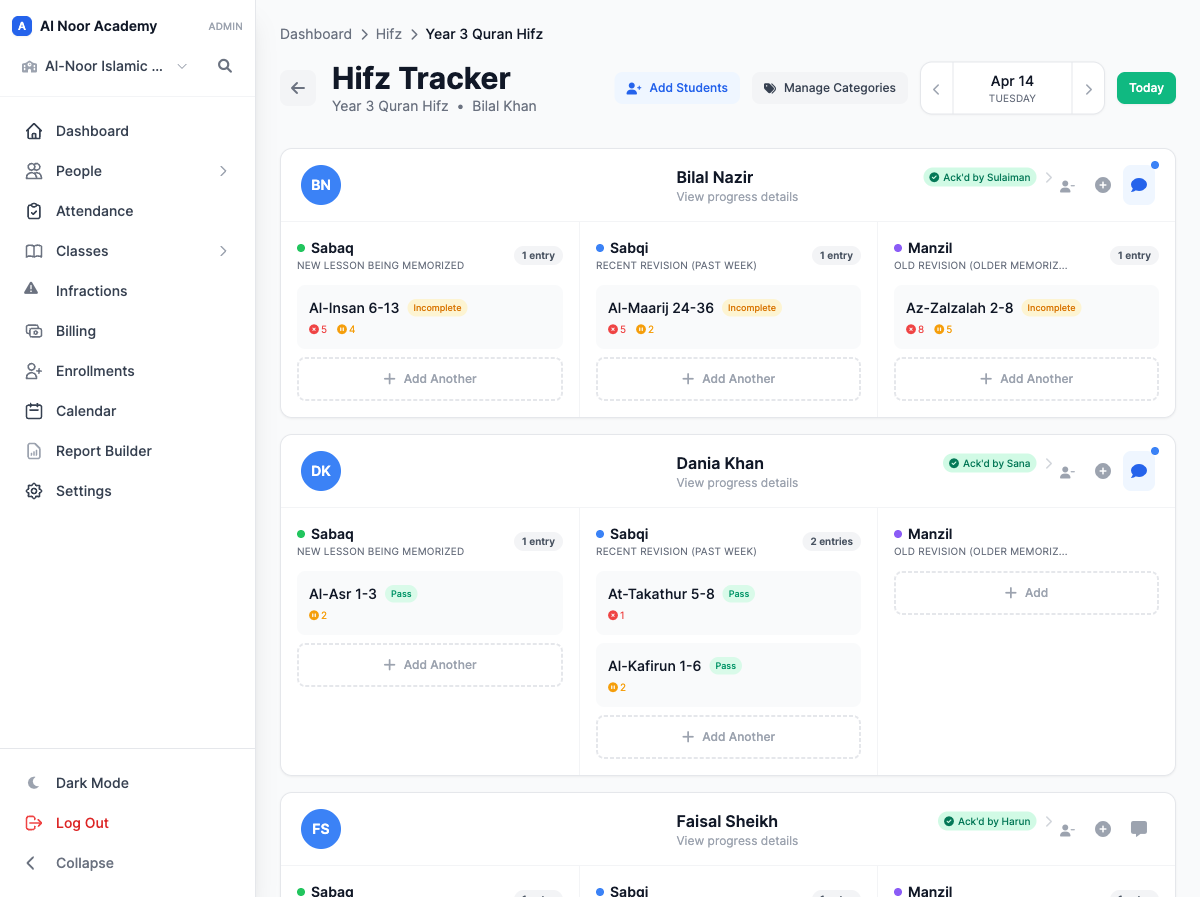
A dedicated home for the daily work of memorization. Connect sabaq, revision, teacher feedback and parent acknowledgment in a record that grows with each student's journey.
01Ways to add an entry
A few lines of new memorization or several juz of revision: choose the entry method that fits what your student recited. Each one keeps the passage, correction counts and result together.
02The Mushaf adder
Open the Mushaf inside the entry form and select the passage as you see it on the page. Tap the first ayah, then the last: MarkTrack highlights the range and fills in the surah, ayahs and page references for your entry.
03Your method, your tracker
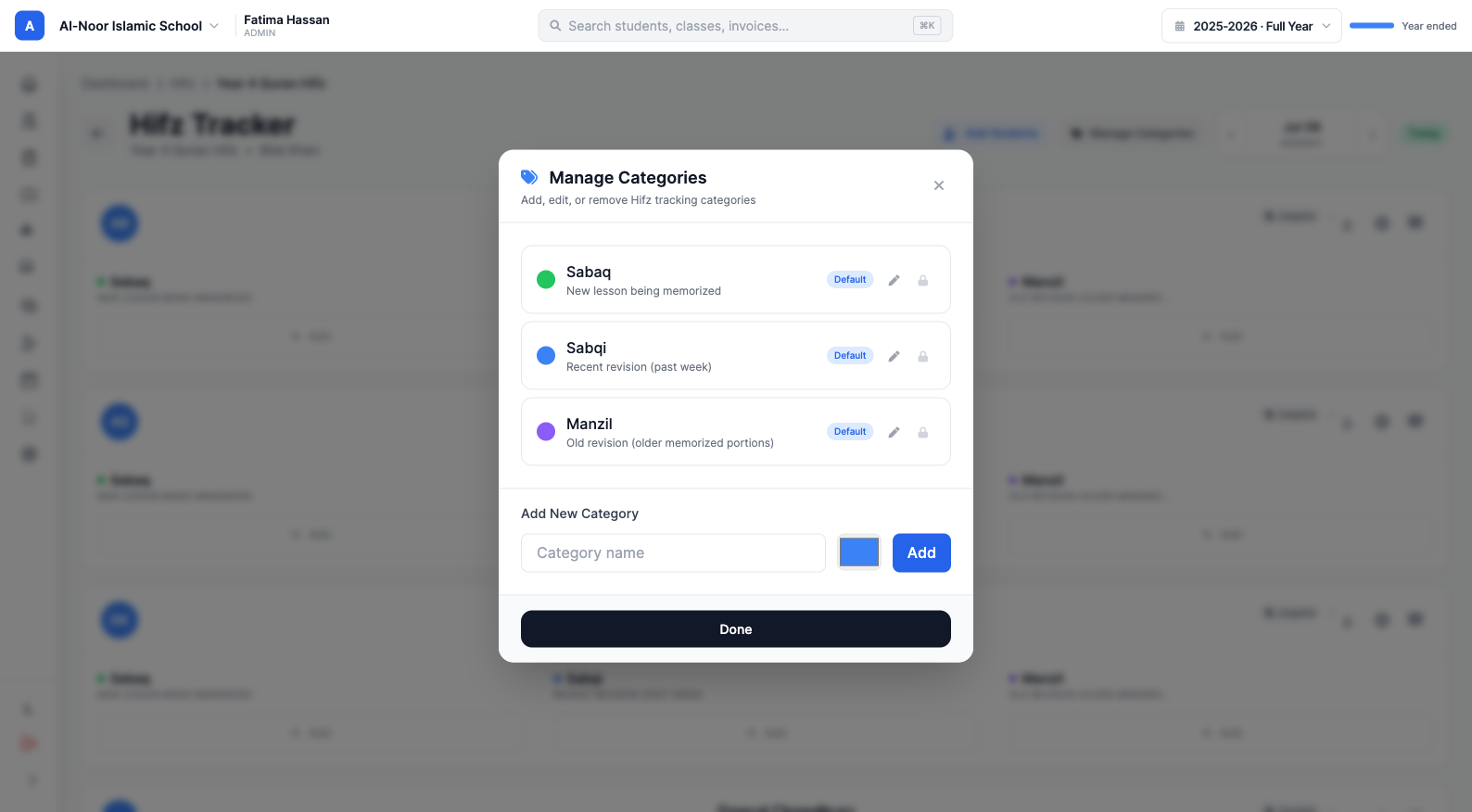
Every Hifz program has its own rhythm and terminology. Organize the tracker around the way your teachers teach, with categories that work for the class and exceptions that work for an individual student.
05A shared commitment
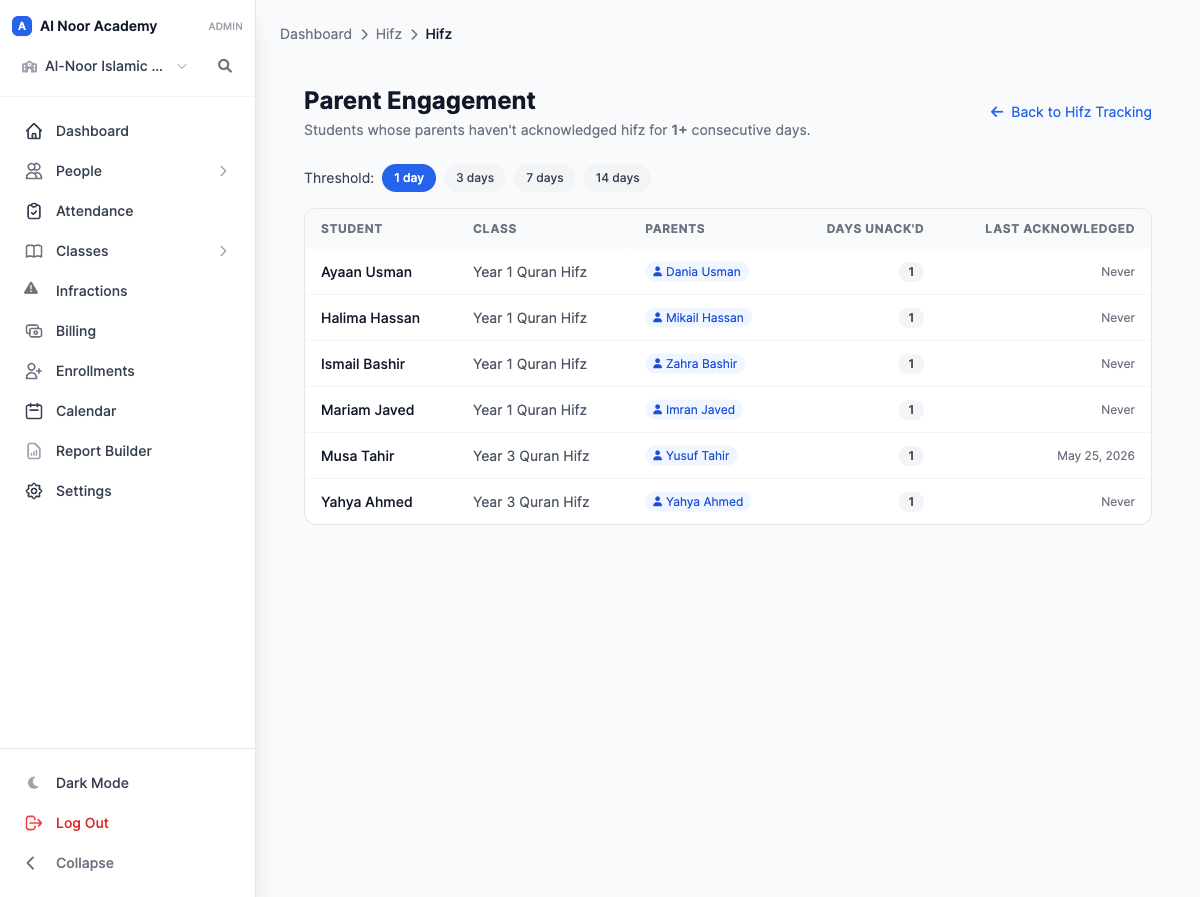
Families can review the day's Hifz in the mobile app and acknowledge that they've seen it. Teachers can see the acknowledgment state, and the Parent Engagement view helps staff find families who need a reminder.
06See the journey unfold
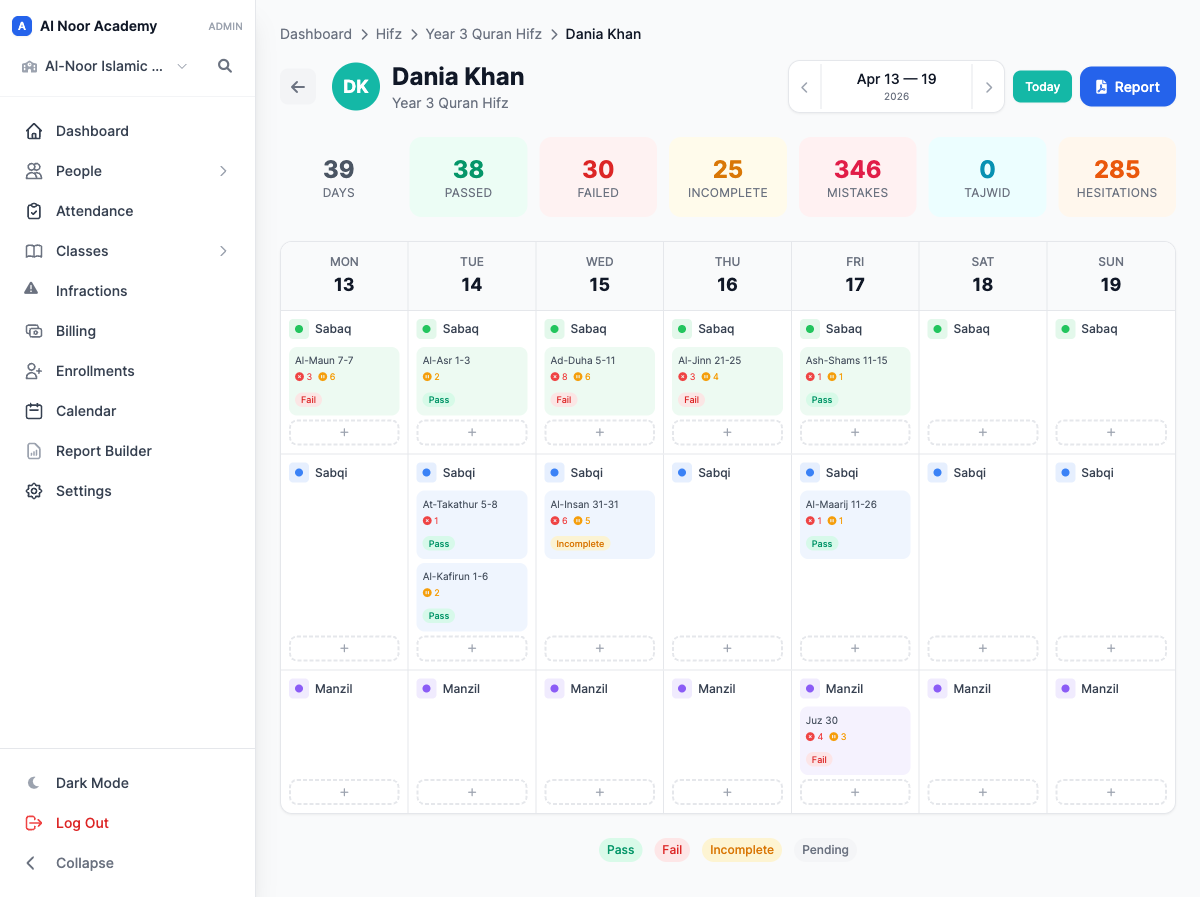
Look back across a student's weekly history and see the patterns in results, mistakes and revision. When it's time to share a fuller picture, generate a Hifz report for the date range you need.
MarkTrack in your pocket
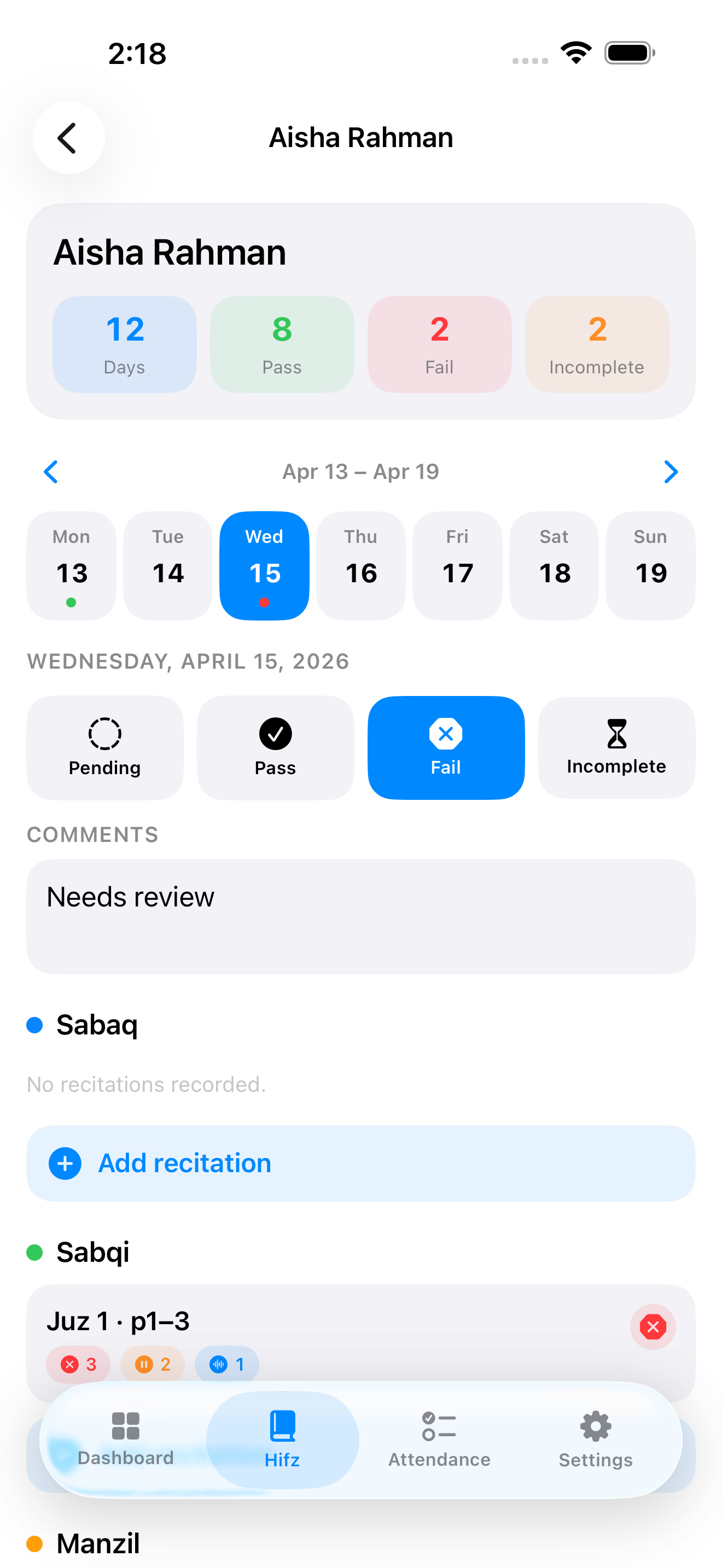
The native mobile app brings the Hifz journey into everyday life. Teachers can work with daily recitation, results and comments; parents can review progress and acknowledge their child's day.
Thought through, down to the details
Track anything from a few lines to a complete juz.
Separate memorization mistakes, tajwid mistakes and hesitations.
Adjust categories for a particular student's needs.
See acknowledgment gaps alongside the learning record.
A few more details
Want to see how it fits your program?
Talk to our team ↗Yes. Create, rename, color and reorder categories for a class. You can also add a category for an individual student.
Parents acknowledge from the MarkTrack mobile app. One acknowledgment covers the child for that day, and the first linked parent to acknowledge counts. The web tracker and Parent Engagement report show the acknowledgment state.
Yes. Daily comments provide written context, while each recitation can record mistakes, tajwid mistakes, hesitations, its range and its result.
Yes. Generate a Hifz report for a chosen date range, including summary statistics and the detailed recitation history.
More time for what matters
Bring your people, programs and daily work together in MarkTrack.
Built for Islamic schools, weekend programs and Hifz academies.
04Guidance that carries forward
Keep the teacher's insight with the lesson.
A difficult passage, a stronger review, a reminder for home practice: comments preserve the things a result alone can't explain. Give the next lesson—and the family—a clear starting point.