
Individual learning paths
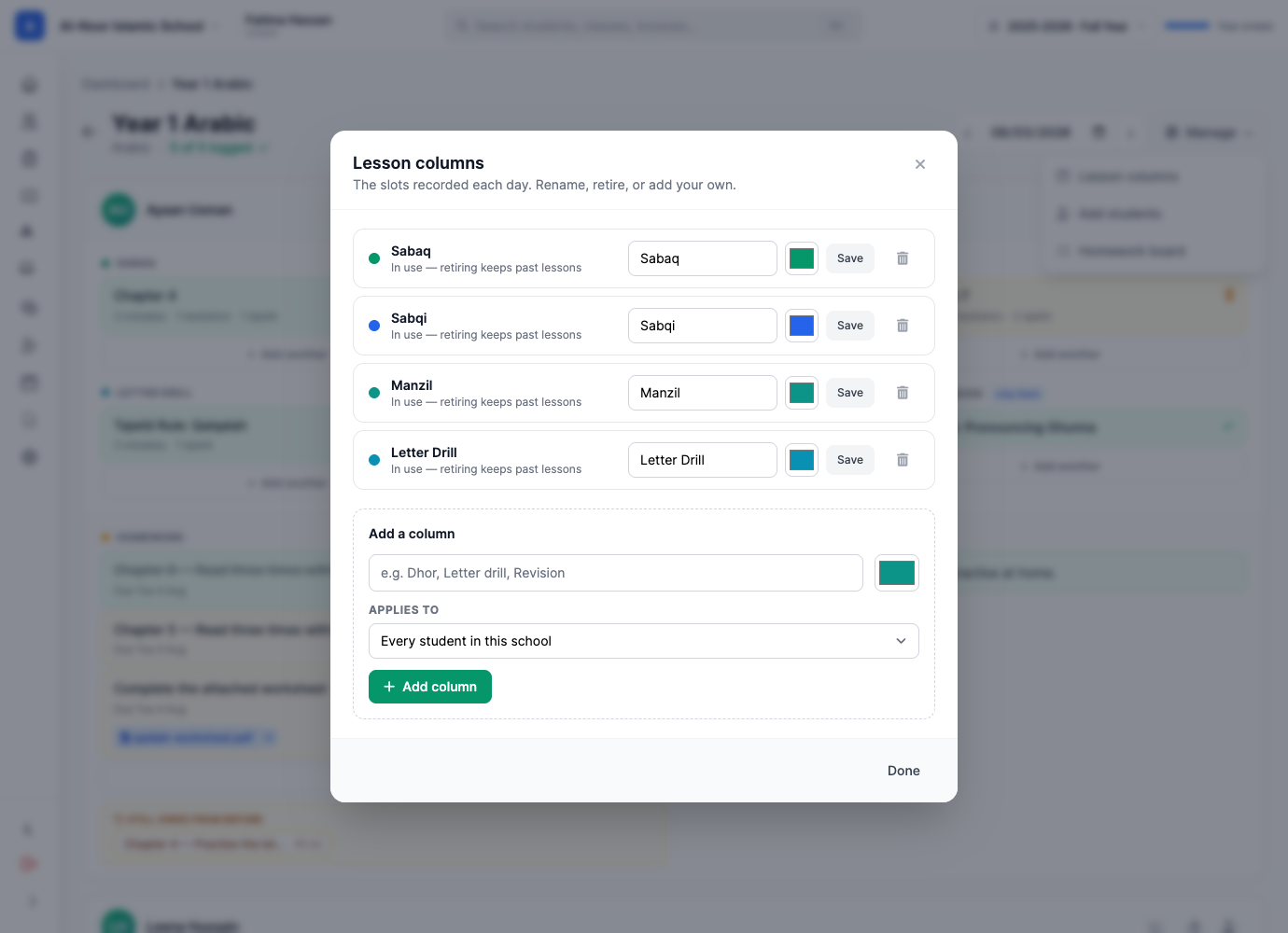
Add a lesson column for one student while the rest of the class keeps its shared routine.
 Giving by MarkTrack
Coming soon
Giving by MarkTrack
Coming soon
Solutions
Full-time K-12 schools Weekend & Sunday schools Evening maktabs UK madrasahs Canadian Islamic schools vs Schoology vs Gradelink vs FACTS SIS vs TeacherEase vs Canvas vs QuickSchoolsResources
What's new Customer stories Soon Webinars Soon Docs MarkTrack University Video guides Help Blog ContactQaaidah Tracking
Give foundational Qur'an learning the same thoughtful structure as the rest of your school. Record daily lessons, shape the tracker around your teaching method, send homework home and keep families connected to each child's progress.
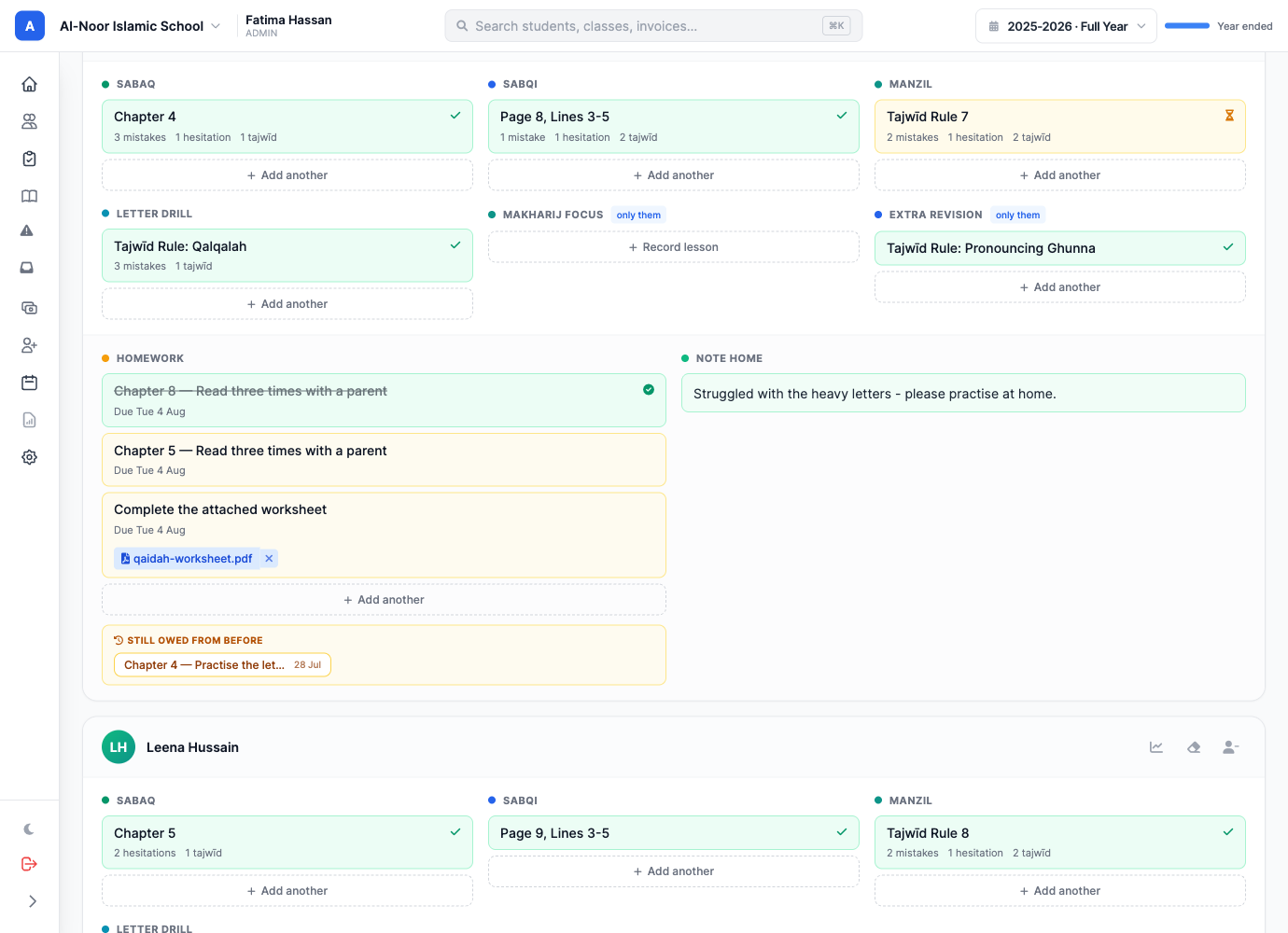
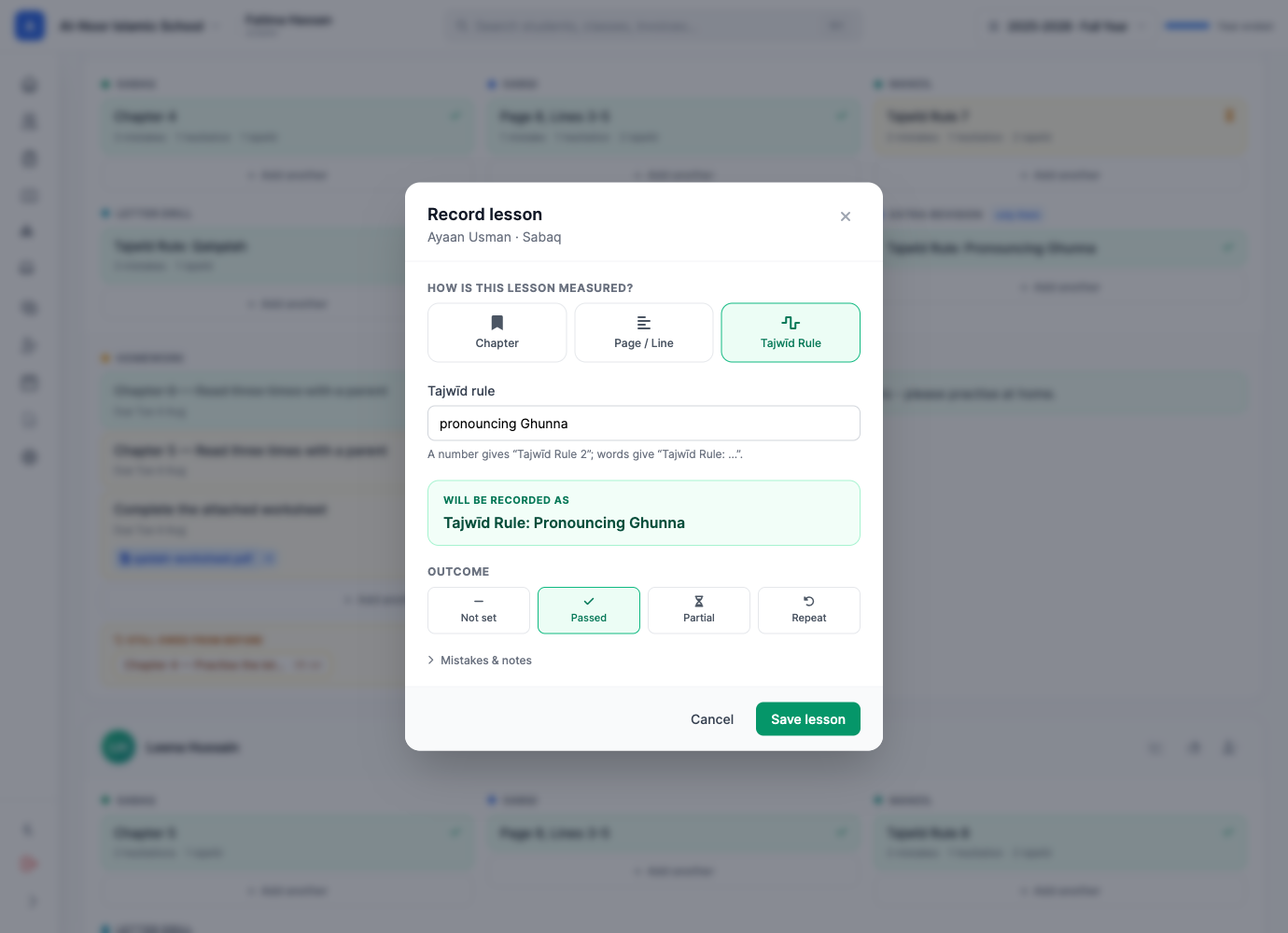
01A focused teaching view
Each student has a clear card for the day, with lesson columns, homework and a note home in one working view. Teachers can capture the exact place a child reached and the outcome that should guide the next lesson.
02More than a page number
Open a lesson to record what was taught and how it went. A short note, an outcome and correction counts turn the daily log into useful context for the teacher returning tomorrow.
03Your method, reflected
Lesson columns are shared across a school's Qaaidah classes, so teachers work from the same language and sequence. Add a school-wide column for a teaching method, or create one for a student who needs an individual path.
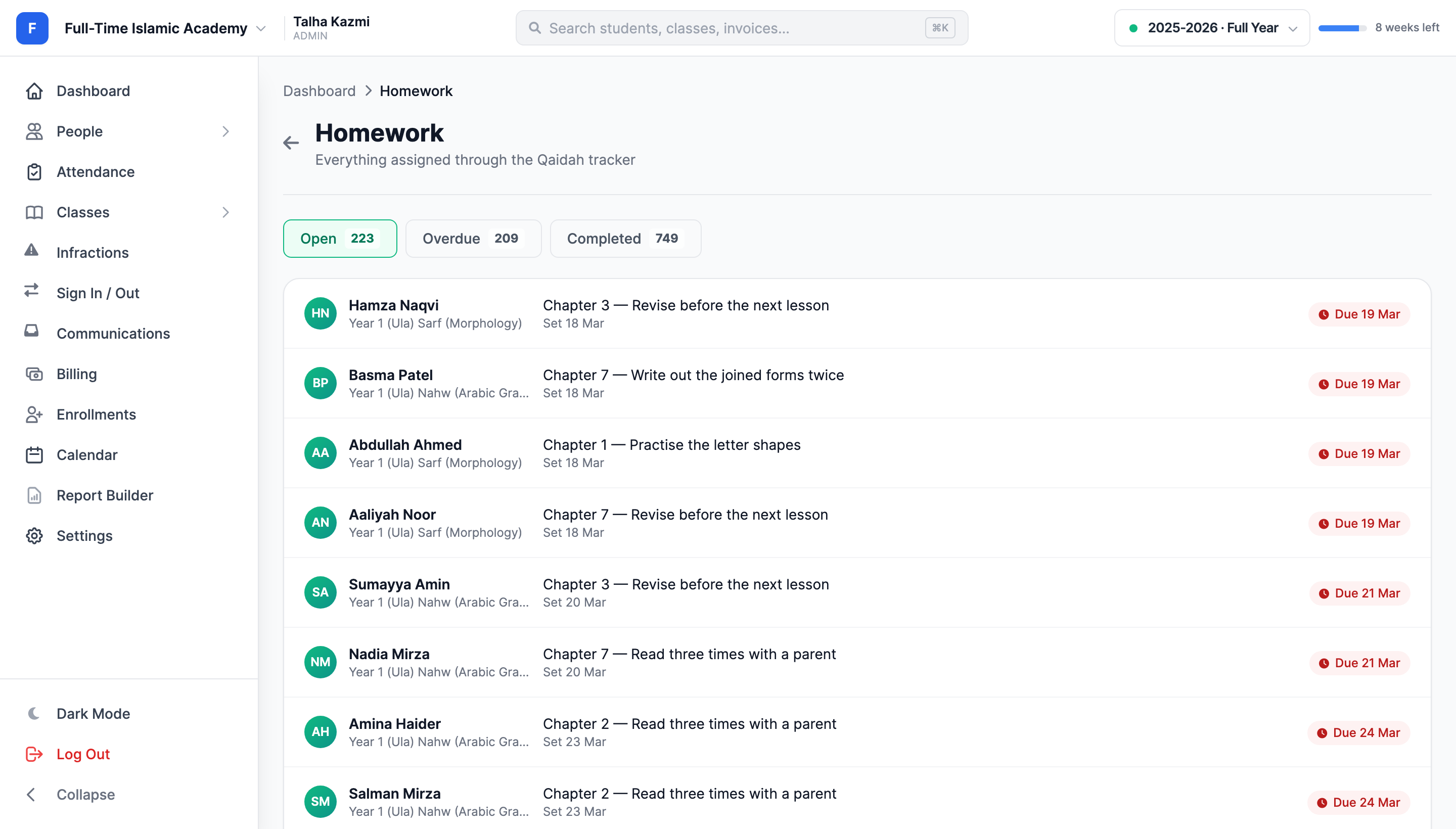
04Practice that makes it home
Assign Qaaidah homework directly from the student's daily card. Teachers can include a lesson reference, written instructions and supporting files, then use the homework board to see what is still waiting for review.
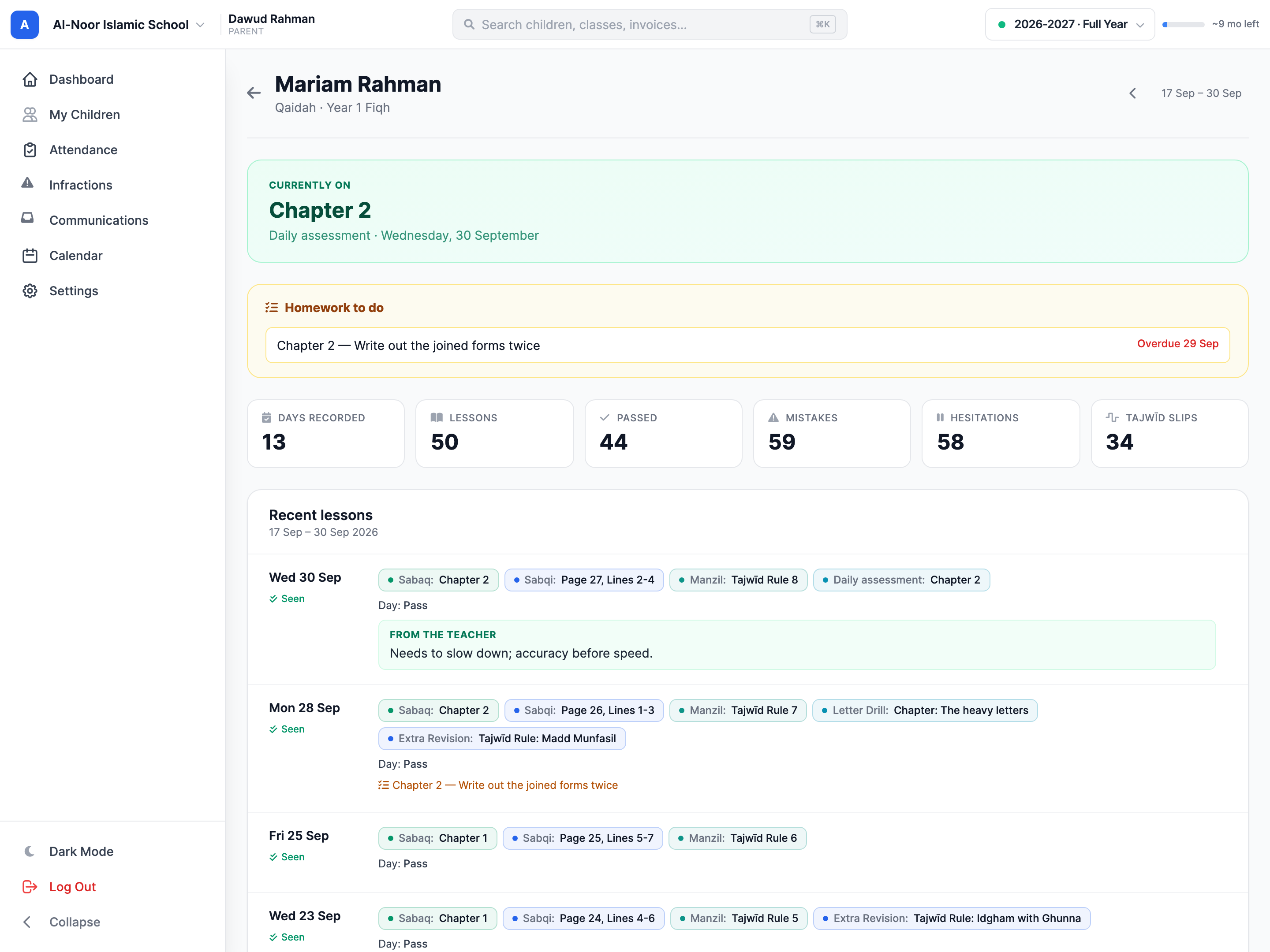
05Bring families into the rhythm
Families can review where their child has reached, the latest teacher note and any homework still to do. A daily seen check-in closes the loop without asking the teacher to manage another message thread.
Thought through, down to the details
Add a lesson column for one student while the rest of the class keeps its shared routine.
Send PDFs, images and audio with the practice a child should complete at home.
Review lesson totals, outcomes, mistakes and week-by-week history, then produce a printable report.
Retire teaching columns without erasing the lessons already recorded within them.
A few more details
Want to see how it fits your program?
Talk to our team ↗Yes. Schools begin with Sabaq, Sabqi and Manzil, then can rename, recolor and add columns for their own method. A column can also apply only to one student.
Homework can include a lesson reference, written instructions and attachments such as PDFs, images or audio. Families see it alongside the child's progress.
Yes. A linked parent can mark the day as seen, and that check-in counts for the family. Staff can review check-in patterns from the parent engagement view.
No. A used column is retired from future tracking while its existing lessons remain in student history and reports.
More time for what matters
Bring your people, programs and daily work together in MarkTrack.
Built for Islamic schools, weekend programs and Hifz academies.