
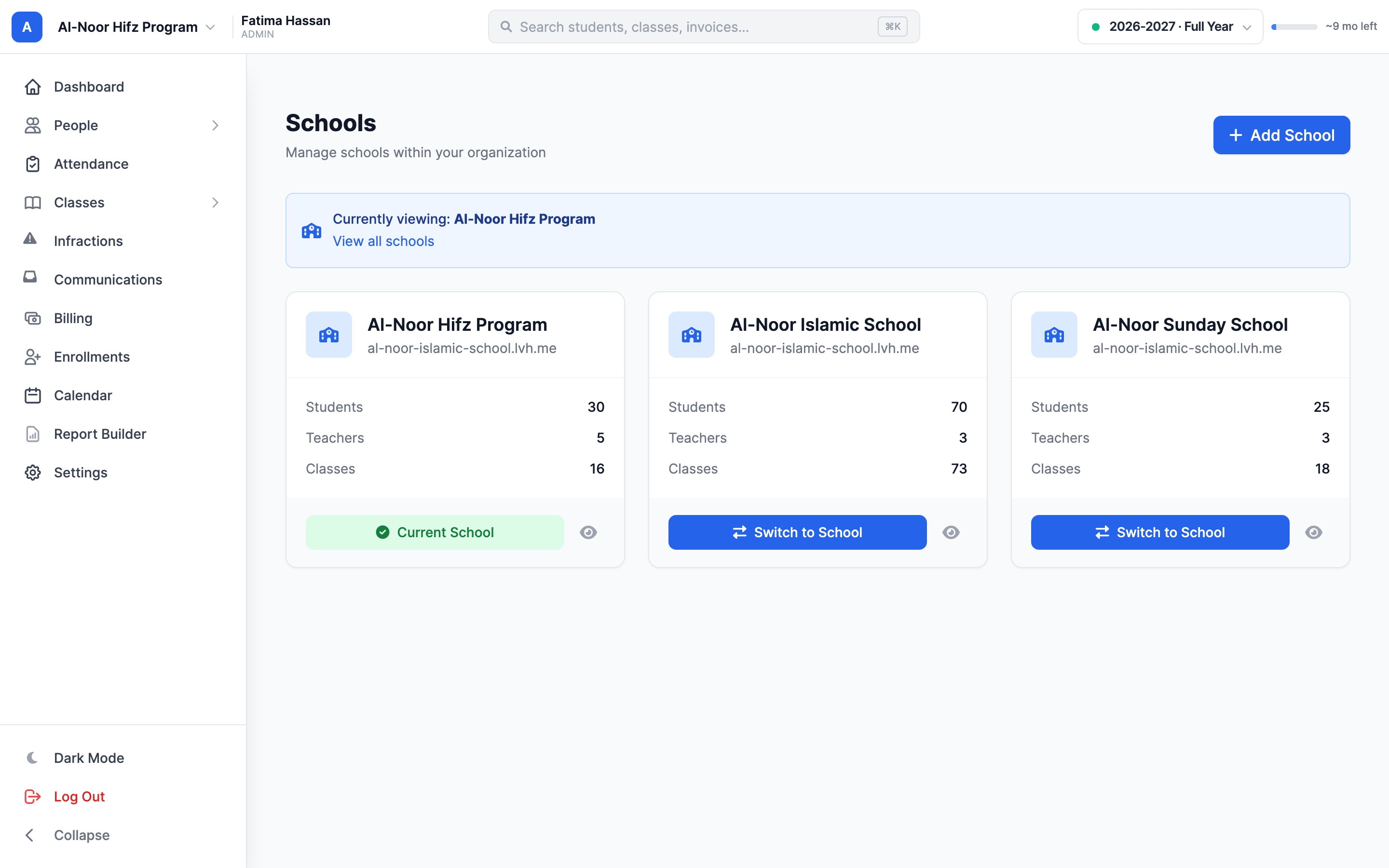
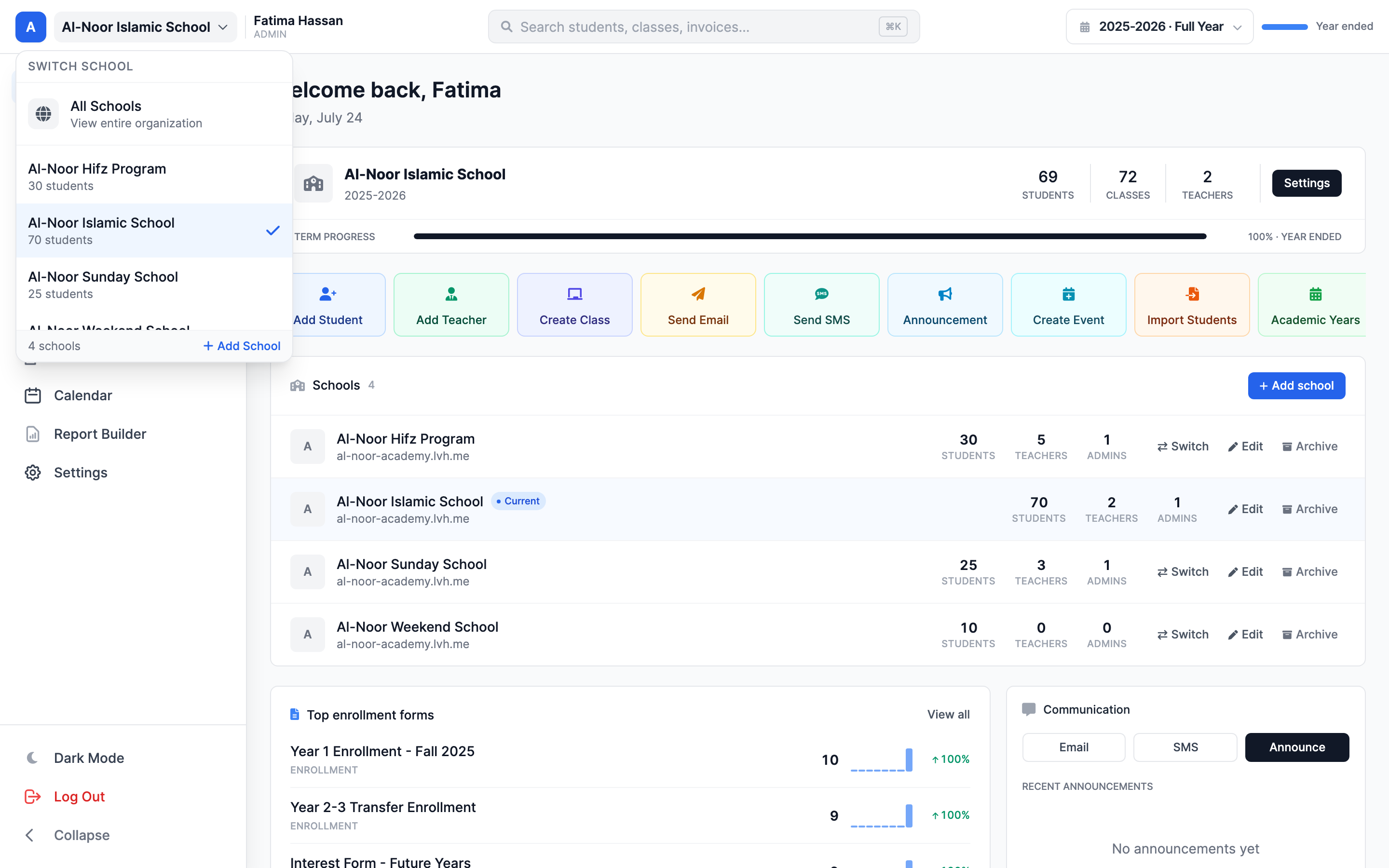

School switcher
Move between your available programs from one account.
 Giving by MarkTrack
Coming soon
Giving by MarkTrack
Coming soon
Solutions
Full-time K-12 schools Weekend & Sunday schools Evening maktabs UK madrasahs Canadian Islamic schools vs Schoology vs Gradelink vs FACTS SIS vs TeacherEase vs Canvas vs QuickSchoolsResources
What's new Customer stories Soon Webinars Soon Docs MarkTrack University Video guides Help Blog ContactMulti-School
Run a weekday academy, weekend school and Hifz program under one organization. Give each school its own working space while keeping the people who move between them connected.
01Room for every program
Keep the weekday academy and weekend program in distinct school workspaces. Switch context to work with the classes, attendance and school settings that belong to the program in front of you.
02Connected across programs
A student may attend more than one program, and a teacher may work across campuses. Manage those school connections explicitly so the right people appear in the right school workflows.
03Access with purpose
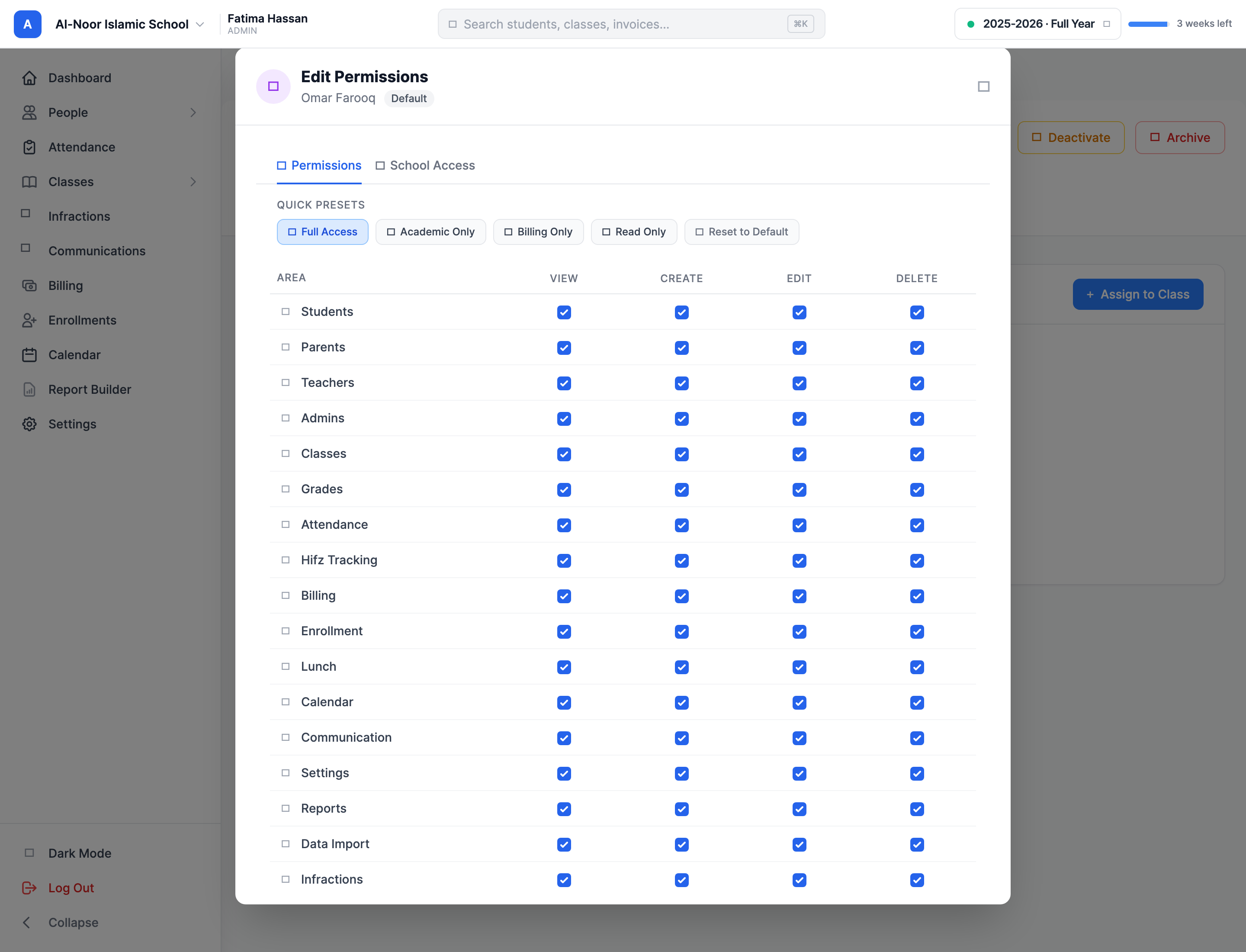
Different staff members need different access. Use school assignments and staff permissions to support the people running a single campus as well as those overseeing the organization.
Thought through, down to the details
Move between your available programs from one account.
Connect a teacher to the schools where they teach.
Support students who participate in multiple programs.
Let schools use the settings appropriate to their daily routine.
A few more details
Want to see how it fits your program?
Talk to our team ↗Yes. A single organization can manage multiple schools, including weekday, weekend and Hifz programs.
Yes. Teachers can be assigned to multiple schools within the organization.
Access depends on the staff member's school assignments and permissions. School-scoped admins work within their permitted schools.
More time for what matters
Bring your people, programs and daily work together in MarkTrack.
Built for Islamic schools, weekend programs and Hifz academies.