
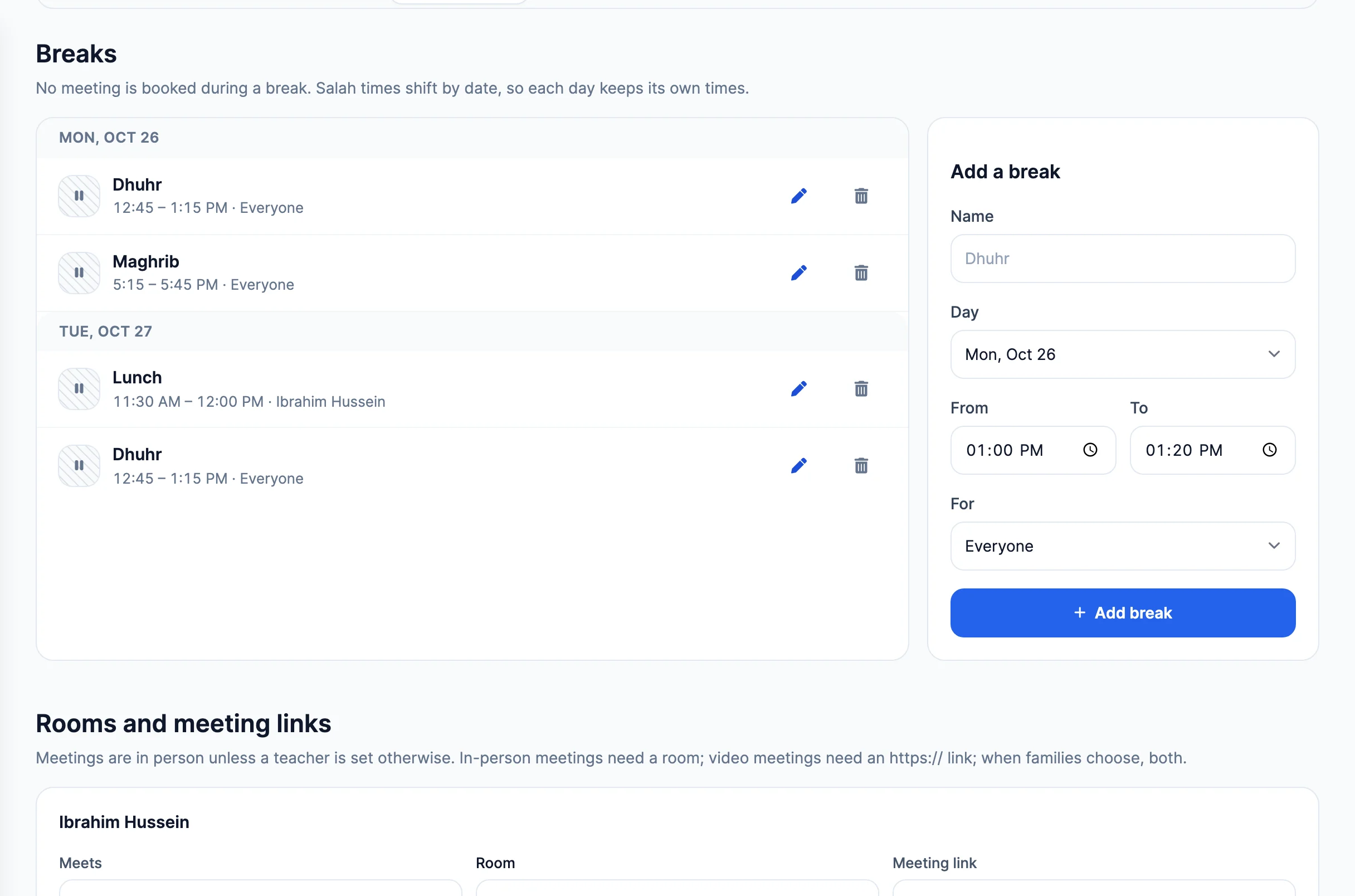
Prayer breaks
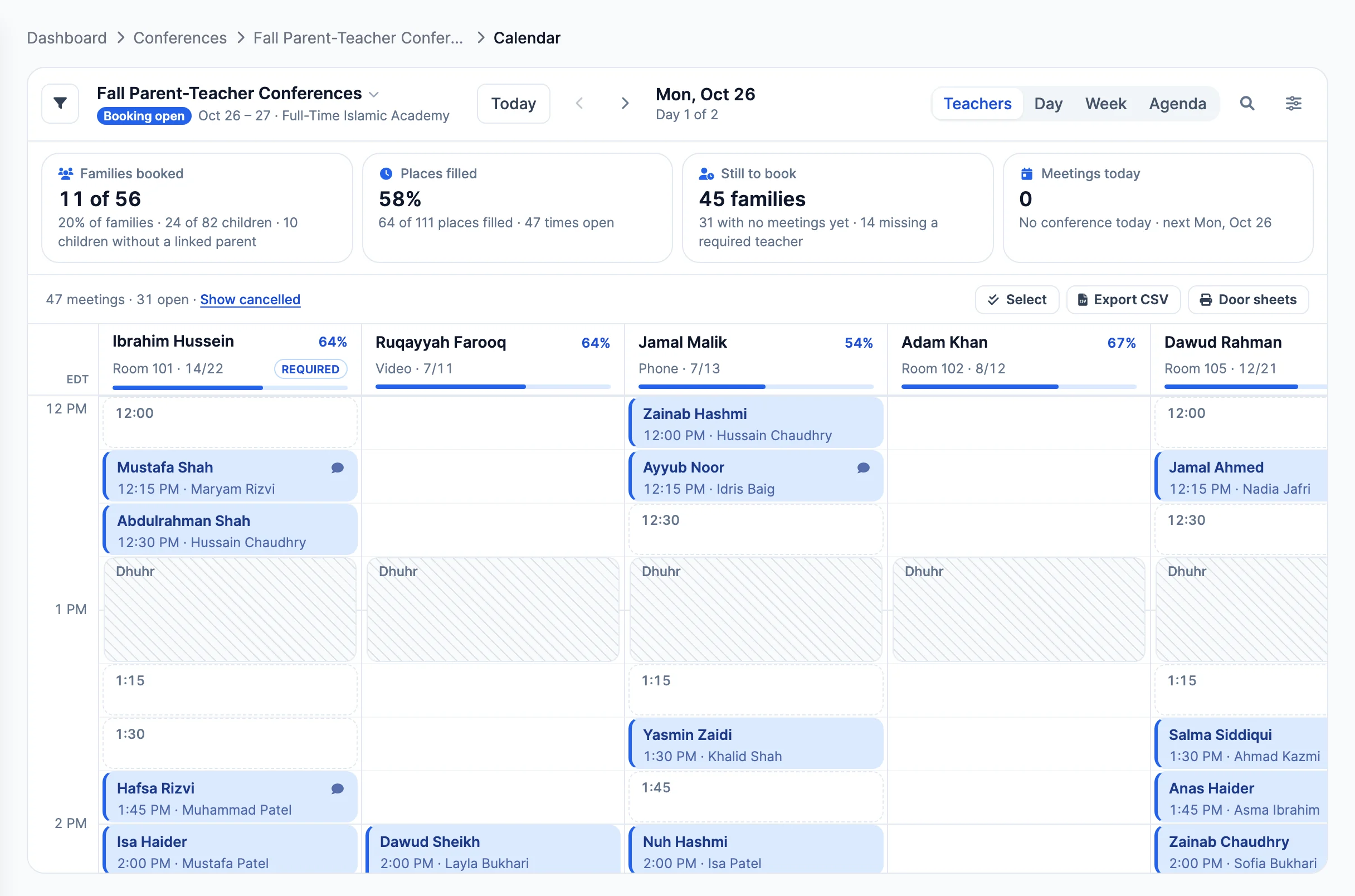
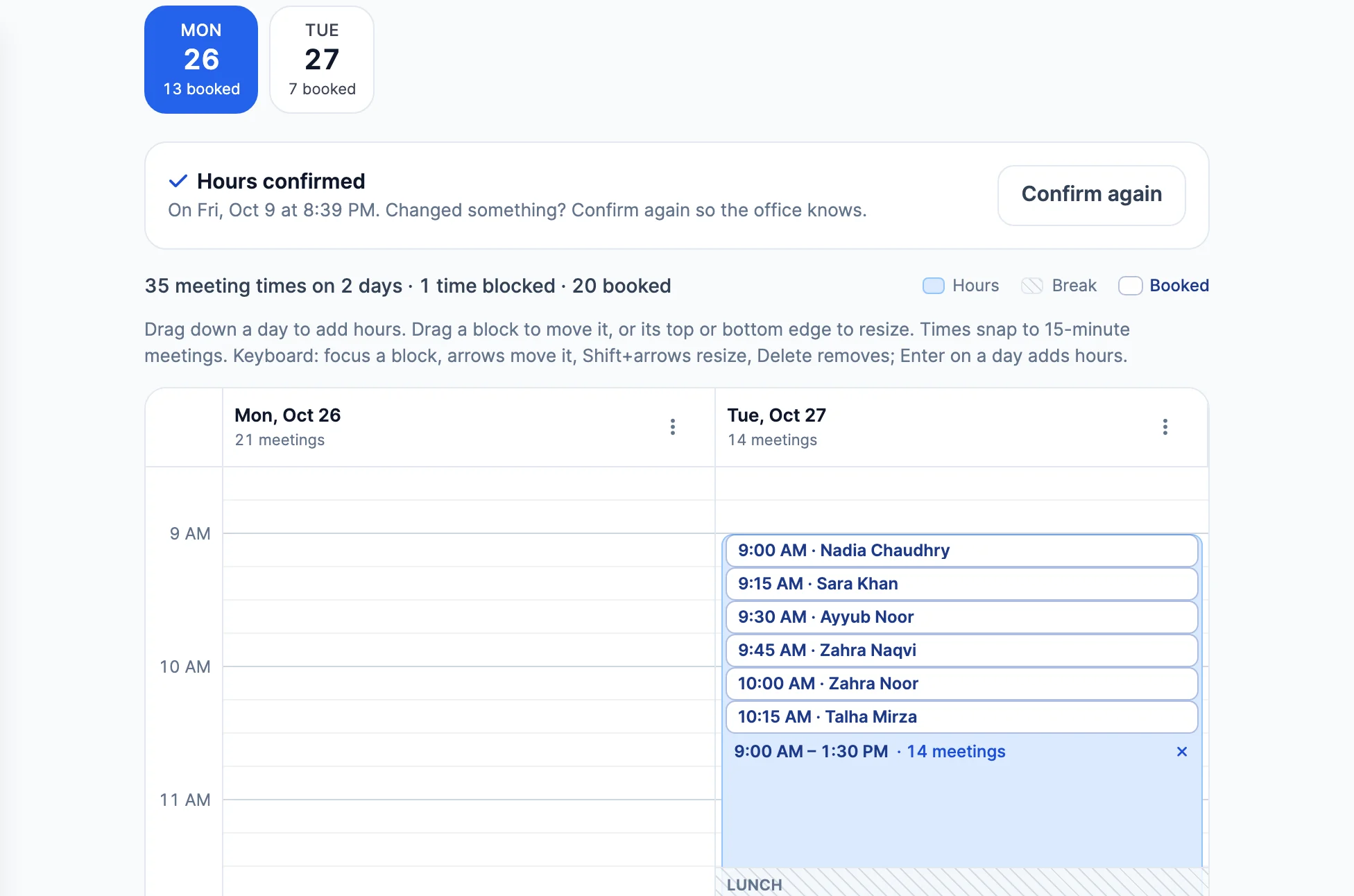
Salah times shift by date, so each day keeps its own breaks. No meeting is booked during one.
 Giving by MarkTrack
Coming soon
Giving by MarkTrack
Coming soon
Solutions
Full-time K-12 schools Weekend & Sunday schools Evening maktabs UK madrasahs Canadian Islamic schools vs Schoology vs Gradelink vs FACTS SIS vs TeacherEase vs Canvas vs QuickSchoolsResources
What's new Customer stories Soon Webinars Soon Docs MarkTrack University Video guides Help Blog ContactParent-Teacher Conferences
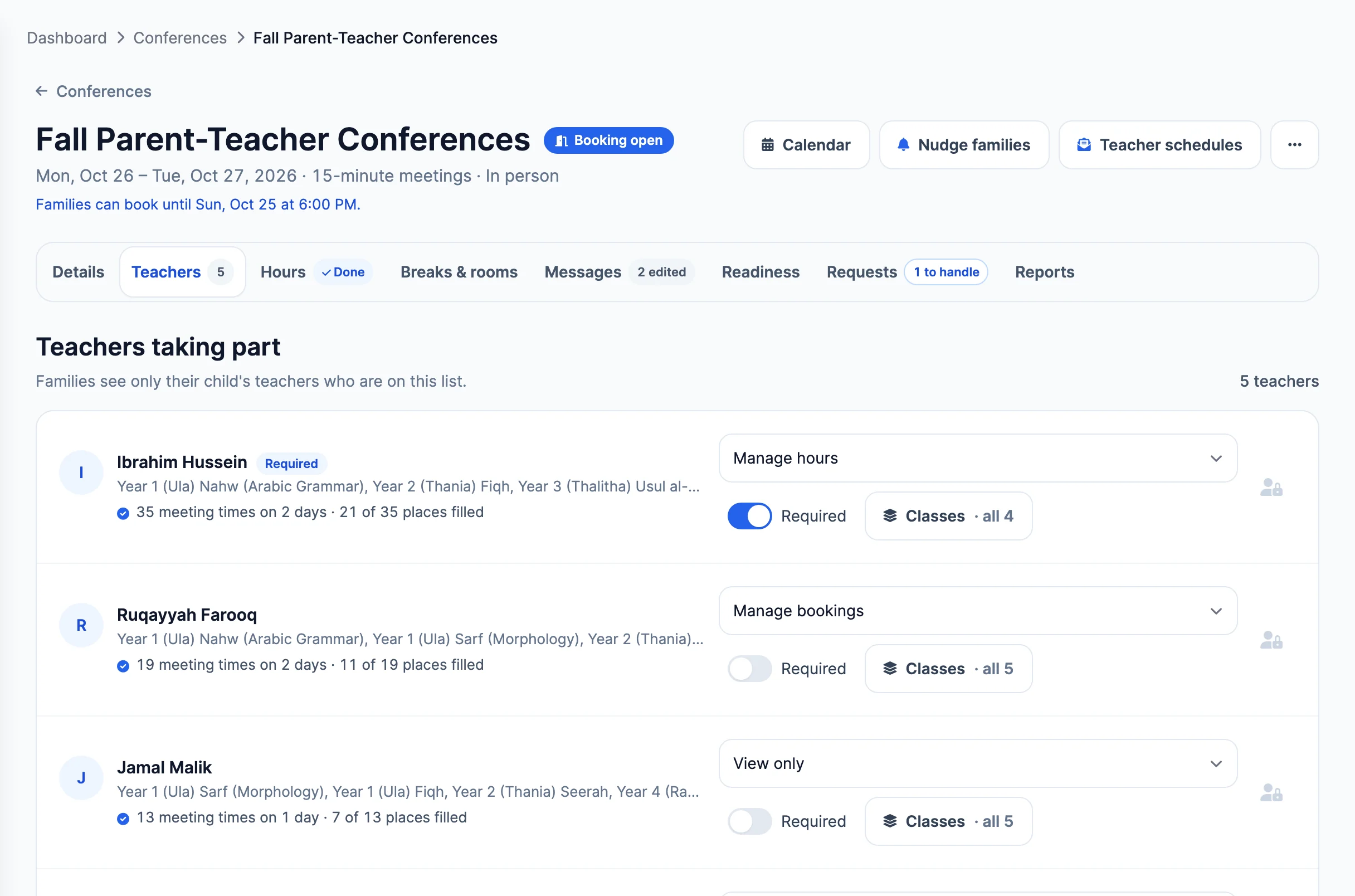
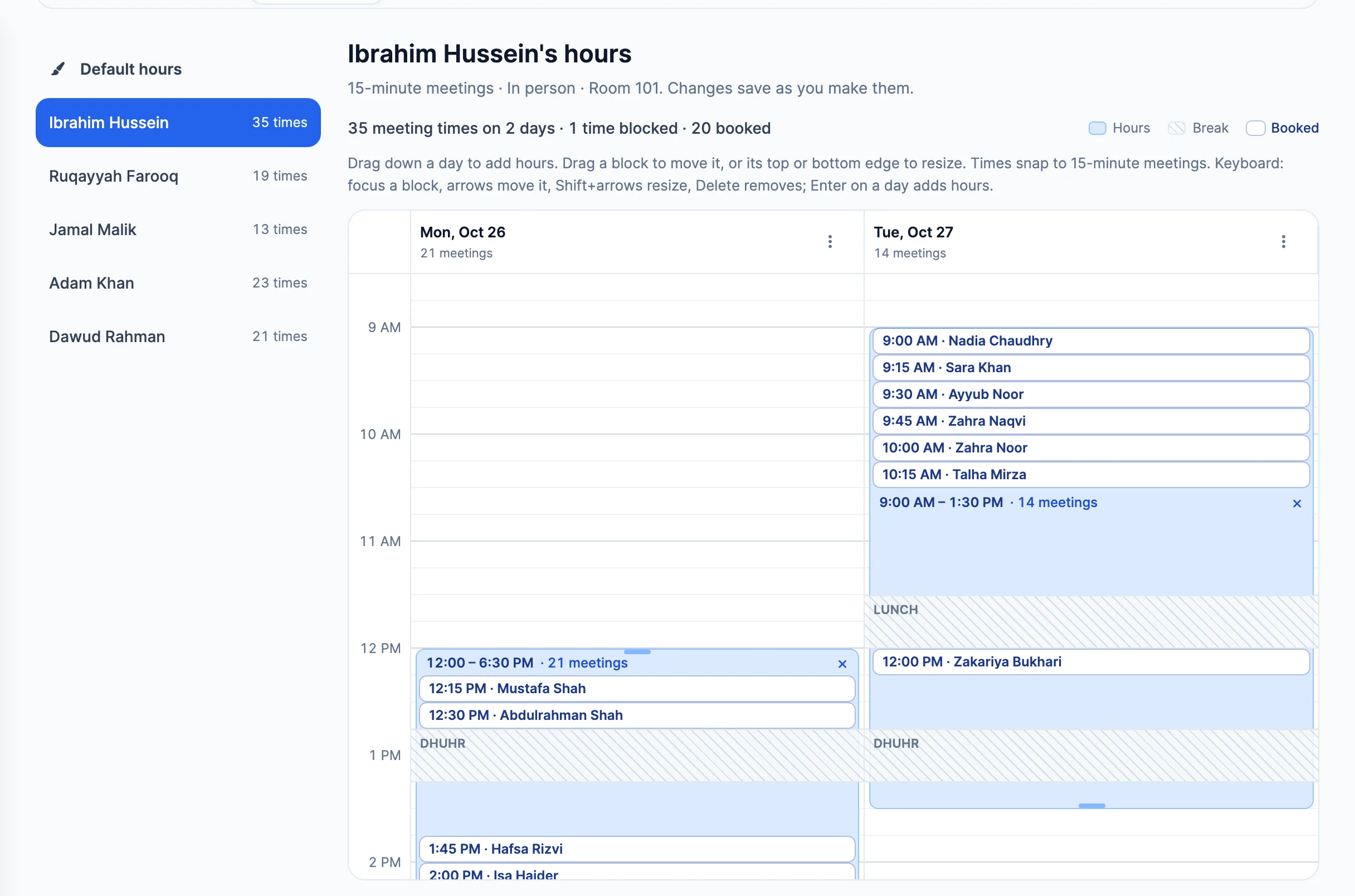
Set each teacher's hours, prayer breaks and rooms once. Families book their own times, siblings back to back, and your team runs the whole day from one live calendar.
How it works
Two sides, one conference. The office builds it and opens booking; teachers confirm their hours and keep their own day. Choose a side, then follow the steps.
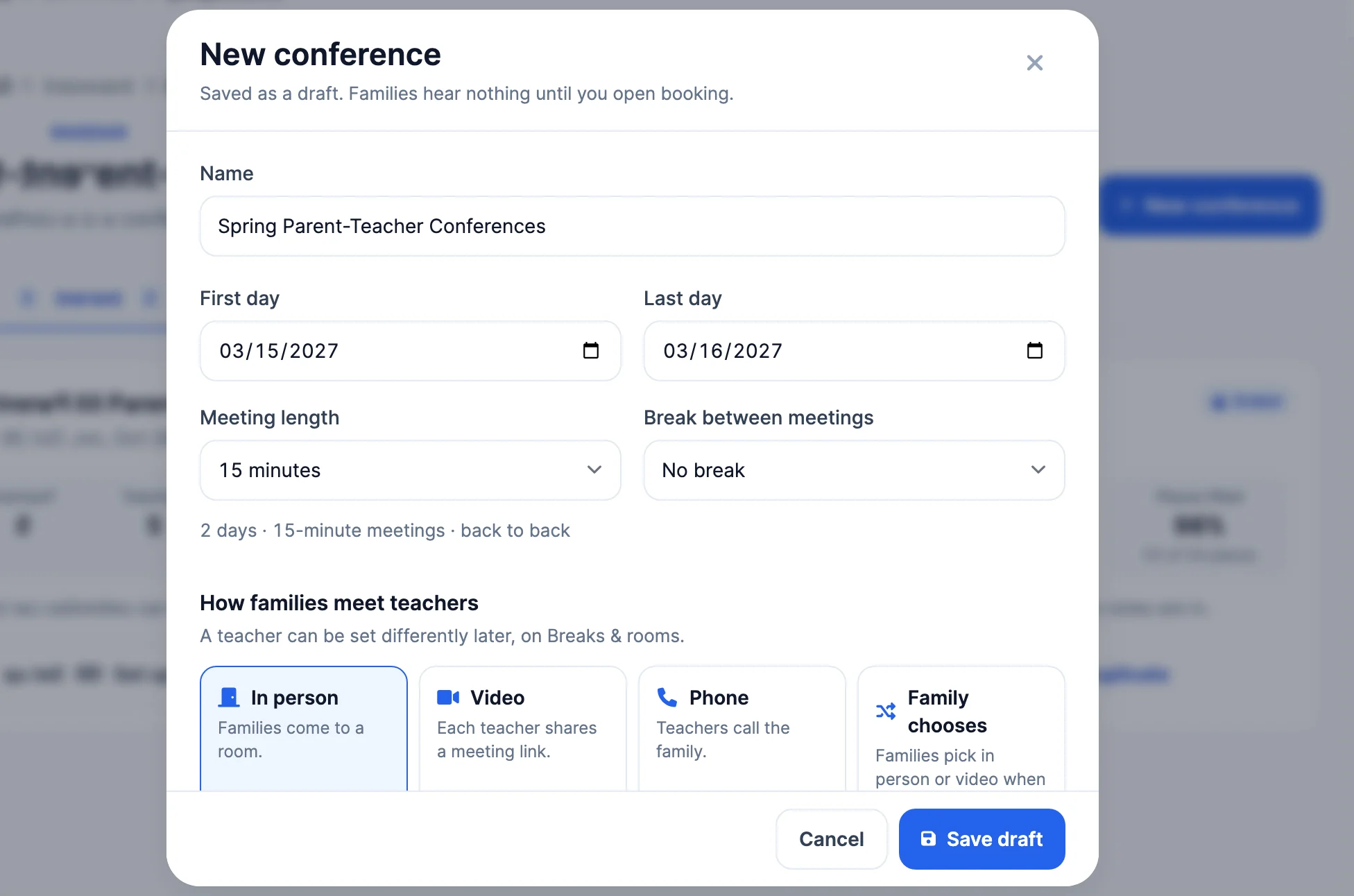
01Conference day
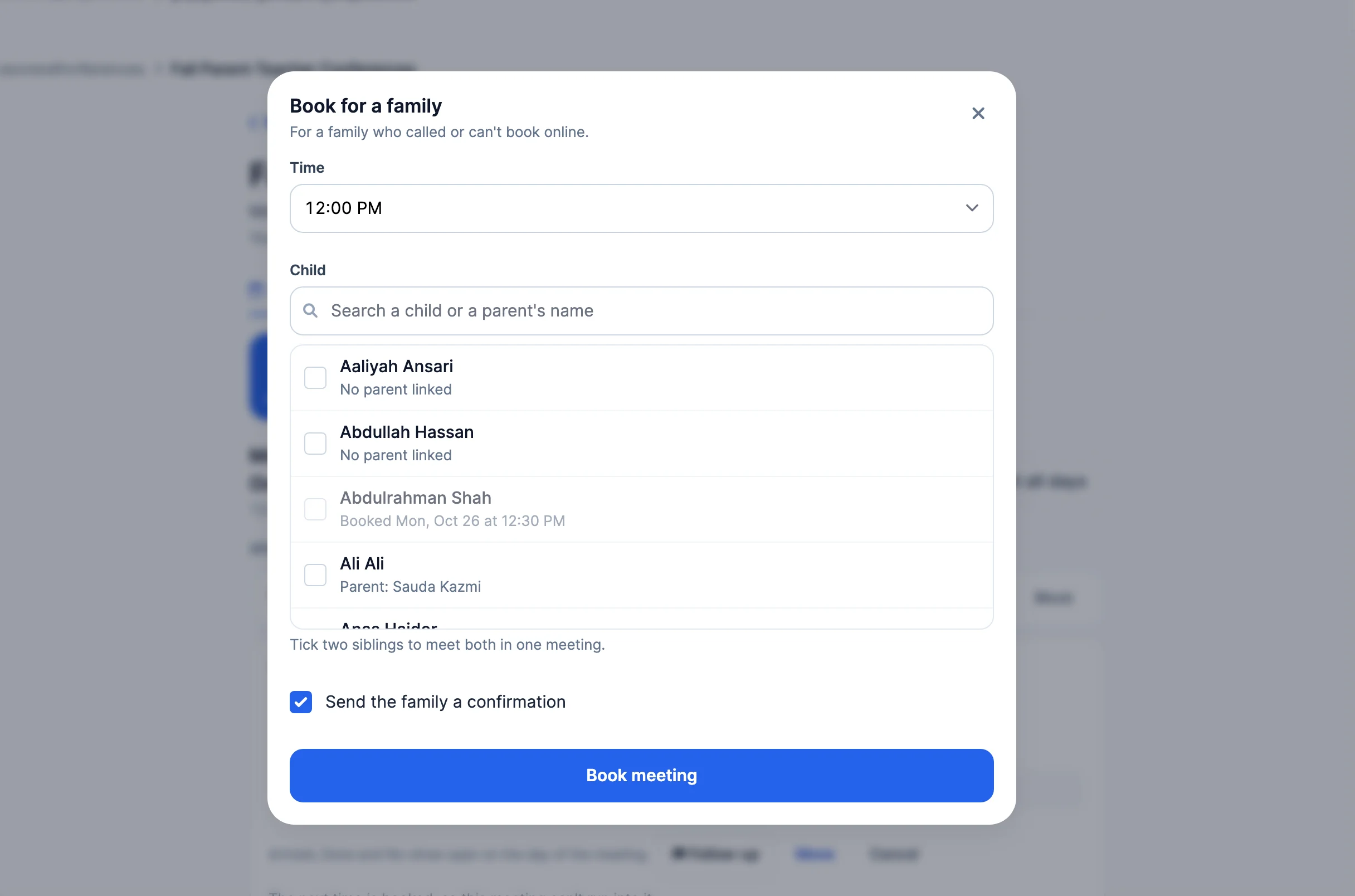
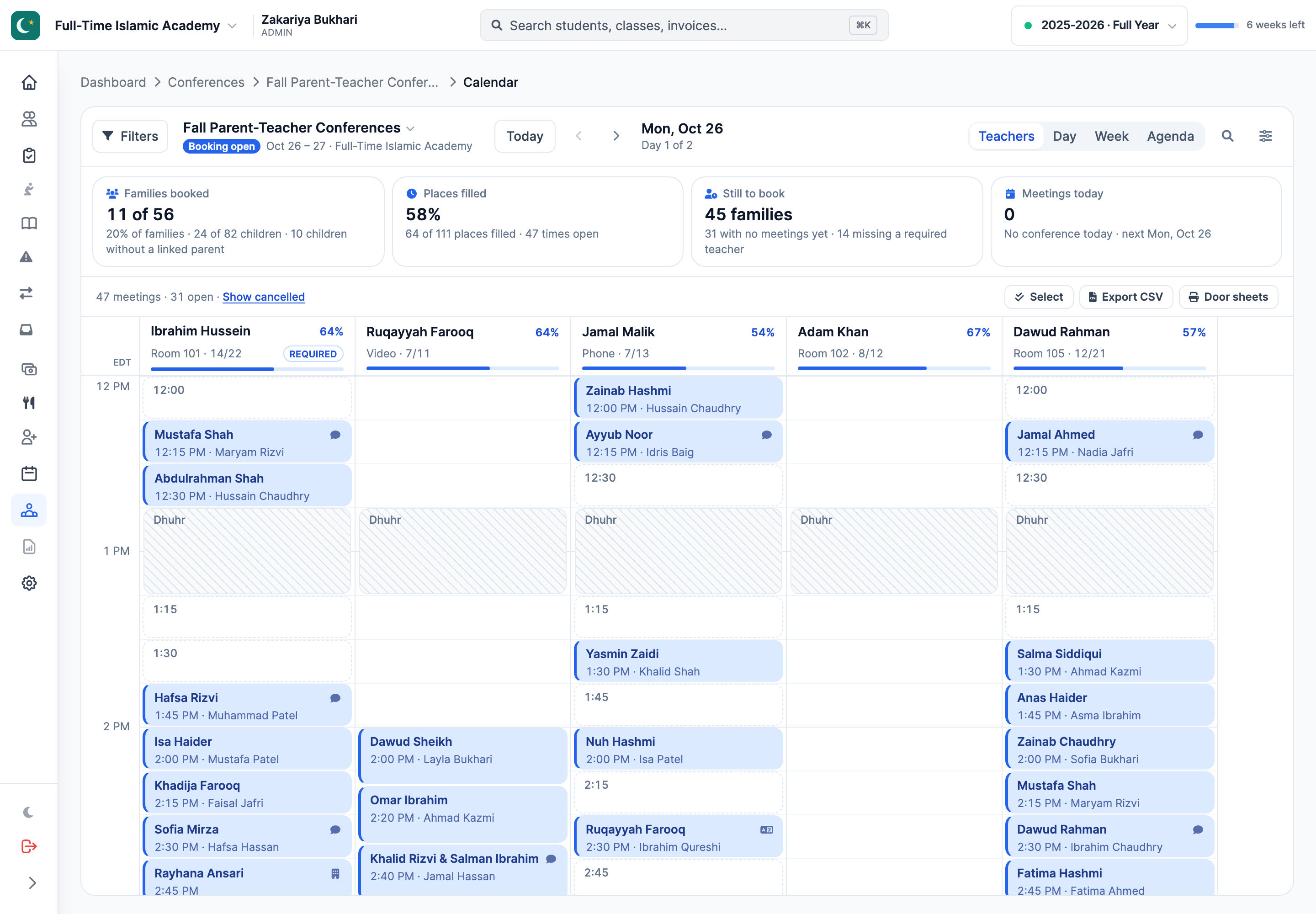
Every teacher in a column, with each meeting, open time and prayer break in place. Click a free time to book a family who called, drag a meeting to move it, or search for any child by name.
02For families
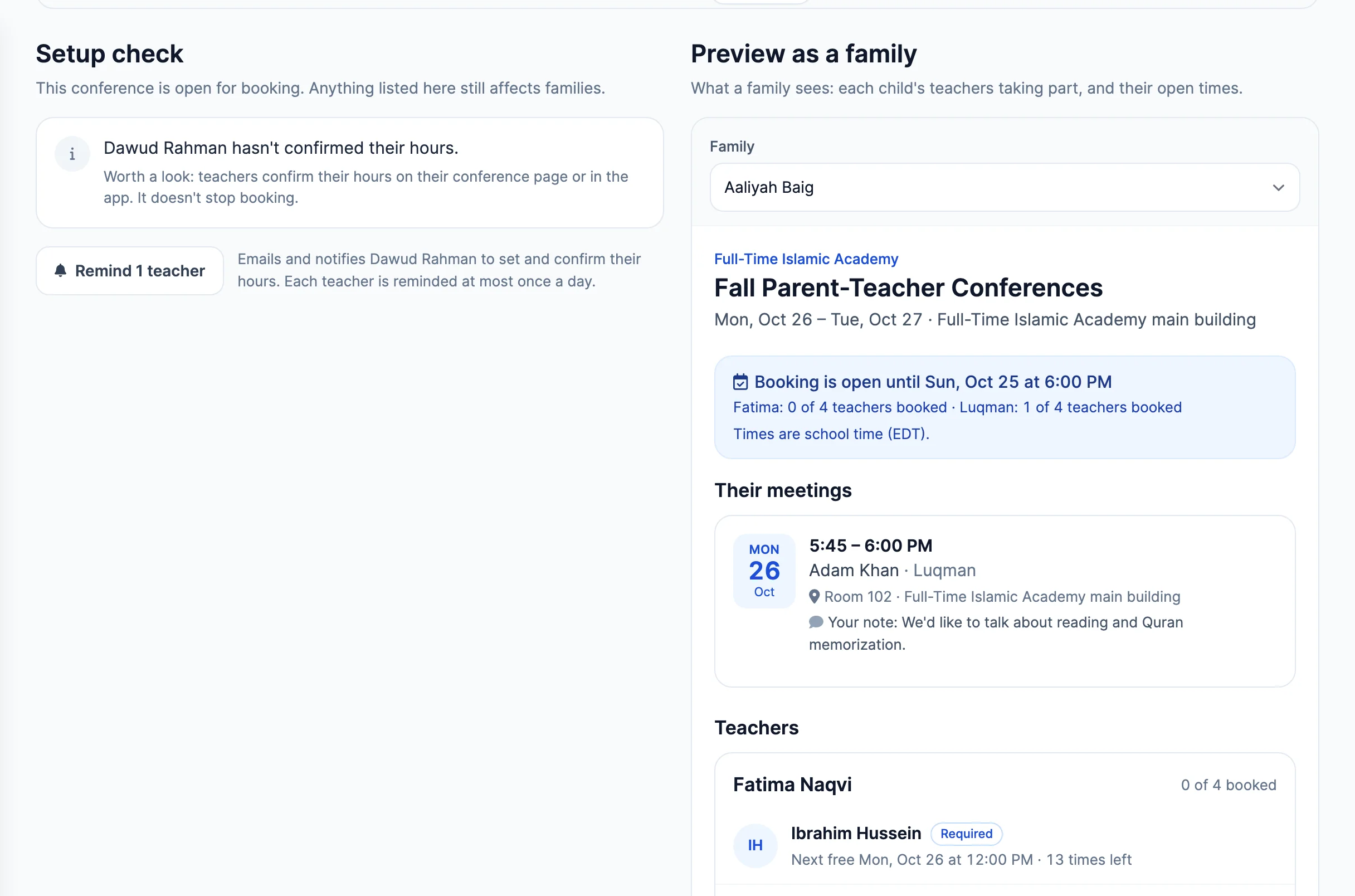
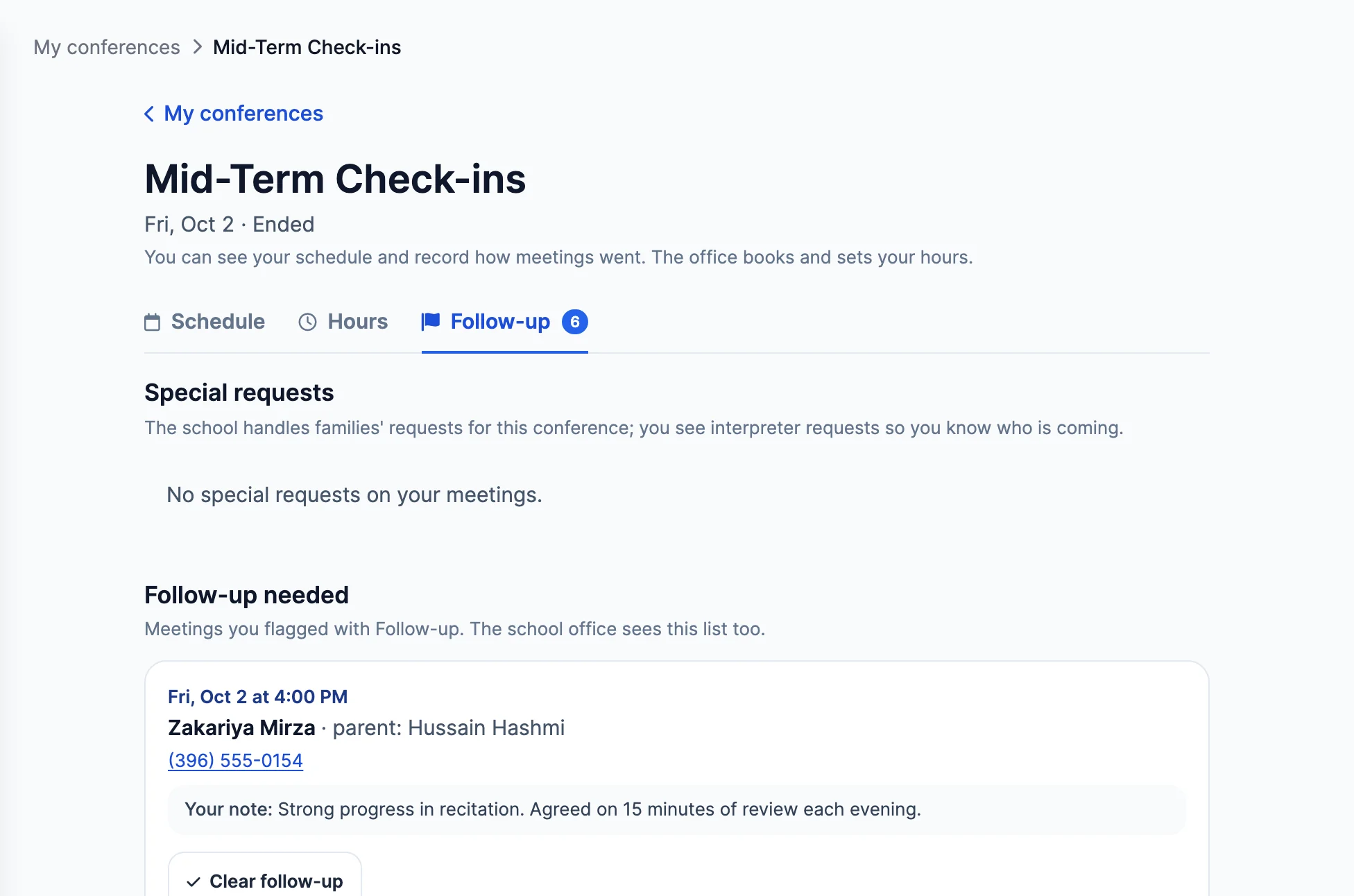
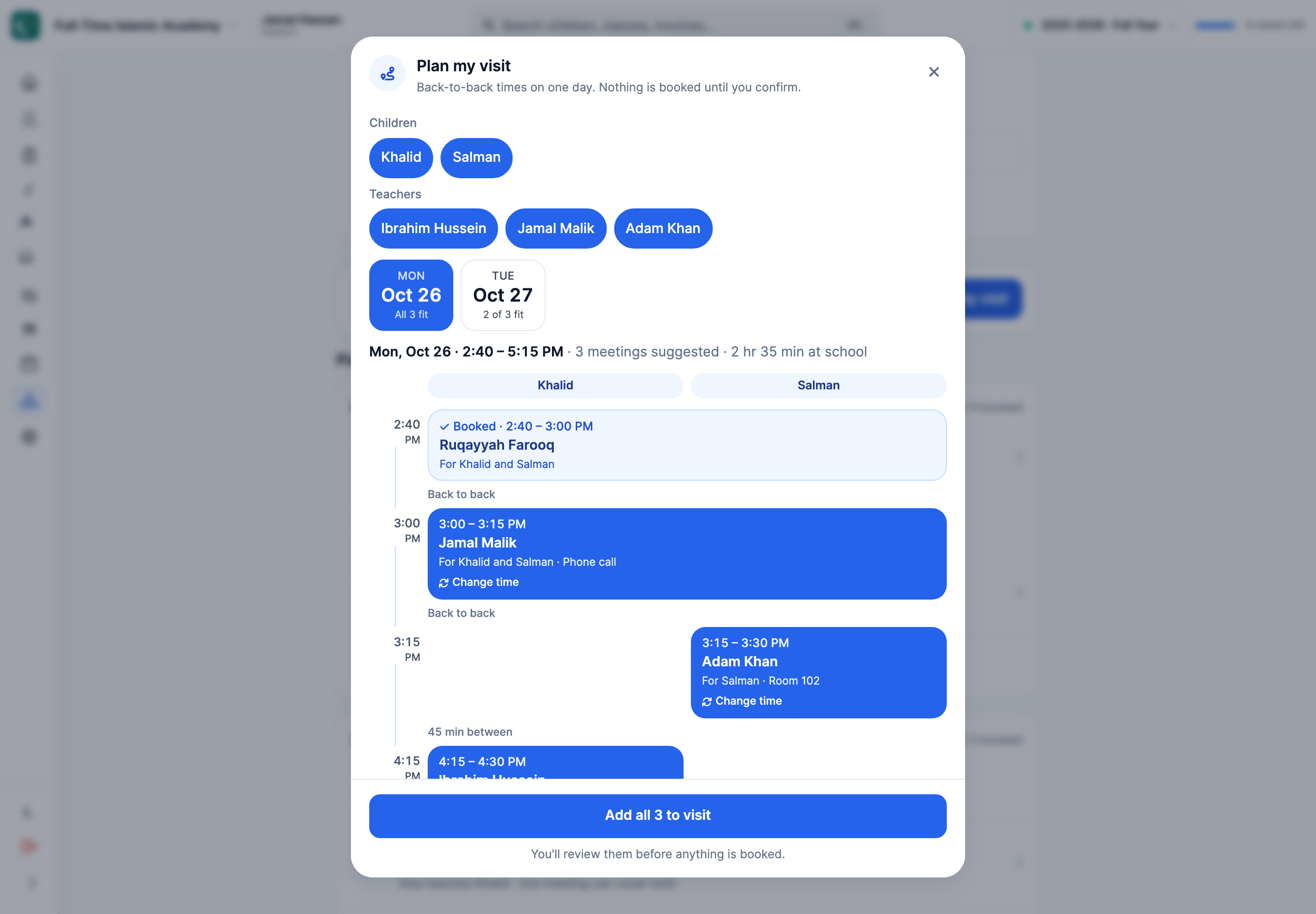
Each parent sees only their own children's teachers and the times still open. Plan my visit suggests back-to-back meetings on one day for every child, and nothing is booked until the parent confirms.
03For teachers
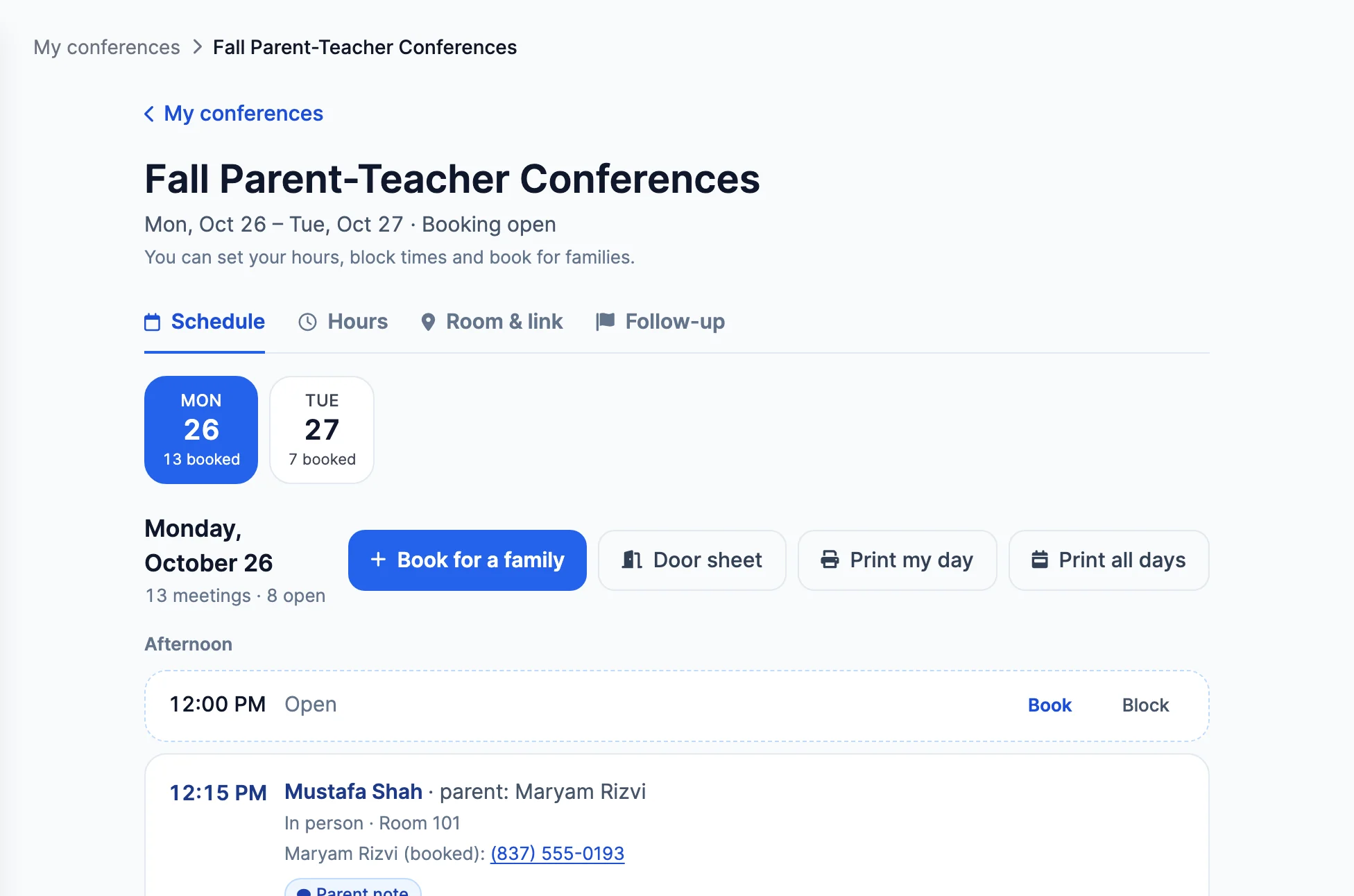
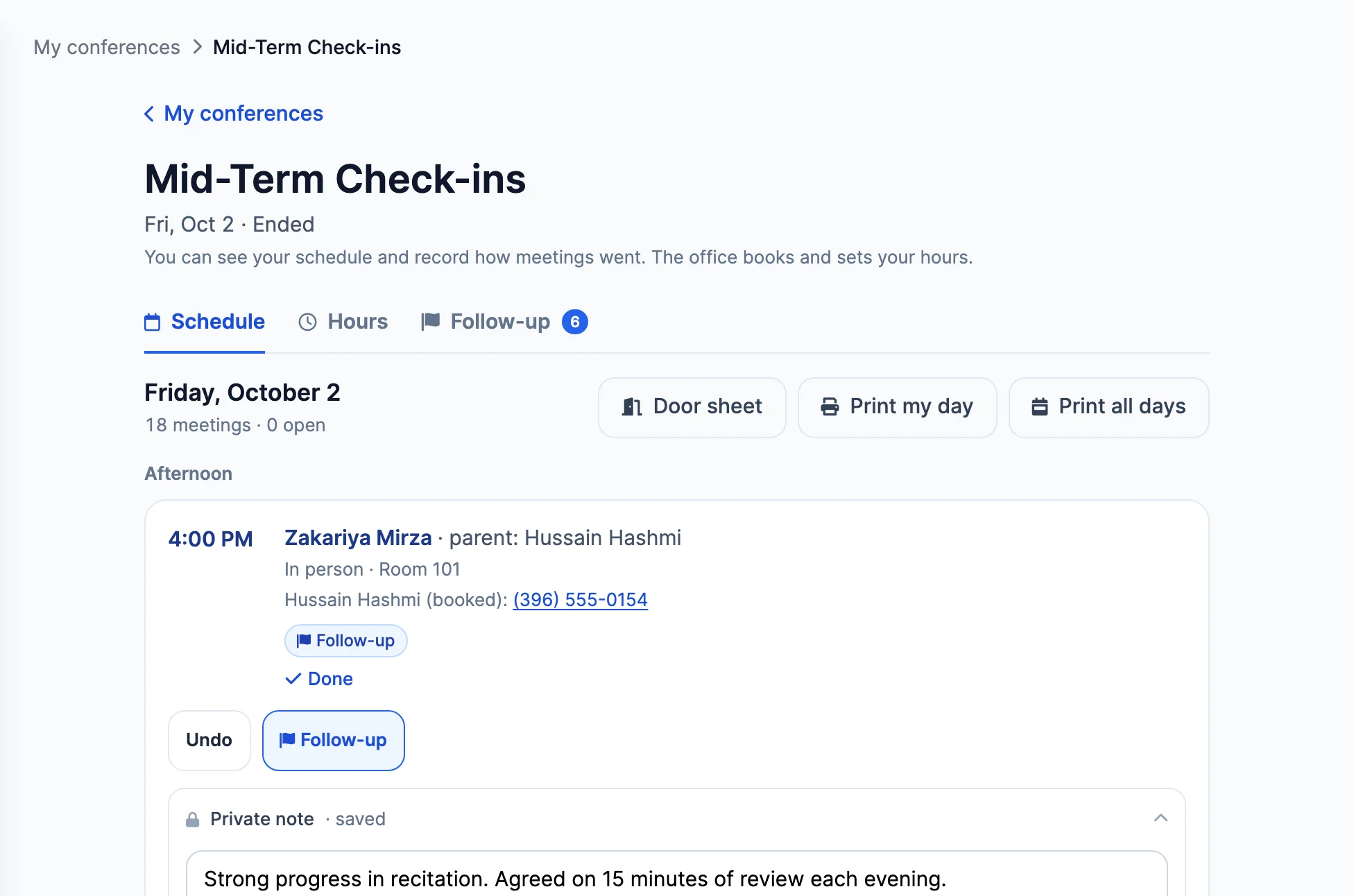
Teachers see their meetings, confirm their hours and record how each meeting went. Notes are for staff only and never shown to families, and follow-ups reach the office.
04Before and after
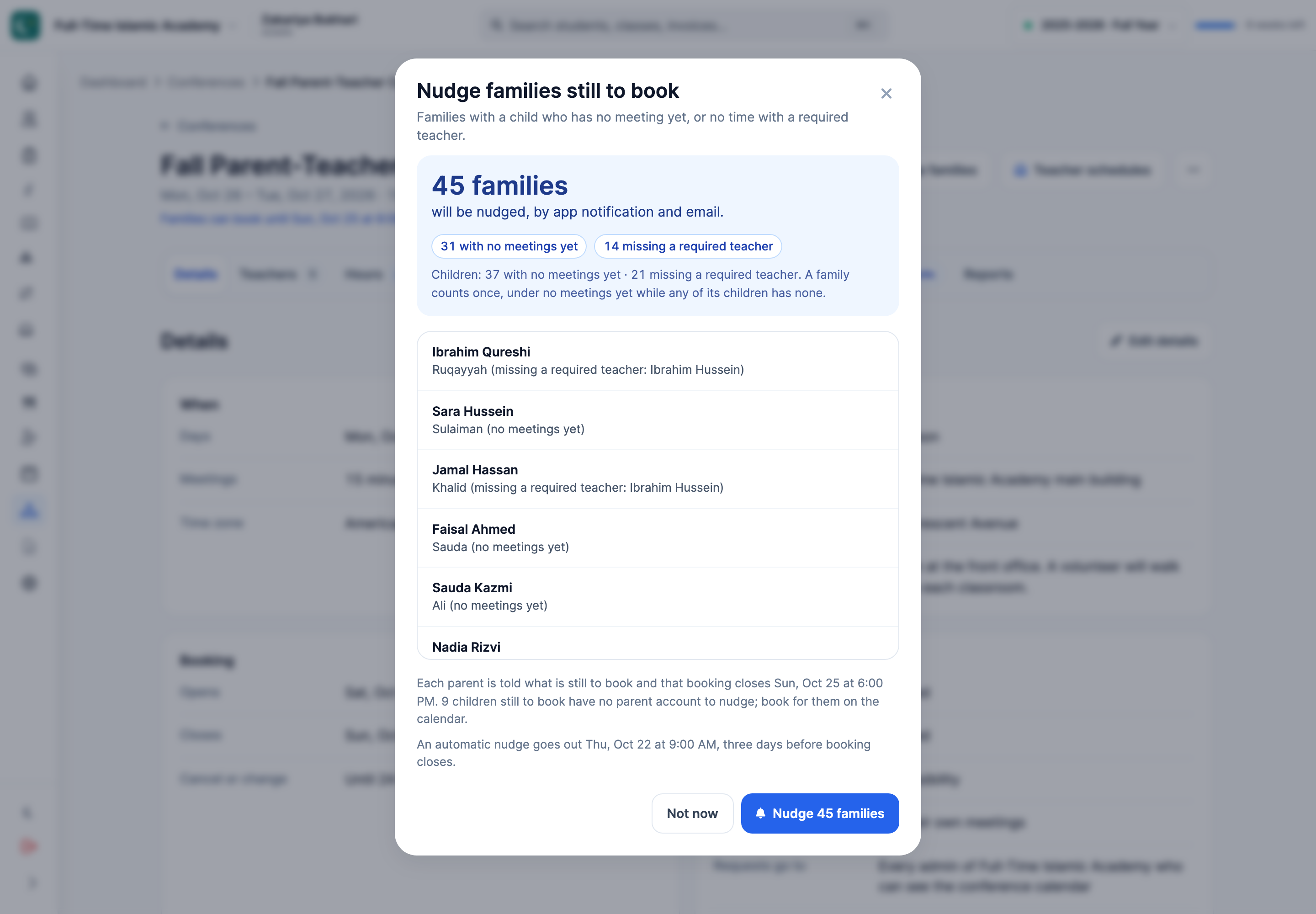
See which families haven't booked and nudge them all at once, or let MarkTrack nudge them automatically before booking closes. Afterwards, special requests and follow-ups wait in one list.
Thought through, down to the details
Salah times shift by date, so each day keeps its own breaks. No meeting is booked during one.
Set it for the whole conference or for one teacher, or let families choose.
Families ask when they book. The office arranges the interpreter and marks the request handled.
When a teacher is full, families can join a waitlist and hear first when a time opens.
Families are reminded two days before and on the day, and get a join link for video meetings.
Edit the invitation, confirmation, reminder and other emails, and send yourself a test first.
A few more details
Want to see how it fits your program?
Talk to our team ↗No. Families book in any browser, from their parent account or from the personal link in their invitation email.
Yes. Plan my visit suggests back-to-back times on one day for all of a family's children and teachers. The parent reviews the plan, and nothing is booked until they confirm.
The office, or a teacher the office allows, books for them from the calendar. Both parents get an app notification and an email with a calendar file.
Yes. Add Dhuhr, Maghrib or any other break, for everyone or for one teacher, on each day. No meeting is booked during a break.
Yes, if you let them. Each teacher can manage their hours, manage bookings or only view, and confirms their hours so the office knows they are right.
Parent-teacher conferences are switched on for each organization. Talk to our team and we will turn them on for you.
More time for what matters
Bring your people, programs and daily work together in MarkTrack.
Built for Islamic schools, weekend programs and Hifz academies.