
Reusable starting points
Build from templates suited to school enrollment.
 Giving by MarkTrack
Coming soon
Giving by MarkTrack
Coming soon
Solutions
Full-time K-12 schools Weekend & Sunday schools Evening maktabs UK madrasahs Canadian Islamic schools vs Schoology vs Gradelink vs FACTS SIS vs TeacherEase vs Canvas vs QuickSchoolsResources
What's new Customer stories Soon Webinars Soon Docs MarkTrack University Video guides Help Blog ContactEnrollment
Make joining your school feel straightforward for families and manageable for staff. Build your form, collect family details, review applications and connect accepted students to school life.
01Your school's front door
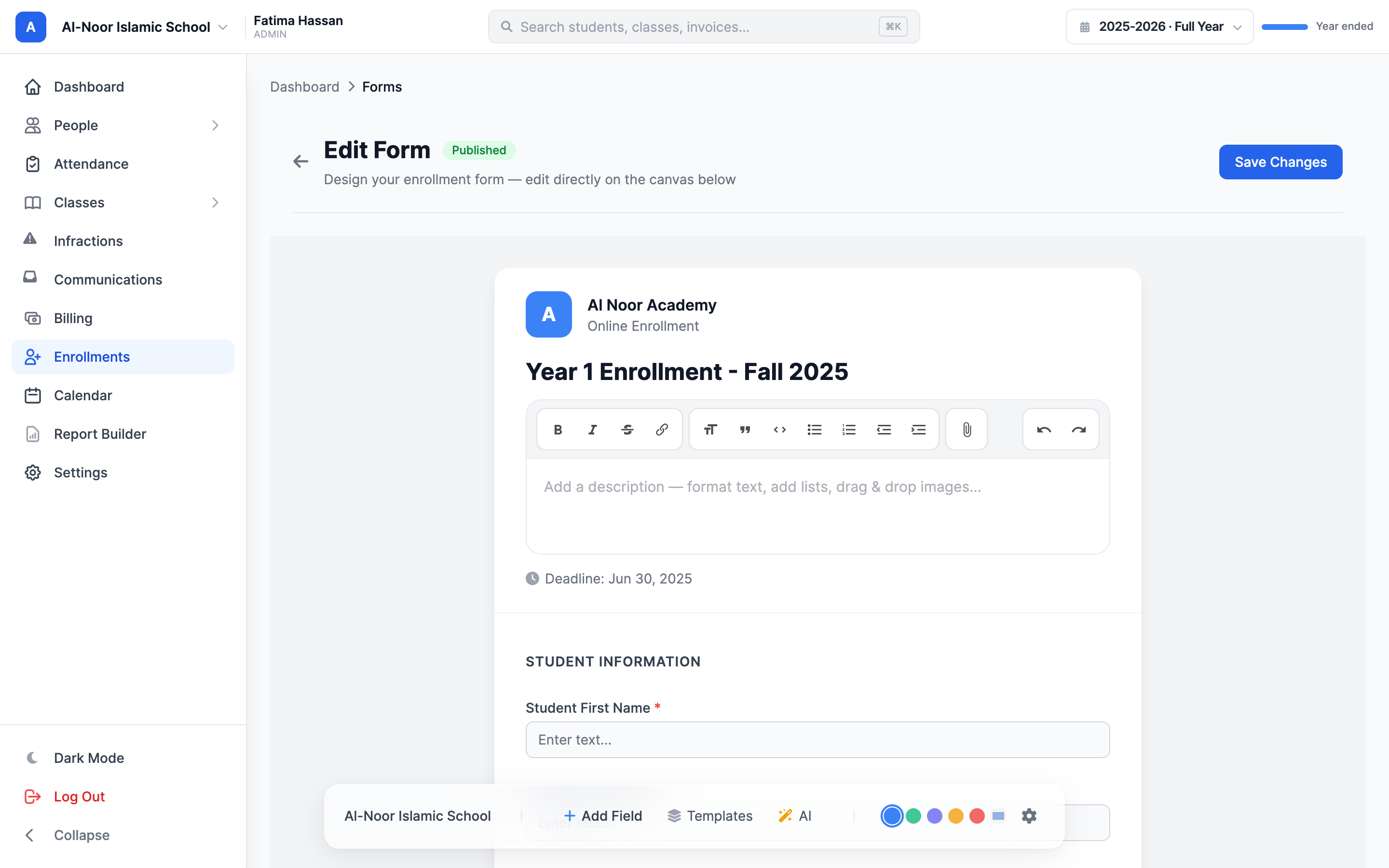
Start with a template and tailor the questions, sections and registration details. Publish an online application families can complete from a shared link, without sending documents back and forth.
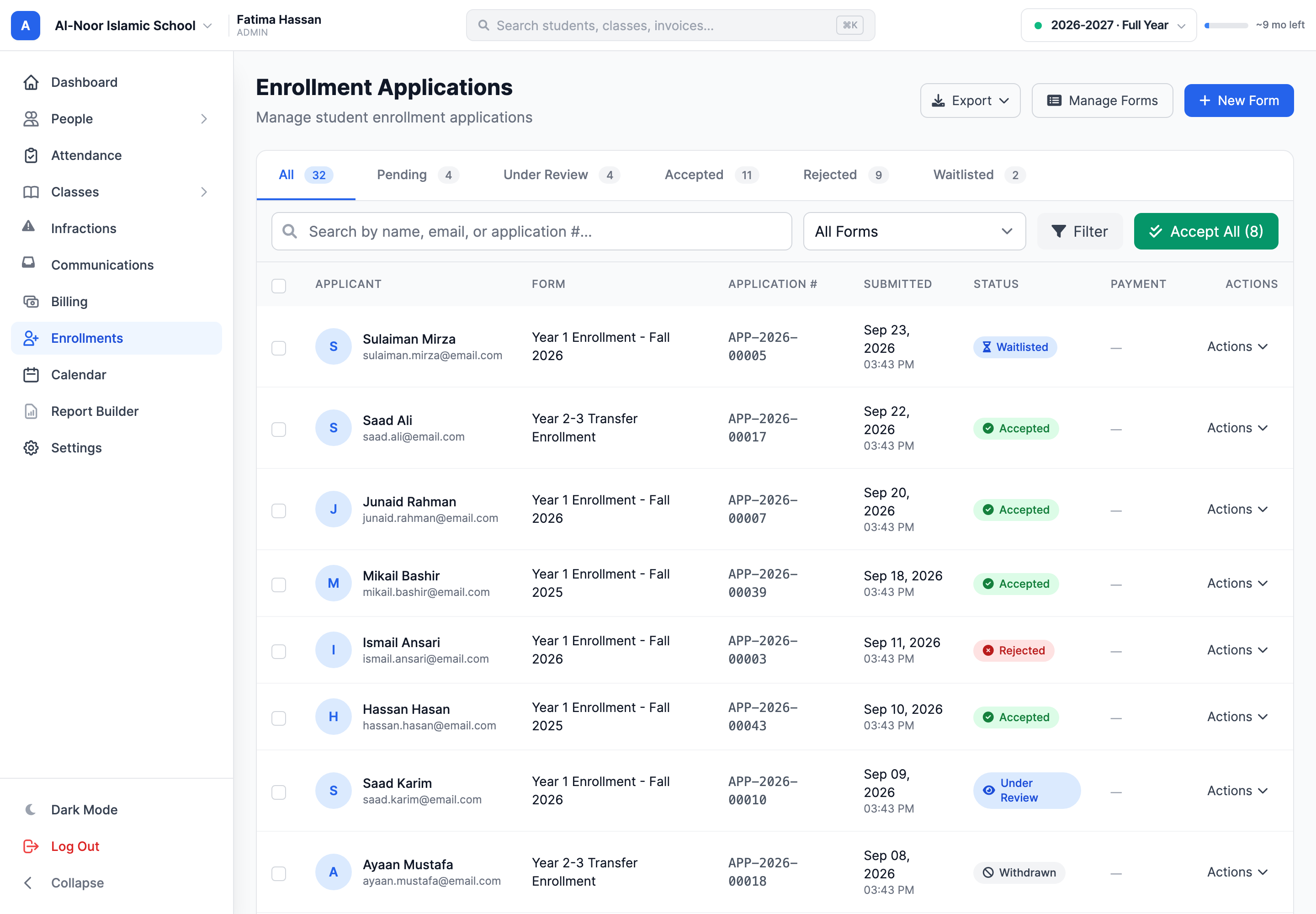
02A clear admissions queue
Move from incoming submissions to informed decisions in a dedicated review workflow. Open family details, review the children on an application and accept the students who are ready to join.
03Connect the next steps
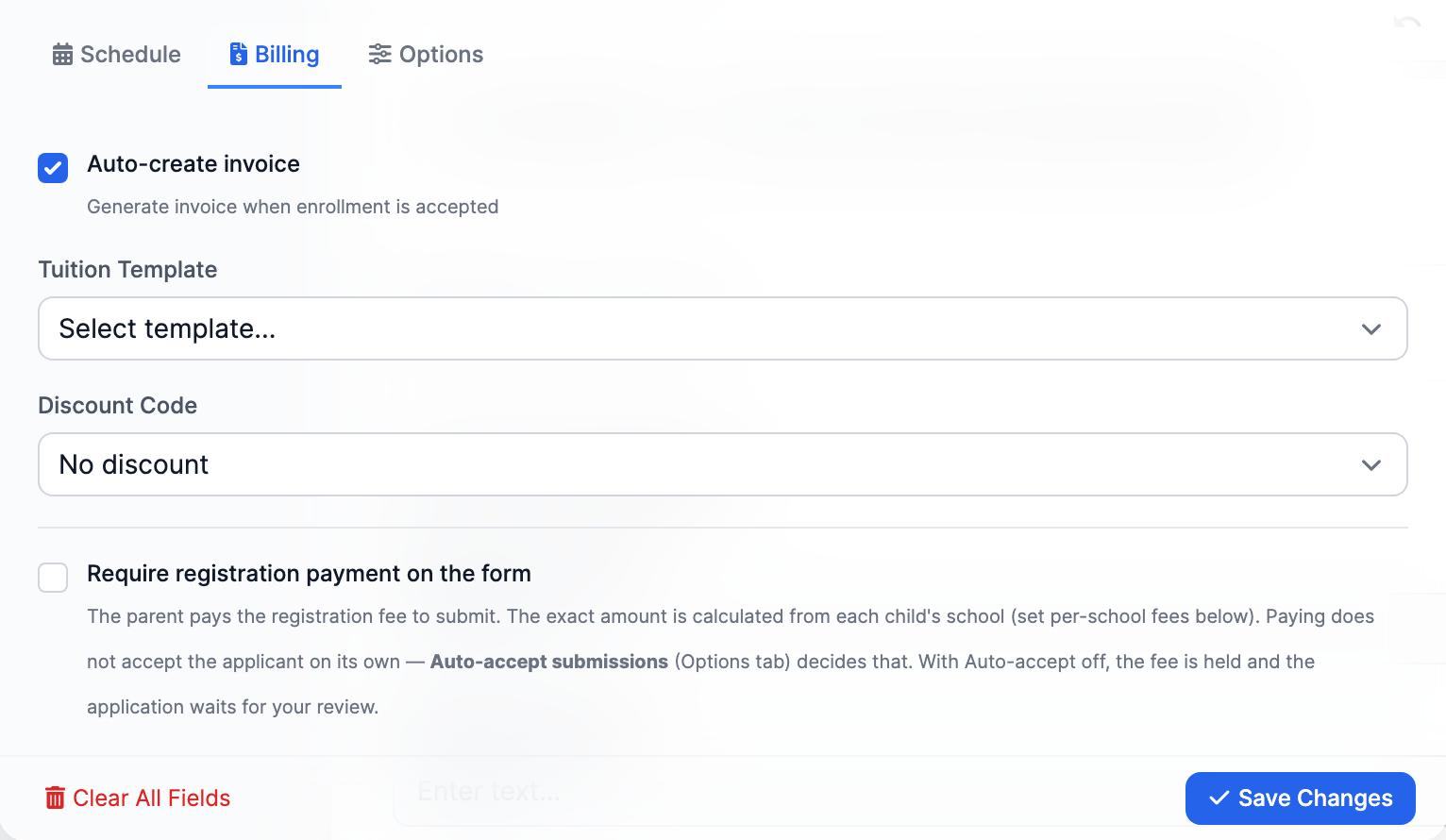
Configure registration charges and payment settings alongside the form. Returning families can use re-registration to update their details and indicate which children are coming back.
Thought through, down to the details
Build from templates suited to school enrollment.
Collect information for each student within a family application.
Make the next school year's registration easier to navigate.
Bring accepted students into the school's management workflow.
A few more details
Want to see how it fits your program?
Talk to our team ↗Yes. The form builder lets you tailor the fields and structure to your school, starting from a template.
Yes. Family applications include per-child information, and staff can review the children in the acceptance workflow.
Yes. Enrollment forms have billing settings for registration charges and payment gating. Available payment options depend on the school's billing setup.
More time for what matters
Bring your people, programs and daily work together in MarkTrack.
Built for Islamic schools, weekend programs and Hifz academies.