
Mark standards each quarter (for teachers)
If your class reports standards, you give each student one short mark on each standard every quarter, such as ME for Meets Expectations. Your marks go straight onto the report card, next to the class grade, and they never change the grade. This guide shows you how, in a few minutes.
Find the Standards screen
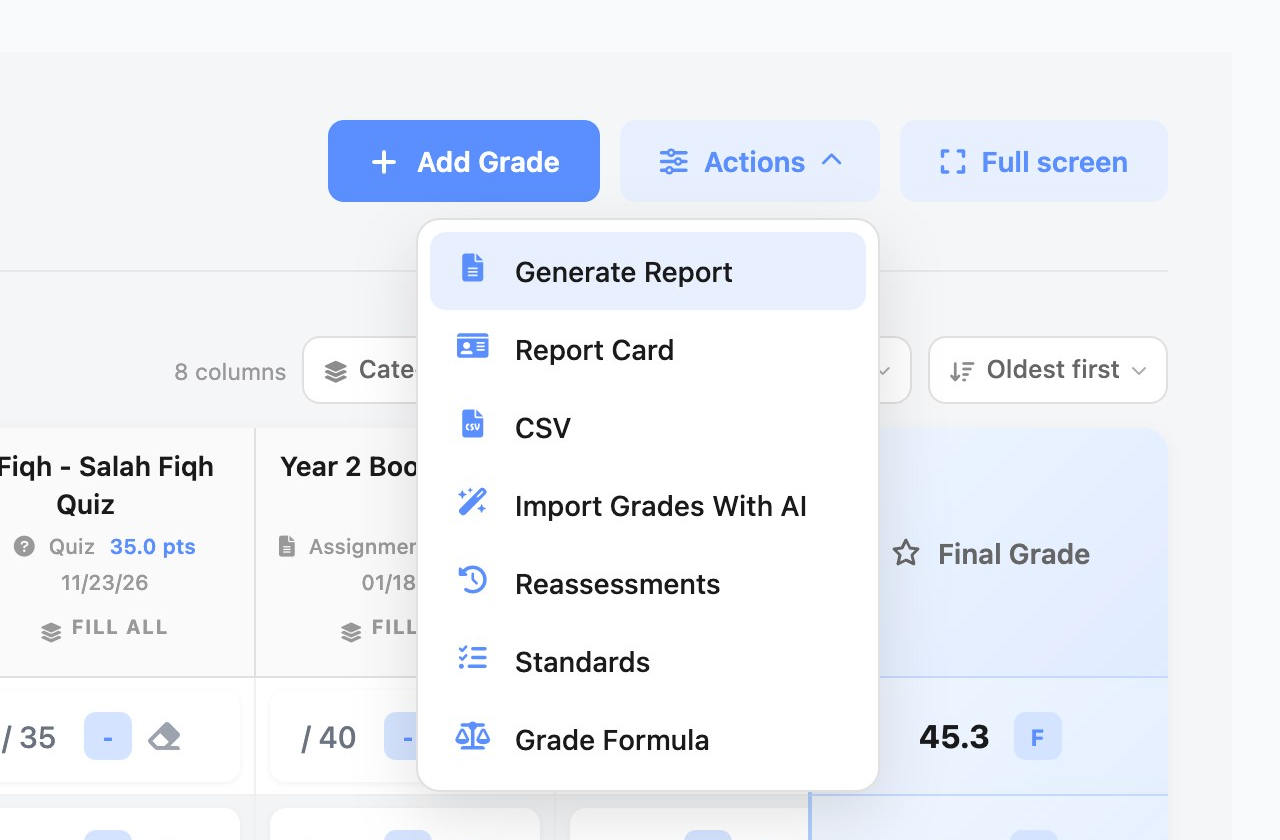
Open your class's gradebook (for example from Quick Actions › Gradebooks on your Dashboard), click Actions, then Standards. If there's no Standards item, standards aren't on for this class yet: ask your school office to turn them on (see Standards on the report card, step 1).
Add your standards
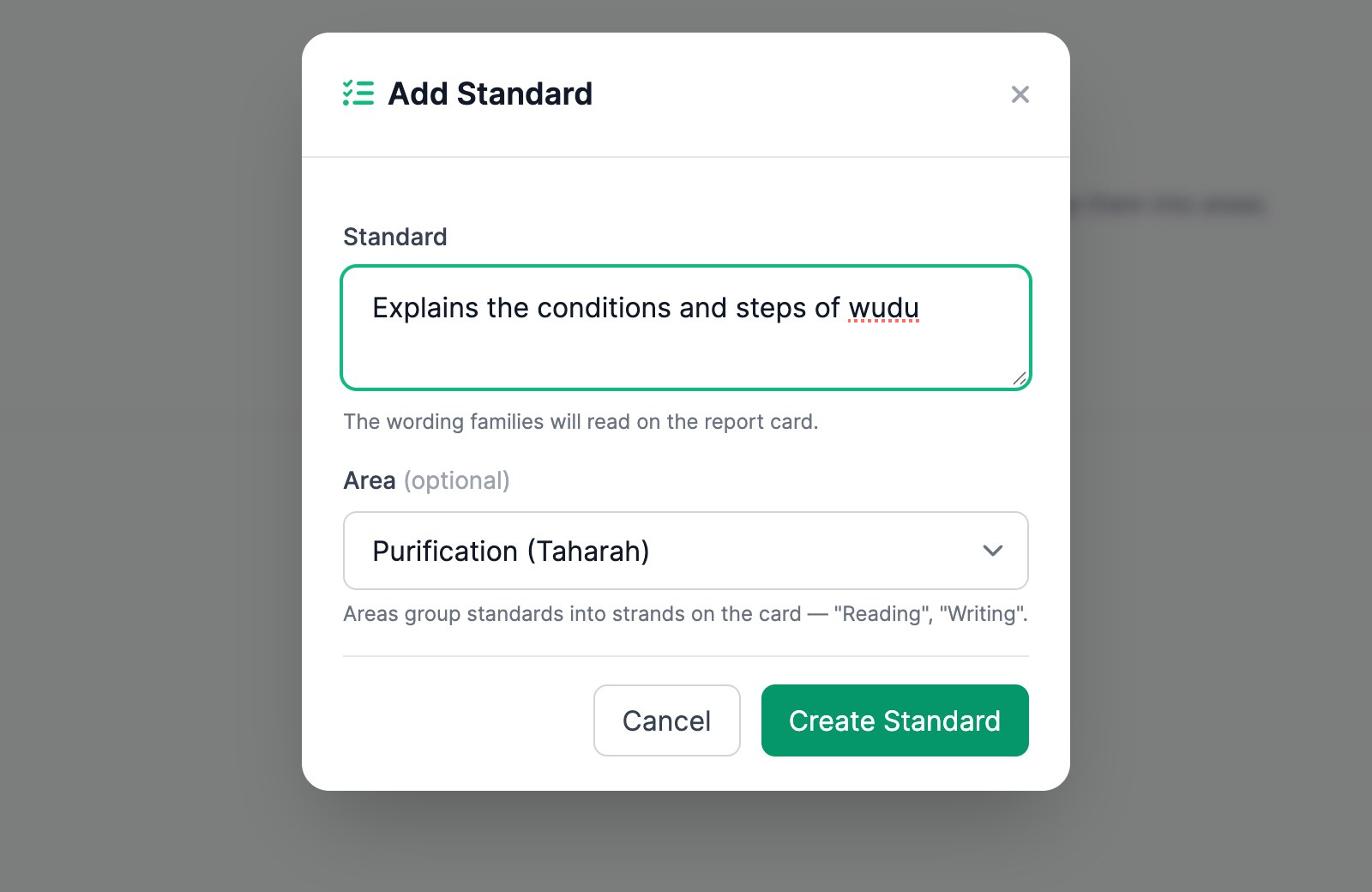
- Click Manage Areas and add the areas your standards are grouped into, such as "Purification (Taharah)" and "Prayer (Salah)". Type each name, press Enter, then click Done.
- Click Add Standard, type the standard exactly as families should read it on the report card, choose its Area, and click Create Standard.
- To fix a typo, move a standard to another area, or delete it, click edit under its name.
Mark a quarter
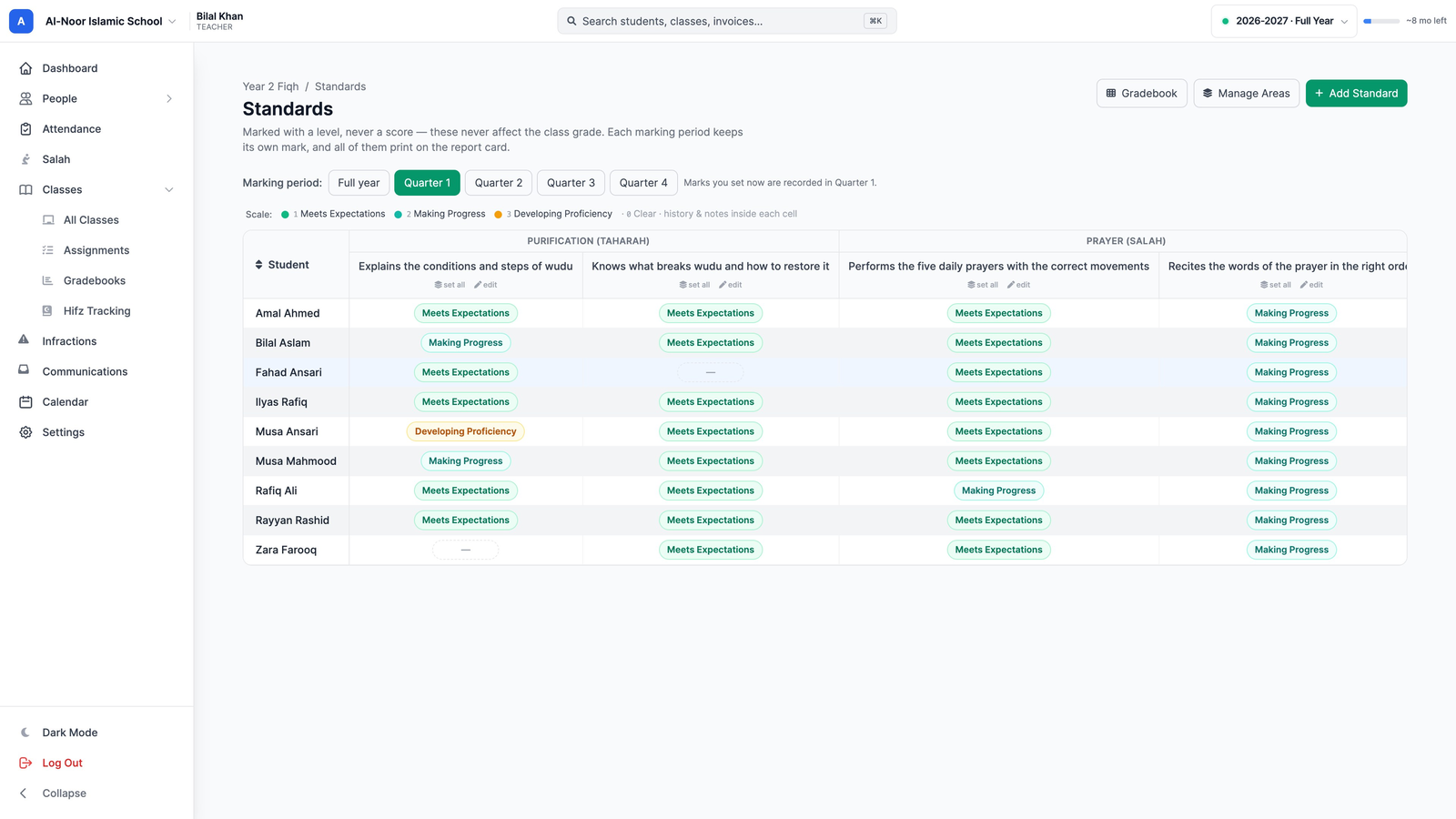
- Under Marking period, click the quarter you're marking. Check the note beside it: "Marks you set now are recorded in Quarter 1".
- Click a student's box and pick a level. It saves straight away.
- Keyboard: click into a box and press 1, 2 or 3. 0 clears it, and the arrow keys move you on.
- set all: under a standard's name, gives every student the same level in one click. Then change the few who are different.
- Not Assessed: for a student you didn't assess this quarter. It prints as NA.
Notes and history
Open any box to add a note (type it, then click Save note) and to see its history: every mark it has had, when, and its notes. Nothing is ever lost.
The next quarter
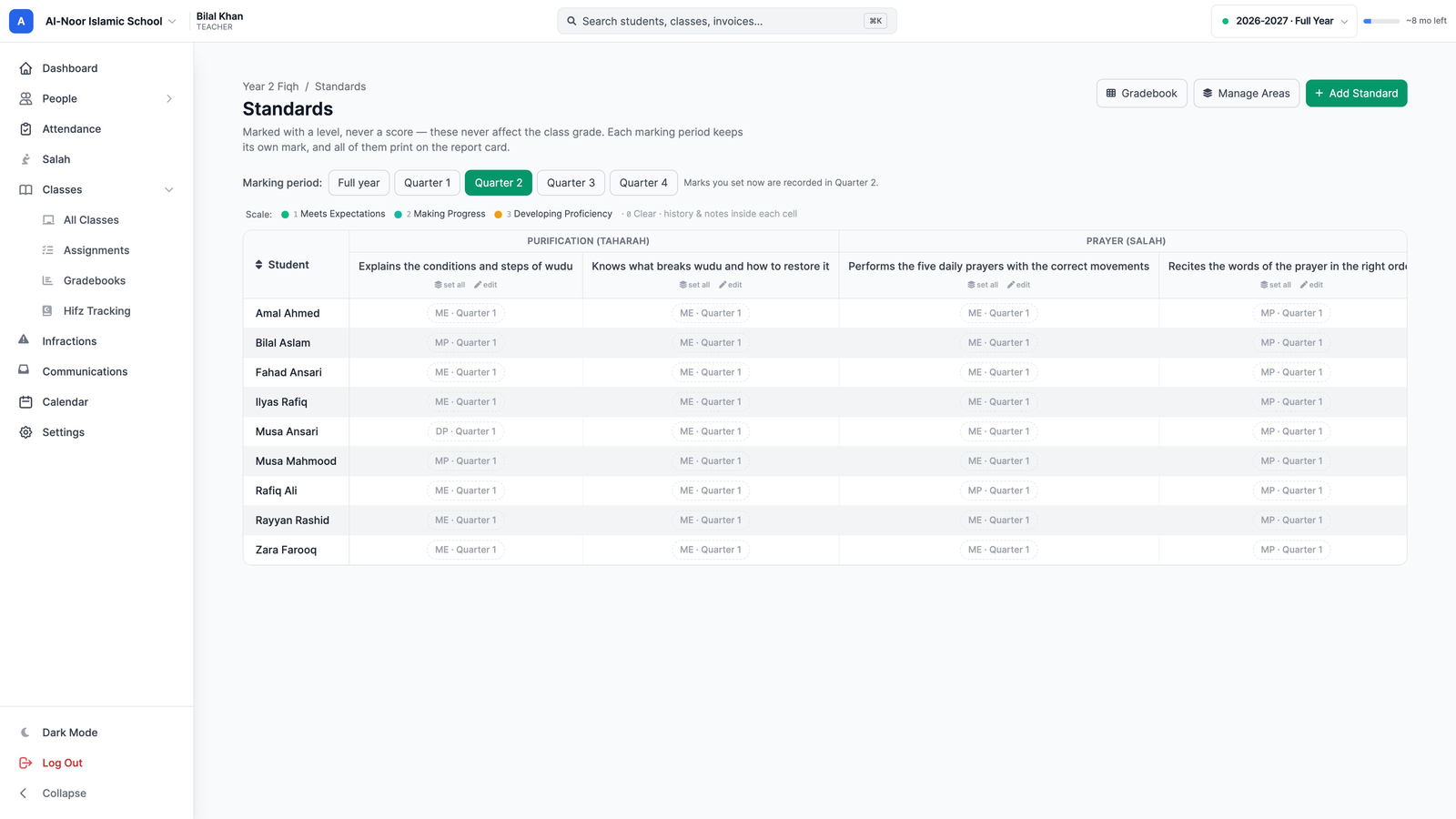
Click the next quarter. It starts empty. Grey text such as ME · Quarter 1 is only a reminder of last quarter's mark; it doesn't print in this quarter's column. Mark the new quarter the same way.
Good to know
- Once a term has closed, its marks are locked and the screen shows a lock. A quarter closes with its semester, the same as your other grades.
- Standards never count towards the class grade or average.
- Marking a standard never emails or alerts families. They see your marks on the report card.
More in Classes & Grades
Still stuck?
Our team is happy to walk you through it.