
Apply to another program for your child
If your child already attends one school in your organization, you can apply for another available program from their parent portal profile. MarkTrack carries the same child into the application, so you don't create a second student account.
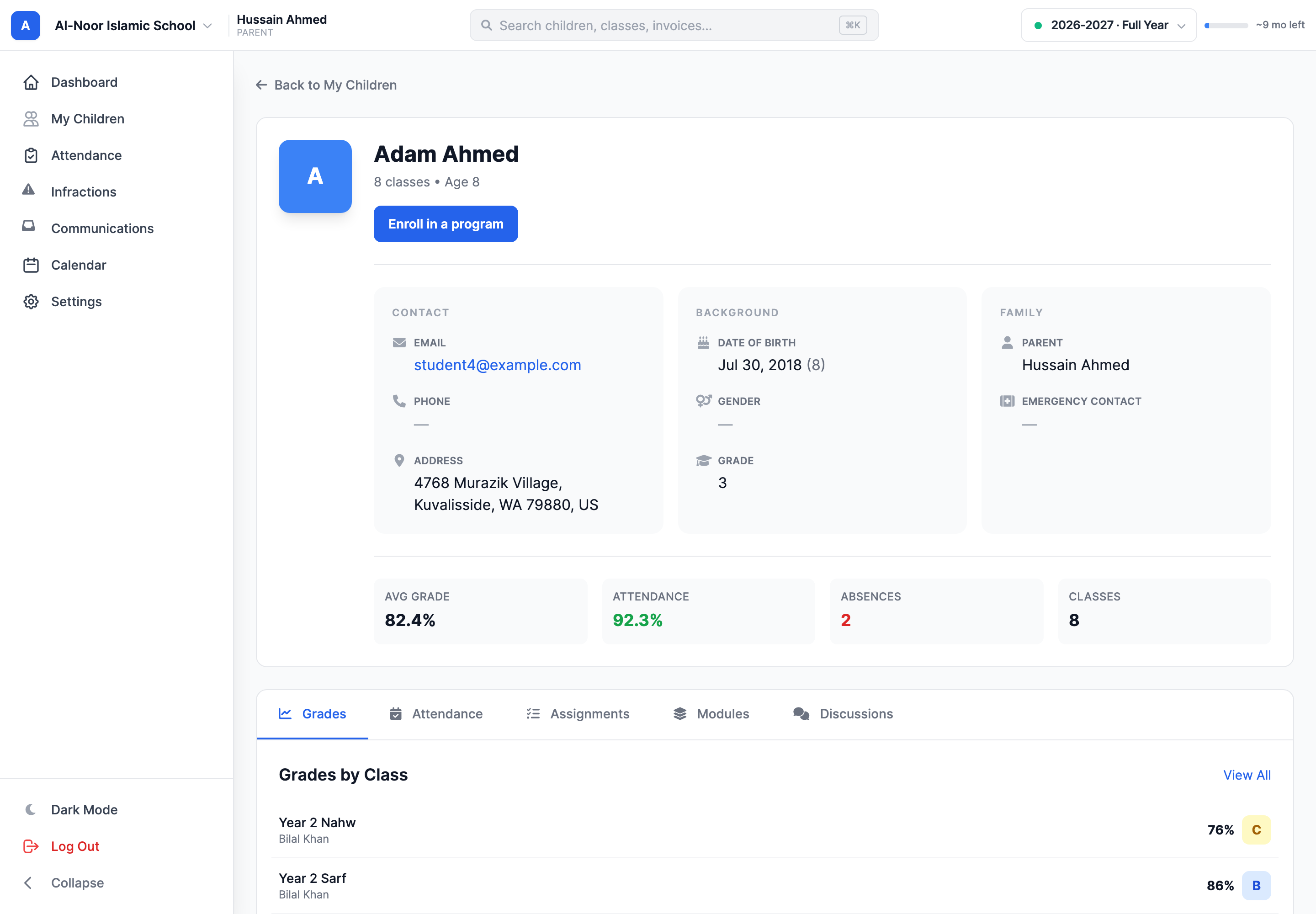
Step 1 — Open your child's profile
- Sign in to MarkTrack and open My Children.
- Select the child you want to enroll. Check the name at the top of the profile.
- Choose Enroll in a program.
Step 2 — Choose an available program
The page lists programs that are accepting applications for your child at schools in the same organization. Choose Apply for this program beside the one you want. If the list is empty, there may not be an open program that can accept this child right now; check with the school or come back later.
Step 3 — Complete the application
The school’s form opens with your child's identity and available school choices already filled in. Answer the remaining questions and read each consent carefully. The form may still ask for details or agreement that only you can provide. This application is for one child; repeat the steps from each child's profile if you are applying for siblings.
Review any registration fee and payment instructions shown on the form before submitting. Depending on the school's setup, payment may be part of the application or handled after the school reviews it.
Step 4 — Follow the application
After you submit, return to that child's Enroll in a program page to see the application under Your applications. The school decides whether to accept it. If accepted, the child joins the new program under the same student profile and your existing parent account continues to work.
Don't start another application for a program already in progress
An existing application can make that program unavailable for the child until the school decides it. Open Your applications to check its status, or contact the school office if you think it is stuck.
For a new family applying for the first time, see Apply and enroll your child.
More in For Parents
Still stuck?
Our team is happy to walk you through it.