
Set your timezone (and why it controls attendance)
Your organization’s timezone does more than format times on the screen — it decides what counts as “today” for attendance. If it’s set to the wrong zone, teachers can find that the day’s attendance won’t save, or that it lands on the wrong day. This guide explains the setting, why it matters, and how to get it right.
One timezone for the whole organization
MarkTrack uses a single, organization-wide timezone. It applies to every school and program in your organization, for both display and attendance.
First login: the time zone prompt
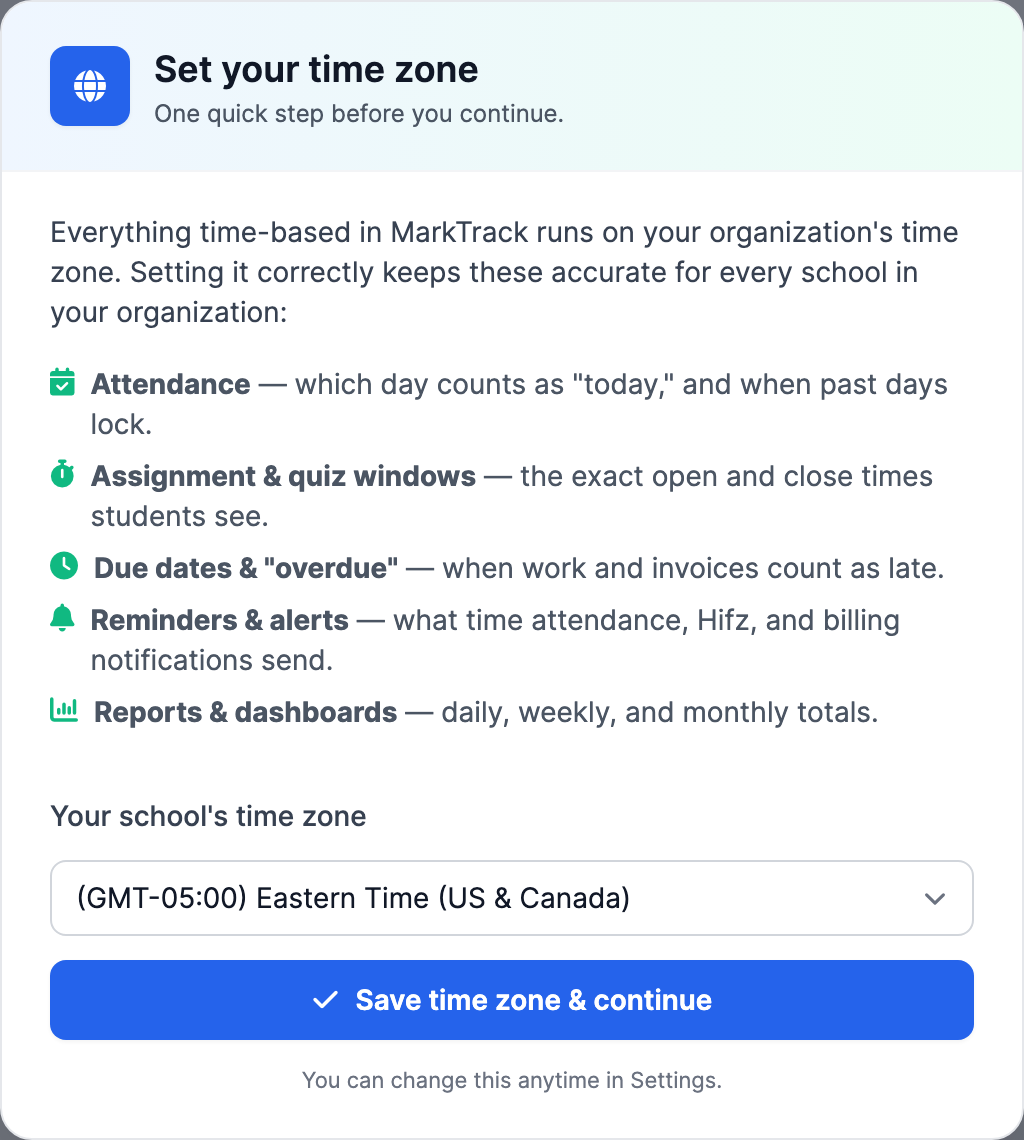
The first time an admin signs in to a new organization, MarkTrack shows a one-time “Set your time zone” prompt and won’t let you past it until you save. That’s deliberate — beyond attendance, the zone also drives assignment and quiz windows, due dates, reminder and alert times, and daily report totals. Pick your school’s local zone and click Save time zone & continue; you’re done in one click.
Change it anytime in Settings
Already set it, or need to correct it later?
- Go to Settings (the page opens on the Profile tab).
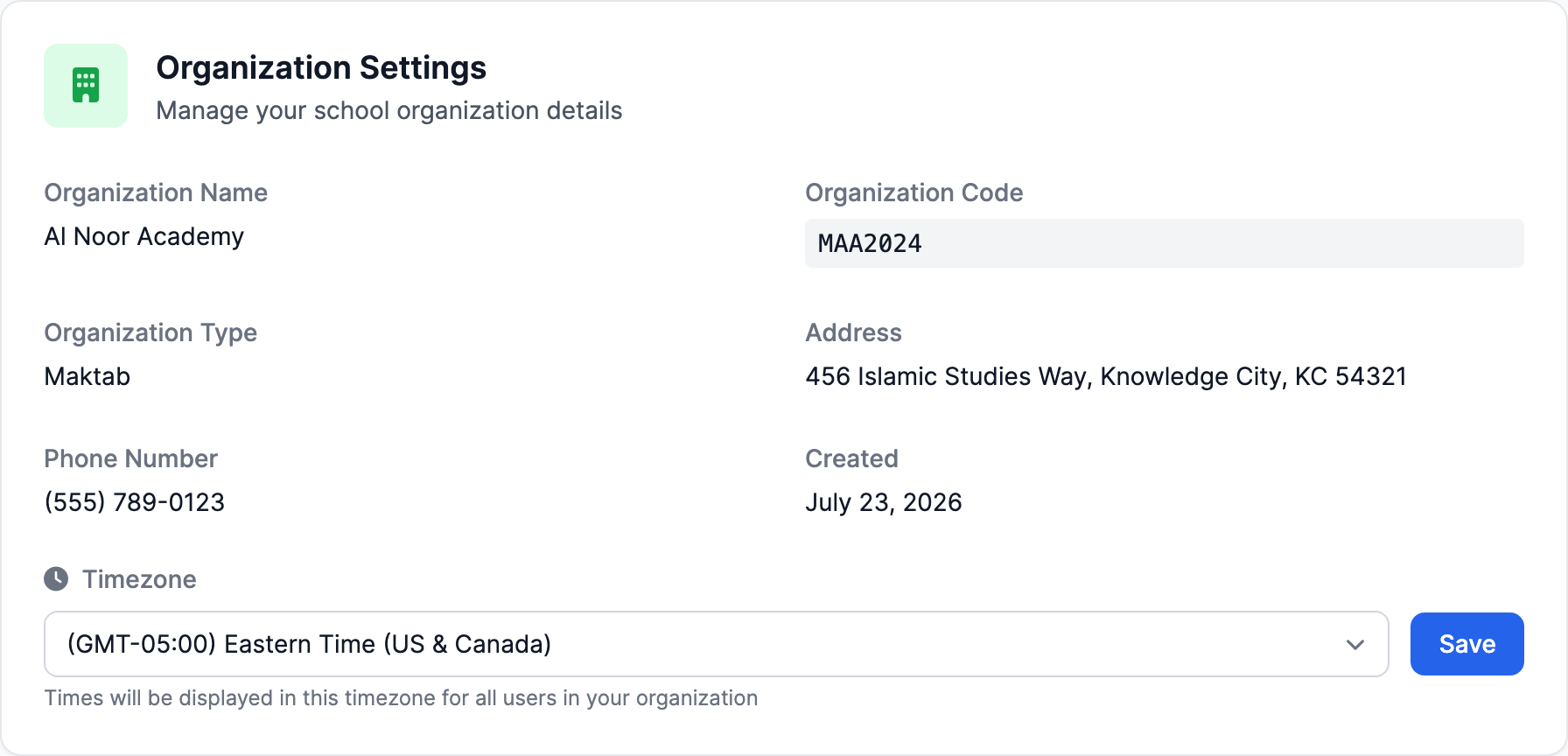
- Scroll to the Organization Settings card and find Timezone.
- Choose your local timezone from the dropdown and click Save.
Why it controls attendance
Attendance is always recorded against a calendar day, and MarkTrack figures out which day “today” is using your organization’s timezone. That single value drives three behaviors:
- Future dates are blocked. You can’t mark attendance for a day that hasn’t happened yet in your timezone — future dates always stay locked.
- Past dates can be locked. If Lock Past Attendance is on, teachers and admins can’t edit attendance for days before today.
- The date picker and the “today” highlight follow the same value.
The common mistake to avoid
If the timezone is left on a zone that’s ahead of yours (for example, UTC while your school is in the U.S.), the calendar can roll over to “tomorrow” too early in your evening. The result: taking this evening’s attendance gets rejected as a future date, or yesterday’s real session suddenly looks like a locked past day.
The fix is simply to set the timezone to your actual local zone. Do this before your first attendance day and you’ll never hit it.
Lock Past Attendance
The lock lives on the Attendance tab of Settings. That tab opens with the School Attendance Setup card — an accordion with one row per school, each showing a Daily or Per Class mode pill and its list of attendance statuses. Everything inside the accordion is per school; it’s covered in custom statuses, self-marking, and attendance takers.
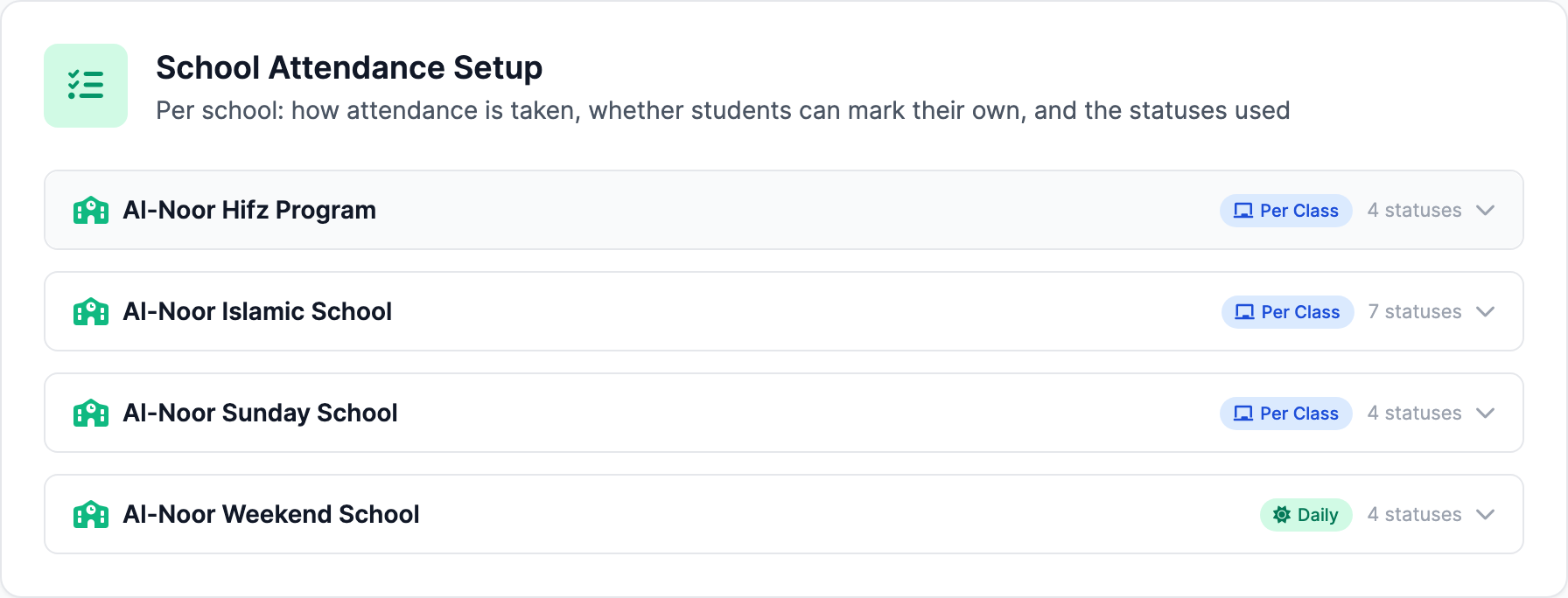
The lock toggles are not in the accordion, because they apply to the whole organization:
- Go to Settings and select the Attendance tab.
- Scroll past the School Attendance Setup accordion to the Attendance Settings card.
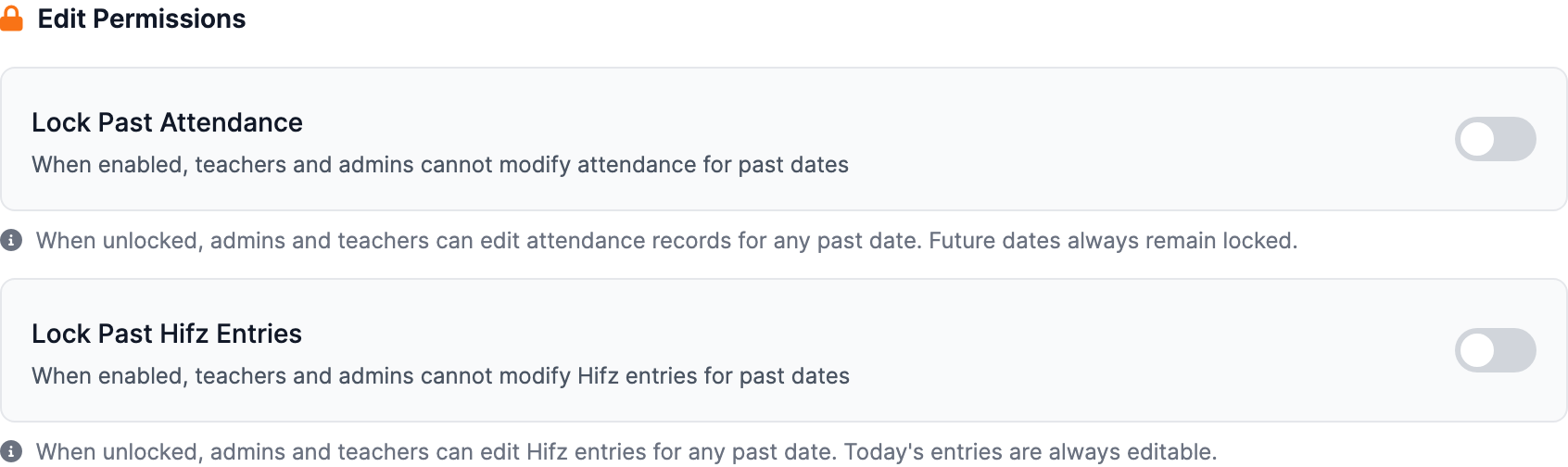
- Under Edit Permissions, flip Lock Past Attendance on.
When it’s on, teachers and admins can’t change attendance for previous days — useful once a period is finalized. Leave it off if you want to allow back-dated corrections. Because “past” is measured against your timezone, it’s worth getting the timezone right first.
Right below it is a separate Lock Past Hifz Entries toggle that does the same thing for Hifz memorization entries — the two locks are independent, so you can finalize attendance while still allowing Hifz corrections (or vice versa).
These toggles save instantly
Flipping Lock Past Attendance or Lock Past Hifz Entries applies immediately — there’s no separate Save button. Teachers mid-edit on a past day will be locked out on their next save.
Term locks and concluded years
Two more locks can make attendance read-only, and neither is controlled from the Attendance tab: a date inside a locked term refuses edits (“This term is locked. Grades and attendance from this period are read-only.”), and once an academic year is concluded, everything in it — attendance included — is permanently read-only. Both are part of academic-year management; see Roll over to a new year for how terms lock and what concluding a year freezes.
Running programs in more than one timezone?
The timezone is organization-wide, so pick the zone your attendance day should follow. Everyone in the organization shares it.
Ready to take attendance? Start with Take daily attendance, or browse the other guides in Attendance.
More in Attendance
Still stuck?
Our team is happy to walk you through it.