

How Kufa Institute uses MarkTrack to streamline enrollment, assignments, and billing
Kufa Institute, based in Tampa, Florida, teaches the classical Islamic sciences — a multi-year ʿAlim course and a Diploma in Islamic Studies — to hundreds of students, brothers and sisters, across daytime and evening schedules. That is a lot of moving parts: parallel class sections for each gender, students who enroll by track, exams that have to be written, sat, and graded, and registration fees to collect.
Here is how they run all of it on MarkTrack — from a prospective student clicking apply to a graded midterm in the gradebook.
A note on the screenshots: the enrollment form is Kufa's own live application. The classroom screenshots use a sample program (“Al Noor Institute”) so we are not showing any real student's information.
Assignments: write it, sit it, grade it
Teachers at Kufa build their assessments directly in MarkTrack as interactive quizzes. An exam is simply a quiz filed under a grade category — “Final Exam,” say — with the settings a real classroom needs: an availability window, a per-attempt time limit, and whether students can review the correct answers afterward.
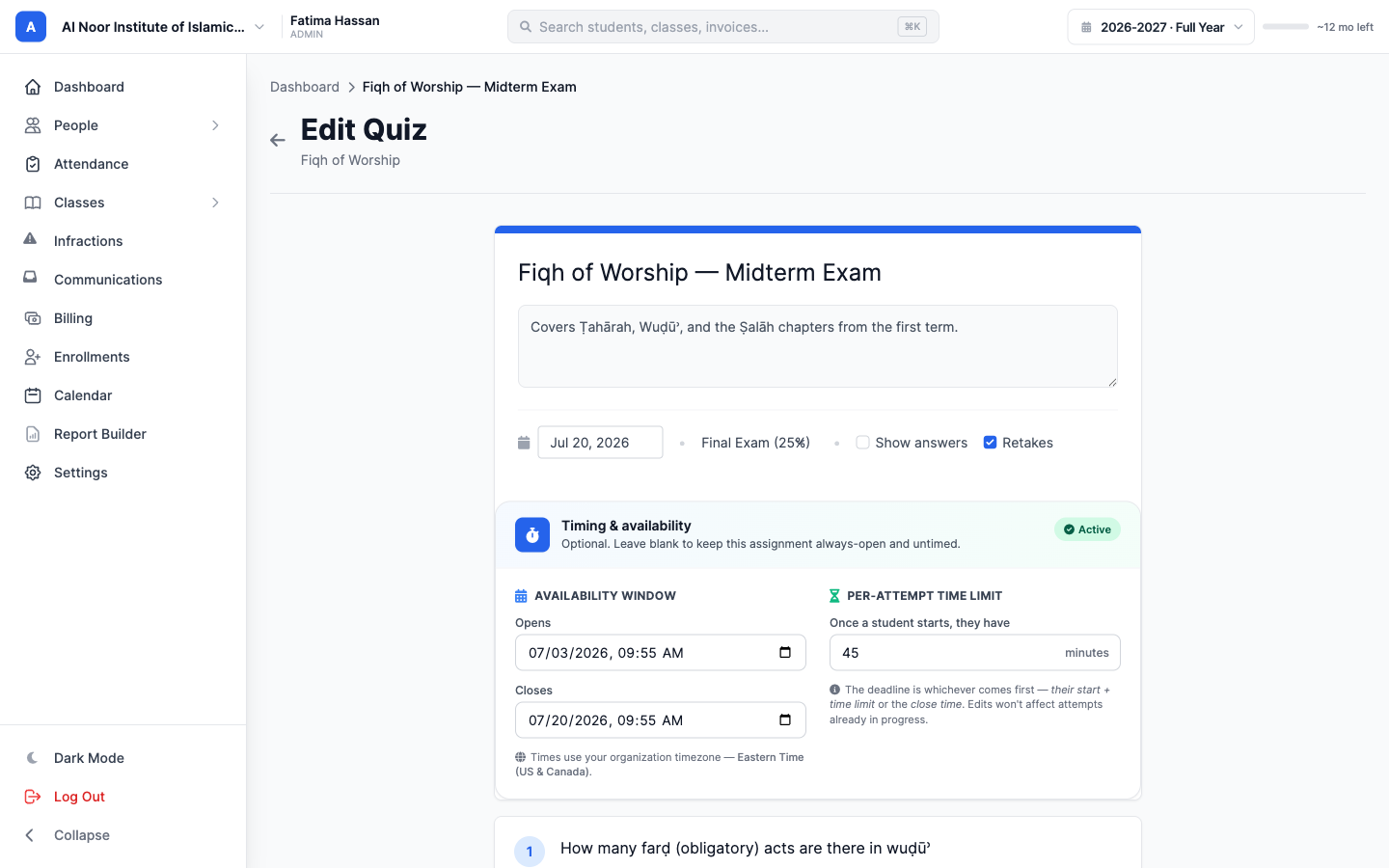
Questions can be multiple-choice, true/false, or short answer. Each one carries its own points and a correct answer, and MarkTrack keeps the total in sync for you.
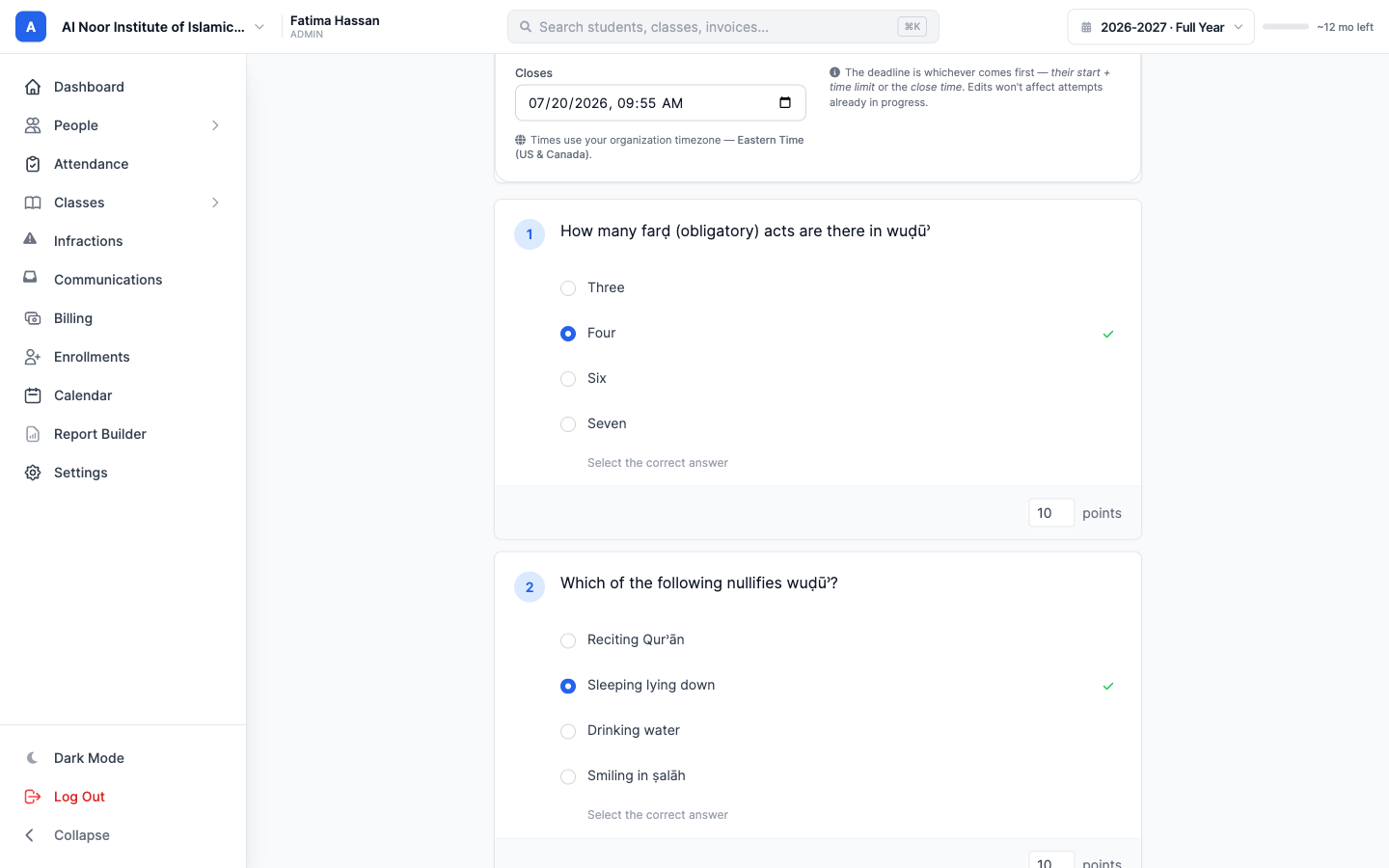
Students sit the exam on any device. A progress tracker and a question navigator show what is answered, blank, or flagged; every answer auto-saves as they go; and a countdown keeps a timed exam honest.
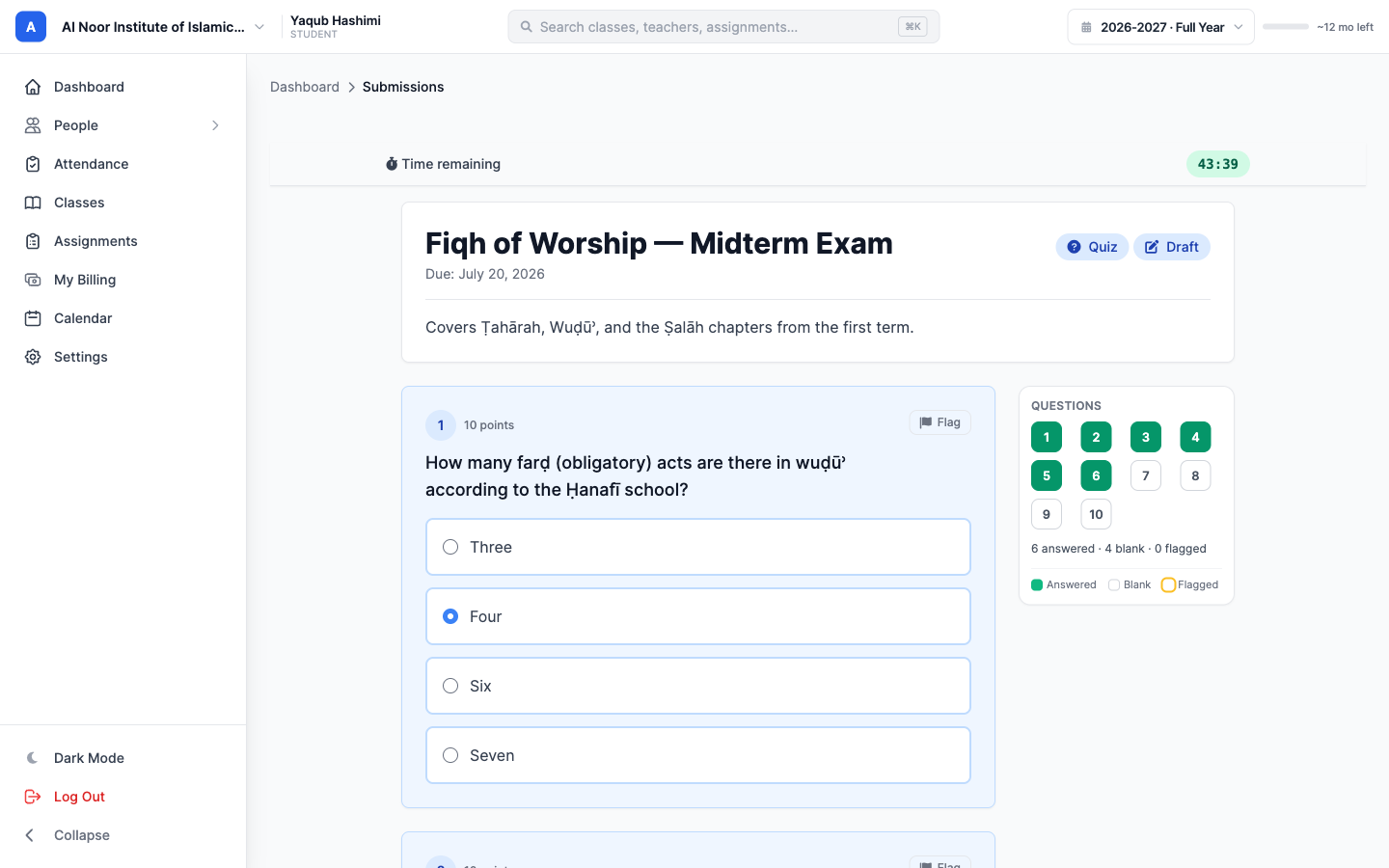
As submissions land, the teacher gets a single dashboard: how many have submitted, the class average, and how many still need grading — no spreadsheet required.
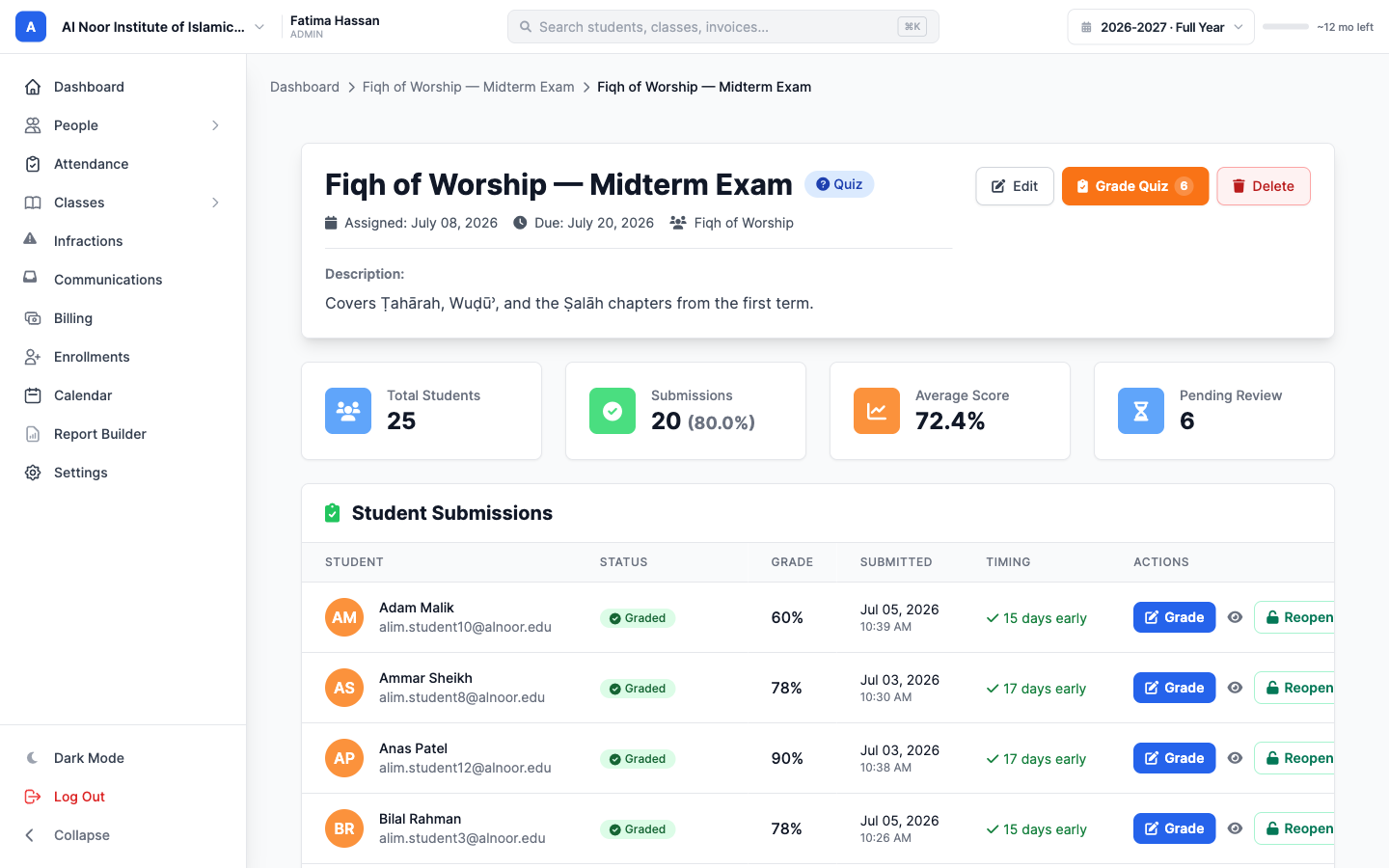
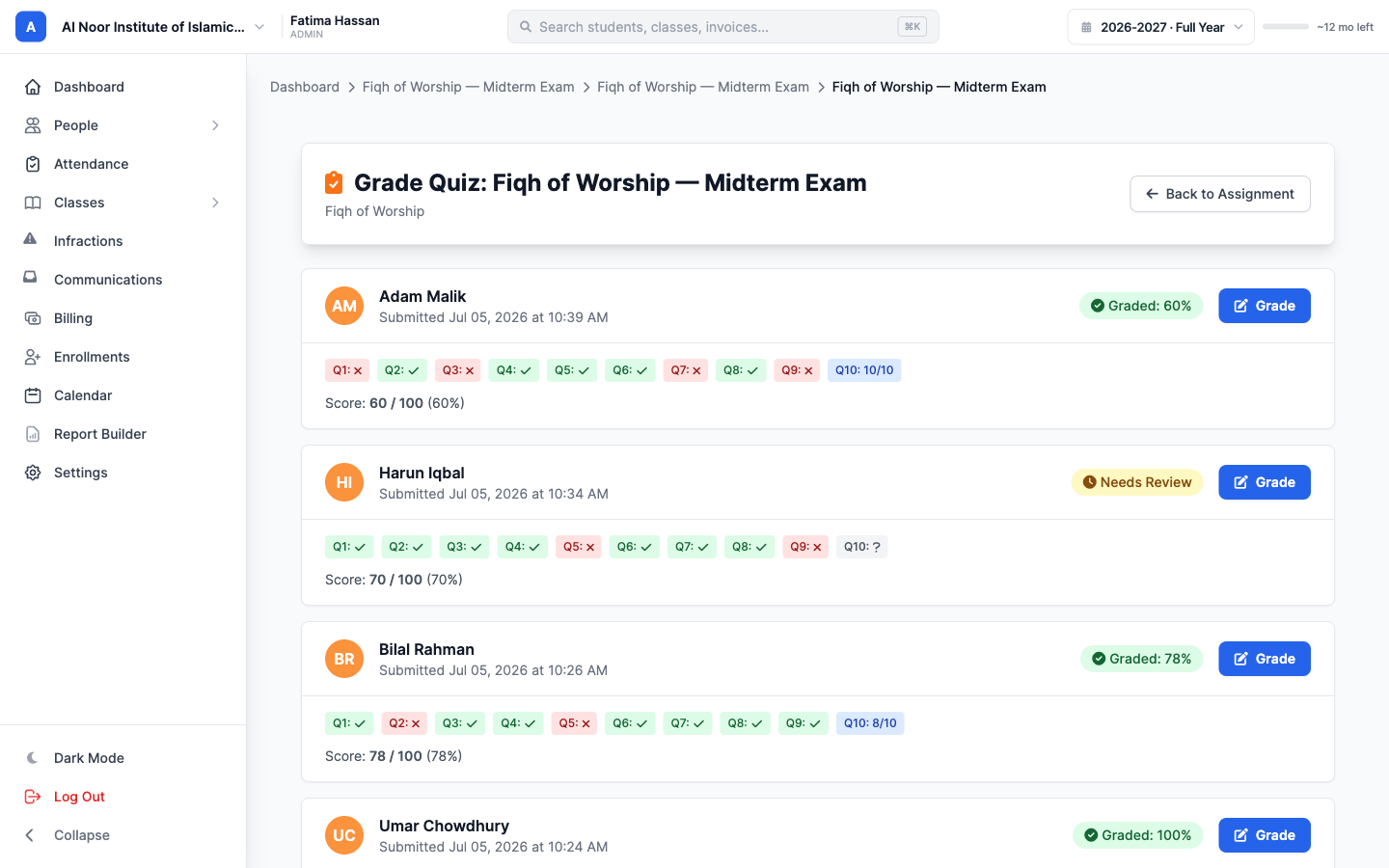
Multiple-choice and true/false are graded the instant the student submits. The teacher only marks the short answers — MarkTrack has already done the rest and flags what is left as “Needs Review.”
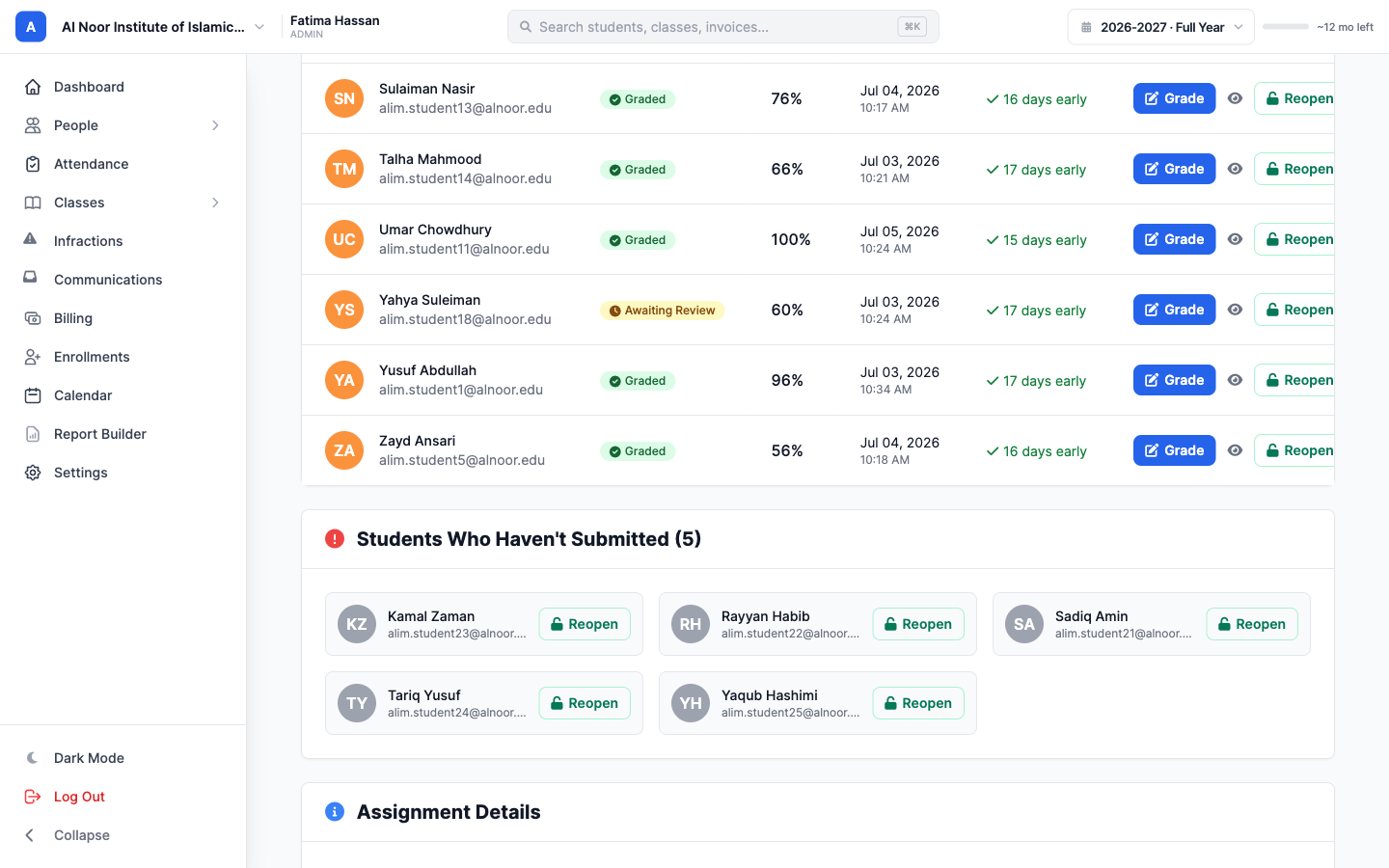
And nobody slips through the cracks. The roster shows exactly who is graded, who is awaiting review, and who has not submitted yet — with a one-click way to reopen the exam for a student who needs it.
Enrollment: the “Select Program” workflow
Enrollment is where Kufa's setup gets interesting. Their courses run as tracks — a full-time load, a daytime track, and an evening-and-weekend track — and every class is taught in separate brothers' and sisters' sections. On a generic form, an applicant would have to scroll a long list of classes and hope they picked the right ones.
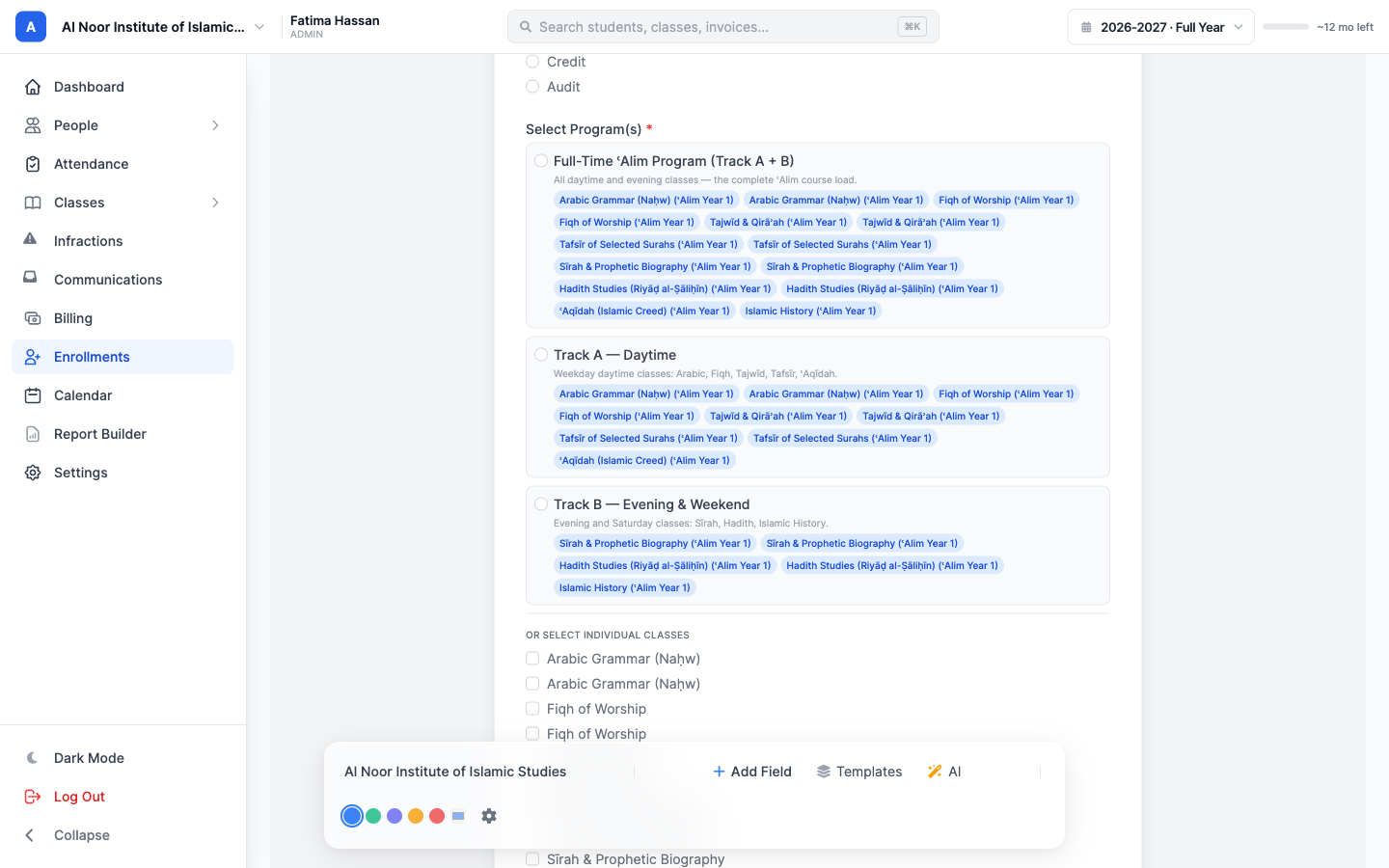
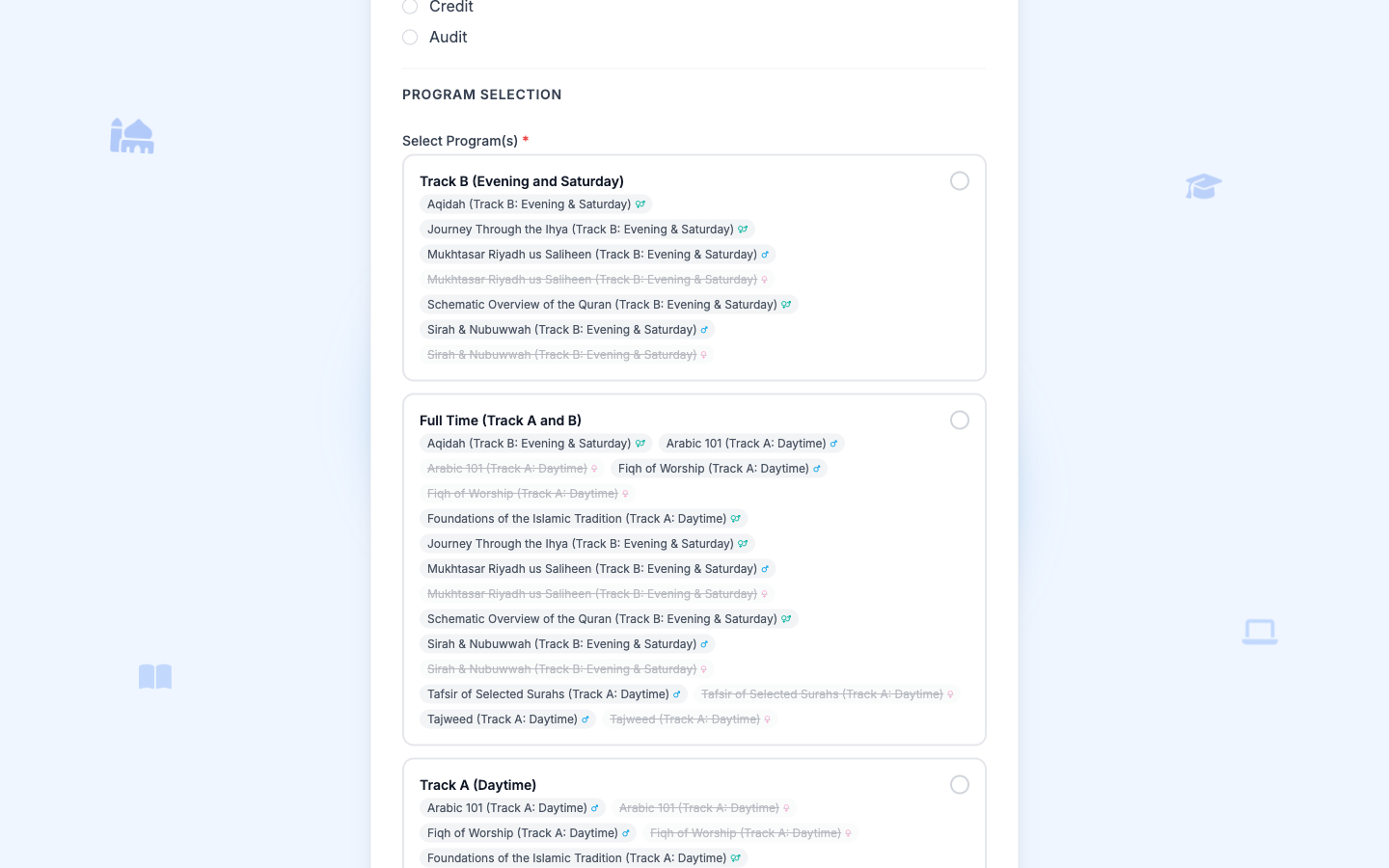
Instead, Kufa uses MarkTrack's Program Selector. In the form builder, an admin turns on auto-enroll, chooses the school's classes, and groups them into tracks — Full-Time, Track A (Daytime), and Track B (Evening & Weekend).
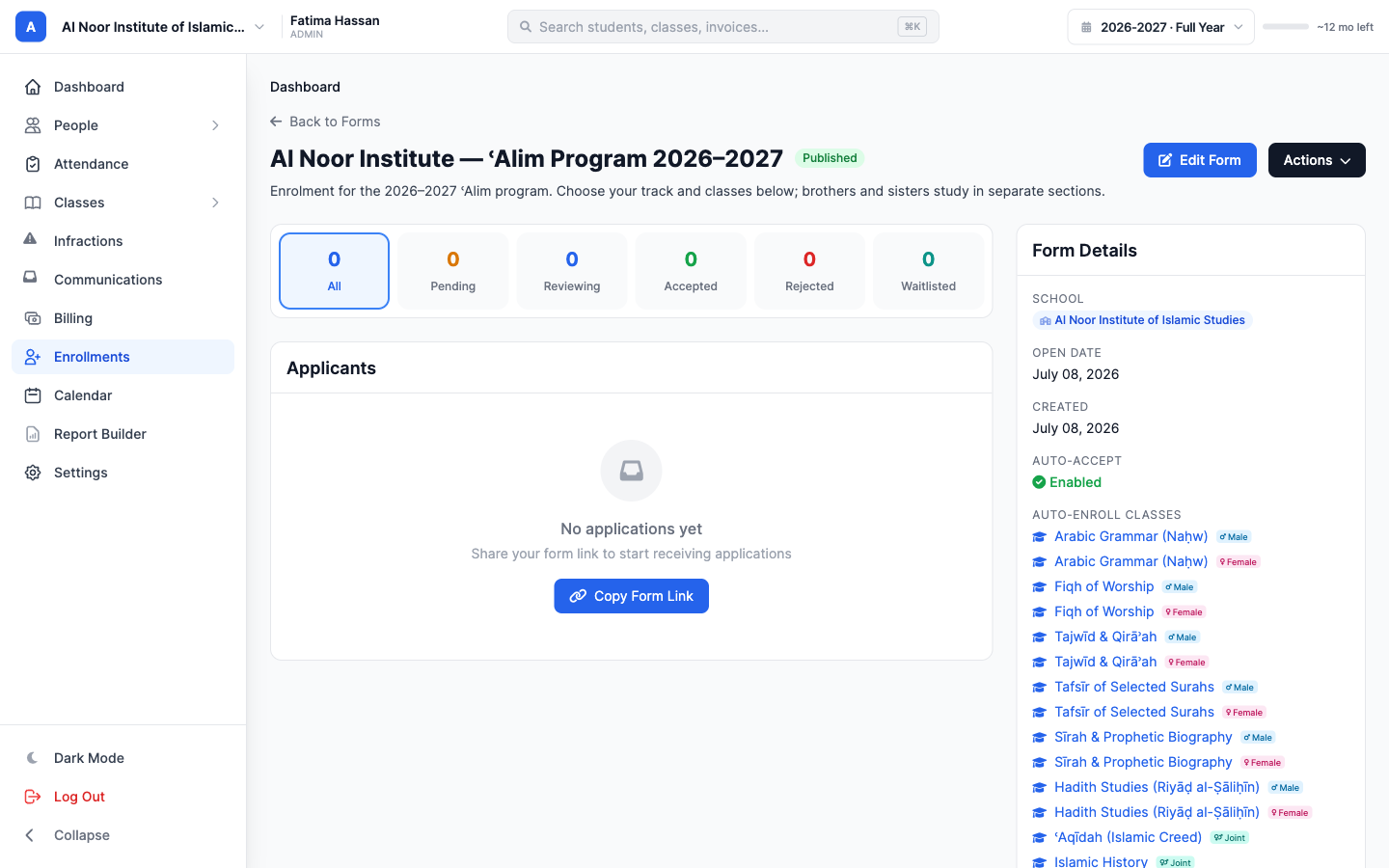
Because each class exists as a separate section per gender, MarkTrack tags every one with a Male, Female, or Joint badge behind the scenes. Turn on auto-accept, and an accepted applicant is enrolled into exactly the right sections automatically.
Applicants never see that complexity — the form handles it. They pick their gender and a track, and MarkTrack instantly filters the class list to their sections. The other gender's classes are greyed out, and choosing a track selects its whole bundle in one tap.
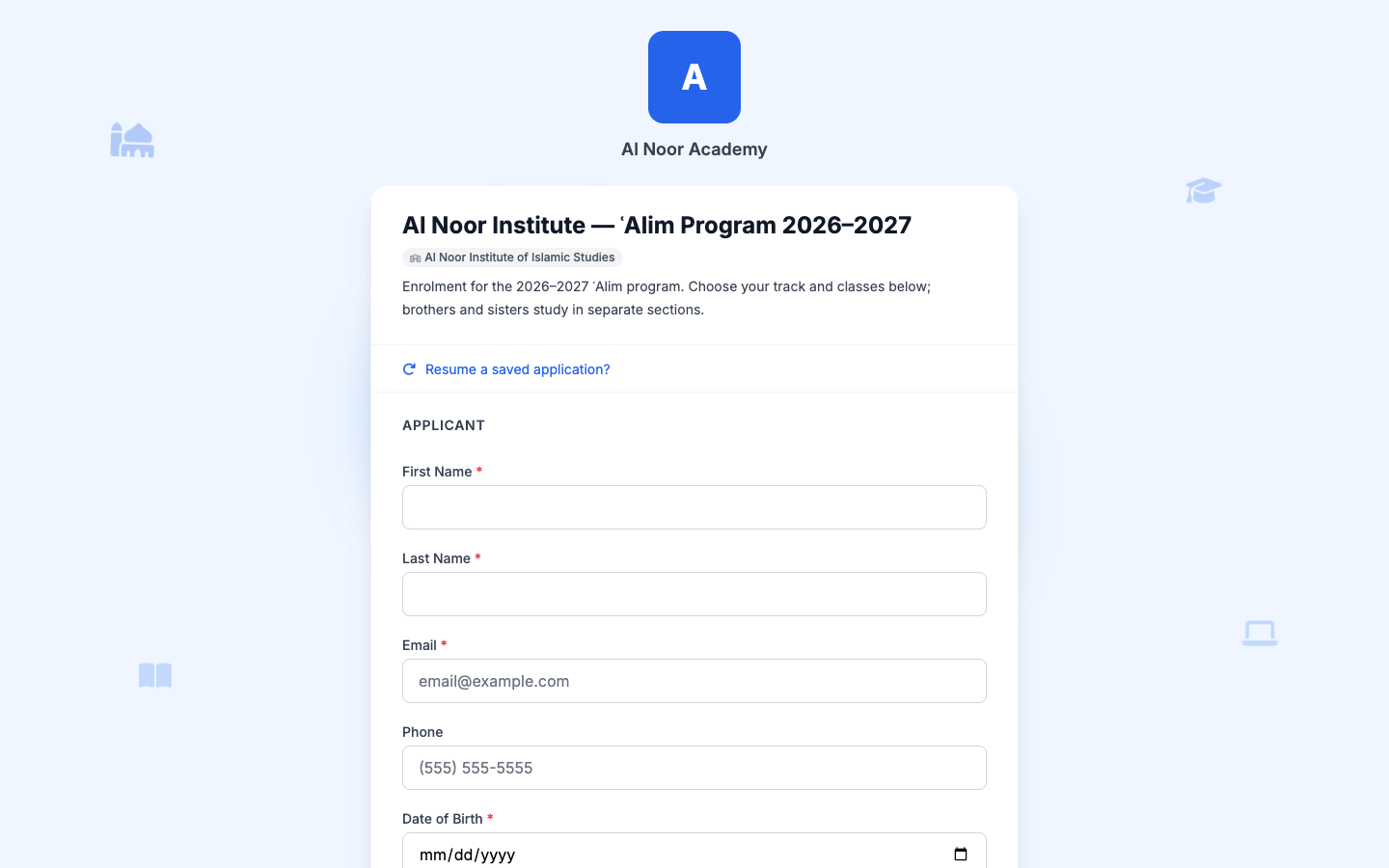
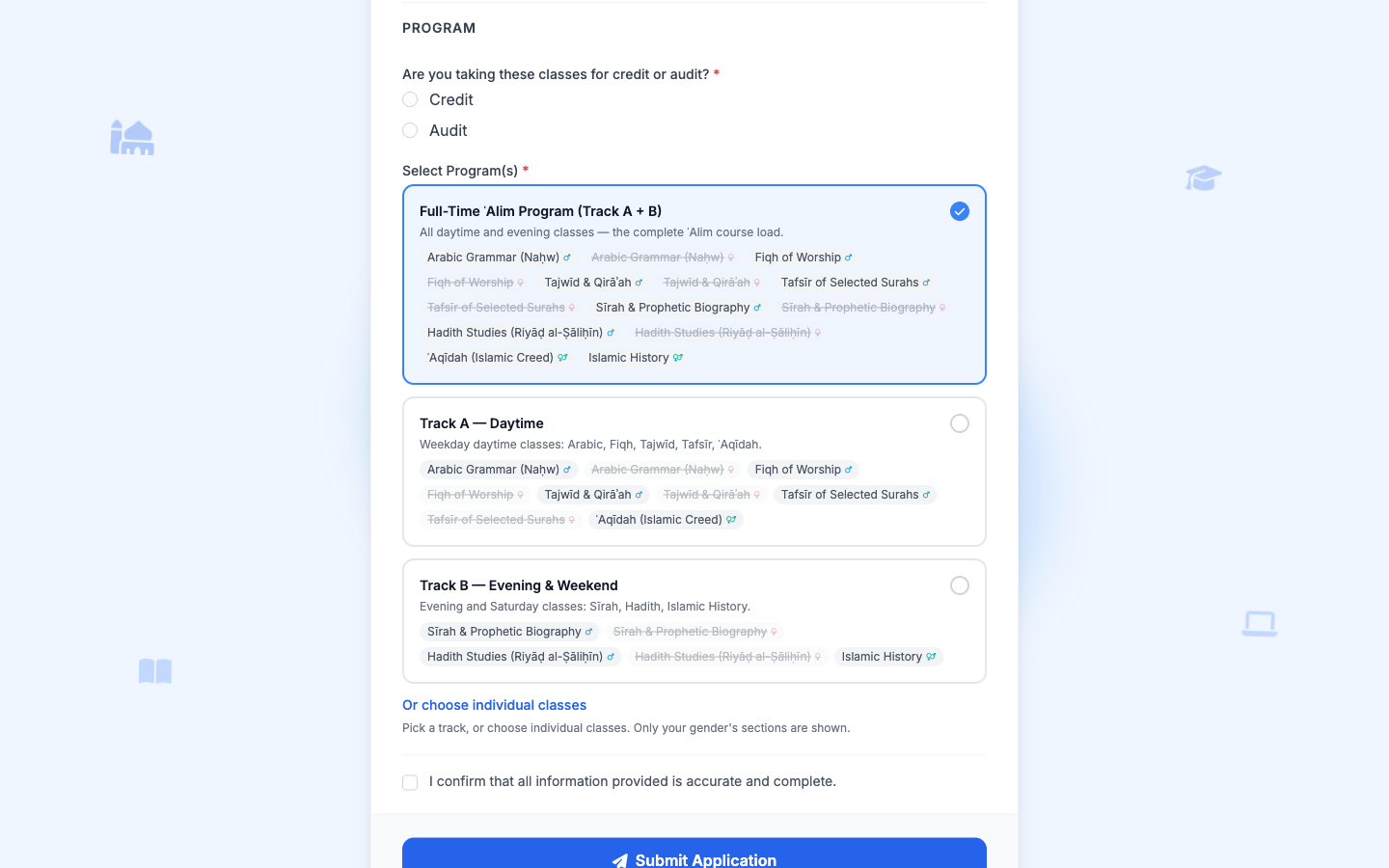
Here is Kufa's real, live form doing precisely that — the same tracks, the same gender-aware sections:
When the application is accepted, MarkTrack does the data entry no one wants to do: it creates the student's account and enrolls them into precisely the sections they chose — the right classes, the right gender section — every time.
Embed it on your own site, then collect the fee
Kufa does not push applicants off to a separate portal. They embed the application straight into their own website with a single line of iframe code, or share a direct link — both from the same Actions menu.
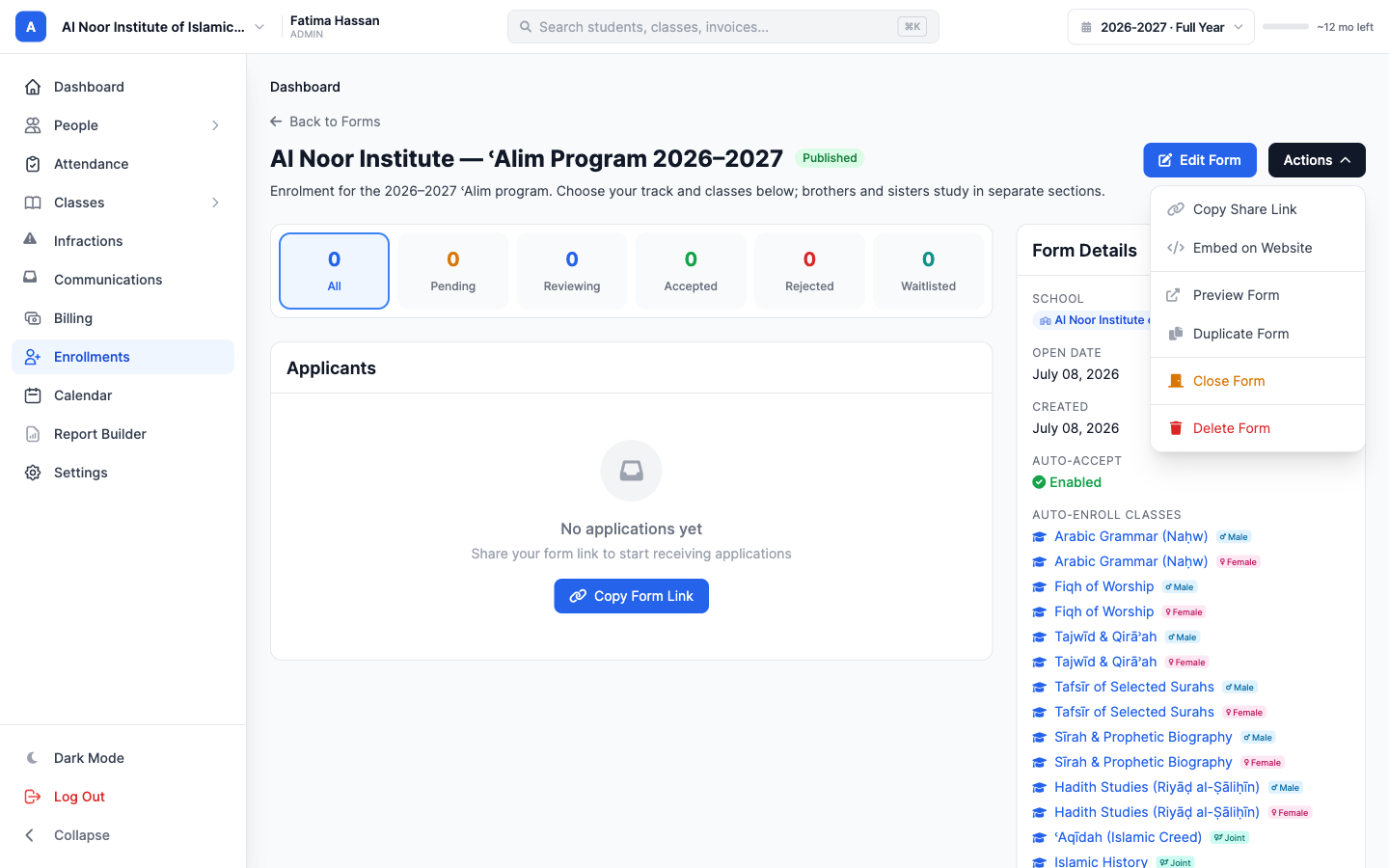
And because the form is tied to a registration fee, accepting an application automatically issues the invoice. Enrollment and billing become the same step, not two separate chores in two different tools.
One system, apply to gradebook
From a prospective student tapping “apply,” to the right brothers' or sisters' sections filling up, to a midterm auto-graded in the gradebook — it is one platform. That is what Kufa Institute, and serious Islamic schools like it, get out of MarkTrack: the specific things the work actually needs, without the busywork around them.
If you run an ʿAlim course, a diploma program, a weekend school, or a maktab, you can set the whole thing up the same way.
Related reading
Interested in trying out MarkTrack for free?
Get in touch